Tally • Quick Counter

Tally • Quick Counter

ダウンロード: App Store
ロゴ: Tally • Quick Counter

Tally • クイックカウンター:大切なものを楽々追跡

Appleエコシステムのためにデザインされたミニマルなジェスチャーベースのインターフェース。Apple Watch、ウィジェット、Live Activitiesを使って、摩擦ゼロで習慣、スコア、マイルストーンを追跡しましょう。

ダウンロード: App Store

開発元

Agile Tortoise

カテゴリ

Utilities

ダウンロード

46K+

ユーザー評価

4.7/5

評価数

1K+

対応言語

1

見ずに数える

このインターフェースを利用する 46K+ 人のユーザー.

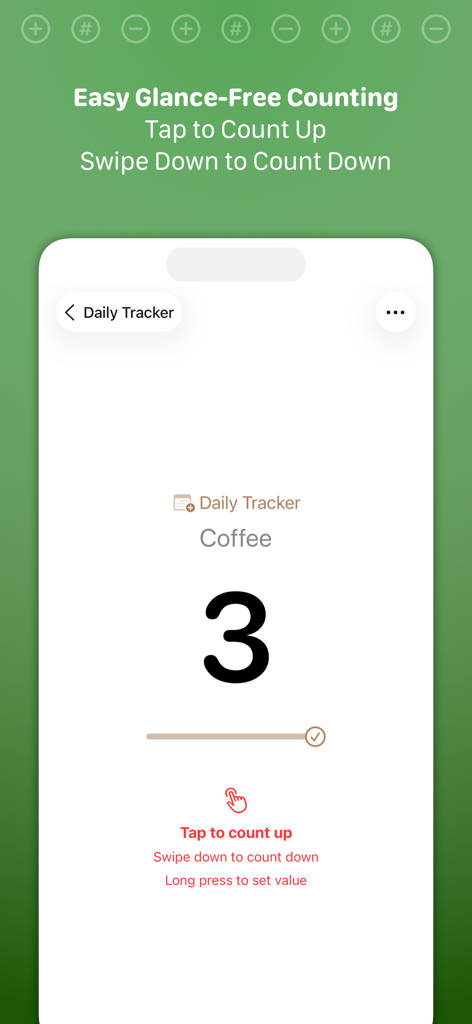
Tallyアプリが表示されたiPhone画面。コーヒーカウンターが3で、タップとスワイプのジェスチャーの説明が表示されている
Tallyアプリが表示されたiPhone画面。コーヒーカウンターが3で、タップとスワイプのジェスチャーの説明が表示されている

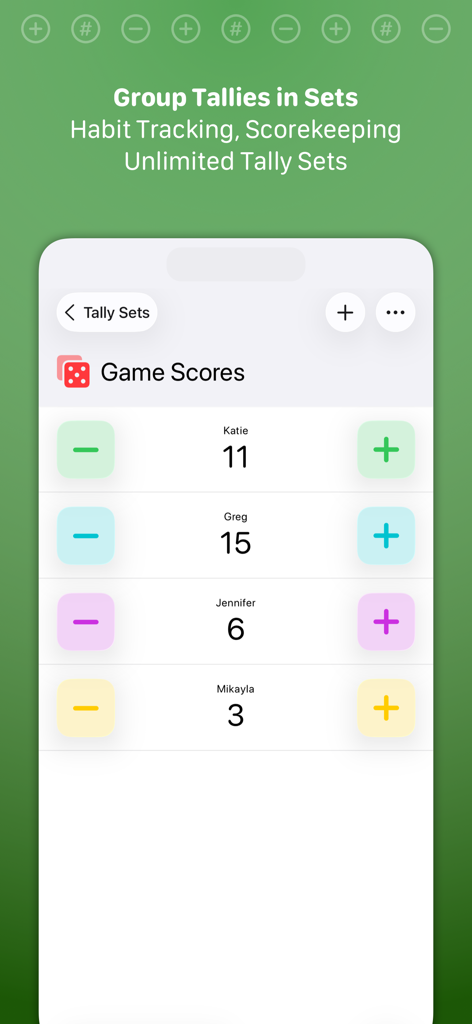
複数のプレイヤーカウンターを持つゲームスコアセットが表示されたモバイルアプリインターフェース
複数のプレイヤーカウンターを持つゲームスコアセットが表示されたモバイルアプリインターフェース

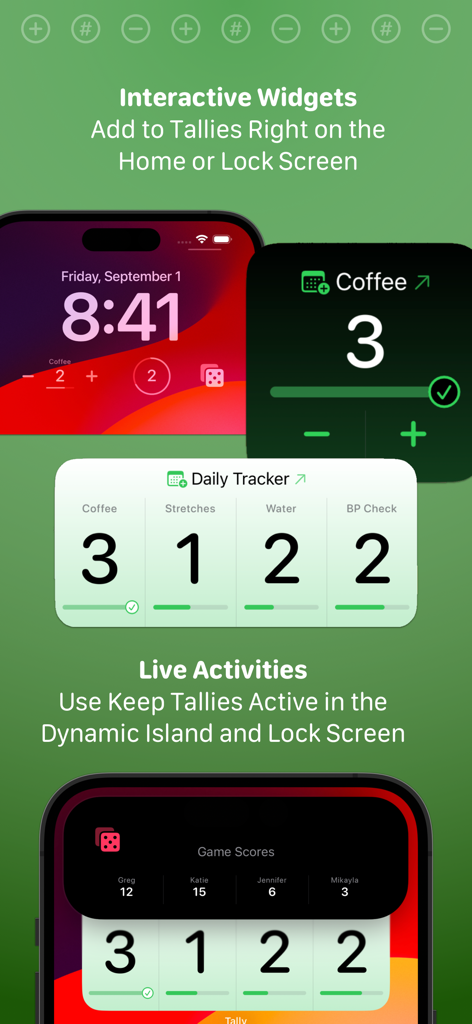
Tallyアプリ。iPhoneのロック画面で習慣やスコアを追跡するためのインタラクティブなウィジェットとライブアクティビティを搭載
Tallyアプリ。iPhoneのロック画面で習慣やスコアを追跡するためのインタラクティブなウィジェットとライブアクティビティを搭載

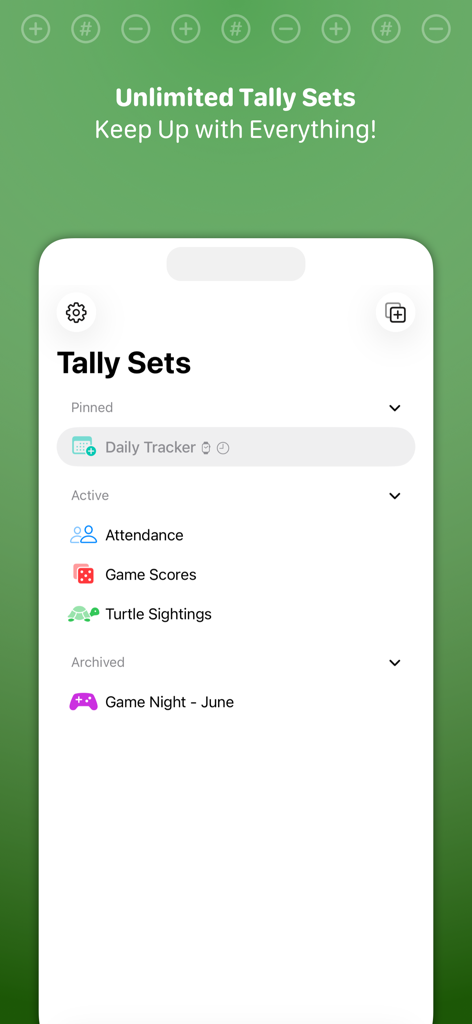
Tallyアプリのインターフェース。出席、ゲームスコア、習慣の進捗状況を追跡するための整理されたタリーセットを表示
Tallyアプリのインターフェース。出席、ゲームスコア、習慣の進捗状況を追跡するための整理されたタリーセットを表示

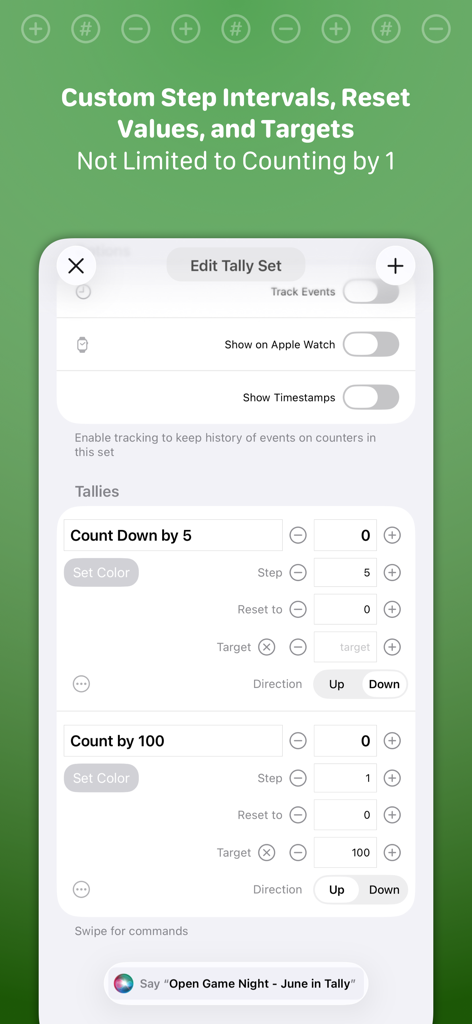
Tallyの「タリーセットの編集」画面。カスタムステップ間隔、ターゲット、Apple Watch連携のオプションを表示
Tallyの「タリーセットの編集」画面。カスタムステップ間隔、ターゲット、Apple Watch連携のオプションを表示

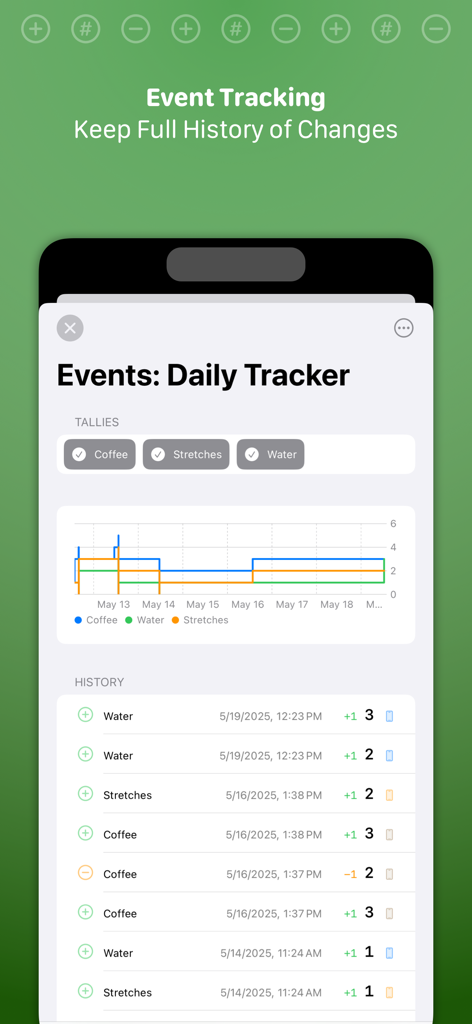
Tallyアプリの詳細なイベント履歴ログと進捗グラフ。さまざまな習慣の日次トラッカーデータを表示
Tallyアプリの詳細なイベント履歴ログと進捗グラフ。さまざまな習慣の日次トラッカーデータを表示

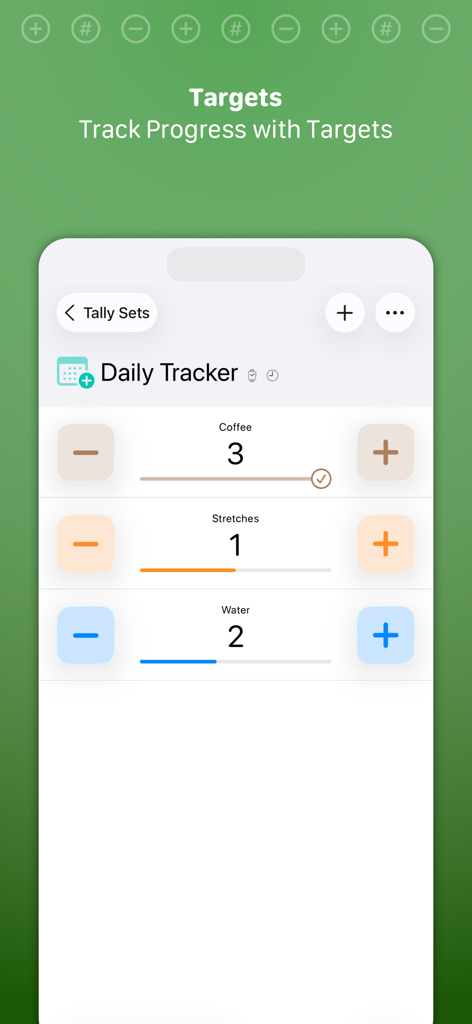
Tallyアプリのインターフェース。習慣のカウントのための進捗バー付きの日次トラッカーを表示
Tallyアプリのインターフェース。習慣のカウントのための進捗バー付きの日次トラッカーを表示

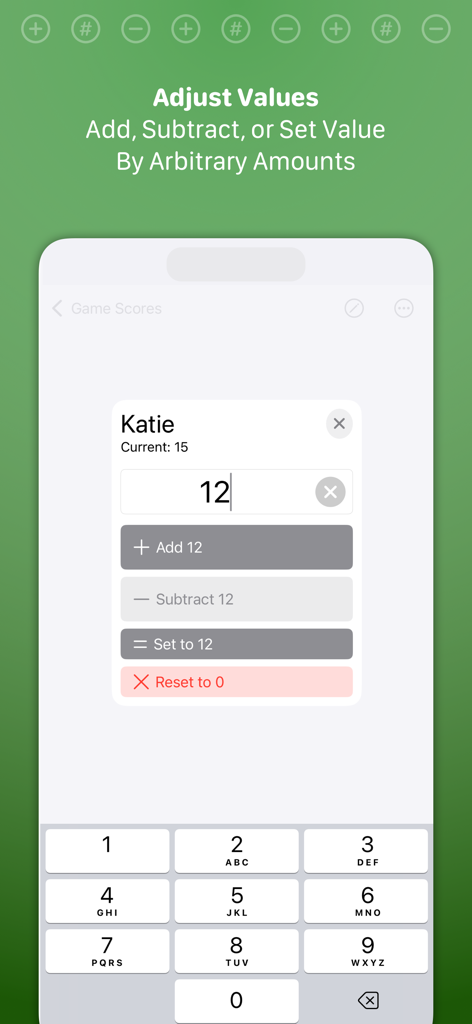
Tallyアプリの「値の調整」インターフェース。カウンターの量を手動で追加、減算、または設定するためのもの
Tallyアプリの「値の調整」インターフェース。カウンターの量を手動で追加、減算、または設定するためのもの

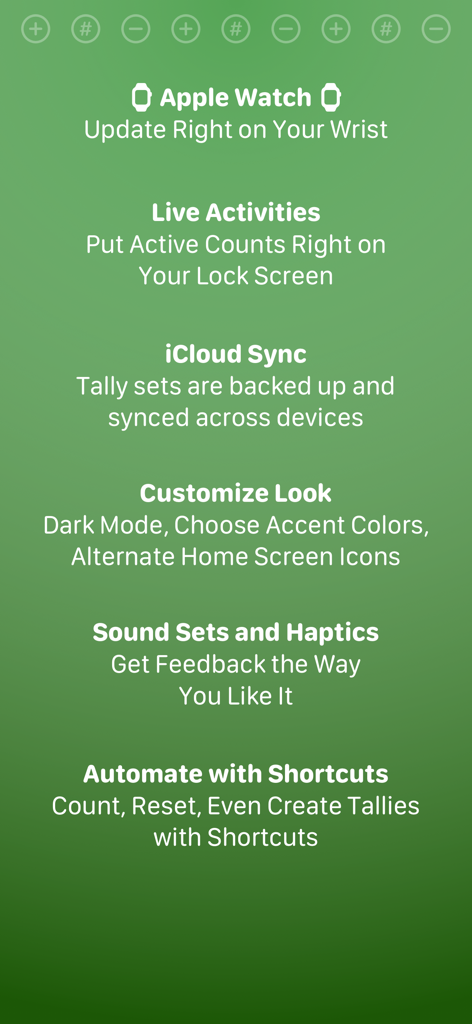
Tally Quick Counterアプリの機能リスト。Apple Watchサポート、Live Activities、iCloud同期、ショートカット自動化を含む

Tally Quick Counterアプリの機能リスト。Apple Watchサポート、Live Activities、iCloud同期、ショートカット自動化を含む

指標を楽々マスター

このアプリを際立たせるツール、 46K+ 人のユーザーが選択.

🖐️

ハンズフリー・ジェスチャーコントロール

どこでもタップしてカウントアップ、スワイプダウンでカウントダウン。アクションから目を離さずに、即座に進捗状況を追跡できます。

ディープなAppleエコシステム連携

Apple Watch、ロック画面のLive Activities、またはホーム画面のウィジェットからカウントにアクセスできます。iCloud経由でデータは常に同期されます。

プロユーザーのための強力な自動化

iOSショートカットを活用して追跡を自動化し、カスタムターゲットを設定して、フィットネス、趣味、生産性の目標に対する進捗状況を視覚化しましょう。

アプリについて

について知っておくべきこと Tally • Quick Counter.

説明

Tally is the quick, easy way to keep track of any counts, from habit tracking to game scorekeeping. Tally’s gesture-based interface keeps your eyes free while counting. ## COMMON USES ## * Scorekeeping - Board games or out on the pitch! * Habit Tracking - Keep up with your exercise, coffee intake, medications, whatever! * Event Attendance ## FEATURES ## * Easy gesture support. Tap to count up, swipe down to count down * Unlimited tallies * Each tally can count up or down and have a “step” increment -- to count by twos, fives, tens * Set targets on tallies to track progress * Event tracking histories for all tally changes * Visual, audio, and haptic feedback for counts * Quick reset to starting values for individual tallies or whole tally sets * Adjustment options to add, subtract, or set tallies to arbitrary values – great for scoring games with varied score values * Widgets! Add, subtract, or keep up with your favorite tallies and tally sets right on your Home or Lock Screen * Live Activities. Pin a tally set to your Lock Screen with Live Activity support * Shortcuts support. Extensive support for automation. Add to, subtract from, or reset counts–even create and query tallies and tally sets * Use Tally on your Apple Watch for easy updates on the go * Sync with iCloud across devices ## TALLY PRO ## Tally is always free to use, but you can get more out of Tally with a Tally Pro: * Tally for Apple Watch! * Unlimited tally sets * Customize accent colors and app icons * Choose alternate sound effects * Advanced automation with Shortcuts Tally Pro is available as a reasonable annual subscription, or a one-time lifetime unlock. ## SUBSCRIPTION DETAILS ## * Payment will be charged to your Apple account at confirmation of purchase * Your subscription will automatically renew unless auto-renew is disabled at least 24 hours before the end of the current subscription period * Automatic renewals will be charged at the same price you were initially charged for the subscription * Subscriptions can be managed or canceled by going to Account Settings on the App Store after purchase Have questions? Email support@agiletortoise.com. Terms: https://agiletortoise.com/terms Privacy Policy: https://agiletortoise.com/privacy-policy

最新バージョン

13.0

サイズ

32.6 MB

リリース日

2015年2月16日

大切なものを測定し始めよう

Appleエコシステムのための究極のミニマルカウンターで、習慣、スコア、目標を追跡する何千人ものデータ駆動型ユーザーに加わりましょう。

ダウンロード: App Store

App information, icons, screenshots, and descriptions displayed on this page are sourced from the Apple App Store and are the property of their respective developers. Download estimates and rankings are based on MWM's proprietary models and may not reflect actual figures. This page is provided for informational and analytical purposes only.

Believe this page infringes your intellectual property? File a dispute