
This page is not an official page of the app or its developer, but an independent editorial publication created for informational and commentary purposes. Unless expressly stated otherwise, neither the app nor its developer is affiliated with, endorsed by, sponsored by, authorized by, or otherwise officially connected with MWM, Apple, Google Play, the app publisher, or the app's developer, and nothing on this page implies that the app was developed using MWM's services. Any trademarks, logos, screenshots, and other content remain the property of their respective owners.

Tap That Tempo plus
The minimalist, ad-free metronome for serious artists. Tap your beat and use our intelligent speed trainer to push your skills further, one BPM at a time.
Downloads
19K+User Rating
Total Ratings
0Publisher
Category
MusicLocales
1Latest Version
1.0.2Size
2.8 MBFirst Released
Jul 25, 2014Master Your Rhythm
A premium suite of timing tools engineered for the disciplined musician who demands precision without the clutter.
Tap-to-BPM Mastery
Instantly translate musical ideas into data. Tap your screen to find the perfect tempo for songwriting or practice sessions.
Intelligent Speed Trainer
Build technical proficiency automatically. Set your goal and let the app gradually ramp up the tempo while you focus on technique.
Frequently Asked Questions
Everything you need to know about Tap That Tempo plus
What is Tap That Tempo plus?
Tap That Tempo plus is a premium mobile application featuring an accurate metronome and an effective speed trainer. It provides a clean, simple interface to help users improve their musical exercise with instruments.
Does Tap That Tempo plus include a metronome?
Yes, Tap That Tempo plus includes an accurate metronome. Users can adjust its time signature and select from different sound options to guide their practice.
How does the speed trainer work in Tap That Tempo plus?
The speed trainer in Tap That Tempo plus helps improve skills by gradually increasing tempo. Users can enable it, set how often the tempo increases (e.g., after 4 bars), and specify the BPM increment (e.g., 10 BPM).
Can users customize the metronome settings in Tap That Tempo plus?
Yes, users can customize the metronome settings in Tap That Tempo plus. Customization options include setting the time signature, for example "4 beats per bar," and selecting a specific metronome sound.
What is the 'Tap Tempo' feature in Tap That Tempo plus?
The 'Tap Tempo' feature in Tap That Tempo plus allows users to manually input their desired tempo by tapping. An "auto reset" option enables the tempo to revert after a set duration, such as two seconds.
The following screenshots and description are sourced directly from the app's official store listing and are the property of the app developer.
App Store
Screenshots
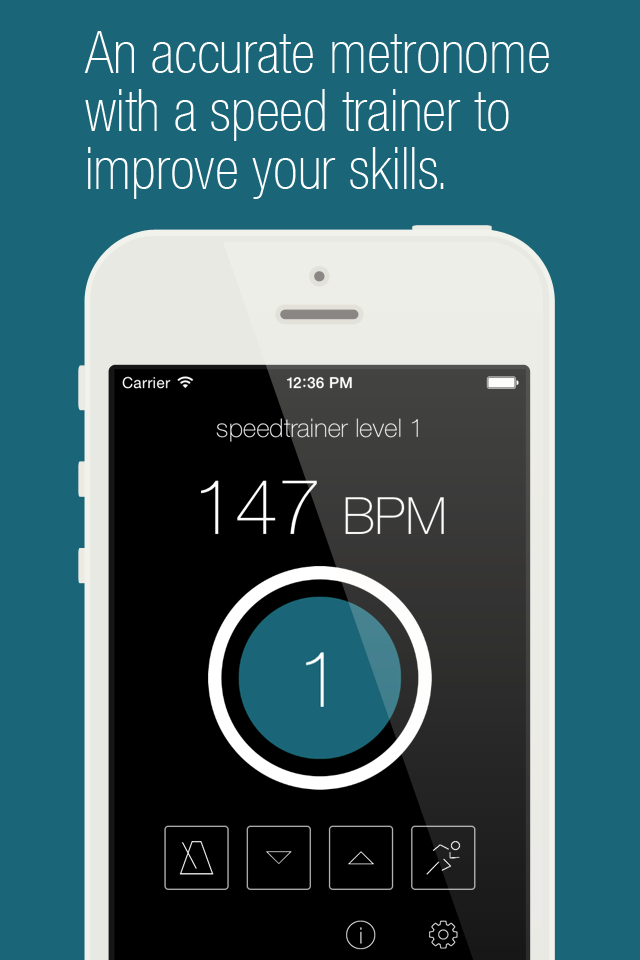
Tap That Tempo plus app showing the metronome and speed trainer interface at 147 BPM
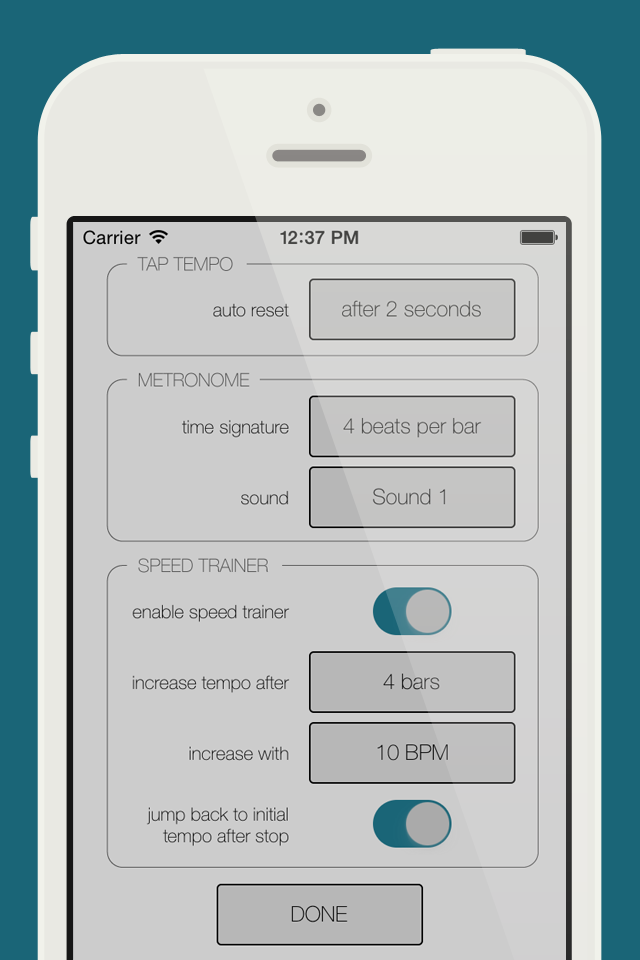
Settings screen of the Tap That Tempo plus app showing options for tap tempo metronome and speed trainer
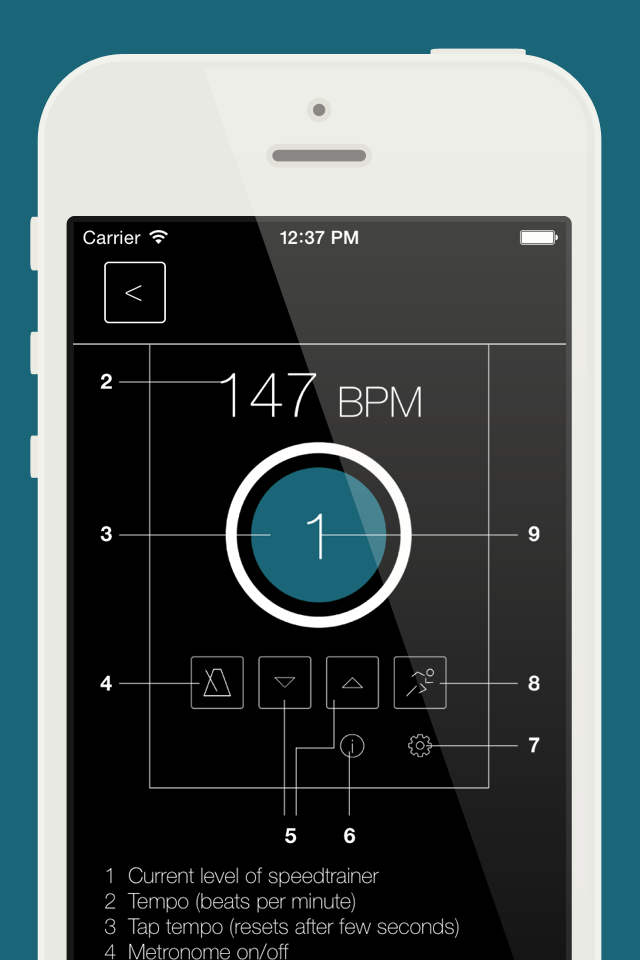
Interface of the Tap That Tempo plus app displaying the metronome and speed trainer
Description
Download
More Like This
Top-ranked apps in the same category

Spotify: Music and Podcasts
Spotify

YouTube Music
Google LLC

Shazam: Find Music & Concerts
Apple Inc.

SoundCloud: The Music You Love
SoundCloud Global Limited & Co KG

Suno - AI Songs & Music
Suno Inc.

QQ音乐 - 听我想听
Tencent Technology (Shenzhen) Company Limited

Audiomack - Play Music Offline
Audiomack, Inc.

BandLab – Music Maker & Beats
BandLab Singapore Pte Ltd

GuitarTuna: Tune & Play Guitar
Yousician Ltd
This page is not an official page of the app or its developer, but an independent editorial publication created for informational and commentary purposes. Unless expressly stated otherwise, neither the app nor its developer is affiliated with, endorsed by, sponsored by, authorized by, or otherwise officially connected with MWM, Apple, Google Play, the app publisher, or the app's developer, and nothing on this page implies that the app was developed using MWM's services. Any trademarks, logos, screenshots, and other content remain the property of their respective owners.