TélécBox : télécommande box tv
ダウンロード: App Store

このページはアプリまたはその開発者の公式ページではなく、情報提供および論評を目的として作成された独立した編集出版物です。明示的に別段の記載がない限り、アプリおよびその開発者は、MWM、Apple、Google Play、アプリのパブリッシャー、またはアプリの開発者と提携、承認、後援、認可、またはその他の公式的な関係はなく、このページのいかなる内容も、アプリがMWMのサービスを使用して開発されたことを意味するものではありません。すべての商標、ロゴ、スクリーンショット、その他のコンテンツはそれぞれの所有者の財産です。

ロゴ: TélécBox : télécommande box tv
ダウンロード: App Store

TélécBox : télécommande box tv

散らかったリモコンを整理して、スマートに操作。設定不要の自動ボックス検出により、Appleデバイスを強力なテレビリモコンに瞬時に変えます。

主要数値

ダウンロード

1M+

ユーザー評価

4.1/5

評価数

50K+

開発元

yohan teixeira

カテゴリ

Utilities

対応言語

3

最新バージョン

5.4

サイズ

152.4 MB

リリース日

2015年8月27日
機能

通常のリモコンの機能をより便利に

iPhoneで操作できるユニバーサルTVリモコンの究極の利便性を体験してください。現代の家庭向けに設計されたTélécBoxは、コントローラーの紛失や電池切れのストレスを解消します。

瞬時の自動検出

コードや複雑なペアリングは不要です。Wi-Fiに接続するだけで、TélécBoxが自動的にTVボックスを検出し、すぐにスムーズな操作が可能です。

完全なユニバーサル対応

物理リモコンのすべてのボタンと機能にアクセス。直感的なタッチジェスチャーで、メニューの操作、チャンネル変更、音量調整を簡単に行えます。

以下のスクリーンショットと説明は、アプリの公式ストアリスティングから直接取得されたものであり、アプリ開発者の所有物です。

アプリストア

スクリーンショット
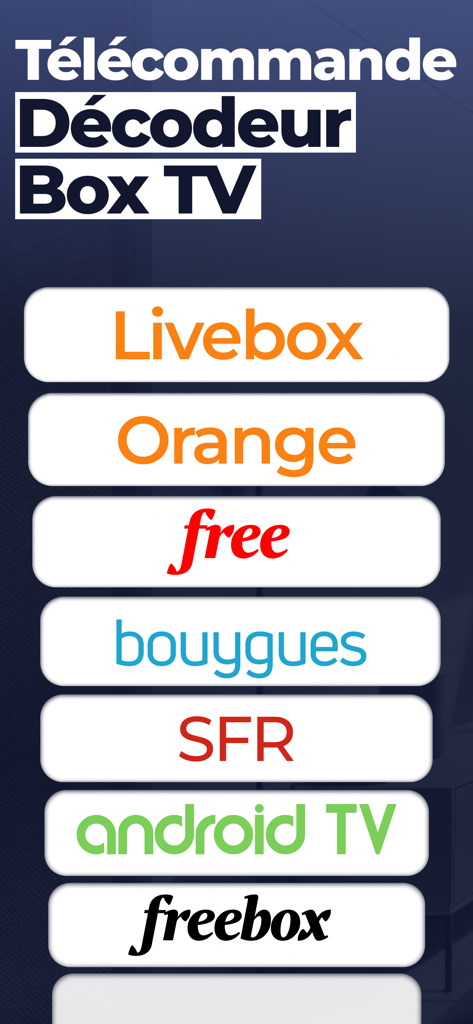
TélécBox : télécommande box tv - 対応するTVボックスプロバイダーをリスト表示するTelecBoxユニバーサルリモコンアプリの画面。
対応するTVボックスプロバイダーをリスト表示するTelecBoxユニバーサルリモコンアプリの画面。

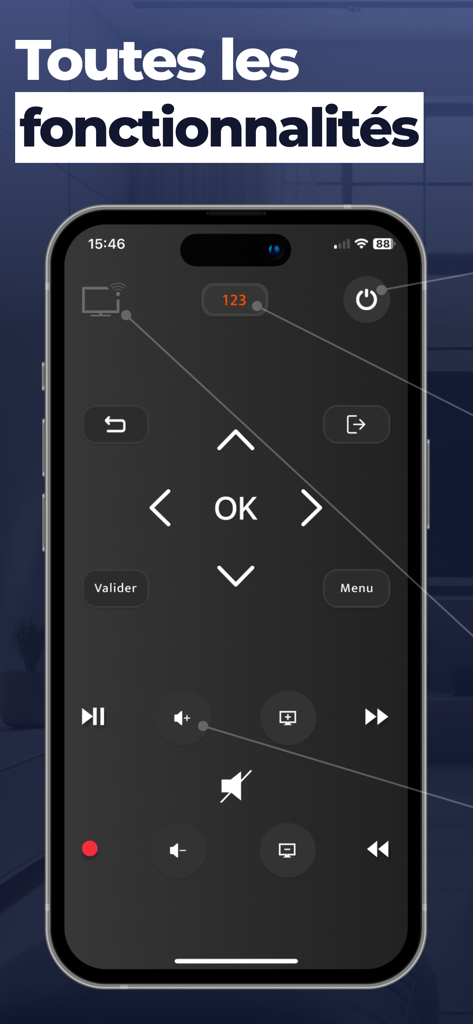
TélécBox : télécommande box tv - ナビゲーションボタンと音量ボタンを備えたデジタルTVリモコンインターフェースを表示するiPhoneの画面
ナビゲーションボタンと音量ボタンを備えたデジタルTVリモコンインターフェースを表示するiPhoneの画面

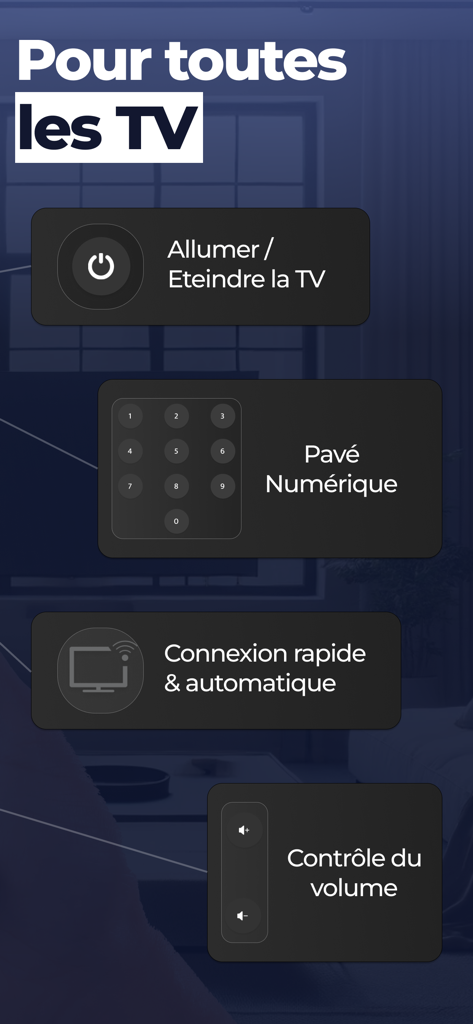
TélécBox : télécommande box tv - 電源操作やテンキーなどのユニバーサルリモコン機能を表示するTelecBoxアプリのインターフェース
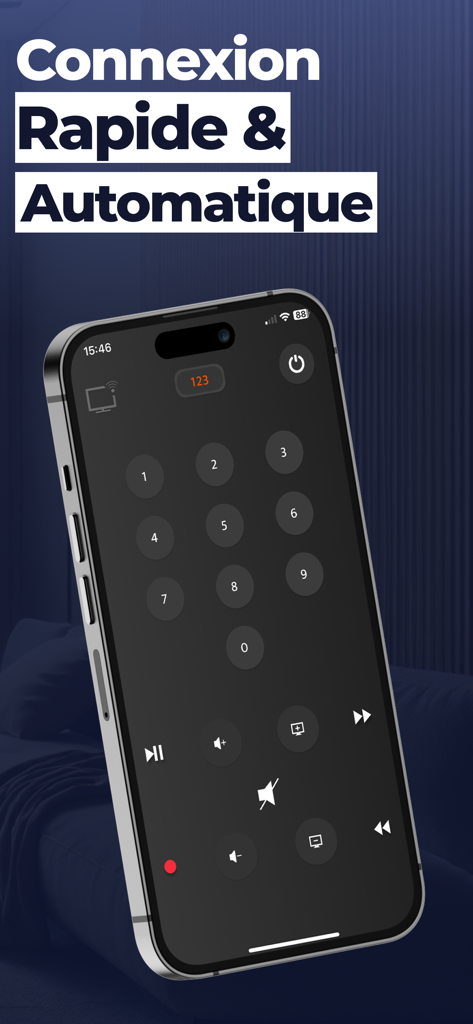
電源操作やテンキーなどのユニバーサルリモコン機能を表示するTelecBoxアプリのインターフェース

TélécBox : télécommande box tv - 数字キーと再生コントロールを備えたデジタルTVリモコンを表示するiPhone上のTelecBoxアプリのインターフェース

数字キーと再生コントロールを備えたデジタルTVリモコンを表示するiPhone上のTelecBoxアプリのインターフェース

説明

**TélécBox - Votre télécommande universelle pour Box** Transformez votre iPhone ou iPad en une télécommande universelle avec TélécBox. Profitez d'un contrôle total de votre Box sans aucune configuration. - Fonctionnalités complètes : Toutes les options de votre télécommande physique sont disponibles. - Détection automatique : Votre Box est reconnue instantanément sans aucun paramétrage requis. Comment ça marche : 1. Connectez votre iPhone/iPad au même réseau Wi-Fi que votre Box. 2. Lancez l'application TélécBox, votre Box sera détectée automatiquement. 3. Contrôlez votre TV directement depuis votre appareil. **Support :** Pour toute question ou assistance, n'hésitez pas à nous contacter à l'adresse suivante : contact@nstx.io Simplifiez votre expérience de divertissement avec TélécBox, la solution intuitive et efficace pour le contrôle de votre Box. SUBSCRIPTION: We offer auto-renewing subscription: - Length: Monthly / Yearly - Payment will be charged to iTunes Account at confirmation of purchase - You will be able to access the Premium features of the app for the duration of the subscription - Subscription automatically renews for the same price and duration period as the original period unless auto-renew is turned off at least 24-hours before the end of the current period - The account will be charged for renewal within 24-hours prior to the end of the current period at the cost of the chosen package. - Subscriptions may be managed by the user and auto-renewal may be turned off by going to the user's iTunes Account Settings after purchase - No cancellation of the current subscription is allowed during the active subscription period - You may cancel a subscription during its free trial period via the subscription setting through your Apple account. This must be done 24 hours before the end of the subscription period to avoid being charged. Please visit https://support.apple.com/en-us/HT202039 for more information on how to proceed. - You may turn off the auto-renewal of your subscription via your Apple Account Settings. However, you are not able to cancel the current subscription during its active period - Any unused portion of a free-trial period will be forfeited when the user purchases a subscription. Privacy Policy : https://nstx.io/TelecBox/telecBox_policy.html Terms of Use : https://nstx.io/TelecBox/telecBox_terms.html

Download

ダウンロード: App Store

このページはアプリまたはその開発者の公式ページではなく、情報提供および論評を目的として作成された独立した編集出版物です。明示的に別段の記載がない限り、アプリおよびその開発者は、MWM、Apple、Google Play、アプリのパブリッシャー、またはアプリの開発者と提携、承認、後援、認可、またはその他の公式的な関係はなく、このページのいかなる内容も、アプリがMWMのサービスを使用して開発されたことを意味するものではありません。すべての商標、ロゴ、スクリーンショット、その他のコンテンツはそれぞれの所有者の財産です。








