Tennis - Score Keeper
ダウンロード: App Store

このページはアプリまたはその開発者の公式ページではなく、情報提供および論評を目的として作成された独立した編集出版物です。明示的に別段の記載がない限り、アプリおよびその開発者は、MWM、Apple、Google Play、アプリのパブリッシャー、またはアプリの開発者と提携、承認、後援、認可、またはその他の公式的な関係はなく、このページのいかなる内容も、アプリがMWMのサービスを使用して開発されたことを意味するものではありません。すべての商標、ロゴ、スクリーンショット、その他のコンテンツはそれぞれの所有者の財産です。

ロゴ: Tennis - Score Keeper
ダウンロード: App Store

Tennis - Score Keeper

競争心のあるプレーヤーのための究極のApple Watchコンパニオン。Apple Healthに直接試合の強度を同期しながら、スコア、サーバーの交代、プロのタイブレークを楽に追跡できます。

主要数値

ダウンロード

9K+

ユーザー評価

1.0/5

評価数

0

開発元

Peter Stahl

カテゴリ

Health & Fitness

対応言語

1

最新バージョン

2.13

サイズ

17.6 MB

リリース日

2020年10月22日
機能

ゲームに集中、スコアは後回し

テニスプレーヤーのための究極のApple Watchコンパニオン。Apple Healthに直接パフォーマンスデータを同期しながら、全てのポイントを楽に追跡できます。

直感的なジェスチャーコントロール

スワイプでスコアを付け、タップでサーバーを変更。リズムを崩したり、セットのカウントを失ったりすることなく、試合に完全に没頭できます。

パフォーマンスを定量化

リアルタイムの心拍数、消費カロリー、距離を表示。シームレスなApple Health連携で、コートを支配しながらリングを閉じましょう。

以下のスクリーンショットと説明は、アプリの公式ストアリスティングから直接取得されたものであり、アプリ開発者の所有物です。

アプリストア

スクリーンショット
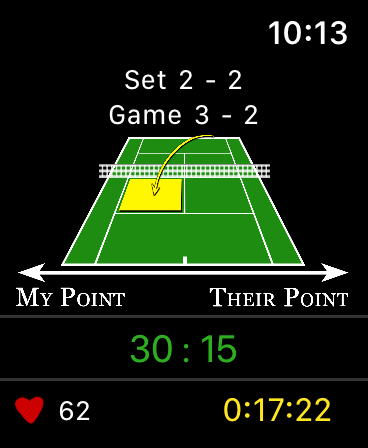
Tennis - Score Keeper - Apple Watch上のテニススコアキーパーアプリのインターフェース。ゲームとセットのスコアを表示。
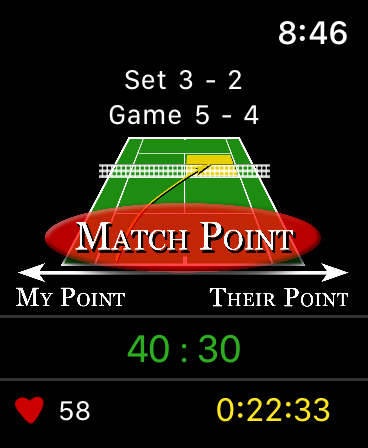
Apple Watch上のテニススコアキーパーアプリのインターフェース。ゲームとセットのスコアを表示。

Tennis - Score Keeper - Apple Watch画面。テニススコアキーパーアプリがマッチポイントを表示し、フィットネス指標も表示。
Apple Watch画面。テニススコアキーパーアプリがマッチポイントを表示し、フィットネス指標も表示。

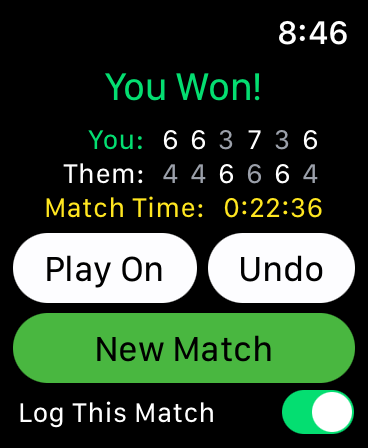
Tennis - Score Keeper - Apple Watch画面。テニスマッチのスコア、勝者通知、試合時間表示。
Apple Watch画面。テニスマッチのスコア、勝者通知、試合時間表示。

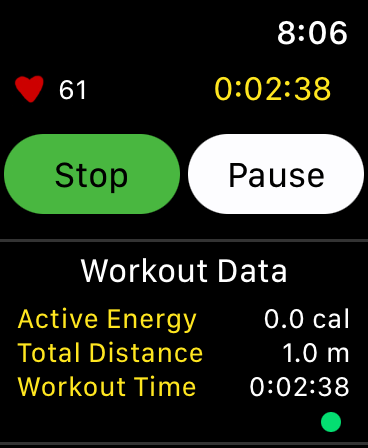
Tennis - Score Keeper - Apple Watch画面。心拍数とアクティブエネルギー指標を含むテニスワークアウトデータ表示。
Apple Watch画面。心拍数とアクティブエネルギー指標を含むテニスワークアウトデータ表示。

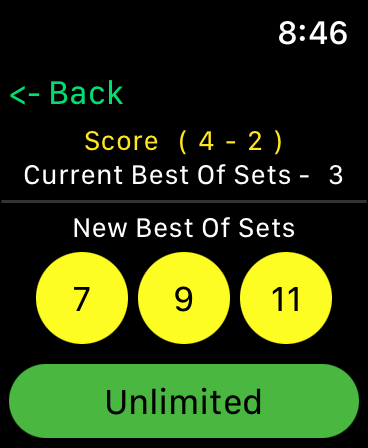
Tennis - Score Keeper - Apple Watch上のテニススコアキーパーアプリのインターフェース。7、9、11、または無制限のセット数を選択するオプションを表示。
Apple Watch上のテニススコアキーパーアプリのインターフェース。7、9、11、または無制限のセット数を選択するオプションを表示。

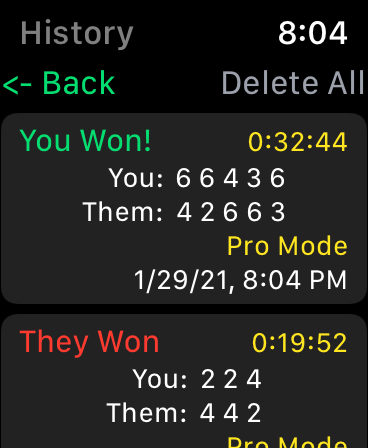
Tennis - Score Keeper - Apple Watch上のテニス試合履歴画面。過去の試合結果とスコア表示。
Apple Watch上のテニス試合履歴画面。過去の試合結果とスコア表示。

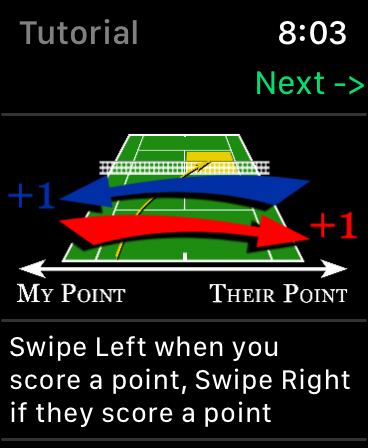
Tennis - Score Keeper - Apple Watchチュートリアル。デジタルコートグラフィックでテニスのスコアを追跡するためのスワイプジェスチャー表示。
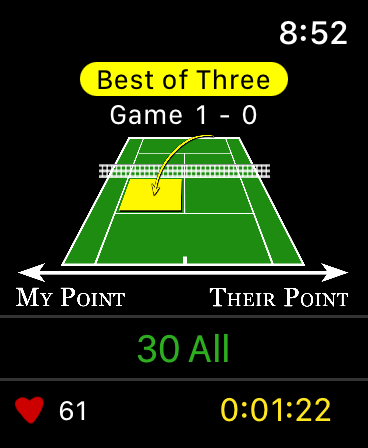
Apple Watchチュートリアル。デジタルコートグラフィックでテニスのスコアを追跡するためのスワイプジェスチャー表示。

Tennis - Score Keeper - Apple Watch画面。テニススコアキーパーアプリのインターフェース。スコア追跡と心拍数モニタリング表示。
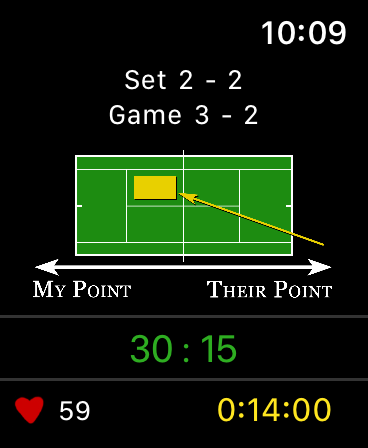
Apple Watch画面。テニススコアキーパーアプリのインターフェース。スコア追跡と心拍数モニタリング表示。

Tennis - Score Keeper - Apple Watch上のテニススコアキーパーアプリのインターフェース。試合スコアと心拍数追跡表示。
Apple Watch上のテニススコアキーパーアプリのインターフェース。試合スコアと心拍数追跡表示。

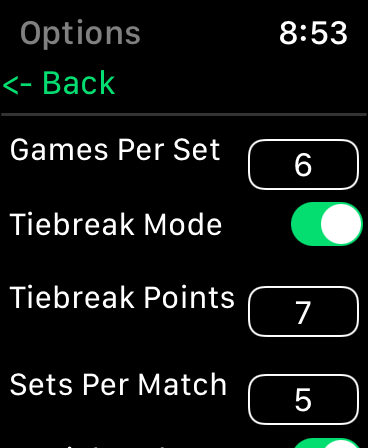
Tennis - Score Keeper - Apple Watch上のテニススコアキーパーアプリ設定。試合ルール構成表示。

Apple Watch上のテニススコアキーパーアプリ設定。試合ルール構成表示。

説明

This tennis score keeper app exclusively for the Apple Watch offers an intuitive score tracker for friendly or competitive gameplay. Tennis – Score Keeper app is designed keep track of Your Match Score, Set Score, Game Score, Server and Serve Side during gameplay, as well as keeping the History of all matches played. Using simple gestures on the tennis court image, you can swipe left or right when a point is scored, tap to change serve side (Optional), and double tap to change server (Optional). Once initially synced the app automatically updates after each point, and game. A long press locks the screen to prevent inadvertent scrolling. The app has setup options to allow you to customize your gameplay from professional rules to casual “Best Of” matches. In casual mode choose best of games, from 1-7 and even infinity. (Stop the game at any time to tally up the score) Pro Score Mode allows you to choose Games per Set (2-10, or Infinity) A tiebreaker mode with official rules of who is serving and to which side and the option to choose how many tiebreak points (1-10). Sets per Match (1,3,5,7 and 9 or infinity), played as Best Of. And a + 1 tiebreaker set is optional depending on the rules you play. At any time, you can stop the game to tally the current points, particularly if you are playing with an Infinity set point. If you’re in a match and win or lose and want to keep it going “Play on” allows you to add more sets to the match in pro mode or switch to unlimited in pro or casual game play. There is also a “Game Score Mode” that allows you to swipe for games vs points for big picture score keeping. A History of each match is kept under the “History” button, individual matches can be deleted with a swipe, or the whole history cleared using the “Delete All” Button. Factory Reset does not clear the history or the workout information but resets all the settings. Additionally, Apple Health is integrated to keep track of your workout, and displays current Heart Rate, Active Energy, Distance and Workout Time (pending your authorization). These workout sessions can also be accessed from your connected IOS devices under the Apple Health App. A tutorial in the app shows how to interact, and what each setting does. A Local Notification is sent if you are in a workout but haven’t logged a point in a user defined amount of time, this helps remind you if you are heading home but forgot to end the match. There are NO external notifications (as in, you won’t get notifications unrelated to an active workout, nothing to annoy you). Apple Health Integration: You have the option to confirm the apps access to health parameters and allow the app to log “Tennis” as a workout activity. You can deny this access to any feature or parameter. You can also choose at any time to go into the Apple Health App and remove access. Alternatively, you can deselect “Save Workout” within the app, so that you can view the health data without saving the workout. For More information read “Privacy Policy” link provided. If you have any suggestions or issues, feel free to contact me through the “Support Link” provided. I would really appreciate any feedback! Most of the updates from 2.1 to 2.3 have come from suggestions by users, and 2.8 was specifically made to update the tap to change serve function that one user found frustrating if it was accidentally pressed during a match. If there is anything you would like to see… just ask!

Download

ダウンロード: App Store

このページはアプリまたはその開発者の公式ページではなく、情報提供および論評を目的として作成された独立した編集出版物です。明示的に別段の記載がない限り、アプリおよびその開発者は、MWM、Apple、Google Play、アプリのパブリッシャー、またはアプリの開発者と提携、承認、後援、認可、またはその他の公式的な関係はなく、このページのいかなる内容も、アプリがMWMのサービスを使用して開発されたことを意味するものではありません。すべての商標、ロゴ、スクリーンショット、その他のコンテンツはそれぞれの所有者の財産です。








