Termux Pro

Termux Pro

ダウンロード: App Store
ロゴ: Termux Pro

Termux Pro: iOS向けの究極のSSH & SFTPパワーツール

DevOpsおよびパワーユーザー向けに設計された、デスクトップクラスのターミナル、マルチサーバーのスニペット実行、安全なファイル管理で、外出先からサーバーを自在に操作しましょう。

ダウンロード: App Store

開発元

志鹏 潘

カテゴリ

Developer Tools

ダウンロード

12K+

ユーザー評価

4.4/5

評価数

0

対応言語

1

あなたのモバイルコマンドセンター

このインターフェースを利用する 12K+ 人のユーザー.

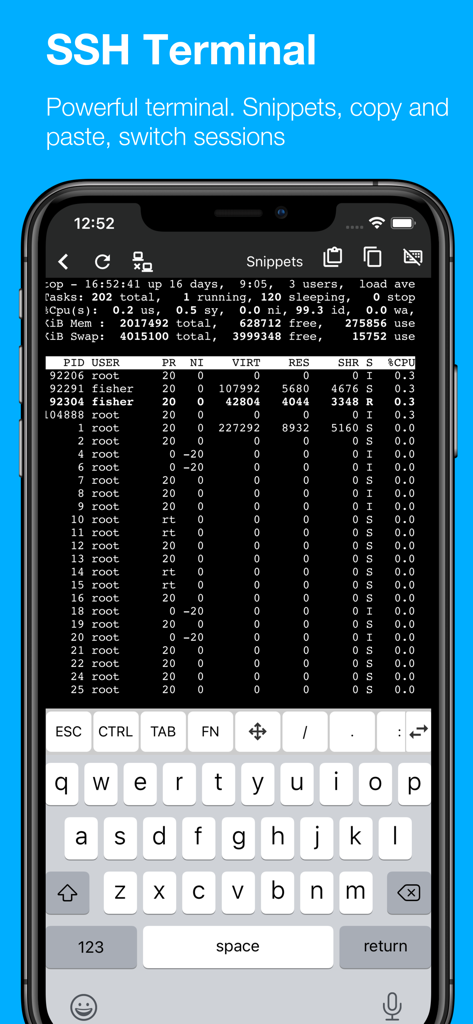
iPhone上でシステムプロセスモニターを表示する機能的なSSHターミナルを表示するTermux Proモバイルアプリ
iPhone上でシステムプロセスモニターを表示する機能的なSSHターミナルを表示するTermux Proモバイルアプリ

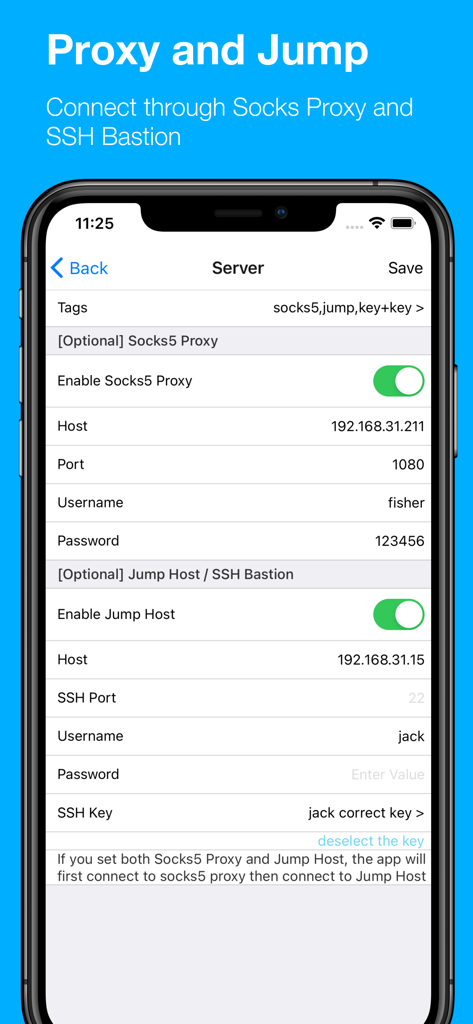
Termux ProアプリのSocks5プロキシおよびSSHジャンプホストサーバー設定を構成するためのインターフェイス
Termux ProアプリのSocks5プロキシおよびSSHジャンプホストサーバー設定を構成するためのインターフェイス

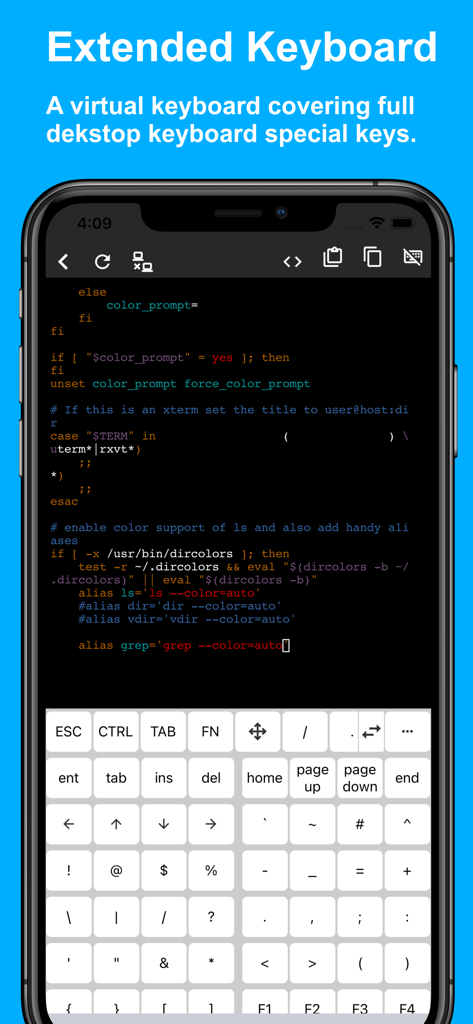
デスクトップ特殊キーを含む拡張仮想キーボードを備えたターミナルインターフェイスのTermux Proアプリを表示するiPhone画面
デスクトップ特殊キーを含む拡張仮想キーボードを備えたターミナルインターフェイスのTermux Proアプリを表示するiPhone画面

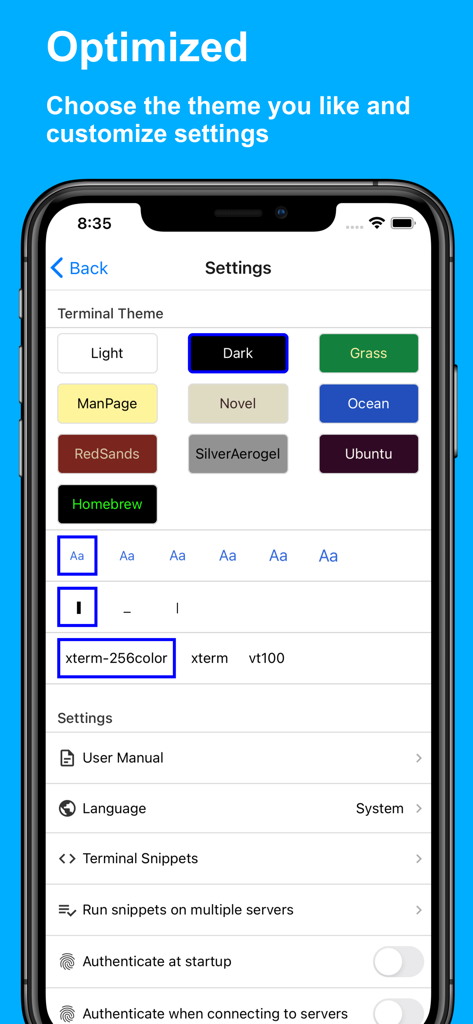
さまざまなカラーテーマやターミナル設定を表示するTermux Proのターミナルテーマと設定インターフェイス。
さまざまなカラーテーマやターミナル設定を表示するTermux Proのターミナルテーマと設定インターフェイス。

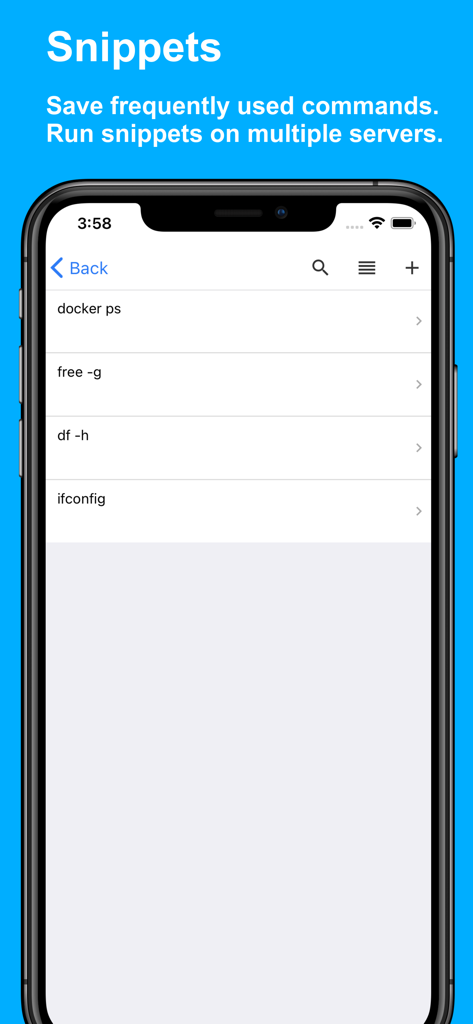
iPhone上でSSHサーバー管理のための保存されたコマンドスニペットのリストを表示するTermux Proアプリインターフェイスのスクリーンショット
iPhone上でSSHサーバー管理のための保存されたコマンドスニペットのリストを表示するTermux Proアプリインターフェイスのスクリーンショット

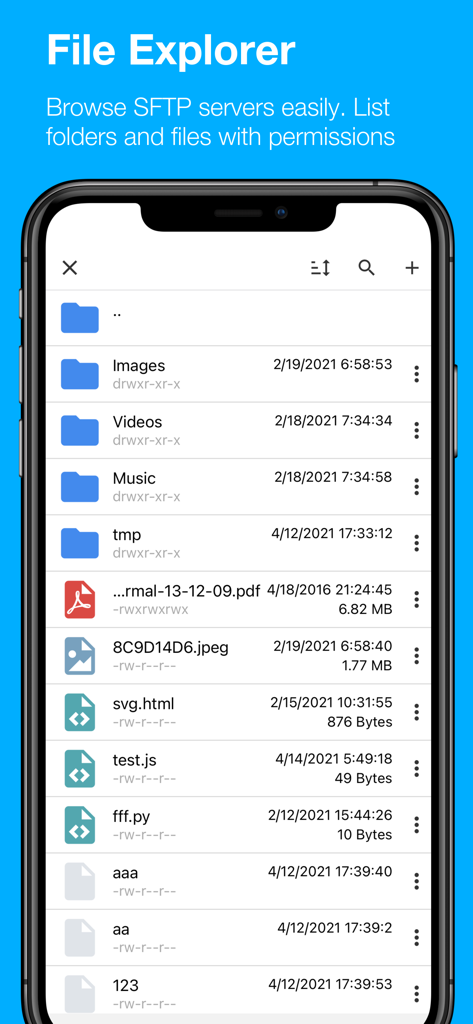
フォルダとファイルパーミッションを表示するTermux ProモバイルSFTPファイルエクスプローラー

フォルダとファイルパーミッションを表示するTermux ProモバイルSFTPファイルエクスプローラー

どこからでもインフラを自在に管理

このアプリを際立たせるツール、 12K+ 人のユーザーが選択.

🛡️

プログレードの接続性

SOCKS5プロキシ、ジャンプホスト、鍵認証をサポートし、ミッションクリティカルなタスクのためにSSHおよびSFTPセッションを安全に管理します。

🚀

マルチサーバー自動化

頻繁に使用するコマンドをスニペットとして保存し、ワンタップで複数のサーバークラスターに実行することで、効率を向上させます。

💻

デスクトップクラスの編集

VimやNanoなどのターミナルベースのエディタとフルキーボードサポートにより、リアルタイムでファイルを編集し、iPadをポータブルワークステーションに変えます。

アプリについて

について知っておくべきこと Termux Pro.

説明

Termux Pro - Fully Featured SSH & SFTP Client for iOS Manage your servers effortlessly with Termux Pro, an all-in-one SSH and SFTP client that empowers you to access server files, open interactive terminals, and complete tasks on the go. Key Features: * Comprehensive Server Access: Connect to SSH and SFTP servers with support for SOCKS5 proxy and jump host functionality, ensuring secure and versatile connections. * File Management: Seamlessly copy, move, rename, and delete files on your servers. Directly manage remote files, and easily edit text files. * Effortless File Transfers: Import and export files between SFTP servers, iPhones, and iPads. Copy files across servers or your devices without hassle. * Customizable Themes: Switch between Dark and Light Themes to match your environment and preference. * Secure SSH Connections: Connect to SSH servers using passwords or secure key-based authentication. * Interactive SSH Terminal: Access your SSH terminal on the go, continuing your work from any location with full functionality. * Code Snippet Management: Save frequently used commands and scripts as snippets for quick execution with a single tap. * Multi-Server Snippet Execution: Run saved snippets on multiple servers at once, enhancing your productivity. * Text Editor Support: Use popular terminal-based text editors like Nano or Vim for seamless file editing directly from the terminal. * Full Keyboard Support: A complete virtual keyboard with all the special keys you need, mirroring the experience of a desktop keyboard. * iOS Integration: Upload photos and videos from photo library to your SFTP servers. * HTML Code Preview: Write and preview HTML, with support for HTML and SVG rendering, perfect for web development tasks. * Document Preview: View a variety of files, including images, PDFs, Word documents, Excel sheets, and PowerPoint presentations right within the app. Termux Pro is designed to bring the power of server management and file transfers right to your mobile device, combining security, flexibility, and ease of use. Take your server tasks with you, wherever you go.

最新バージョン

4.5

サイズ

99.2 MB

リリース日

2021年2月19日

どこからでもサーバーをコマンドで制御

iPhoneまたはiPadから直接SSH、SFTP、複雑な自動化ワークフローを管理する12,000人以上のプロフェッショナルに加わりましょう。あなたのターミナルは準備万端です。

ダウンロード: App Store

App information, icons, screenshots, and descriptions displayed on this page are sourced from the Apple App Store and are the property of their respective developers. Download estimates and rankings are based on MWM's proprietary models and may not reflect actual figures. This page is provided for informational and analytical purposes only.

Believe this page infringes your intellectual property? File a dispute