Text Editor - Document Editor
ダウンロード: App Store

このページはアプリまたはその開発者の公式ページではなく、情報提供および論評を目的として作成された独立した編集出版物です。明示的に別段の記載がない限り、アプリおよびその開発者は、MWM、Apple、Google Play、アプリのパブリッシャー、またはアプリの開発者と提携、承認、後援、認可、またはその他の公式的な関係はなく、このページのいかなる内容も、アプリがMWMのサービスを使用して開発されたことを意味するものではありません。すべての商標、ロゴ、スクリーンショット、その他のコンテンツはそれぞれの所有者の財産です。


ロゴ: Text Editor - Document Editor
ダウンロード: App Store

Text Editor - Document Editor

開発者やライター向けの究極のモバイルファーストツール。一括検索・置換、カスタマイズ可能なテーマ、シームレスなiCloud同期などのデスクトップレベルの機能で、JSON、Markdown、ストーリーを編集できます。

主要数値

ダウンロード

35K+

ユーザー評価

4.4/5

評価数

300

開発元

Supagarn Pattananuchart

カテゴリ

Developer Tools

対応言語

1

最新バージョン

2.1

サイズ

3.3 MB

リリース日

2021年5月12日
機能

ポケットの中のプロレベル編集

軽量メモ帳と高機能ドキュメントプロセッサの完璧なバランス。コードスニペットの編集、ストーリーの執筆、またはバルクなしでのファイル管理が必要な人のために設計されています。

スマート一括編集

強力な検索・置換ツールで時間を節約。コード内の変数を即座にリネームしたり、ストーリー全体でキャラクター名を変更したりできます。

開発者向けツール

あなたを理解するモバイルエディタ。クリーンで構文に優しいインターフェースで、JSONファイル、Markdown、技術ドキュメントを簡単に編集できます。

以下のスクリーンショットと説明は、アプリの公式ストアリスティングから直接取得されたものであり、アプリ開発者の所有物です。

アプリストア

スクリーンショット
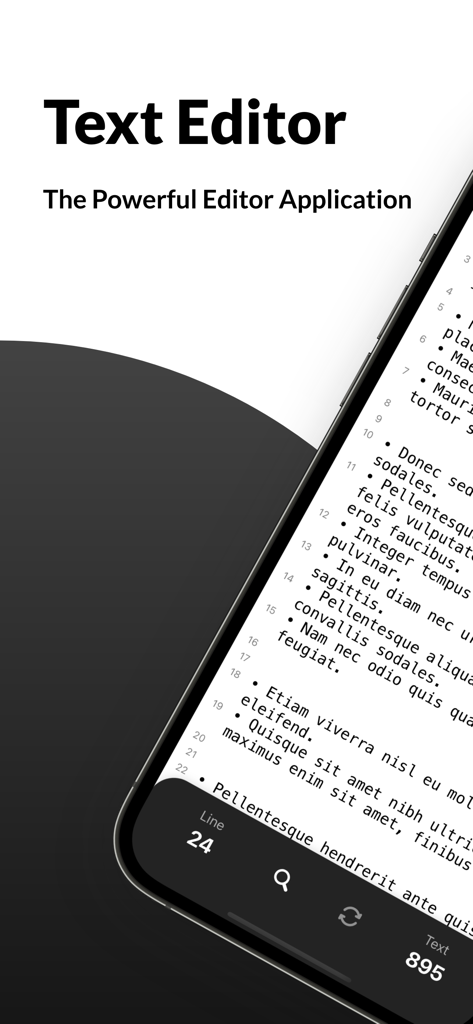
Text Editor - Document Editor - テキストエディタアプリのインターフェースをiPhoneで表示。行番号と単語数のあるドキュメントが表示されています。
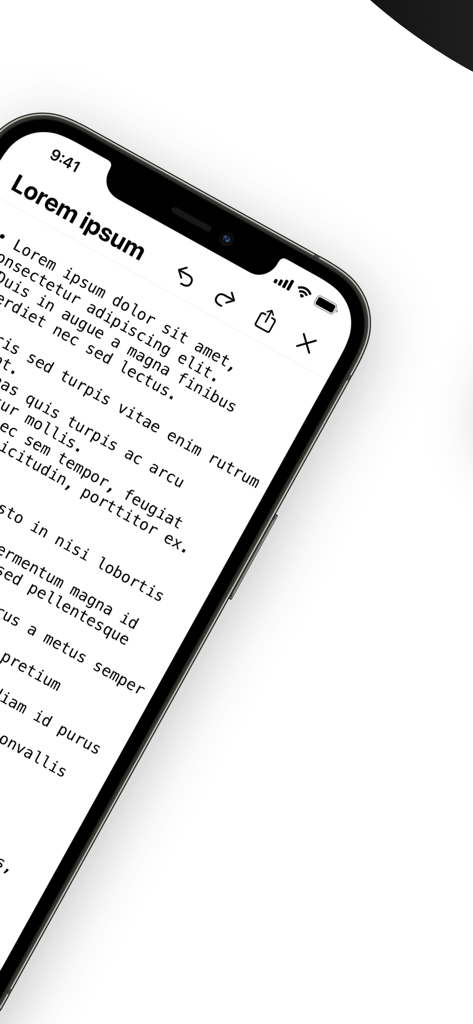
テキストエディタアプリのインターフェースをiPhoneで表示。行番号と単語数のあるドキュメントが表示されています。

Text Editor - Document Editor - iPhone上の編集ツールとプレースホルダーテキストが表示されたモバイルテキストエディタのインターフェース。
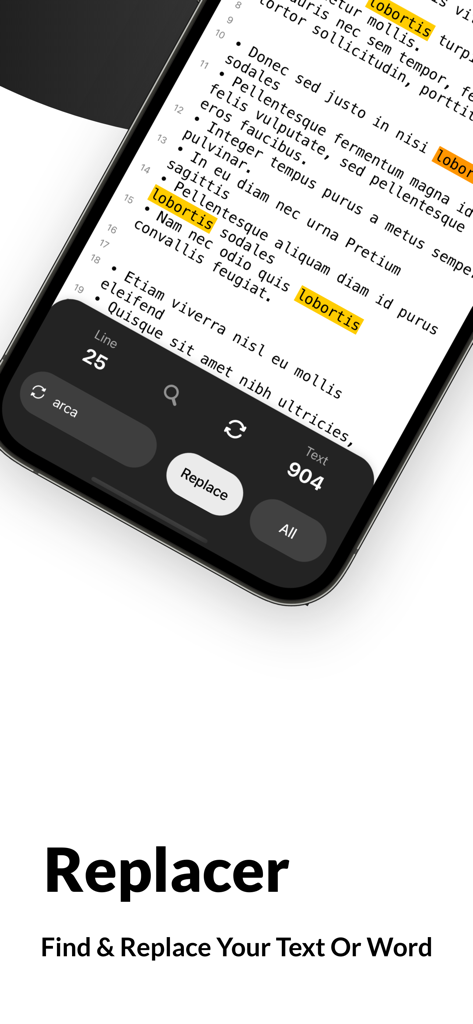
iPhone上の編集ツールとプレースホルダーテキストが表示されたモバイルテキストエディタのインターフェース。

Text Editor - Document Editor - ダークモードでハイライトされたテキストが表示されている検索・置換ツールを示すモバイルアプリのインターフェース。
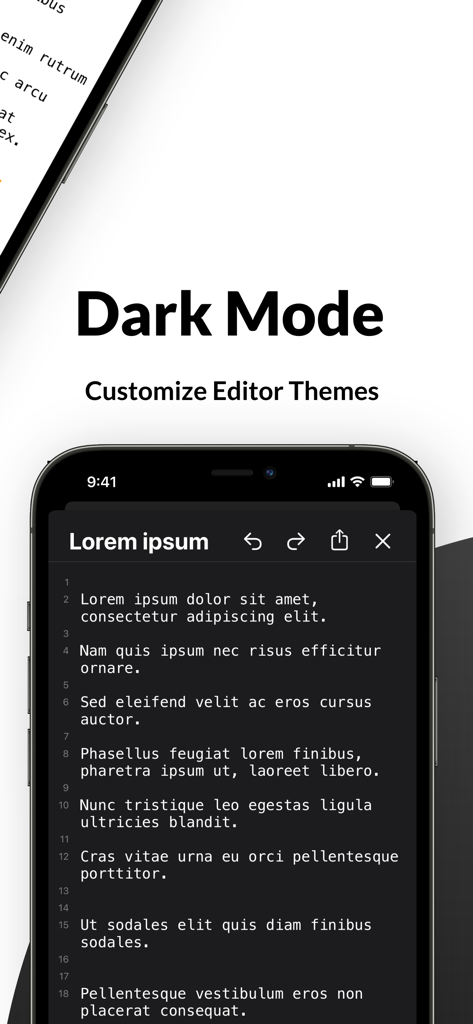
ダークモードでハイライトされたテキストが表示されている検索・置換ツールを示すモバイルアプリのインターフェース。

Text Editor - Document Editor - iPhone画面上の行番号が表示されたテキストエディタモバイルアプリのインターフェース、ダークモードテーマ。
iPhone画面上の行番号が表示されたテキストエディタモバイルアプリのインターフェース、ダークモードテーマ。

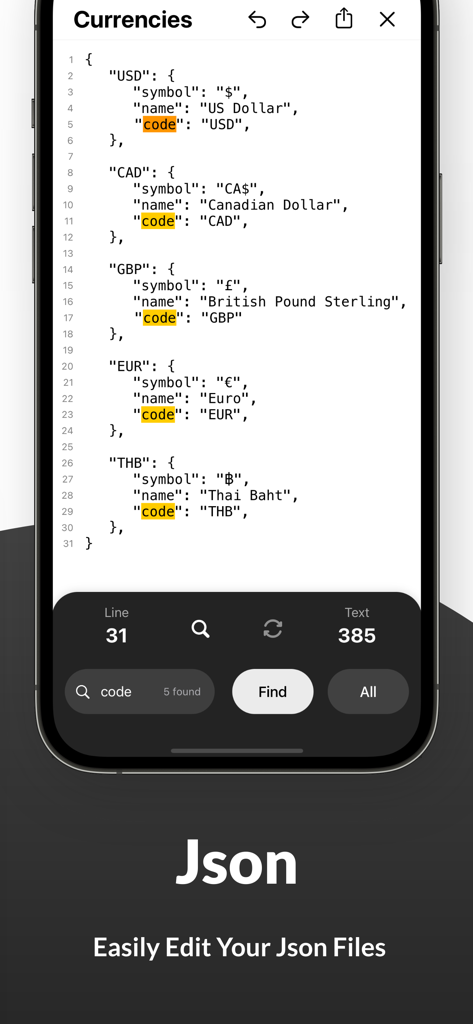
Text Editor - Document Editor - iPhoneアプリ画面で、単語「code」の検索結果がハイライトされたJSONファイルを編集しています。
iPhoneアプリ画面で、単語「code」の検索結果がハイライトされたJSONファイルを編集しています。

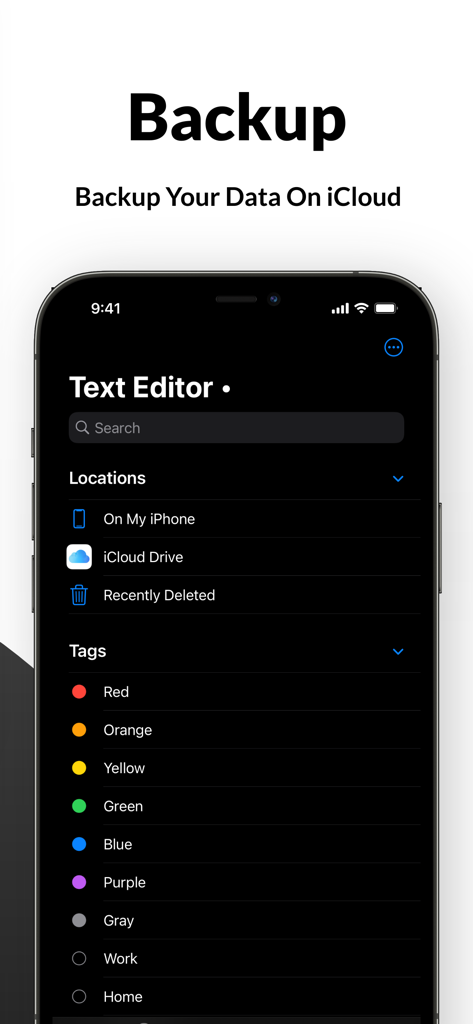
Text Editor - Document Editor - テキストエディタアプリのインターフェースで、ダークモードでiCloudバックアップとファイルタグが表示されています。

テキストエディタアプリのインターフェースで、ダークモードでiCloudバックアップとファイルタグが表示されています。

説明

Looking for powerful editing apps to write your story, files and make corrections whenever needed? Install Text Editor - Document Editor Pro on your iOS device and edit your texts anytime, anywhere easily. We have brought you a fantastic and easy text editor app that will allow you to write and record your story, draft writings, search words or letters and replace multiple words at once. You don’t need several file editors to get different jobs done; this texting editor will provide you with everything. Whether you are looking for a free document editor or a font editing app, our words editor or text document editing app will delight you big time. What can you do with Text Editor- Document Editor app? This powerful editing app allows you to edit word files anywhere, anytime. While using this file editor to rewrite your texts, you can find a new word and replace your text with it. Our app works as a text changer, so you can change any word instantly right in the app. You can replace multiple words and search for new words in this word editor app. You can also customize editor themes such as a dark mode for the night or light mode for the day. Also, back up your files and documents on the cloud with one click. So, if you are searching for a word editor to edit google documents or a text edit app for customizing your notebook word writings, this editing app is always here to help. Take a look at the key features of the Text Editor- Document Editor Pro app: • Whether you are looking for editing apps to make corrections to your word docs or to write a story on your iOS device, this text edit app works effectively and efficiently. The simple and easy user interface of this app editor allows you to edit texts quickly and flawlessly. Install the app on your iPhone and start editing texts instantly without going through any complicated settings. • In the setting, you can customize the text as per your will. There are hundreds of font sizes available in our markdown app, and you can select the one you require. You can keep auto-correction on so the app can correct if you make a mistake. This docs and notes editor allows you to write and read texts in fullscreen mode. • Your recent activities are also saved in the history so you can find previous documents in one tap. If you are looking for an easy, simple yet elegant text editing tool that contains all necessary functions, your search ends with our quick edit app. • You can find words or texts and replace them easily in this texteditor app. This text changer allows you to change words anytime you want. Select the word you want to change, find the alternative in the app, and replace it. You can also edit your Json file effortlessly with this quickedit app. • This texting editor allows you to customize the theme. You can switch into the dark mode or light mode according to your need. • Keep a backup of your edited word doc or google-docs into the cloud, so you never lose them. Find the right tags for your file in the app and upload them directly on iCloud. • If you are searching for a document editor free to edit documents like word files or Json, our simple texting-file editor is the right one. In-app purchases are also available if you want to access more unique features. So, what are you waiting for? Install Text Editor- Document Editor on your iOS device and start editing texts like a pro.

Download

ダウンロード: App Store

このページはアプリまたはその開発者の公式ページではなく、情報提供および論評を目的として作成された独立した編集出版物です。明示的に別段の記載がない限り、アプリおよびその開発者は、MWM、Apple、Google Play、アプリのパブリッシャー、またはアプリの開発者と提携、承認、後援、認可、またはその他の公式的な関係はなく、このページのいかなる内容も、アプリがMWMのサービスを使用して開発されたことを意味するものではありません。すべての商標、ロゴ、スクリーンショット、その他のコンテンツはそれぞれの所有者の財産です。








