The screen & video recorder HQ
ダウンロード: App Store

このページはアプリまたはその開発者の公式ページではなく、情報提供および論評を目的として作成された独立した編集出版物です。明示的に別段の記載がない限り、アプリおよびその開発者は、MWM、Apple、Google Play、アプリのパブリッシャー、またはアプリの開発者と提携、承認、後援、認可、またはその他の公式的な関係はなく、このページのいかなる内容も、アプリがMWMのサービスを使用して開発されたことを意味するものではありません。すべての商標、ロゴ、スクリーンショット、その他のコンテンツはそれぞれの所有者の財産です。


ロゴ: The screen & video recorder HQ
ダウンロード: App Store

The screen & video recorder HQ

高解像度のゲームプレイをキャプチャし、ライブFacecamリアクションを追加し、簡単に編集できます。YouTubeやTwitchに直接ストリーミングするか、数秒でバイラルチュートリアルを作成します。

主要数値

ダウンロード

15K+

ユーザー評価

4.6/5

評価数

100

開発元

Mahora Ropata

カテゴリ

Utilities

対応言語

10

最新バージョン

1.0.4

サイズ

21.1 MB

リリース日

2024年9月9日
機能

作成して輝くために必要なすべて

高解像度ゲームプレイをキャプチャし、バイラルリアクションを録画し、iPhoneから直接プロフェッショナルな動画を編集するために設計されたオールインワンツール。

プロのリアクションカメラ

Facecamでリアルタイムに顔をオーバーレイします。壮大なゲームプレイの瞬間やトレンドのバイラルクリップ中に、あなたの本当の感情を共有しましょう。

HQキャプチャとライブストリーミング

驚異的なHDで録画するか、YouTube、Twitch、Facebookに即座にライブ配信します。クリアなオーディオであなたの「クラッチ」瞬間をキャプチャします。

以下のスクリーンショットと説明は、アプリの公式ストアリスティングから直接取得されたものであり、アプリ開発者の所有物です。

アプリストア

スクリーンショット
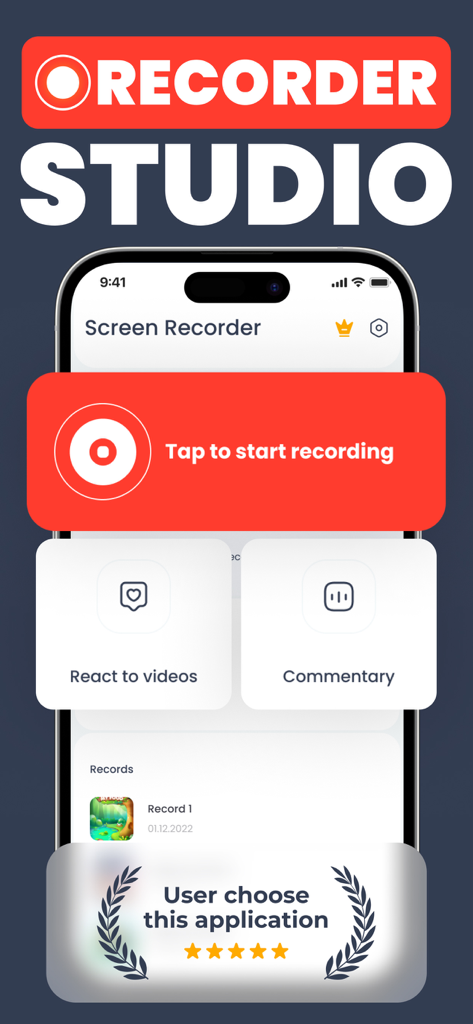
The screen & video recorder HQ - 画面録画アプリのメインインターフェイス。録画開始ボタンとリアクション機能が表示されています。
画面録画アプリのメインインターフェイス。録画開始ボタンとリアクション機能が表示されています。

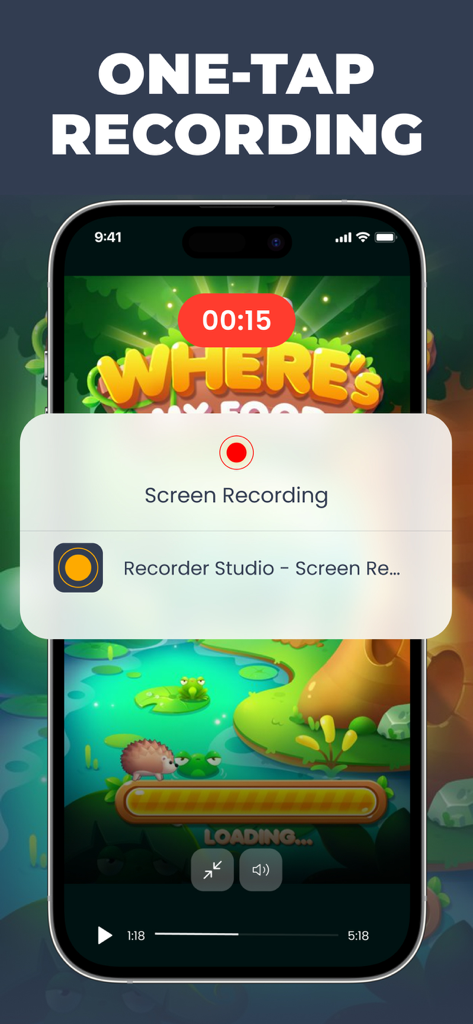
The screen & video recorder HQ - iPhoneのモバイルゲーム上でアクティブなワンタップ画面録画インターフェイス。
iPhoneのモバイルゲーム上でアクティブなワンタップ画面録画インターフェイス。

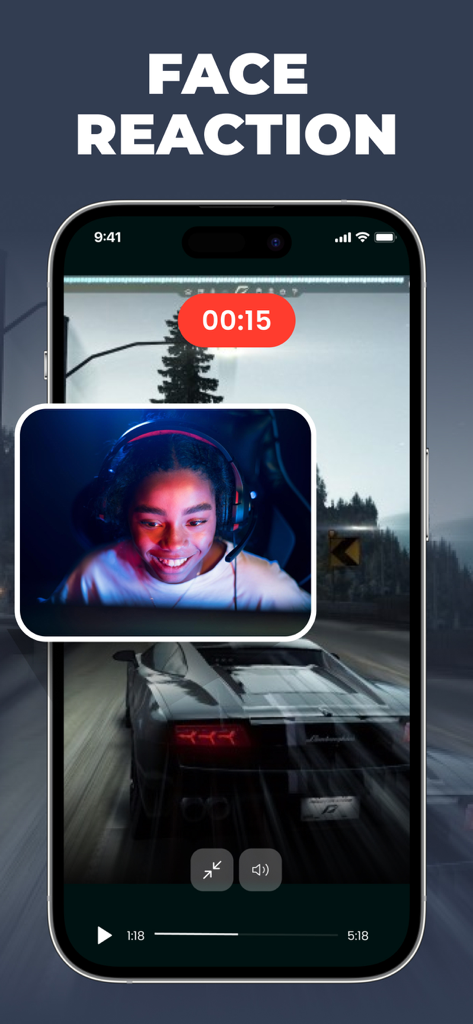
The screen & video recorder HQ - ゲームプレイ中に顔リアクションオーバーレイ付きのモバイル画面録画。

ゲームプレイ中に顔リアクションオーバーレイ付きのモバイル画面録画。

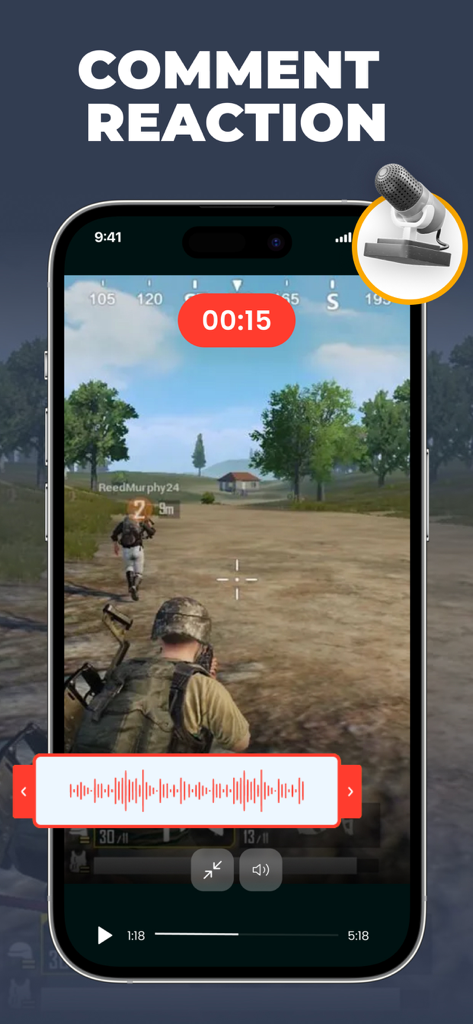
The screen & video recorder HQ - ボイスコメントリアクションオーバーレイ付きのiPhoneモバイルゲーム画面録画。
ボイスコメントリアクションオーバーレイ付きのiPhoneモバイルゲーム画面録画。

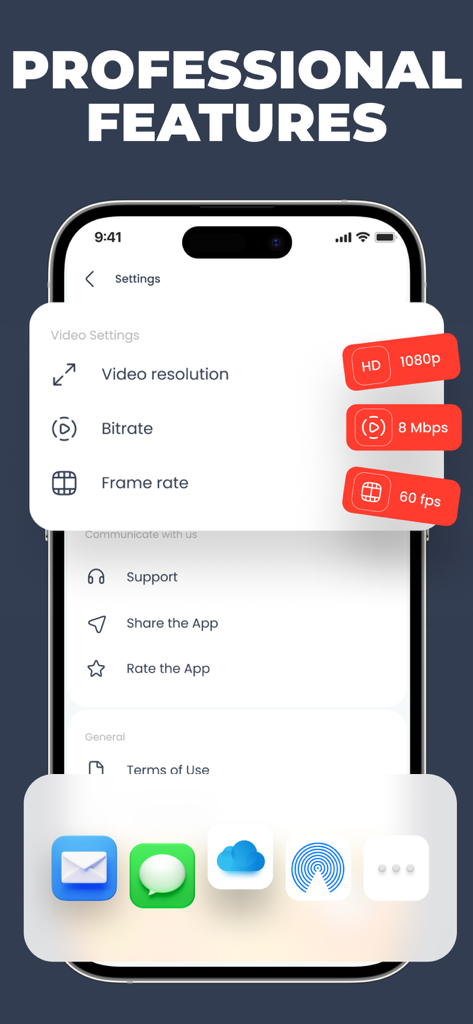
The screen & video recorder HQ - 画面録画用の1080p解像度と60fpsフレームレートを含むプロフェッショナルビデオ設定を表示するインターフェイス。

画面録画用の1080p解像度と60fpsフレームレートを含むプロフェッショナルビデオ設定を表示するインターフェイス。

The screen & video recorder HQ - 幸せなコンテンツクリエイターをフィーチャーした画面録画アプリのユーザーレビューと5つ星評価。

幸せなコンテンツクリエイターをフィーチャーした画面録画アプリのユーザーレビューと5つ星評価。

説明

The Screen & Video Recorder HQ: Experience the ultimate HD screen recording and screenshot capture app, perfect for recording video games, live broadcasts, internet videos, video calls, and more. Our dependable screen recorder software allows you to capture online videos and stream your screen live to YouTube, Facebook, and Twitch. Enhance your recordings by adding video reactions with voice commentary, ensuring you get the best screen recording experience possible! Ideal for creating: - Video tutorials - How-to guides - Demo videos - Training sessions - YouTube content - Instructional videos Benefits of using The Screen & Video Recorder HQ: - Capture screen activities with audio commentary. - Add video reactions for a personalized touch. (Premium Feature) - Produce high-quality HD video clips. Key Features: Screen Recording: - One-tap recording for video calls, games, online videos, tutorials, and live shows with smooth, clear quality. - Easily capture popular games, live broadcasts, and video chats with friends and family. - Record external audio, making it easy to create tutorials, promotional videos, or commentaries on gameplay. Video Editing: - Trim, merge, and add music to your recordings with ease. - Choose from a vast library of music. - Add text and custom subtitles to your videos. - Include frames, stickers, local pictures, and custom watermarks. - Adjust video speed for different sections. - Apply a variety of filters to enhance your videos. - Crop videos to any desired aspect ratio. - Merge multiple clips and select from various transition effects. Reaction Commentary: - Record voiceovers to create commentary videos. - Capture real-time video commentary while watching videos. - Utilize simple editing controls to manage your recordings. - Record multiple segments and individually adjust each one. Reaction Camera: - Convert videos to GIF format. - Use the Facecam feature to create reaction videos. - Instantly respond on platforms like Instagram and Facebook. - Add intros, outros, emojis, text, and more with advanced in-app editing tools. - See real-time reactions from your friends. - React to web pages and photos as well! You will need a subscription to have access to all features of the app that can be cancelled at any time in subscription settings. Privacy Policy: https://petite-cat-5b3.notion.site/Privacy-Policy-a50d3d6f72274517b6fabfcf6ee42333 Terms of Service: https://petite-cat-5b3.notion.site/Terms-of-Service-89bc497ab78a4d2586dd0fc073552f99

Download

ダウンロード: App Store

このページはアプリまたはその開発者の公式ページではなく、情報提供および論評を目的として作成された独立した編集出版物です。明示的に別段の記載がない限り、アプリおよびその開発者は、MWM、Apple、Google Play、アプリのパブリッシャー、またはアプリの開発者と提携、承認、後援、認可、またはその他の公式的な関係はなく、このページのいかなる内容も、アプリがMWMのサービスを使用して開発されたことを意味するものではありません。すべての商標、ロゴ、スクリーンショット、その他のコンテンツはそれぞれの所有者の財産です。