
このページはアプリまたはその開発者の公式ページではなく、情報提供および論評を目的として作成された独立した編集出版物です。明示的に別段の記載がない限り、アプリおよびその開発者は、MWM、Apple、Google Play、アプリのパブリッシャー、またはアプリの開発者と提携、承認、後援、認可、またはその他の公式的な関係はなく、このページのいかなる内容も、アプリがMWMのサービスを使用して開発されたことを意味するものではありません。すべての商標、ロゴ、スクリーンショット、その他のコンテンツはそれぞれの所有者の財産です。


TimeMan
自動スケジューリングとホリスティックなライフトラッキングによって強化された、紙のプランナーの使いやすさを体験してください。明確さ、バランス、データに基づいた結果を求めるプロフェッショナルのために設計されています。
ダウンロード
77K+ユーザー評価
評価数
100開発元
カテゴリ
Business対応言語
21最新バージョン
1.14サイズ
6.6 MBリリース日
2012年3月30日プロフェッショナルな精度で一日をマスターしましょう
TimeManは、クラシックな紙のオーガナイザーの直感的な感触と、Appleエコシステムのために特別に設計されたモダンなオートメーションのハイオクタン価のパワーを組み合わせています。
インテリジェント自動スケジューリング
計画に時間を浪費するのをやめ、実行を始めましょう。当社のスマートエンジンは、手動の手間をかけずにプロジェクト完了を保証するために、タスクを自動的に割り当てます。
ホリスティックライフホイールと分析
真のワークライフバランスを達成しましょう。人生のすべての領域での進捗状況を追跡し、データ駆動型の洞察を使用して、日々の行動を長期的な目標に合わせます。
以下のスクリーンショットと説明は、アプリの公式ストアリスティングから直接取得されたものであり、アプリ開発者の所有物です。
アプリストア
スクリーンショット
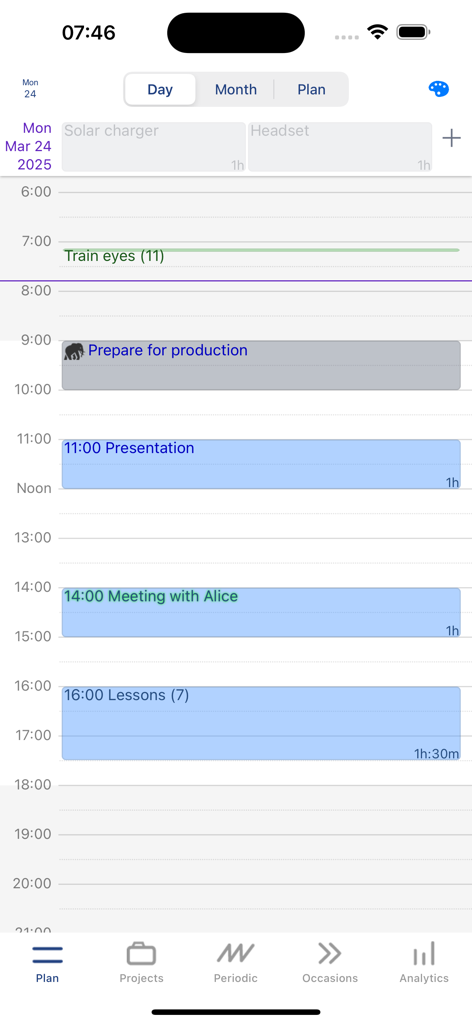
TimeManアプリのインターフェイス。タスクと予定を含む、日ごとの時間ブロックされたスケジュールが表示されています
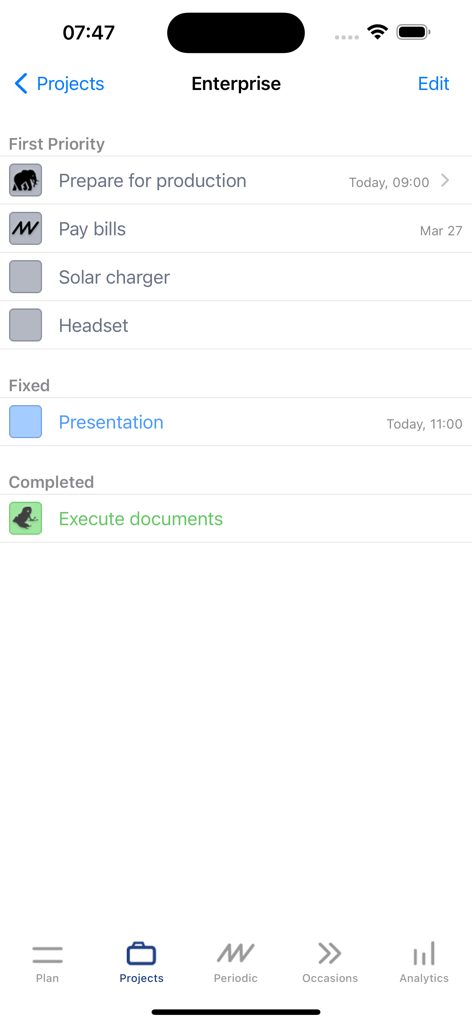
TimeManのタスク管理画面。最優先事項と固定タスクが表示されたエンタープライズプロジェクトが表示されています
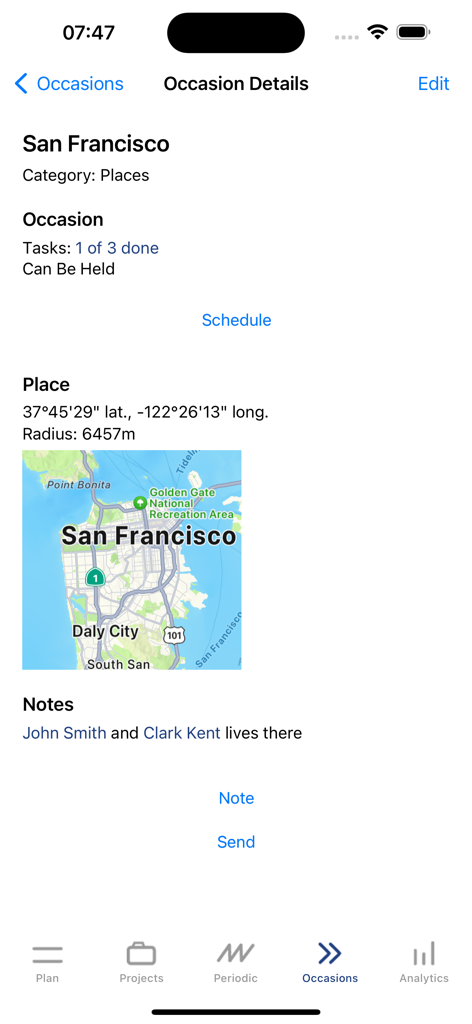
サンフランシスコの地図が表示された、場所ベースのタスクを示すモバイルアプリ画面
説明
Download
類似アプリ
同じカテゴリのトップランクアプリ

Microsoft Teams
Microsoft Corporation

Zoom Workplace
Zoom Communications, Inc.

WhatsApp Business
WhatsApp Inc.

Indeed Job Search
Indeed Inc.

LinkedIn: Network & Job Finder
LinkedIn Corporation

Adobe Acrobat Reader: Sign PDF
Adobe Inc.

WeCom-Work Communication&Tools
Tencent Technology (Shenzhen) Company Limited

BOSS直聘-招聘求职找工作神器
Beijing China Product Bo Farce Network Technology Co., Ltd.

DingDing - Redefine Work in AI
DingTalk Technology Co., Ltd.
このページはアプリまたはその開発者の公式ページではなく、情報提供および論評を目的として作成された独立した編集出版物です。明示的に別段の記載がない限り、アプリおよびその開発者は、MWM、Apple、Google Play、アプリのパブリッシャー、またはアプリの開発者と提携、承認、後援、認可、またはその他の公式的な関係はなく、このページのいかなる内容も、アプリがMWMのサービスを使用して開発されたことを意味するものではありません。すべての商標、ロゴ、スクリーンショット、その他のコンテンツはそれぞれの所有者の財産です。