
このページはアプリまたはその開発者の公式ページではなく、情報提供および論評を目的として作成された独立した編集出版物です。明示的に別段の記載がない限り、アプリおよびその開発者は、MWM、Apple、Google Play、アプリのパブリッシャー、またはアプリの開発者と提携、承認、後援、認可、またはその他の公式的な関係はなく、このページのいかなる内容も、アプリがMWMのサービスを使用して開発されたことを意味するものではありません。すべての商標、ロゴ、スクリーンショット、その他のコンテンツはそれぞれの所有者の財産です。


ダウンロード
100k+ユーザー評価
評価数
2.4K開発元
カテゴリ
Photo & Video対応言語
18最新バージョン
1.4.2サイズ
167.2 MBリリース日
2025年3月14日現場での確実な証拠収集と効率的なドキュメンテーションを支える主要機能の分析
『Timestamp Camera Time & GPS』アプリの主要機能評価
タイムスタンプとGPS位置情報の自動埋め込み
撮影された写真や動画に、正確な時間とGPS位置情報が自動的に埋め込まれ、証拠の信頼性と改ざん防止を保証します。これにより、専門家は現場での作業や状況を確実かつ客観的に記録できます。
効率的なバッチ処理ワークフロー
複数の検証済み写真や動画の一括ダウンロード、プロフェッショナルなPDFレポートの一括エクスポート、ZIPアーカイブ化により、大量のドキュメントを効率的に管理し、関係者とのスムーズな共有を可能にします。
AI駆動のフォトマークと改ざん防止テンプレート
AIがシーンに最適なフォトマークテンプレートを提案し、日付、時刻、GPSデータを含む40種類以上のプロフェッショナルなテンプレートを提供します。不正防止透かし機能により、証拠の真正性と保護を強化し、信頼性の高い視覚的記録を作成します。
プロフェッショナルなPDFレポート出力
撮影された写真と関連データから、監督者やクライアントとの即時共有が可能なプロフェッショナル品質のPDFレポートをワンタップでエクスポートできます。これにより、専門的な報告書作成の手間を大幅に削減します。
デュアル保存モードと地理ユーティリティ
元の画像とタイムスタンプ付きの画像を両方保存できるデュアル保存モードにより、柔軟な証拠管理が可能です。また、内蔵コンパスなどの地理ユーティリティは、現場での方向確認や状況把握に役立ちます。
3D地球儀とインタラクティブなGPSマップカメラ
撮影された記録を3D地球儀上で視覚化し、インタラクティブなピンをタップすることで現場写真にアクセスできます。これにより、プロジェクトの地理的範囲と各記録の位置関係を直感的に把握できます。
カスタムブランディング機能
企業や組織のロゴを写真に追加することで、公式なドキュメントとしての権威と信頼性を高め、ブランドの一貫性を保ちながら視覚的証拠を提供します。
既存写真へのタイムスタンプ一括追加
スマートフォン内の既存のアルバム写真をインポートし、タイムスタンプやGPSタグを一括で追加できます。これにより、後からでも過去の記録を検証可能な証拠として利用し、ドキュメントの完全性を向上させます。
よくある質問
について知っておくべきこと Timestamp Camera Time & GPS
What is the primary function of the Timestamp Camera app?
The Timestamp Camera app adds and stamps GPS maps, latitude, longitude, anniversary, time, and date to your camera photos. It serves as a multi-functional photography tool.
Does Timestamp Camera allow users to add GPS location information to photos?
Yes, Timestamp Camera automatically records GPS photo location information when photos are taken. It supports stamping GPS maps, longitude, and latitude onto images.
Can I customize the watermarks in the Timestamp Camera app?
Yes, Timestamp Camera allows custom watermarks. Users can select content like address, longitude, and latitude, choose from diverse templates, and place watermarks anywhere on the photo.
How many watermark templates are available in Timestamp Camera?
The Timestamp Camera app offers 25 templates specifically for the GPS map camera. These templates allow users to tailor photos with various items like date and time.
Does Timestamp Camera provide photo editing features like filters?
Yes, Timestamp Camera provides filter effects. Users can select different filters via the watermark camera and apply them to photos from the album before saving or sharing.
What photo ratios does Timestamp Camera support?
Timestamp Camera supports common photo ratios including 4:3, 1:1, and 16:9. This feature enables users to choose the optimal aspect ratio for their scene.
Can Timestamp Camera manage and share photos?
Yes, Timestamp Camera provides management and sharing functions. Users can save both original and timestamped photos to the album and share them with friends or other apps.
Does the Timestamp Camera app allow zooming?
Yes, the Timestamp Camera app offers HD camera magnification, providing 0.5x, 1x, and 2x zoom options for users to capture details effectively.
How can I manage my subscription for Timestamp Camera?
Subscriptions and auto-renewal for Timestamp Camera are managed within your App Store Account Settings after purchase. Payment is charged directly to your App Store Account.
Where can I find the Privacy Policy for Timestamp Camera?
The Privacy Policy for Timestamp Camera is located at the URL: https://camera.aifontkeyboard.xyz/privacy.html. This provides information on data handling practices.
以下のスクリーンショットと説明は、アプリの公式ストアリスティングから直接取得されたものであり、アプリ開発者の所有物です。
アプリストア
スクリーンショット
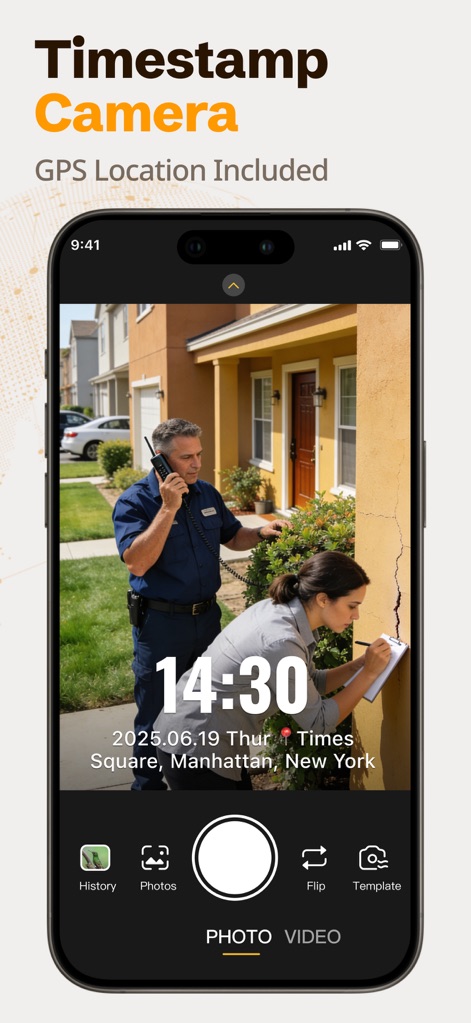
このアプリは、写真に撮影日時とGPS位置情報を自動で付与し、現場状況を正確に記録します。
タイムスタンプ撮影
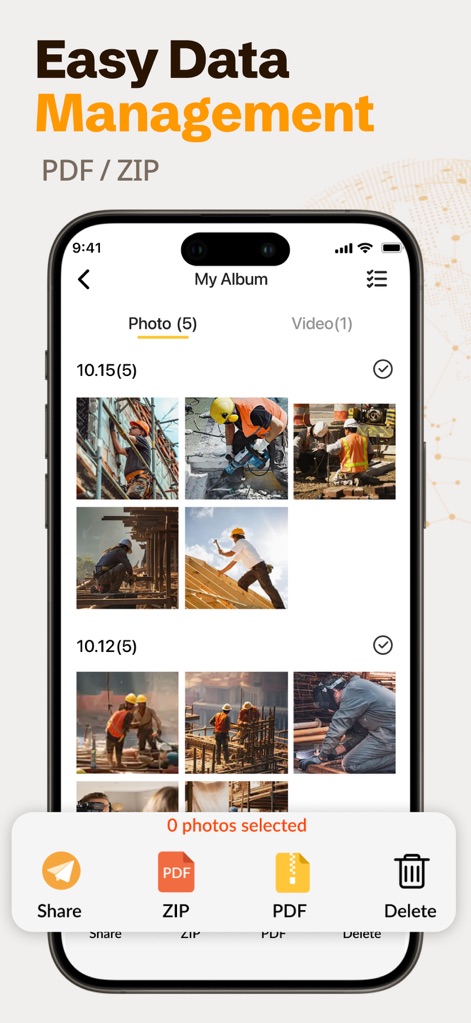
撮影された画像はアルバムで一括管理され、PDFおよびZIP形式での簡単なエクスポートを可能にします。
効率的なデータ管理
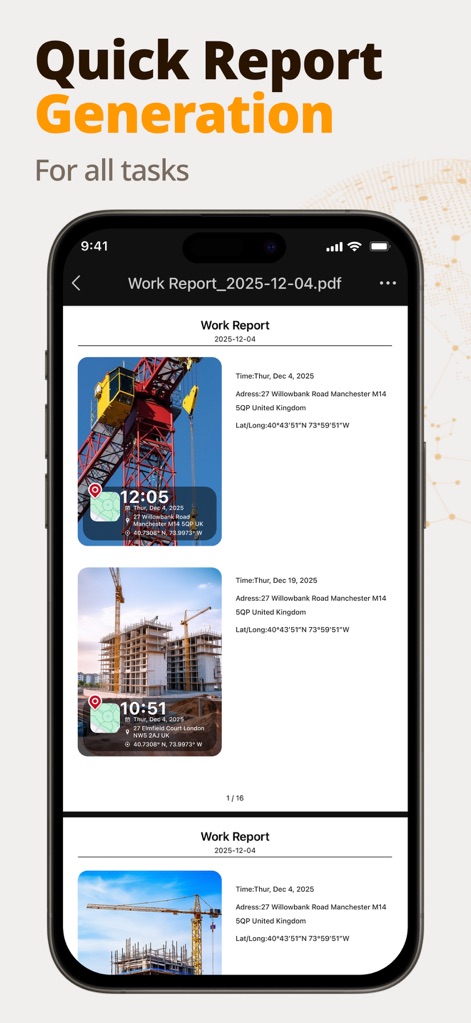
タイムスタンプとGPS座標を含む写真データから、プロフェッショナルなPDF形式の作業レポートが自動で作成されます。
自動レポート生成

建設現場や物流など、様々な業界のニーズに合わせて、日時と場所の情報を表示するテンプレートが提供されます。
多様な現場対応
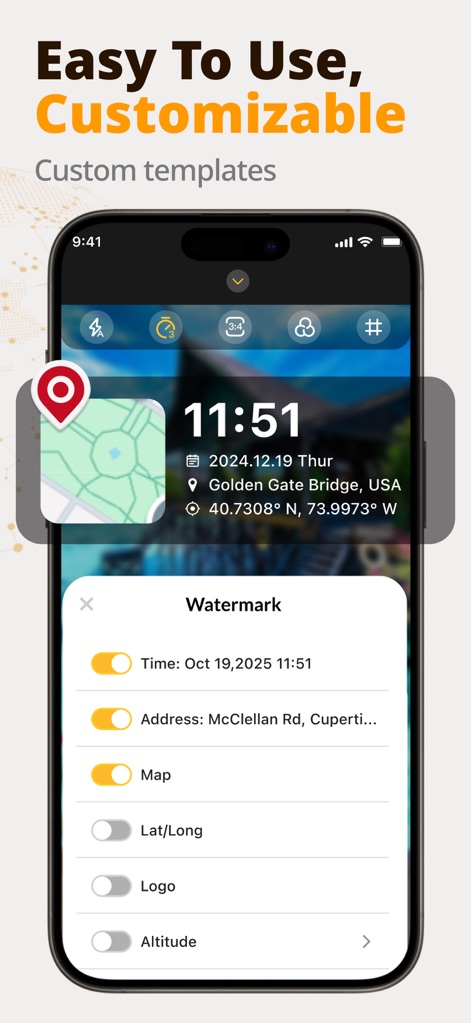
ユーザーは、時刻や住所、地図、緯度経度などの表示情報を柔軟に選択し、独自のブランドロゴを写真に追加できます。
カスタム透かし機能
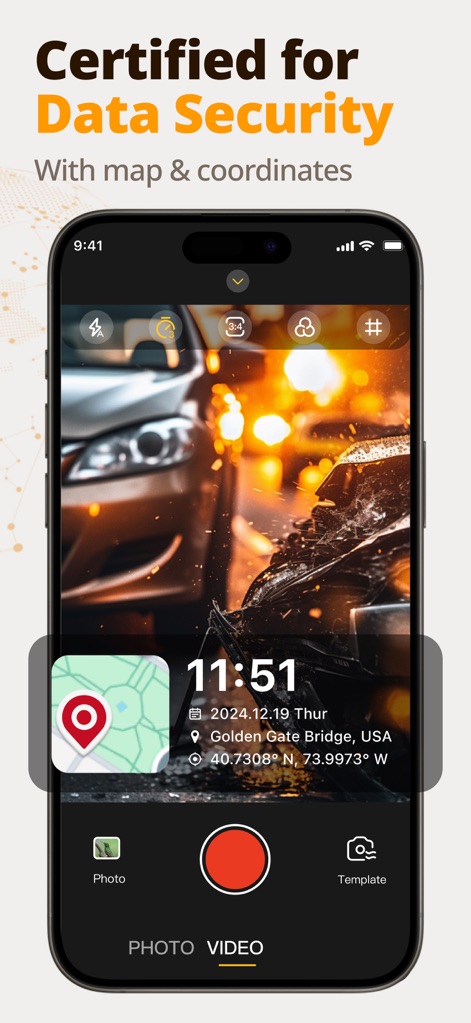
撮影した写真には、日時、場所、GPS座標、および地図情報が統合され、改ざん防止された証拠として機能します。
確かなデータ証拠
説明
Download
類似アプリ
似た機能とユーザー体験を持つアプリ

今日水印相机-时间地点经纬度打卡拍照
Keep Curiosity, Inc.

Timemark: Photo Proof
OCEAN GALAXY PTE. LTD.

自定义水印相机
Beidou Hanglu Technology Co.,Ltd.

CompanyCam
CompanyCam, Inc
今日水印专业版-官方无广告版,真实时间今日水印相机拍照
Keep Curiosity, Inc.

经纬度相机&水印相机-记录时间地点天气
Shuzhuo Network Technology Guangzhou Co., Ltd.

水印相机-时间地点工作打卡拍照视频
Chengdu Chongbianli Science and Technology Ltd.

经纬相机:水印相机拍照水印记录时间地点
佳铭 游

TimeStamp Camera+MAP
源泽 高
このページはアプリまたはその開発者の公式ページではなく、情報提供および論評を目的として作成された独立した編集出版物です。明示的に別段の記載がない限り、アプリおよびその開発者は、MWM、Apple、Google Play、アプリのパブリッシャー、またはアプリの開発者と提携、承認、後援、認可、またはその他の公式的な関係はなく、このページのいかなる内容も、アプリがMWMのサービスを使用して開発されたことを意味するものではありません。すべての商標、ロゴ、スクリーンショット、その他のコンテンツはそれぞれの所有者の財産です。