TNMaker - Multiple Choice Test
ダウンロード: App Store

このページはアプリまたはその開発者の公式ページではなく、情報提供および論評を目的として作成された独立した編集出版物です。明示的に別段の記載がない限り、アプリおよびその開発者は、MWM、Apple、Google Play、アプリのパブリッシャー、またはアプリの開発者と提携、承認、後援、認可、またはその他の公式的な関係はなく、このページのいかなる内容も、アプリがMWMのサービスを使用して開発されたことを意味するものではありません。すべての商標、ロゴ、スクリーンショット、その他のコンテンツはそれぞれの所有者の財産です。


ロゴ: TNMaker - Multiple Choice Test
ダウンロード: App Store

TNMaker - Multiple Choice Test

スマートフォンをポータブルなスキャントロンに変えましょう。解答用紙を数秒でスキャンし、手作業での採点ミスをなくし、現代の教育者向けの究極のツールで週末を取り戻しましょう。

主要数値

ダウンロード

74K+

ユーザー評価

4.2/5

評価数

1K+

開発元

Vinh Le

カテゴリ

Education

対応言語

16

最新バージョン

4.43.89

サイズ

19.6 MB

リリース日

2017年10月13日
機能

瞬時の採点で時間を節約

スマートフォンを高速でプロフェッショナルグレードのテストスキャナーに変えましょう。TNMakerは、手作業での採点ミスをなくし、最も重要なこと、つまり指導に戻るのに役立ちます。

超高速カメラスキャン

クラス全体の採点を数分で完了できます。カメラを解答用紙に向けるだけで瞬時にスコアが得られ、高価でかさばるスキャントロンハードウェアは不要です。

完全な試験カスタマイズ

授業計画に合ったテストをデザインしましょう。20、40、または50問の解答キーをカスタマイズし、採点スケールに完全に一致するように特定の点数を割り当てることができます。

以下のスクリーンショットと説明は、アプリの公式ストアリスティングから直接取得されたものであり、アプリ開発者の所有物です。

アプリストア

スクリーンショット
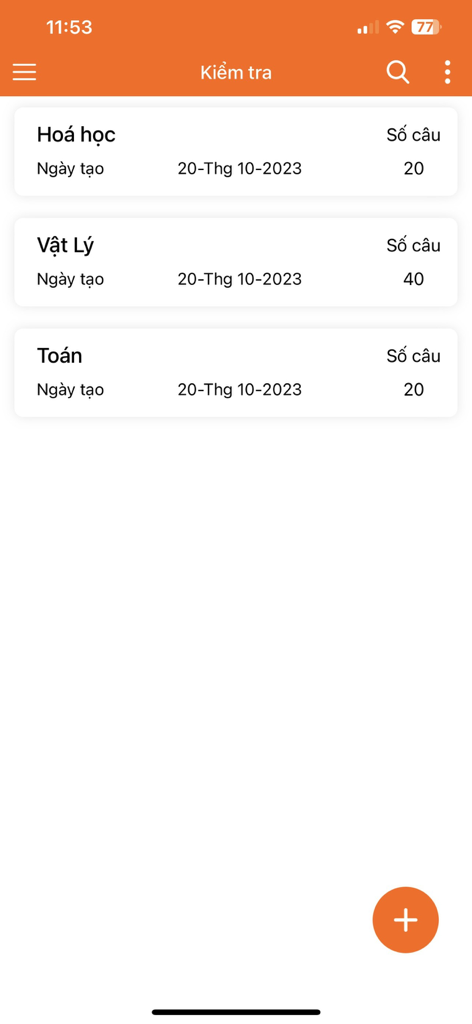
TNMaker - Multiple Choice Test - 化学、物理、数学の多肢選択式テストのリストとそれぞれの問題数を示すモバイルアプリ画面
化学、物理、数学の多肢選択式テストのリストとそれぞれの問題数を示すモバイルアプリ画面

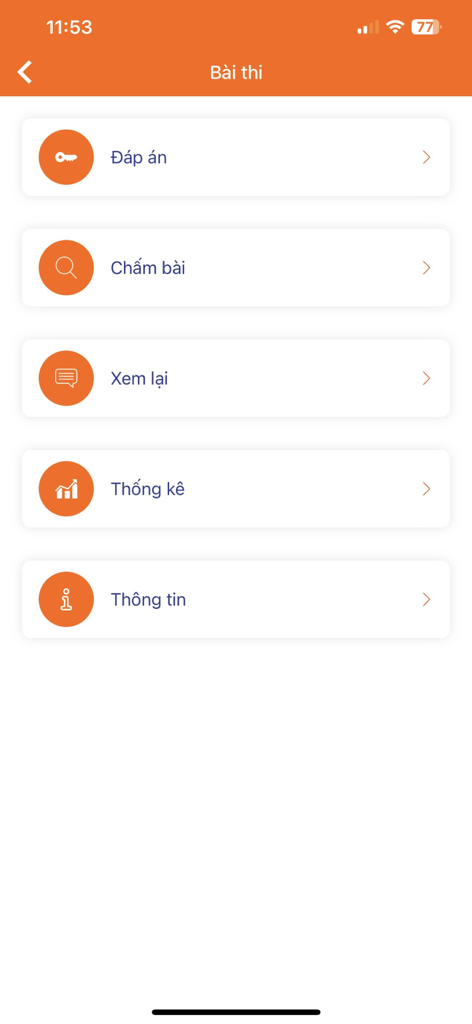
TNMaker - Multiple Choice Test - 解答キー、採点、レビュー、統計のオプションが表示されるTNMakerアプリのメインメニュー
解答キー、採点、レビュー、統計のオプションが表示されるTNMakerアプリのメインメニュー

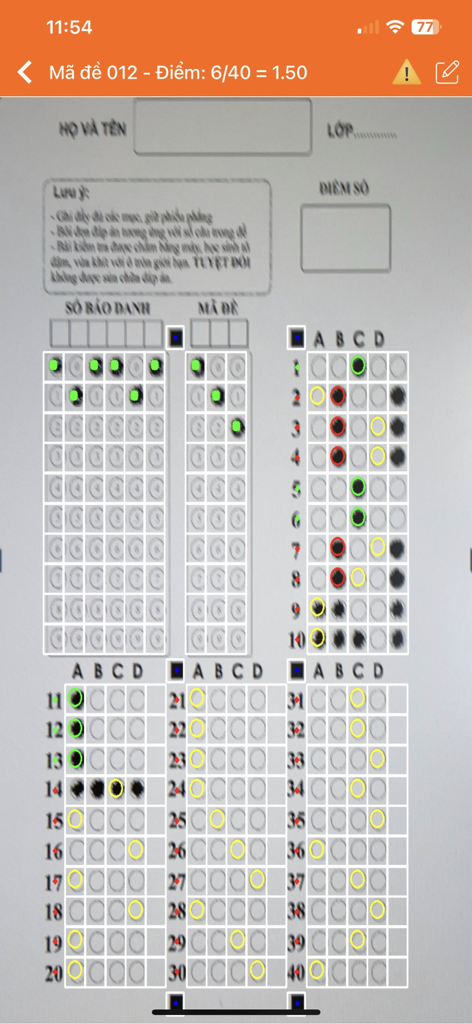
TNMaker - Multiple Choice Test - TNMakerアプリを使用して、多肢選択式のマークシートテストをスキャンして自動採点するスマートフォンのインターフェース。
TNMakerアプリを使用して、多肢選択式のマークシートテストをスキャンして自動採点するスマートフォンのインターフェース。

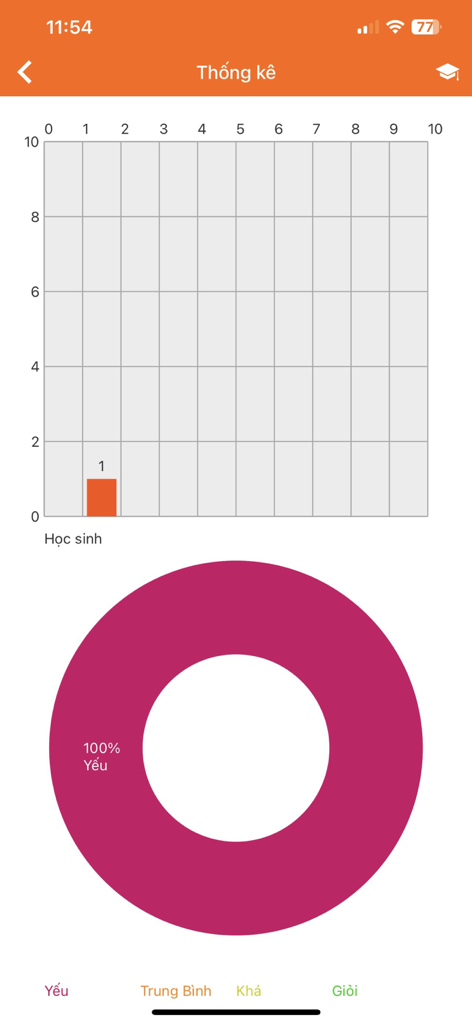
TNMaker - Multiple Choice Test - TNMakerアプリの統計画面。生徒のスコアの棒グラフと、成績の円グラフが表示されています。
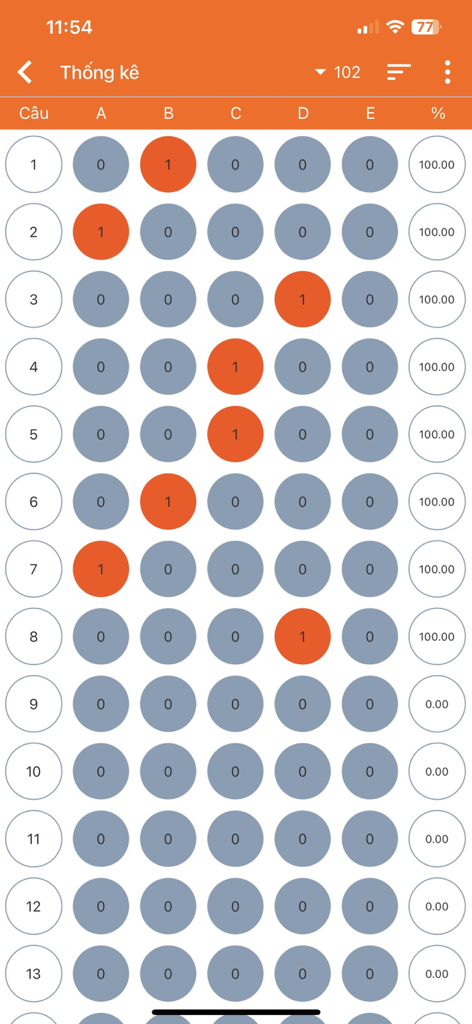
TNMakerアプリの統計画面。生徒のスコアの棒グラフと、成績の円グラフが表示されています。

TNMaker - Multiple Choice Test - テストの多肢選択式解答マークとパーセンテージスコアを示すデジタルレポートビュー

テストの多肢選択式解答マークとパーセンテージスコアを示すデジタルレポートビュー

説明

Functions: + TNMaker will be very helpful for teachers to mark for multiple choice test, rather than using their hands or using a dedicated scanner. + Just use the teacher's phone to mark the students' multiple choice test quickly. + The app allows reviewing, sorting, and sharing right away with facebook, zalo, gmail... +The application allows you to customize the number of sentences and give the correct score for each sentence. Usage Guide: - Notice : App need using camera permission and storage permission to read data. - First : You link to https://tnmaker.net or Setting-> AnswerPaper to download the answer sheets (support for sample 50), next you should print in format or scale (small, large). - Key: Used to scan a key. This is the correct answer to compare when scanning. You should fill in the circle and choose only a answer for each sentence. If you are not satisfied, you should rescan or save to complete the your key.You can review your key in Review-> Menu-> Key. - Scan: Use to scan your answer, you should move the camera to the 4 corners of the answer sheets, the red square will blink.The application will detect 4 corners and find the correct answer, the correct answer will be green , the incorrect answer will be red. Notice your will only select a answer, the application will view the correct number of sentences for each sentence and the score you get. Next you should click Back to scan the next answer sheets, if you do not find the square, you should move your camera and adjust them. - Review: You can review to your key or answer, click on the item and review your answer, you can delete and share it with facebook, zalo, gmail by hold in the item. Besides, you can select the menu and have some options, you can sort the list and share it to facebook...It is helpful, your list is too long, you should delete all of them and start a new multiple choice test. - Setting: Support for you with some options, you can choose the number of sentences to your score calculator, there are 20, 40, 50 .Easy to get answer sheets on your phone and watch the video tutorial. - Feedback: We are always trying to complete the application. Any feedback, you can send an email to tracnghiemmaker@gmail.com. Your comments will help more and get better. Email: tracnghiemmaker@gmail.com Website: https://tnmaker.net Privacy Policy: https://tnmaker.net/privacy-policy

Download

ダウンロード: App Store

このページはアプリまたはその開発者の公式ページではなく、情報提供および論評を目的として作成された独立した編集出版物です。明示的に別段の記載がない限り、アプリおよびその開発者は、MWM、Apple、Google Play、アプリのパブリッシャー、またはアプリの開発者と提携、承認、後援、認可、またはその他の公式的な関係はなく、このページのいかなる内容も、アプリがMWMのサービスを使用して開発されたことを意味するものではありません。すべての商標、ロゴ、スクリーンショット、その他のコンテンツはそれぞれの所有者の財産です。