
このページはアプリまたはその開発者の公式ページではなく、情報提供および論評を目的として作成された独立した編集出版物です。明示的に別段の記載がない限り、アプリおよびその開発者は、MWM、Apple、Google Play、アプリのパブリッシャー、またはアプリの開発者と提携、承認、後援、認可、またはその他の公式的な関係はなく、このページのいかなる内容も、アプリがMWMのサービスを使用して開発されたことを意味するものではありません。すべての商標、ロゴ、スクリーンショット、その他のコンテンツはそれぞれの所有者の財産です。


ダウンロード
7.5M+ユーザー評価
評価数
176.3K開発元
カテゴリ
Photo & Video対応言語
17最新バージョン
5.6.5サイズ
941.7 MBリリース日
2010年6月8日モバイルファーストユーザー向けの高効率写真編集ツール
TouchRetouch アプリの機能分析
AIパワードオブジェクト除去
不要な物体、人物、電線などをAIが自動検出し、写真から効率的に除去し、クリーンな仕上がりにします。特に旅行写真の整理やSNS投稿の準備に役立ちます。
背景の除去と置き換え
写真の背景を簡単に消去し、別の画像に置き換えたり、透明な背景を作成したり、ぼかしたりすることで、被写体を際立たせ、クリエイティブな表現を可能にします。
ワンタッチAIレタッチ
小さな欠陥や肌のシミ、シワなどを指でなぞるだけで素早く修正し、自然で完璧な仕上がりの写真を作成できます。
AIによる線オブジェクト除去
電線やその他の線状のオブジェクトを、一部をマークするだけでアプリが自動認識し、高精度に除去します。より細かく調整したい場合は、制御点を用いた手動レタッチも可能です。
自動メッシュ検出と除去
写真内のメッシュ構造(フェンスなど)を自動で検出し、簡単な操作で完全に除去し、背景をクリアにします。
高品質な出力とEXIFデータ保持
写真の編集後も画質の劣化がなく、撮影時のEXIFデータも保持されるため、プロレベルの品質と情報が維持されます。
ブラシとクローンスタンプツール
オートマチックな除去が不十分な場合でも、ブラシツールやクローンスタンプツールを用いて、不要なオブジェクトを手動で精密に除去し、写真を自然に修復できます。
直感的インターフェースとアプリ内チュートリアル
初めてのユーザーでも簡単に使いこなせるよう、明瞭で直感的なインターフェースが提供されており、アプリ内チュートリアルにより迅速に機能を習得できます。
よくある質問
について知っておくべきこと TouchRetouch
What is TouchRetouch?
TouchRetouch is a pocket app for removing unwanted objects and elements from photos, including people, lines, meshes, and blemishes, to give images a clean look while saving time.
Can TouchRetouch remove people from photos?
Yes, TouchRetouch can remove people from photos. Its object removal feature allows users to apply automatic content removal with the Brush tool or use manual retouching for precision.
Does TouchRetouch allow background replacement?
Yes, TouchRetouch allows users to erase backgrounds and replace them with their own or stock photos. It also offers a background editor to achieve transparent backgrounds or blur them.
How does TouchRetouch remove lines from pictures?
TouchRetouch removes lines by allowing users to mark a section or tap the line, and the app automatically identifies and removes it. The manual mode offers control points for curved segments.
Can TouchRetouch remove meshes or fences from photos?
Yes, TouchRetouch removes meshes or fences from photos. The app provides a dedicated tool that automatically detects and removes mesh netting in a simple two-step process.
Does TouchRetouch retain photo quality after editing?
Yes, TouchRetouch ensures no quality or EXIF data loss during the photo editing process. It provides professional AI photo edits while preserving the original image integrity.
Does TouchRetouch offer tutorials for new users?
Yes, TouchRetouch offers helpful in-app tutorials to guide users in mastering the app quickly. Its interface and layout are clear and intuitive for a comfortable user experience.
How can I contact support for TouchRetouch?
To contact support for TouchRetouch, users can email ADVA Soft Support at touchretouch@adva-soft.com. They welcome all inquiries, comments, and suggestions about the app.
What kind of blemishes can TouchRetouch remove from faces?
TouchRetouch can naturally erase various facial blemishes including pimples, acne, glare, tattoos, skin blemishes, and wrinkles using its AI-powered object removal capabilities.
Can TouchRetouch edit 360-degree photos?
Yes, TouchRetouch supports 360-degree photo editing. Users can edit panoramic images to remove unwanted elements or make precise adjustments.
以下のスクリーンショットと説明は、アプリの公式ストアリスティングから直接取得されたものであり、アプリ開発者の所有物です。
アプリストア
スクリーンショット

肌の欠点を除去し、歯を白くする機能で、ユーザーは瞬時に顔の印象を改善できます。
自然な美肌レタッチ
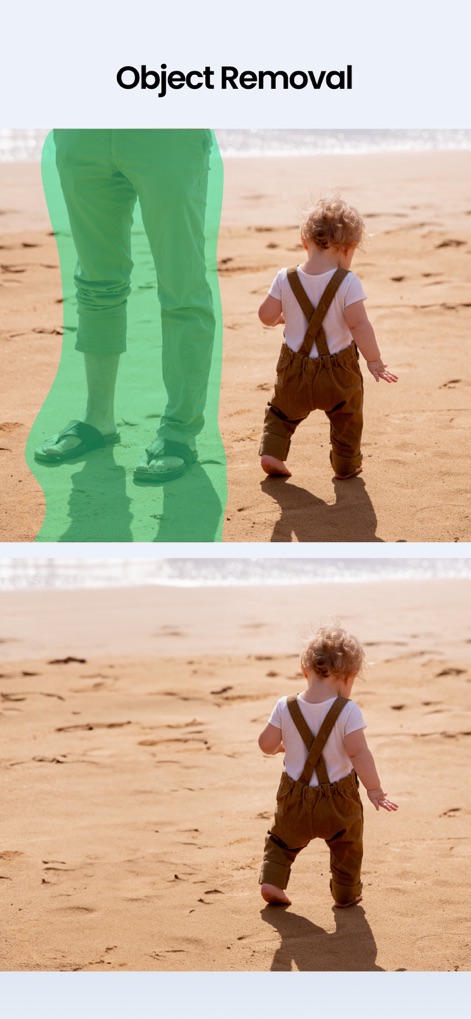
このアプリは、写真から人物や不要な背景オブジェクトを瞬時に取り除き、クリーンな構図を実現します。
不要なものを消去

ユーザーはAIを活用した背景変更やスタイル変換で、ポートレート写真に様々なプロフェッショナルな表現を加えることができます。
最先端AIエフェクト
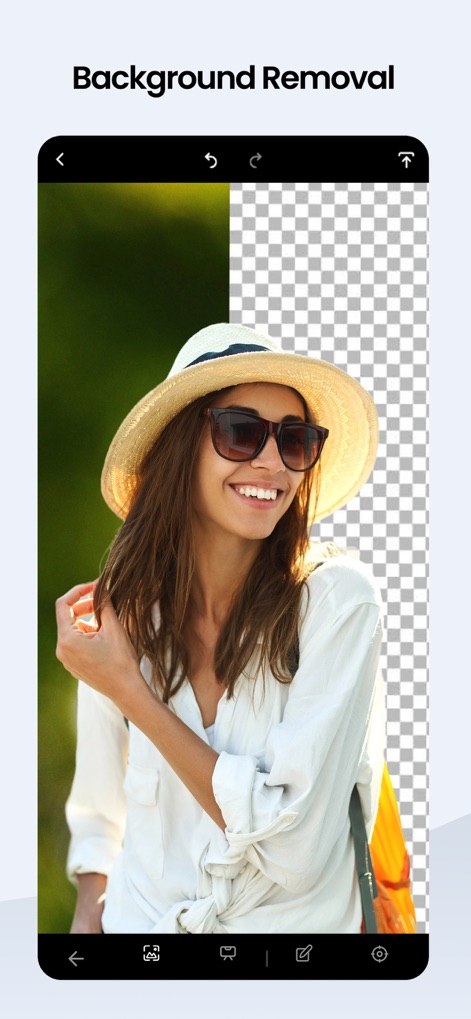
被写体を際立たせるため、本ツールは複雑な背景を簡単に削除し、透明な背景への変換を可能にします。
背景を瞬時に除去
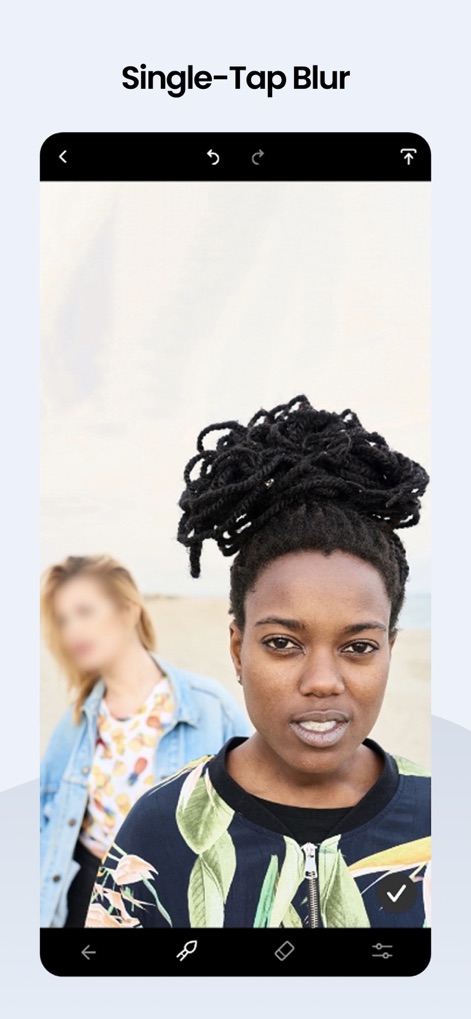
主要な被写体に焦点を合わせるため、このアプリは背景の人物や風景に自然なボケ効果を適用し、プロフェッショナルな深みを演出します。
ワンタップで背景ぼかし
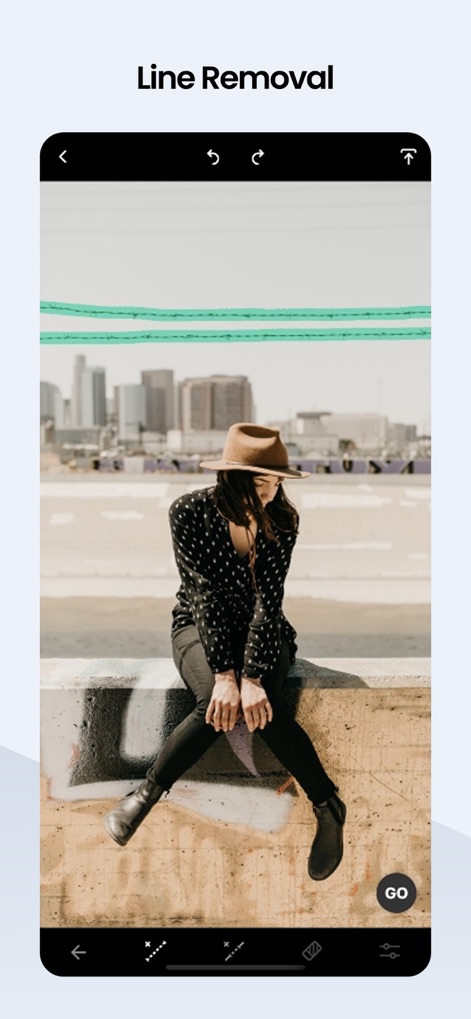
電線やその他の線状のオブジェクトを簡単に除去する機能により、ユーザーは写真の背景を整理し、視覚的なノイズを取り除きます。
不要な線を消去
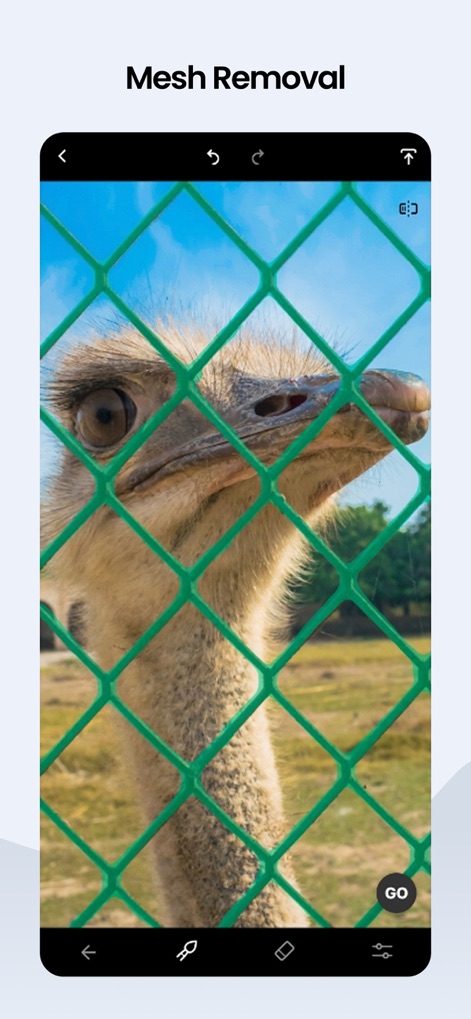
このツールは、動物園のフェンスや窓の網戸など、写真の邪魔になるメッシュ構造物を自動的に検出し、シームレスに除去します。
メッシュも簡単除去
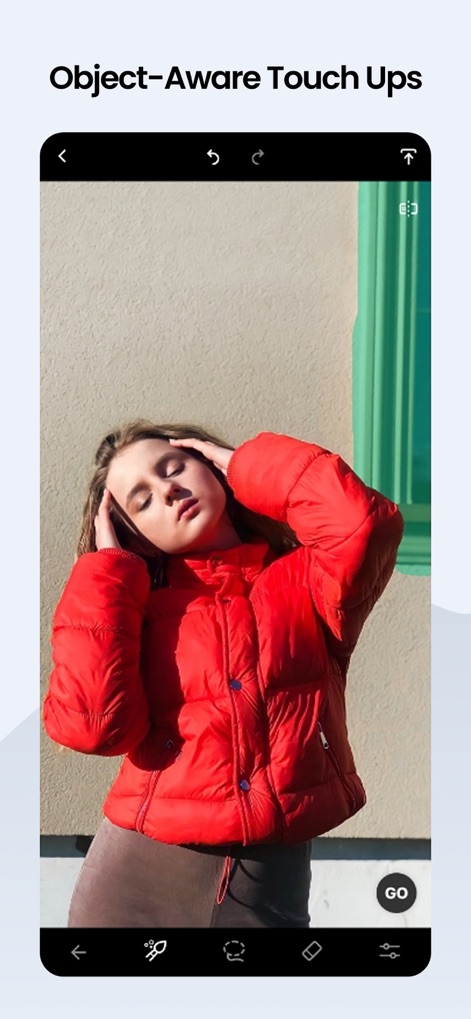
このアプリはAIを駆使し、背景のオブジェクトや不要な要素を賢く識別して除去することで、写真全体の構図を向上させます。
AIで賢くレタッチ
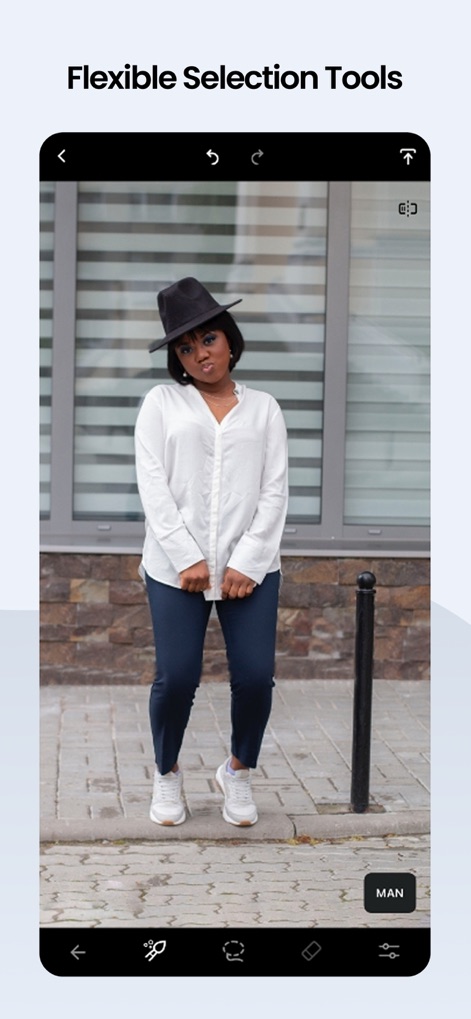
ユーザーはブラシツールや自動選択機能を活用し、写真内の特定のオブジェクトを正確に選択して、精密な編集作業を行えます。
自由自在な選択ツール
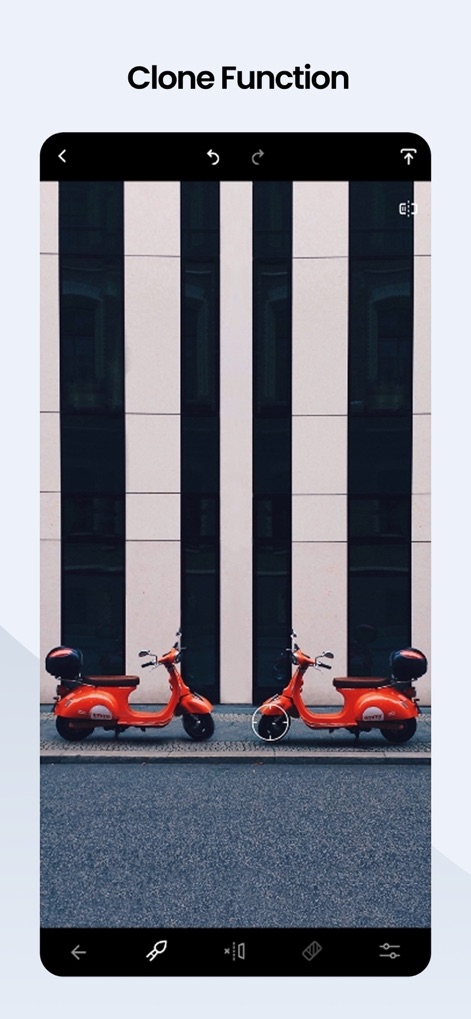
クローンスタンプツールを使用することで、ユーザーは写真の特定部分を複製したり、重複するオブジェクトを効果的に除去したりして、画像を修復できます。
便利なクローン機能
説明
Download
類似アプリ
似た機能とユーザー体験を持つアプリ

ElevenLabs: AI Voice Generator
Eleven Labs Inc.

Viggle AI: Meme Maker
WarpEngine Canada Inc.

可灵AI - AI图片&视频创作工具
Beijing Kwai Technology Co., Ltd.

Leonardo.Ai - Image Generator
Leonardo Interactive Pty Ltd

Reface: Face Swap AI Photo App
NEOCORTEXT, INC.

Shedevrum
DIRECT CURSUS COMPUTER SYSTEMS TRADING LLC

Remove Objects
TAPUNIVERSE LLC

Zaps Collages
Turnip Media Private Limited

Carat - Create Anything
Paradot Corp.
このページはアプリまたはその開発者の公式ページではなく、情報提供および論評を目的として作成された独立した編集出版物です。明示的に別段の記載がない限り、アプリおよびその開発者は、MWM、Apple、Google Play、アプリのパブリッシャー、またはアプリの開発者と提携、承認、後援、認可、またはその他の公式的な関係はなく、このページのいかなる内容も、アプリがMWMのサービスを使用して開発されたことを意味するものではありません。すべての商標、ロゴ、スクリーンショット、その他のコンテンツはそれぞれの所有者の財産です。