ToyCAD: Easiest 3D Drawing App
ダウンロード: App Store

このページはアプリまたはその開発者の公式ページではなく、情報提供および論評を目的として作成された独立した編集出版物です。明示的に別段の記載がない限り、アプリおよびその開発者は、MWM、Apple、Google Play、アプリのパブリッシャー、またはアプリの開発者と提携、承認、後援、認可、またはその他の公式的な関係はなく、このページのいかなる内容も、アプリがMWMのサービスを使用して開発されたことを意味するものではありません。すべての商標、ロゴ、スクリーンショット、その他のコンテンツはそれぞれの所有者の財産です。

ロゴ: ToyCAD: Easiest 3D Drawing App
ダウンロード: App Store

ToyCAD: Easiest 3D Drawing App

すべての人向けに構築された初の3Dデザインアプリで、家族の創造性を解き放ちましょう。複雑なCAD経験なしに、シンプルな描画を関節のあるアクションフィギュアやカスタム作成物に変換します。

主要数値

ダウンロード

800

ユーザー評価

3.7/5

評価数

0

開発元

ToyCAD LLC

カテゴリ

Graphics & Design

対応言語

1

最新バージョン

2.1.1

サイズ

31.8 MB

リリース日

2025年1月24日
機能

想像力から3Dでの現実へ

子供やクリエイターにとって最も直感的なデザインツール。プロフェッショナルソフトウェアの急な学習曲線なしに、シンプルなスケッチを印刷可能な玩具に変えましょう。

スケッチから3Dへの魔法

複数の角度から描画し、2Dの落書きが詳細な自由形式の3Dモデルに即座に変換されるのを見てください。

あなた自身の玩具を印刷

デザインを任意の3Dプリンターにエクスポートします。アイデアを形にすることで、スクリーンタイムと物理的な遊びの間のギャップを埋めます。

以下のスクリーンショットと説明は、アプリの公式ストアリスティングから直接取得されたものであり、アプリ開発者の所有物です。

アプリストア

スクリーンショット
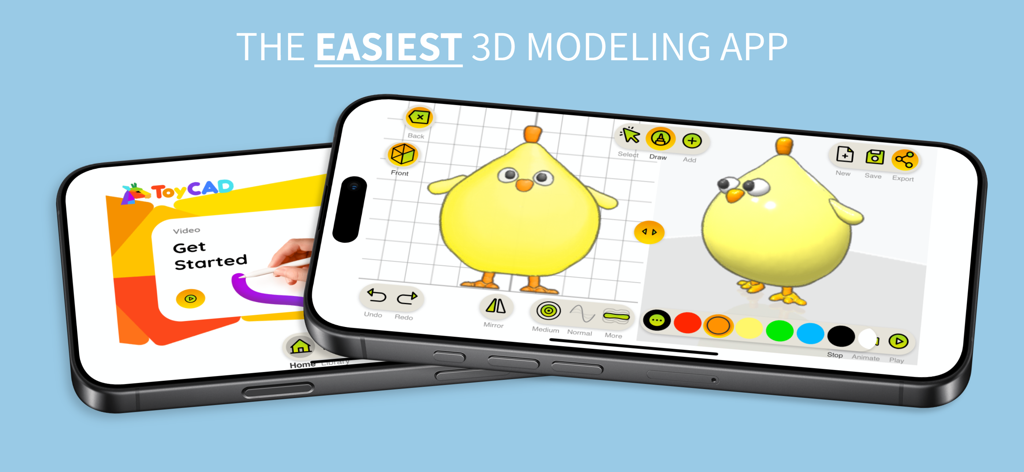
ToyCAD: Easiest 3D Drawing App - 3Dイエローひよこモデルと開始チュートリアル画面が表示されたToyCADアプリインターフェイスを示す2つのスマートフォン
3Dイエローひよこモデルと開始チュートリアル画面が表示されたToyCADアプリインターフェイスを示す2つのスマートフォン

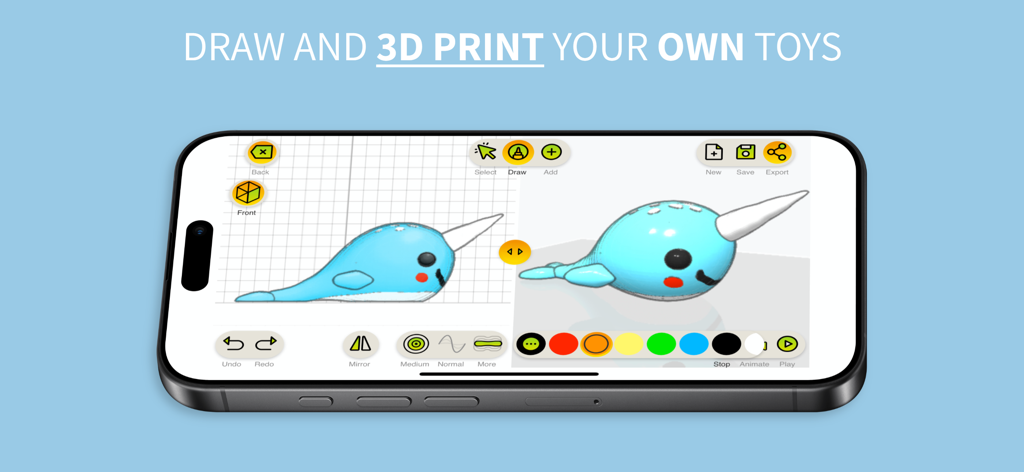
ToyCAD: Easiest 3D Drawing App - 描画ツールと3Dモデルのクジラが表示されたToyCADアプリインターフェイスを示すスマートフォンの画面
描画ツールと3Dモデルのクジラが表示されたToyCADアプリインターフェイスを示すスマートフォンの画面

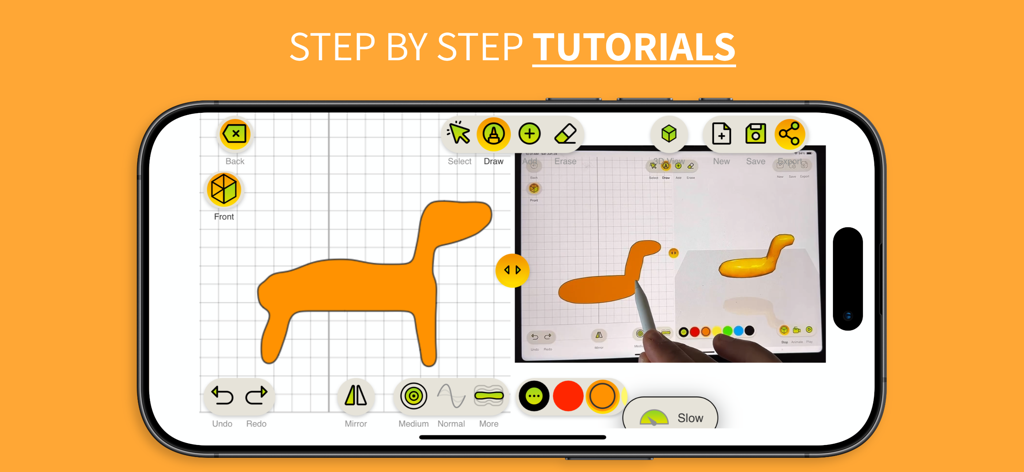
ToyCAD: Easiest 3D Drawing App - タブレットで段階的な3D描画チュートリアルを示すToyCADアプリインターフェイス
タブレットで段階的な3D描画チュートリアルを示すToyCADアプリインターフェイス

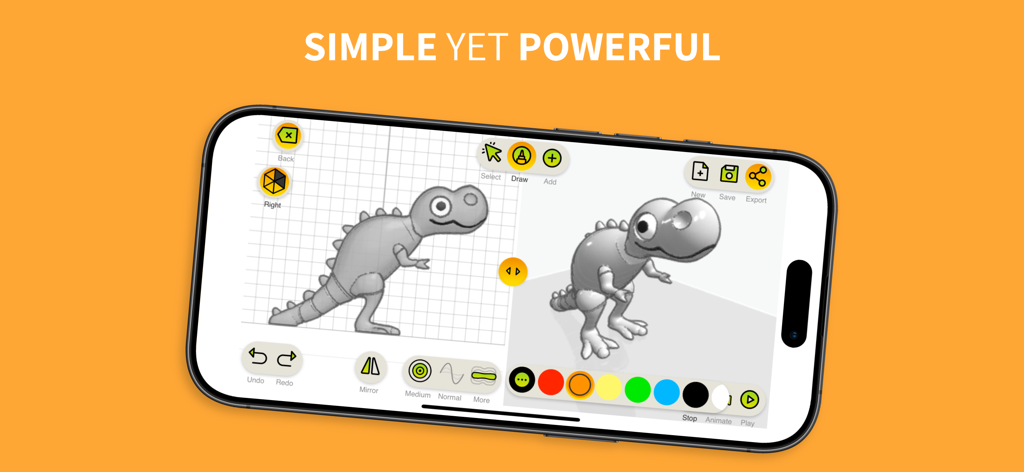
ToyCAD: Easiest 3D Drawing App - ToyCADアプリインターフェイスで2D恐竜スケッチが3Dモデルに変換される様子を示す分割画面
ToyCADアプリインターフェイスで2D恐竜スケッチが3Dモデルに変換される様子を示す分割画面

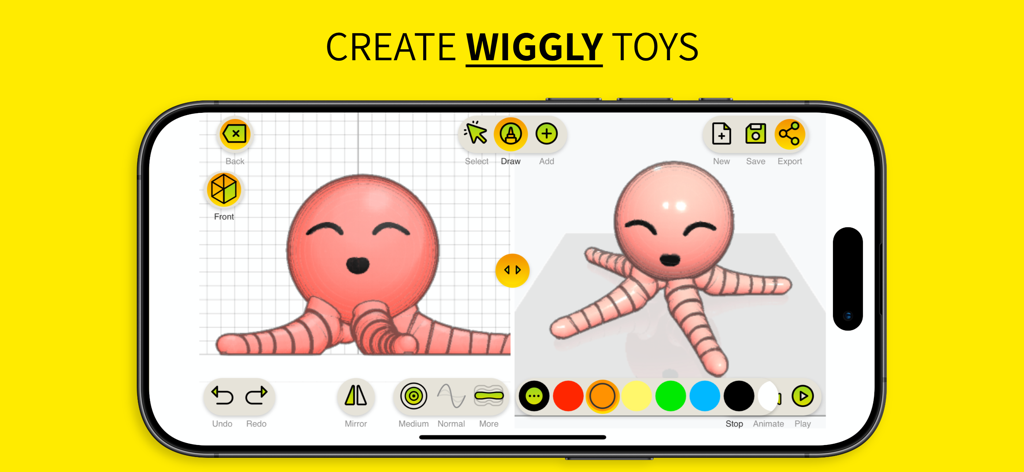
ToyCAD: Easiest 3D Drawing App - 2Dスケッチからピンクの触手のあるタコのおもちゃの3D作成を示すToyCADアプリインターフェイス
2Dスケッチからピンクの触手のあるタコのおもちゃの3D作成を示すToyCADアプリインターフェイス

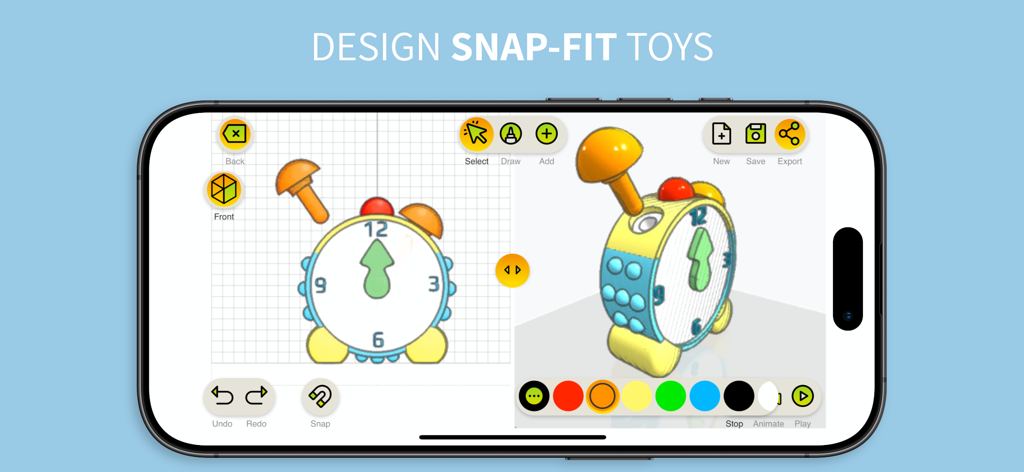
ToyCAD: Easiest 3D Drawing App - モバイルデバイス上のスナップフィット玩具時計の3Dデザインを示すToyCADアプリのインターフェイス
モバイルデバイス上のスナップフィット玩具時計の3Dデザインを示すToyCADアプリのインターフェイス

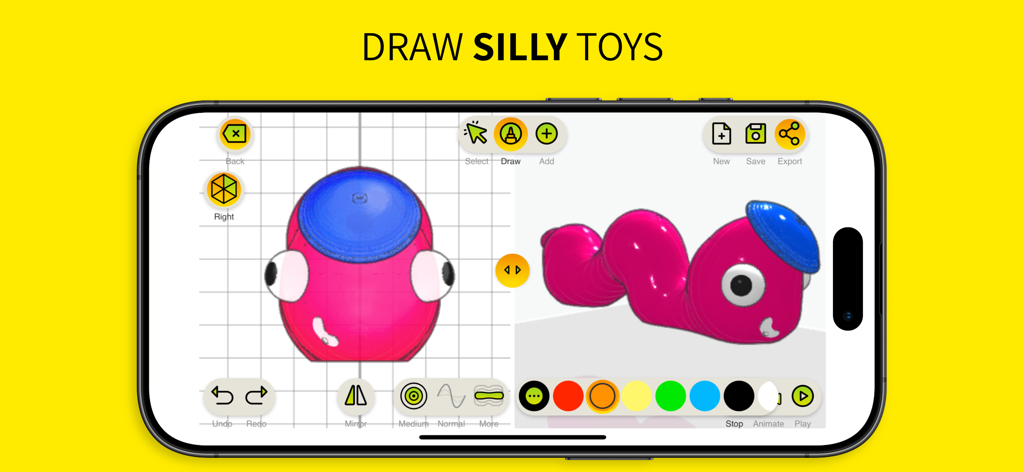
ToyCAD: Easiest 3D Drawing App - 3Dピンクの毛虫のおもちゃのデザインが表示されたToyCADアプリインターフェイスを示すスマートフォンの画面
3Dピンクの毛虫のおもちゃのデザインが表示されたToyCADアプリインターフェイスを示すスマートフォンの画面

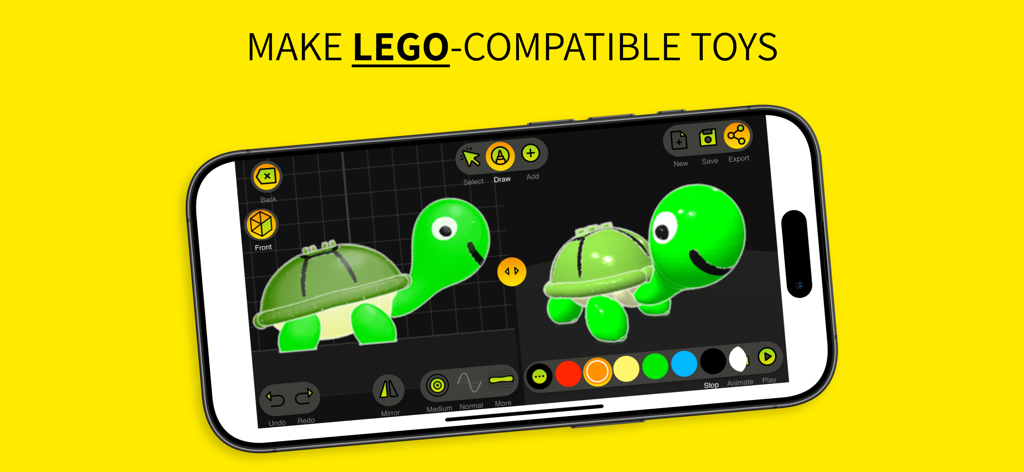
ToyCAD: Easiest 3D Drawing App - スマートフォンの画面に、背中にレゴ互換のスタッドが付いた3Dカメのおもちゃを作成するために使用されたToyCADインターフェイスが表示されています
スマートフォンの画面に、背中にレゴ互換のスタッドが付いた3Dカメのおもちゃを作成するために使用されたToyCADインターフェイスが表示されています

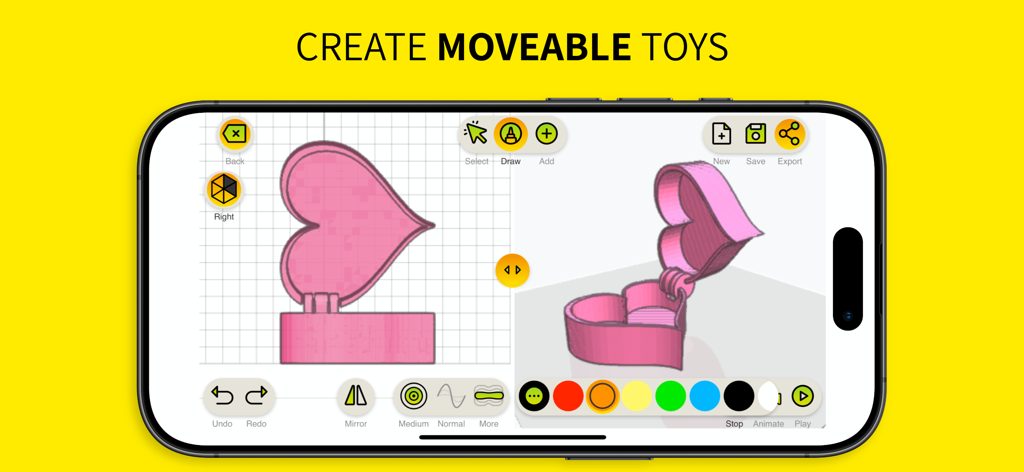
ToyCAD: Easiest 3D Drawing App - ハート型の動く箱の3Dデザインを示すToyCADアプリのインターフェイス

ハート型の動く箱の3Dデザインを示すToyCADアプリのインターフェイス

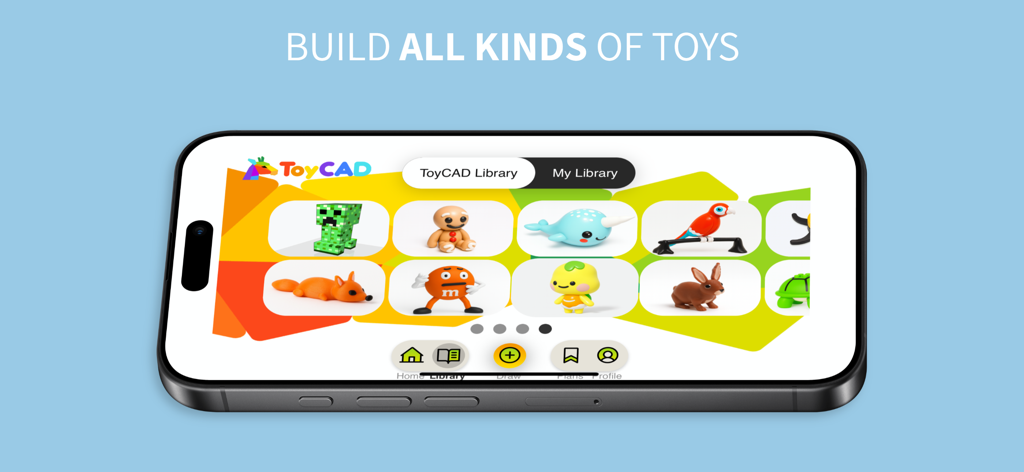
ToyCAD: Easiest 3D Drawing App - キツネ、ウサギ、オウムなどのさまざまな3Dおもちゃモデルが掲載されたToyCADライブラリを示すスマートフォンの画面

キツネ、ウサギ、オウムなどのさまざまな3Dおもちゃモデルが掲載されたToyCADライブラリを示すスマートフォンの画面

説明

ToyCAD is the ultimate tool for unleashing creativity and bringing your ideas to life in 3D. Designed for beginners of all ages—whether you're a curious kid, a parent, an educator, or a hobbyist—ToyCAD makes the complex world of 3D design and printing fun, accessible, and exciting. With ToyCAD, anyone can build intricate 3D toys from simple sketches. By drawing from multiple angles, you can create freeform shapes and turn imaginative ideas into tangible designs. The app is packed with user-friendly features like step-by-step tutorials, a vast and growing library of ready-to-print designs, and easy-to-use editing tools that make the process seamless, even for those new to 3D modeling. Key Features of ToyCAD: - Easy 3D Design: Transform your 2D sketches into detailed 3D models with an intuitive interface designed for simplicity and creativity. - Interactive Tutorials: Learn the basics of 3D design and printing through engaging, step-by-step guides. Perfect for beginners of any age. - 3D Printer Support: Export designs to work with any 3D printer. - Advanced Features for Complex Toys: - Interlocking parts that snap together seamlessly. - Articulated designs for movable action figures, robots, and more. - Replaceable parts for endless customization. Subscription Levels: ToyCAD offers flexible subscription options to suit your needs: - **Free Access**: Try ToyCAD for free to explore its features and try all the drawing tools. Then subscribe to save and download your creations, and to access tutorials and toys library. - **Monthly Subscription**: Perfect for short-term projects or trying out the app. - **Yearly Subscription**: Enjoy significant savings with an annual plan, along with all the benefits of subscription. - **Lifetime License**: A one-time payment gives you unlimited access to ToyCAD forever, with all subscription features included. Subscription Features: - Save and download your drawings to keep your creations secure and accessible. - Access an expanding collection of tutorials and a growing library of ready-to-print toys. A Shared Experience for Everyone: ToyCAD isn’t just a design tool—it’s a platform for connection and collaboration. Families can bond by designing and creating toys together. Educators can inspire their students to explore STEM concepts through hands-on learning. Friends can team up to build something amazing. ToyCAD encourages creativity, fosters problem-solving, and turns 3D design into an enjoyable group activity. Why ToyCAD? Traditional 3D design software can feel intimidating, especially for beginners. ToyCAD bridges this gap with an approachable, beginner-friendly interface that doesn’t compromise on capability. It’s the perfect starting point for anyone curious about 3D design and printing, empowering users to explore their imaginations without the steep learning curve of professional tools. Whether you’re designing your first toy or looking to dive deeper into the world of 3D printing, ToyCAD provides the tools, tutorials, and inspiration you need to succeed. Let your creativity take shape with ToyCAD—the easiest way to design and 3D print your own toys. Privacy Policy: https://toycad.app/privacyPolicy.html Terms of Use: https://toycad.app/appTerms.html

Download

ダウンロード: App Store

このページはアプリまたはその開発者の公式ページではなく、情報提供および論評を目的として作成された独立した編集出版物です。明示的に別段の記載がない限り、アプリおよびその開発者は、MWM、Apple、Google Play、アプリのパブリッシャー、またはアプリの開発者と提携、承認、後援、認可、またはその他の公式的な関係はなく、このページのいかなる内容も、アプリがMWMのサービスを使用して開発されたことを意味するものではありません。すべての商標、ロゴ、スクリーンショット、その他のコンテンツはそれぞれの所有者の財産です。