Trace and Sketch -Easy Drawing
ダウンロード: App Store

このページはアプリまたはその開発者の公式ページではなく、情報提供および論評を目的として作成された独立した編集出版物です。明示的に別段の記載がない限り、アプリおよびその開発者は、MWM、Apple、Google Play、アプリのパブリッシャー、またはアプリの開発者と提携、承認、後援、認可、またはその他の公式的な関係はなく、このページのいかなる内容も、アプリがMWMのサービスを使用して開発されたことを意味するものではありません。すべての商標、ロゴ、スクリーンショット、その他のコンテンツはそれぞれの所有者の財産です。

ロゴ: Trace and Sketch -Easy Drawing
ダウンロード: App Store

Trace and Sketch -Easy Drawing

学習プロセスをスキップして、どんな写真も美しいスケッチに。カスタムステッカーを作成し、バイラルなタイムラプス再生であなたの創作過程を共有しましょう。紙やARは不要です。

主要数値

ダウンロード

4K+

ユーザー評価

4.3/5

評価数

200

開発元

Shajir Kalady

カテゴリ

Graphics & Design

対応言語

2

最新バージョン

4.2

サイズ

16.5 MB

リリース日

2015年10月10日
機能

お絵描きを軽やかにマスター

画面をデジタルのライトボックスに変えましょう。自信をつけたい初心者の方も、コンテンツを制作するクリエイターの方も、「トレース&スケッチ」ならインスピレーションから完成までの迷いをなくせます。

スムーズなデジタル・トレース

透明度を調整して、どんな写真もガイドに変身。白紙のキャンバスに悩まされることなく、プロポーションや輪郭を瞬時にマスターできます。

プロ級のステッカー作成機能

背景を透過して描画を書き出し可能。iMessageやデジタルプランナー、SNSのオーバーレイ用のカスタムステッカー作成に最適です。

以下のスクリーンショットと説明は、アプリの公式ストアリスティングから直接取得されたものであり、アプリ開発者の所有物です。

アプリストア

スクリーンショット
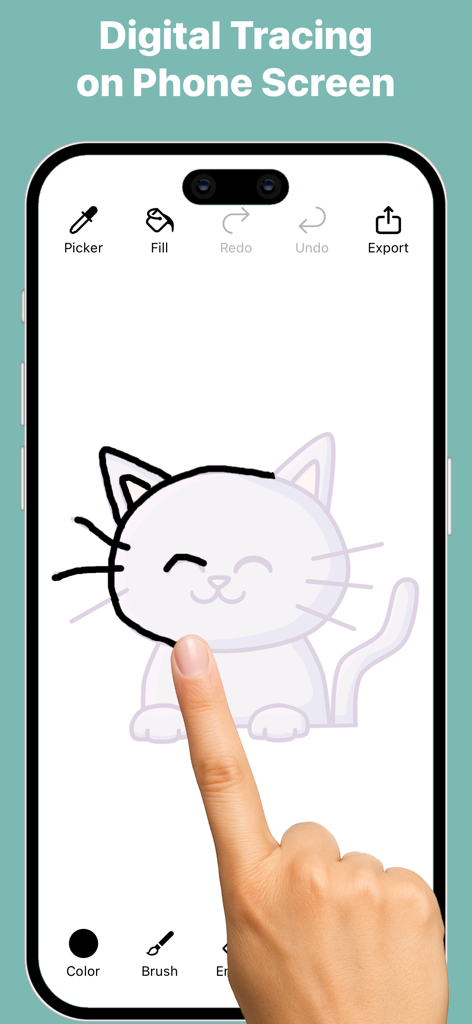
Trace and Sketch -Easy Drawing - トレース&スケッチのアプリインターフェースを使用して、スマートフォンの画面で猫のイラストをトレースしているユーザー
トレース&スケッチのアプリインターフェースを使用して、スマートフォンの画面で猫のイラストをトレースしているユーザー

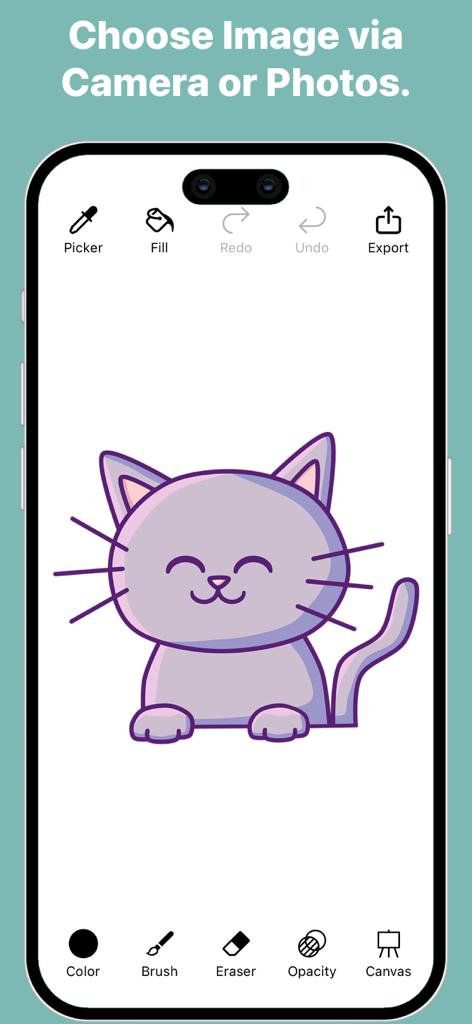
Trace and Sketch -Easy Drawing - 紫色の漫画の猫のイラストとデジタル描画ツールが表示された、トレース&スケッチアプリのインターフェース
紫色の漫画の猫のイラストとデジタル描画ツールが表示された、トレース&スケッチアプリのインターフェース

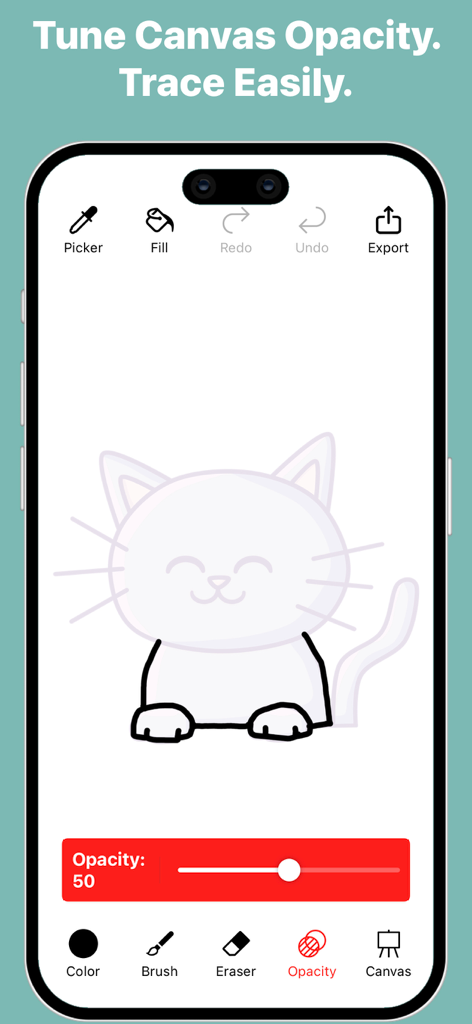
Trace and Sketch -Easy Drawing - 透明度調整スライダーを使って猫の絵をトレースしている様子を表示する、トレース&スケッチアプリのインターフェース
透明度調整スライダーを使って猫の絵をトレースしている様子を表示する、トレース&スケッチアプリのインターフェース

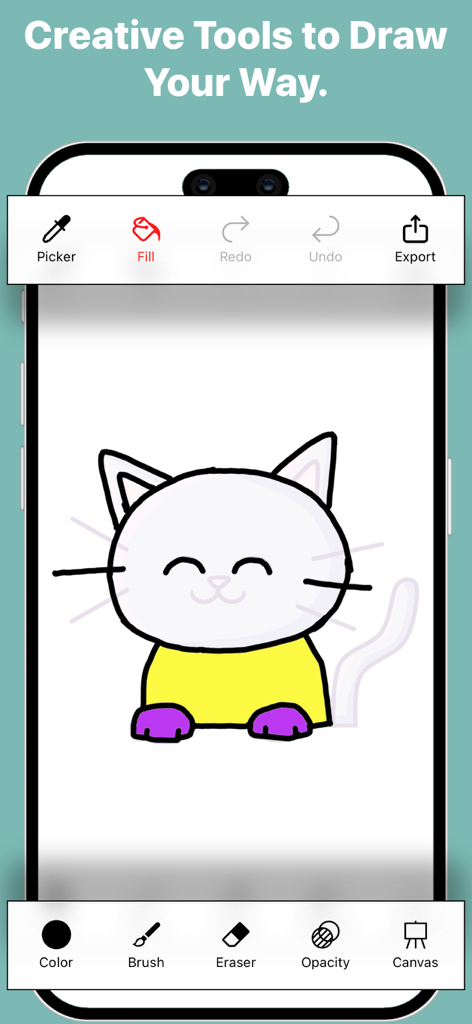
Trace and Sketch -Easy Drawing - 猫の絵と、ブラシ、塗りつぶし、カラーピッカーなどの様々なクリエイティブツールが表示されたトレース&スケッチのモバイルインターフェース
猫の絵と、ブラシ、塗りつぶし、カラーピッカーなどの様々なクリエイティブツールが表示されたトレース&スケッチのモバイルインターフェース

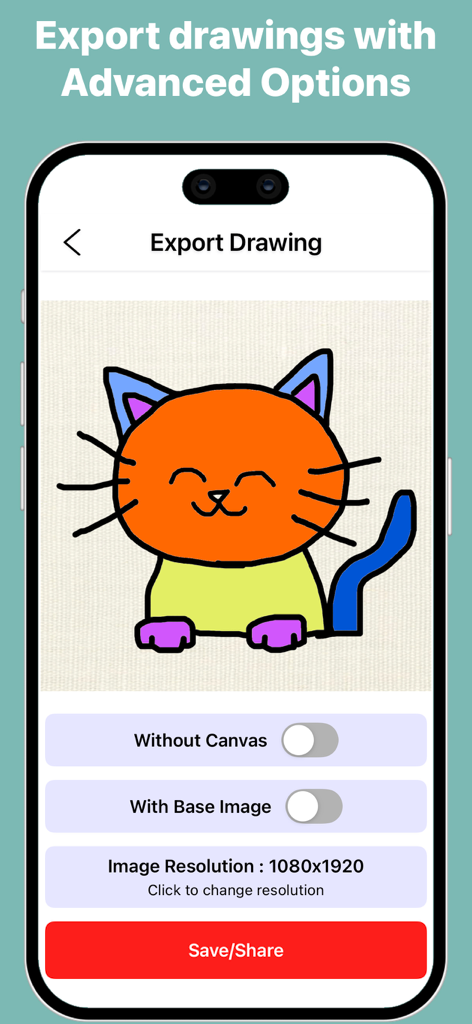
Trace and Sketch -Easy Drawing - トレース&スケッチでカラフルな猫の絵の書き出しオプションを表示しているモバイルアプリの画面
トレース&スケッチでカラフルな猫の絵の書き出しオプションを表示しているモバイルアプリの画面

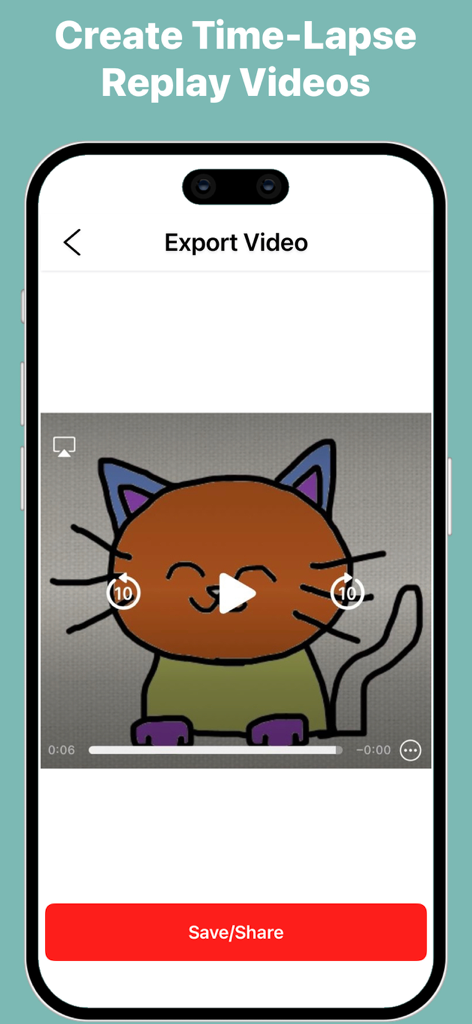
Trace and Sketch -Easy Drawing - 手書きの猫のイラストのタイムラプス再生動画を書き出すためのモバイルインターフェース

手書きの猫のイラストのタイムラプス再生動画を書き出すためのモバイルインターフェース

説明

Turn any photo into a sketch with Trace and Sketch – Easy Drawing. Your screen becomes a digital tracing paper — select an image, adjust the transparency, and start drawing directly with your finger or stylus. Simple, smooth, and perfect for beginners, hobby artists, and anyone who wants to practice drawing. How it works: Pick an image from your gallery or camera. Adjust the transparency to see your image clearly under the tracing layer. Draw freely on the screen — all strokes are saved automatically. Choose a canvas or plain background to finish your artwork. Export your drawing in multiple formats, with or without background. Features: Adjustable Transparency – Control how much of the base image is visible. Natural Drawing Tools – Brush with adjustable stroke size, opacity, and pattern styles. Eraser & Undo/Redo – Erase strokes with adjustable width and fix mistakes using undo and redo. Color Picker – Choose colors easily or pick colors directly from your image or drawing. Fill Tool (Pot Fill) – Tap a closed area to fill it instantly with the selected color. Zoom, Drag, Rotate – Zoom, drag, and rotate the canvas for precise tracing. Multiple Canvases – Use built-in canvases or create a plain colored background. Automatic Save – Every stroke is saved instantly. Gallery Management – View all your sketches, open them for editing, export them, duplicate sketches, or delete sketches you no longer need. Export Drawing Options- Export Without Canvas – Save the pure drawing with no background; perfect for stickers, collages, and overlays. Export With Base Image – Save your drawing directly on the original photo for photo-based artwork. Export With Canvas – Save your artwork as a drawing on a selected canvas. Select Dimensions – Choose from multiple image resolution options before exporting. Quick Share – Use the iOS share sheet to save or send your artwork anywhere. Export Video (Time-Lapse)- Time-Lapse Replay – Export a replay video that shows the entire drawing process from start to finish. Multiple Video Resolutions – Choose the video quality before exporting. Whether you’re tracing portraits, practicing outlines, creating digital art, or simply sketching for fun, Trace and Sketch makes it easy and enjoyable — no paper, no setup, no AR required.

Download

ダウンロード: App Store

このページはアプリまたはその開発者の公式ページではなく、情報提供および論評を目的として作成された独立した編集出版物です。明示的に別段の記載がない限り、アプリおよびその開発者は、MWM、Apple、Google Play、アプリのパブリッシャー、またはアプリの開発者と提携、承認、後援、認可、またはその他の公式的な関係はなく、このページのいかなる内容も、アプリがMWMのサービスを使用して開発されたことを意味するものではありません。すべての商標、ロゴ、スクリーンショット、その他のコンテンツはそれぞれの所有者の財産です。







