Tracing Buddy: Drawing Grid
ダウンロード: App Store

このページはアプリまたはその開発者の公式ページではなく、情報提供および論評を目的として作成された独立した編集出版物です。明示的に別段の記載がない限り、アプリおよびその開発者は、MWM、Apple、Google Play、アプリのパブリッシャー、またはアプリの開発者と提携、承認、後援、認可、またはその他の公式的な関係はなく、このページのいかなる内容も、アプリがMWMのサービスを使用して開発されたことを意味するものではありません。すべての商標、ロゴ、スクリーンショット、その他のコンテンツはそれぞれの所有者の財産です。


ロゴ: Tracing Buddy: Drawing Grid
ダウンロード: App Store

Tracing Buddy: Drawing Grid

精度を求めるアーティストのために設計された、オールインワンのデジタルグリッドおよびアナモルフィックツール。画像を任意の表面に簡単に転写し、値を分析し、ARガイダンスで心を揺さぶるパースペクティブアートを作成しましょう。

主要数値

ダウンロード

218K+

ユーザー評価

4.6/5

評価数

1K+

開発元

La Fappbrica S.A.S. de C.V.

カテゴリ

Graphics & Design

対応言語

2

最新バージョン

3.8.1

サイズ

28.4 MB

リリース日

2019年8月9日
機能

プロフェッショナルな精度で細部までマスター

伝統的なアーティストのための究極のツールキット。カスタマイズ可能なグリッドから心を揺さぶる3D錯視まで、Tracing Buddyはどんなビジョンも完璧な精度で紙やキャンバスに転写するのに役立ちます。

スマート描画グリッド

測定誤差をなくします。比率、透明度、分割スタイルをカスタマイズして、スケッチの完璧な青写真を作成します。

3D光学錯視

アナモルフィックアートを簡単に作成できます。ARガイド付きの歪みツールを使用して、フラットな画像を驚くべき3Dパースペクティブ描画に変換します。

以下のスクリーンショットと説明は、アプリの公式ストアリスティングから直接取得されたものであり、アプリ開発者の所有物です。

アプリストア

スクリーンショット
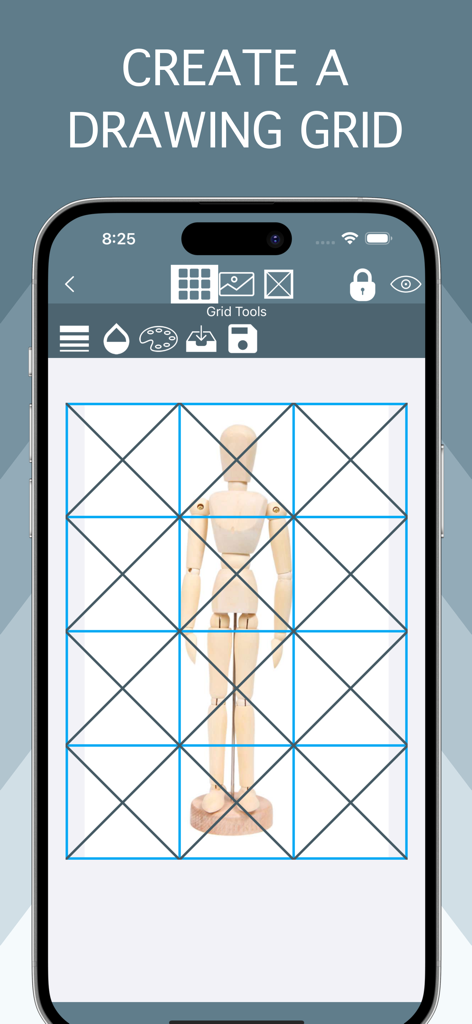
Tracing Buddy: Drawing Grid - Tracing Buddyアプリの木製マネキンに重ねられた青い描画グリッド
Tracing Buddyアプリの木製マネキンに重ねられた青い描画グリッド

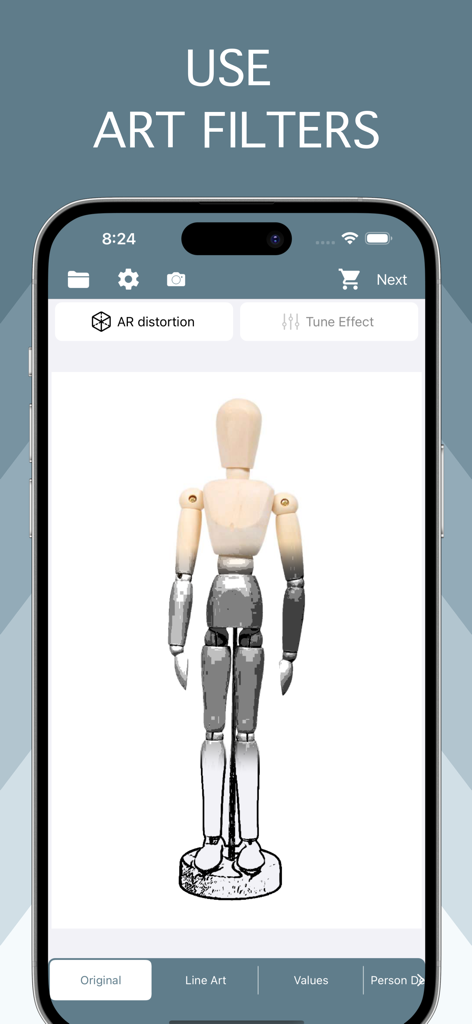
Tracing Buddy: Drawing Grid - Tracing Buddyモバイルアプリのインターフェースに、木製描画マネキンに適用されたアートフィルターが表示されています
Tracing Buddyモバイルアプリのインターフェースに、木製描画マネキンに適用されたアートフィルターが表示されています

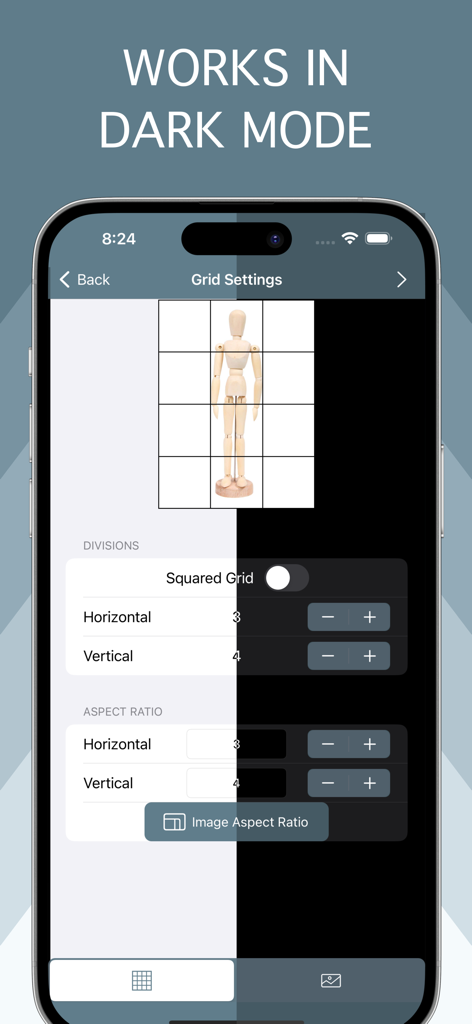
Tracing Buddy: Drawing Grid - Tracing Buddyアプリのインターフェースに、ライトモードとダークモードの両方でグリッド構成オプションが表示されています
Tracing Buddyアプリのインターフェースに、ライトモードとダークモードの両方でグリッド構成オプションが表示されています

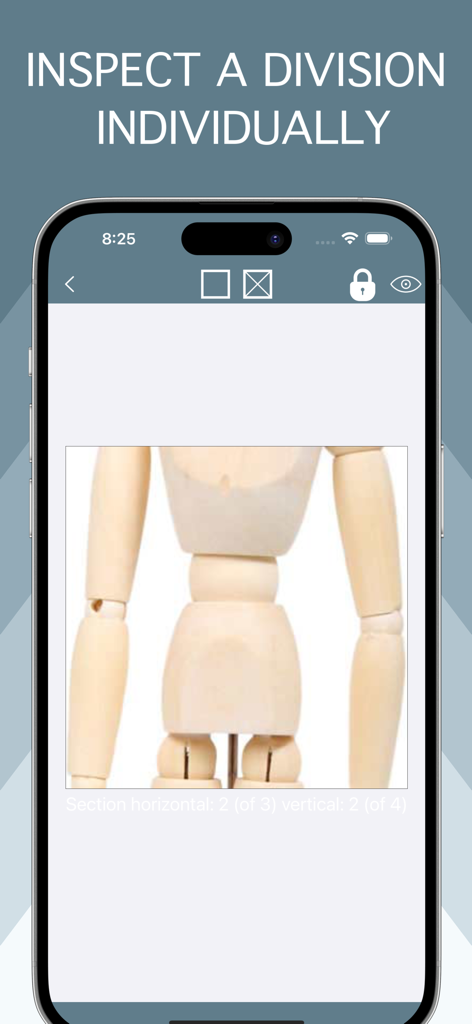
Tracing Buddy: Drawing Grid - Tracing Buddyアプリは、正確な描画のためにアーティストマネキンの拡大されたグリッドセルを表示しています
Tracing Buddyアプリは、正確な描画のためにアーティストマネキンの拡大されたグリッドセルを表示しています

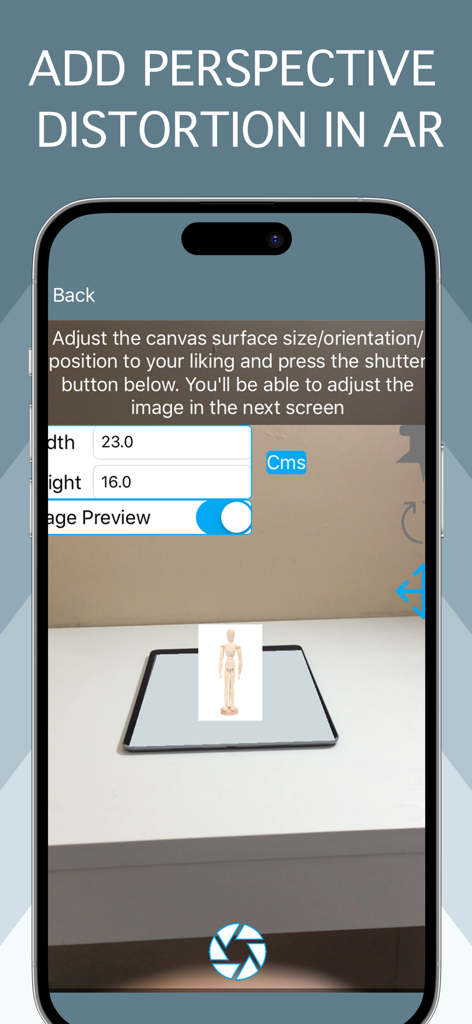
Tracing Buddy: Drawing Grid - ARでのパースペクティブ歪み追加のためのTracing Buddyアプリインターフェース

ARでのパースペクティブ歪み追加のためのTracing Buddyアプリインターフェース

説明

Tracing Buddy is a drawing grid and anamorphic images creation tool. Built for simplicity, Tracing Buddy allows you to easily transfer pictures to a drawing surface Using the perspective distortion functionality, now you can enter the world of drawing illusions. First, apply the distortion to your images and then transfer them to a drawing surface with a grid The app is optimized for both iPhone and iPad use, including Dark Mode support Grid Features: - Square divisions or choose the preferred aspect ratio - Change color and transparency of grid lines - Choose from four subdivision styles and change color and transparency as you wish - Change the grid background color and the transparency of your image - Change the scale and position of your image relative to the whole grid - Save grid settings in projects Image Features: - Choose from a regular image, line art style, black & white values, or remove backgrounds with the person detection filter -With the B&W and values filter you change your image to black & white, adjust shadows and highlights to you liking with the included tone curve and reduce the number of values in the picture to a more manageable amount. With the value selection tool you can inspect where values are placed in your image - Use the person detection filter to remove the backgrounds of pictures with people in them, change to a transparent or solid color background instead Anamorphic images: - Add perspective distortion to your images choosing from two method: AR or using a picture - In AR method let Tracing Buddy guide you through the whole process, you only need an iOS device equipped with AR capabilities - If you need more control about the distortion, you can take a picture from your phone or with external camera and apply the distortion manually, for this method to be effective, you need to know the dimensions of the surface you want to transfer your picture to Premium Features Add-on (either by subscription or lifetime purchase) required for: - Ad removal - Premium Image filters - Multiple Project management - PNG type export Privacy Policy: https://lafappbrica.com/tracing-buddy-privacy-policy Terms of use https://lafappbrica.com/tracing-buddy-terms/

Download

ダウンロード: App Store

このページはアプリまたはその開発者の公式ページではなく、情報提供および論評を目的として作成された独立した編集出版物です。明示的に別段の記載がない限り、アプリおよびその開発者は、MWM、Apple、Google Play、アプリのパブリッシャー、またはアプリの開発者と提携、承認、後援、認可、またはその他の公式的な関係はなく、このページのいかなる内容も、アプリがMWMのサービスを使用して開発されたことを意味するものではありません。すべての商標、ロゴ、スクリーンショット、その他のコンテンツはそれぞれの所有者の財産です。







