Tracing projector & Lightbox

Tracing projector & Lightbox

ダウンロード: App Store
ロゴ: Tracing projector & Lightbox

トレーシングプロジェクター&ライトボックス:ARで描画アートをマスターする

スマートフォンをデジタルカメラルシダに変えましょう。画像を紙に重ねて、完璧でプロフェッショナルなスケッチを作成します。描画経験は不要です。

ダウンロード: App Store

開発元

Alexey Goryachev

カテゴリ

Graphics & Design

ダウンロード

193K+

ユーザー評価

2.0/5

評価数

0

対応言語

11

あなたの傑作を視覚化する

このインターフェースを利用する 193K+ 人のユーザー.

トレーシングプロジェクターとライトボックスアプリのホーム画面。動物や風景など、人気のおすすめ描画テンプレートが表示されています。
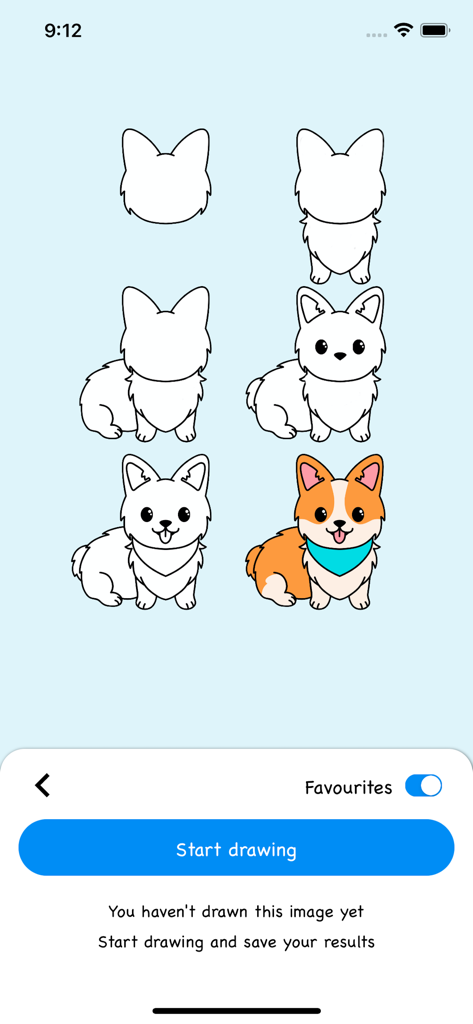
トレーシングプロジェクターとライトボックスアプリのホーム画面。動物や風景など、人気のおすすめ描画テンプレートが表示されています。

かわいいコーギー犬の描き方と色塗りのステップバイステップチュートリアル画面。
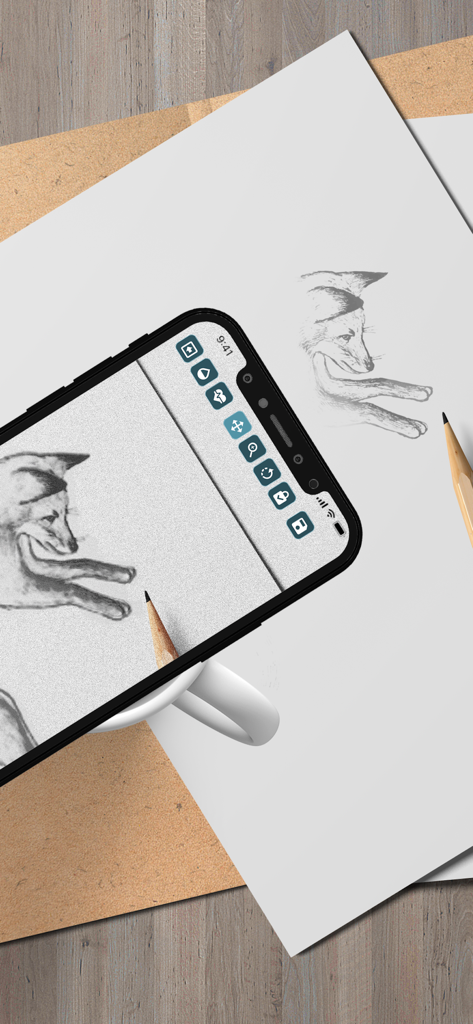
かわいいコーギー犬の描き方と色塗りのステップバイステップチュートリアル画面。

スマートフォンがAR(拡張現実)を使用して、紙にキツネの絵を投影し、トレースしている様子。
スマートフォンがAR(拡張現実)を使用して、紙にキツネの絵を投影し、トレースしている様子。

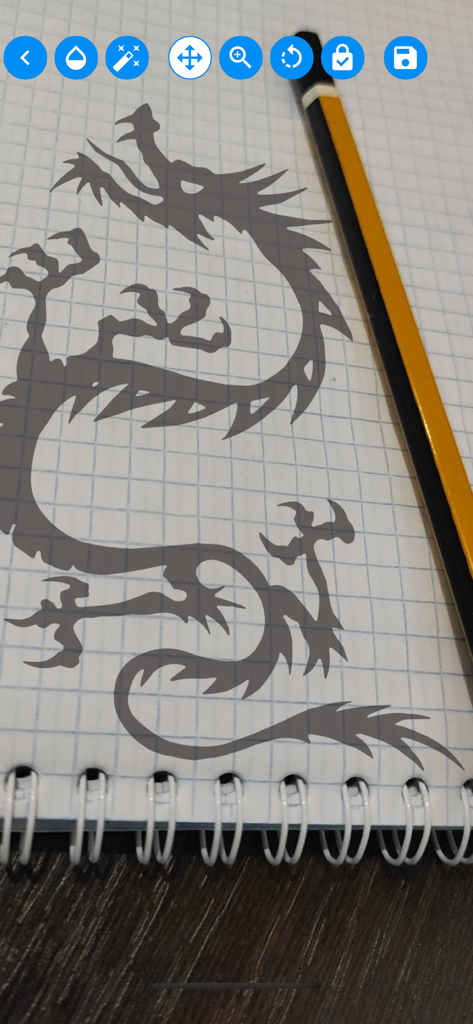
ノートに投影されたドラゴンのシルエットをモバイルアプリでトレースしている様子。
ノートに投影されたドラゴンのシルエットをモバイルアプリでトレースしている様子。

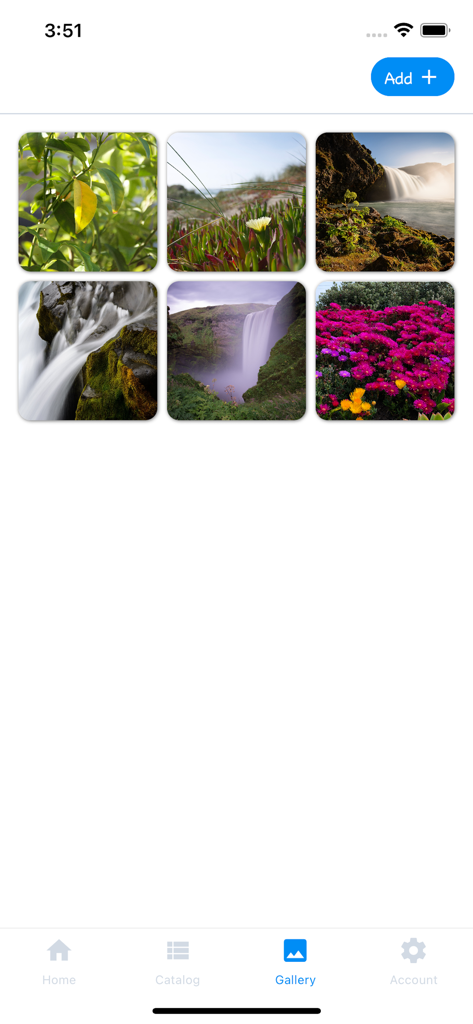
トレーシングプロジェクターアプリのギャラリー画面。ユーザーが選択してトレースするための自然の写真が表示されています。
トレーシングプロジェクターアプリのギャラリー画面。ユーザーが選択してトレースするための自然の写真が表示されています。

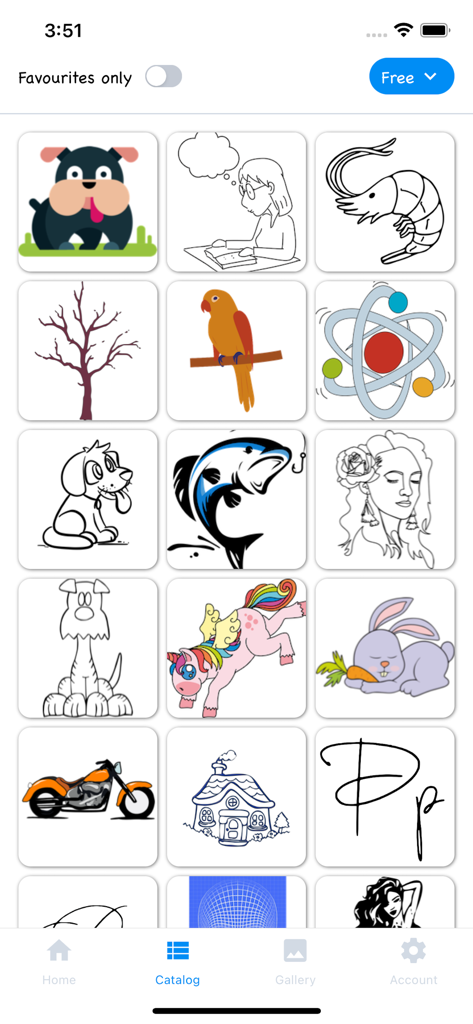
動物や自然の絵が含まれるトレース用描画テンプレートのグリッドを表示する画面。
動物や自然の絵が含まれるトレース用描画テンプレートのグリッドを表示する画面。

トレーシングプロジェクター&ライトボックスアプリの画像カタログを表示する画面。トレース用のさまざまな描画が含まれています。
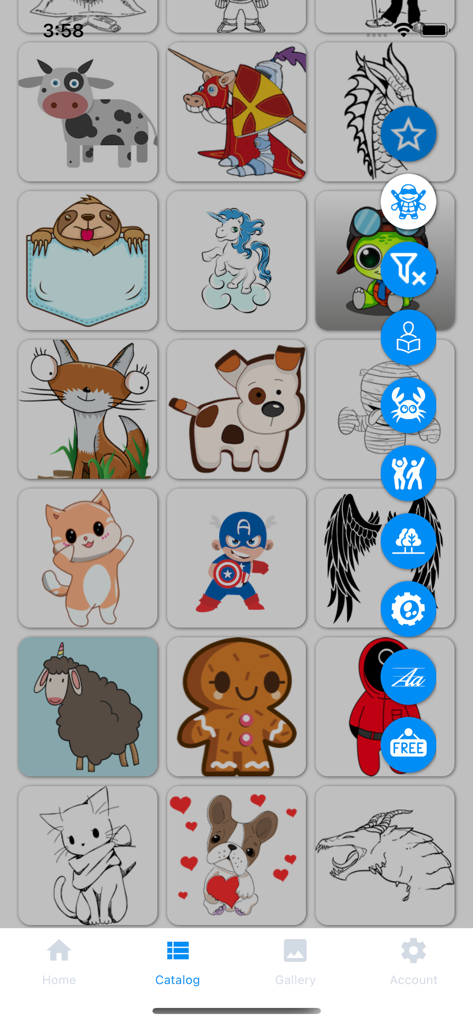
トレーシングプロジェクター&ライトボックスアプリの画像カタログを表示する画面。トレース用のさまざまな描画が含まれています。

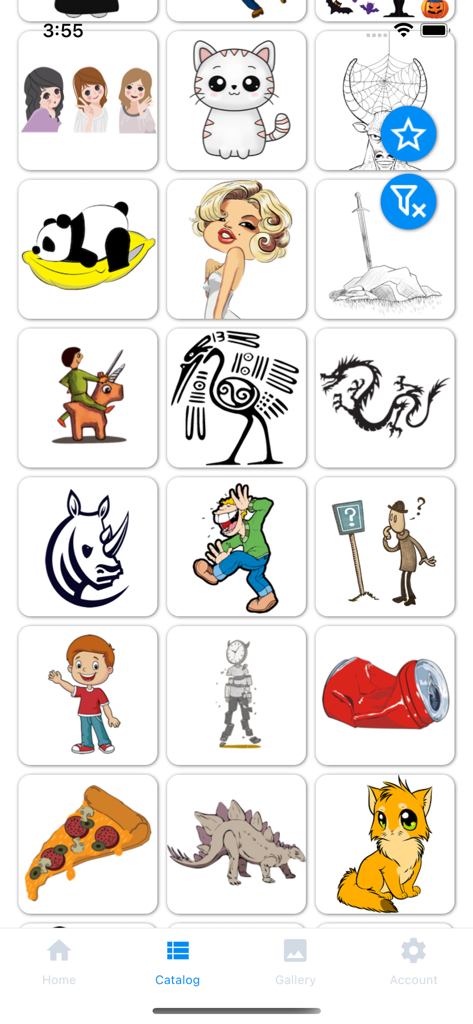
トレーシングプロジェクターアプリのカタログ画面。動物やスーパーヒーローなど、さまざまな描画テンプレートのグリッドが表示されています。

トレーシングプロジェクターアプリのカタログ画面。動物やスーパーヒーローなど、さまざまな描画テンプレートのグリッドが表示されています。

あなたの芸術的潜在能力を解き放つ

このアプリを際立たせるツール、 193K+ 人のユーザーが選択.

🪄

魔法のようなARオーバーレイ

カメラを通して、どんな画像でも紙に直接重ねて表示できます。長年の練習なしで、複雑な比率や滑らかな線もマスターできます。

📱

あなたの世界をトレースする

ギャラリーから任意の写真を取り込み、お気に入りの思い出、ペット、有名人などをスケッチできます。あなたの個人的な写真を手描きの傑作に変えましょう。

🎯

プロの精密ツール

透明度、スケール、回転を微調整して、完璧なガイドを作成します。「リップル」モードを使用して、複雑なディテールも自信を持って捉えましょう。

レビュー分析

ユーザーレビューの分析.

感情スコア

23%
ネガティブ

概要

The app receives overwhelmingly negative feedback, primarily due to its aggressive paid content model and high subscription costs, with many features locked behind paywalls after a very limited or non-existent free trial. Users, including parents, are frustrated by the expectation to pay for almost every drawing, with some calling the prices excessive (e.g., 749₽/month or $200). While a few users acknowledge the core drawing concept as "cool" or "excellent," these positive sentiments are often overshadowed by complaints about pricing and occasional app instability. Users also reported issues with unexpected charges during trial periods and difficulty in cancelling subscriptions.

主なテーマ

Paid Content Model(33)
Limited Free Trial(5)
Core App Concept(4)
App Stability/Quality(3)
Pricing for Children(3)
Cancellation Issues(2)
Missing Features(1)

アプリについて

について知っておくべきこと Tracing projector & Lightbox.

説明

Application's functionality resembles transferring an image to paper with the help of tracing paper or carbon paper. We can say that this is a digital carbon copy of the modern world. Camera Lucida and Camera Obscura are also great for explaining the principle of the operation of the application. To start drawing, point your smartphone camera at a piece of paper. Choose a picture you like from the application catalog or your own phone gallery, it will be superimposed on top of the camera image. Set the necessary transparency and get creative! This app is for you if: • You want to learn how to draw as a professional artist, but you have little experience • Just starting the path of creativity and experiencing problems with the proportion of the image • Do not get smooth beautiful lines in the picture • You want to draw something beautiful but there are few ideas for creativity • You want to surprise your friends with a beautiful drawing • You need to copy the image exactly from the original to paper without a printer • You need to redraw the original image at a different scale Everyone will find something to their liking, install the app and start your journey of the artist now! You will be able to learn how to draw by copying any images and achieve really impressive results in a short time. The application catalog has a large selection of the images on various topics: cute animals, beautiful calligraphic fonts, nature, superheroes, comics and much more. You can select your image from the phone gallery. The drawing you want to draw is superimposed on the image coming from the smartphone camera, forming an augmented reality effect. Adjust the parameters of the drawing location, turn on the "ripple" mode of transparency of the original image and start drawing. Save the result, share it with your friends and enjoy the process. Place your smartphone on a mug, a stack of books, or place it on a tripod over a piece of paper or a notepad for a better result. Application functions: • Many categories and a large selection of images in the catalog • Select an image from the catalog or the gallery of your smartphone • Add your favourite images to favourites to hone your skills • When starting to draw, change the size of the image, the angle of rotation and the position of the drawing • Choose a comfortable transparency of the image, for a clearer display on top of the smartphone camera • You can turn on a "ripple" mode of image transparency, this will help to achieve a better result when redrawing • Enjoy the drawing process! • You can combine several images on one canvas by drawing them sequentially, creating unique drawings • When you finish drawing - save the result and share it with your friends Terms of Use (EULA): https://www.apple.com/legal/internet-services/itunes/dev/stdeula/

最新バージョン

2.1.12

サイズ

19.2 MB

リリース日

2021年10月25日

プロのように描く準備はできましたか?

想像力と紙の間のギャップを埋めるために、当社のARプロジェクターを使用している193,000人以上のクリエイターに参加しましょう。今すぐダウンロードして、次の写真を傑作に変えましょう!

ダウンロード: App Store

App information, icons, screenshots, and descriptions displayed on this page are sourced from the Apple App Store and are the property of their respective developers. Download estimates and rankings are based on MWM's proprietary models and may not reflect actual figures. This page is provided for informational and analytical purposes only.

Believe this page infringes your intellectual property? File a dispute