TracingMat

TracingMat

ダウンロード: App Store
ロゴ: TracingMat

TracingMat:iPadをプロ仕様のライトテーブルに

アーティスト、クラフター、ジャーナラーが、デザインを簡単に紙にトレースするための究極のツール。画面をロックし、明るさを調整し、画像を反転させて、常に完璧な精度を実現します。

開発元

Yoko Nishimura

カテゴリ

Utilities

ダウンロード

95K+

ユーザー評価

4.1/5

評価数

0

対応言語

2

すべてのディテールをマスターする

このインターフェースを利用する 95K+ 人のユーザー.

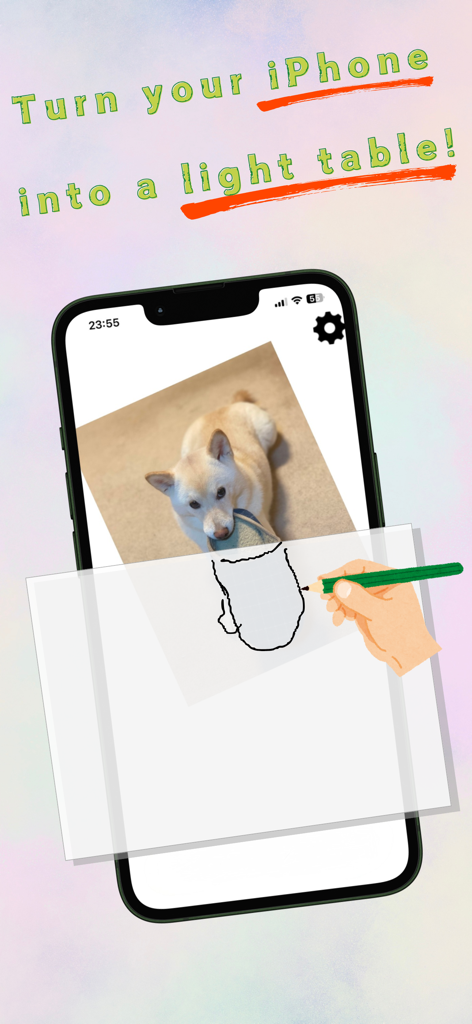
iPhone画面上の犬の画像をTracingMatアプリを使用して紙にトレースしている手。
iPhone画面上の犬の画像をTracingMatアプリを使用して紙にトレースしている手。

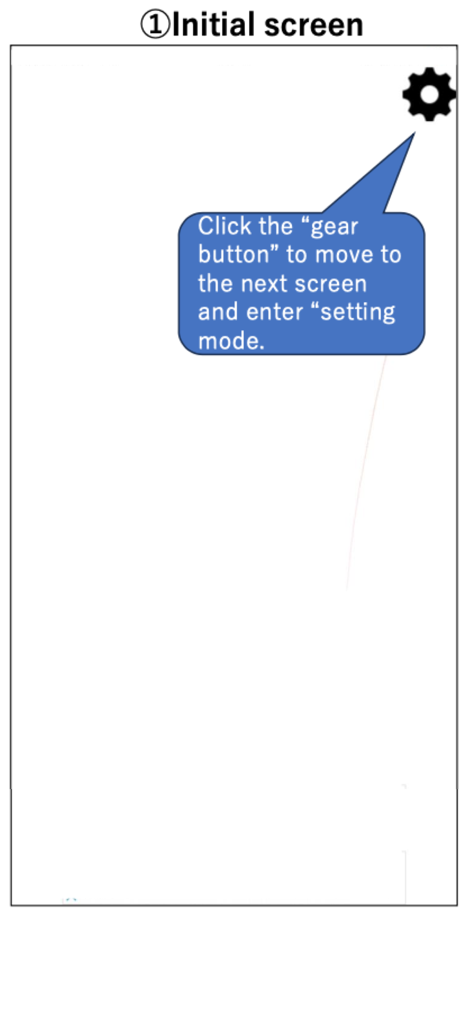
TracingMatアプリの初期画面。設定の歯車アイコンを指すチュートリアルの吹き出しが表示されています。
TracingMatアプリの初期画面。設定の歯車アイコンを指すチュートリアルの吹き出しが表示されています。

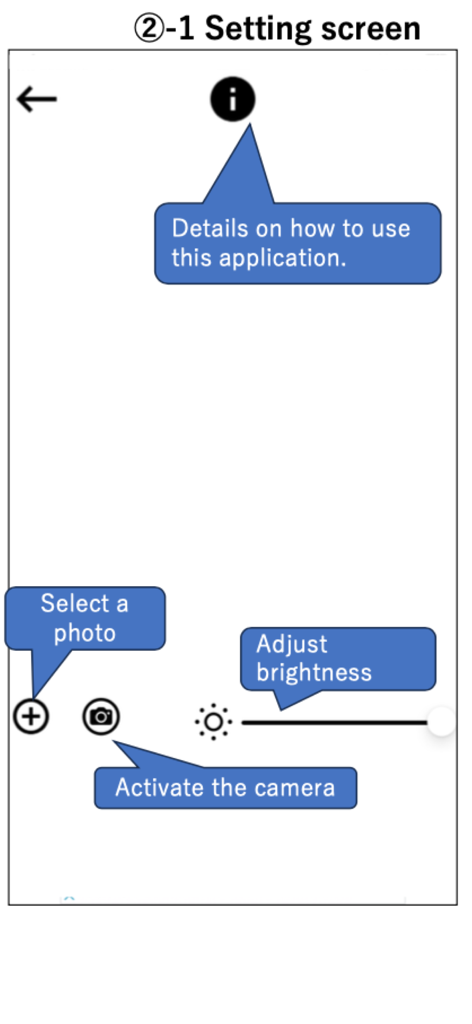
TracingMatアプリの設定画面。写真の選択、カメラのアクティブ化、明るさ調整のアイコンが表示されています。
TracingMatアプリの設定画面。写真の選択、カメラのアクティブ化、明るさ調整のアイコンが表示されています。

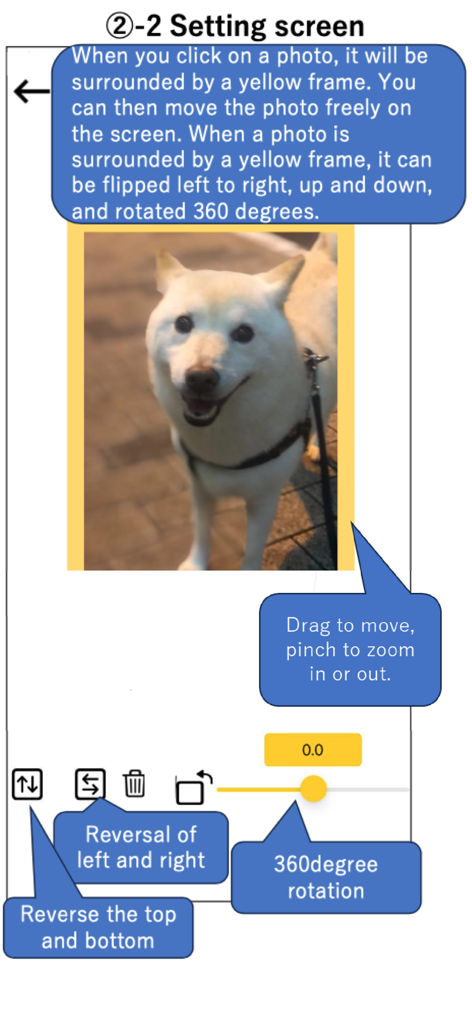
TracingMatアプリの設定画面。トレース用に写真を反転、回転、ズームするツールが表示されています。
TracingMatアプリの設定画面。トレース用に写真を反転、回転、ズームするツールが表示されています。

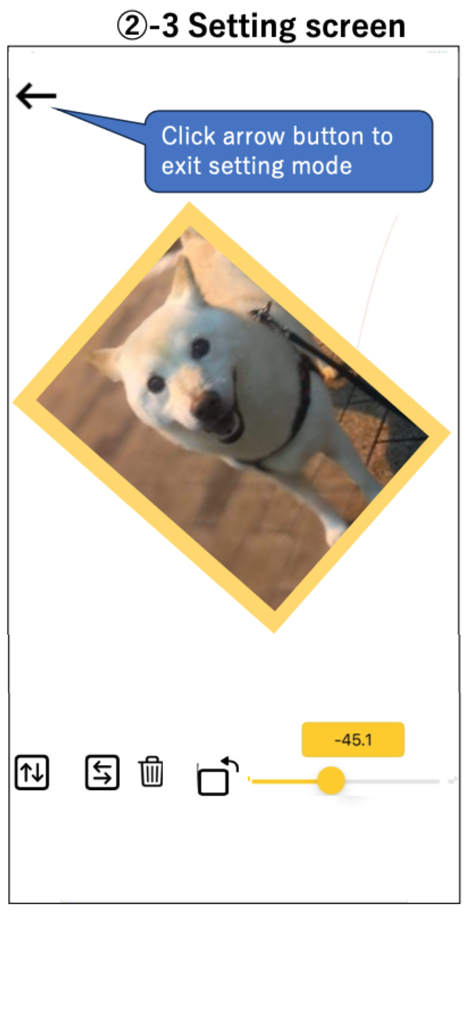
TracingMatアプリの設定画面。トレース用に回転中の犬の写真が表示されています。
TracingMatアプリの設定画面。トレース用に回転中の犬の写真が表示されています。

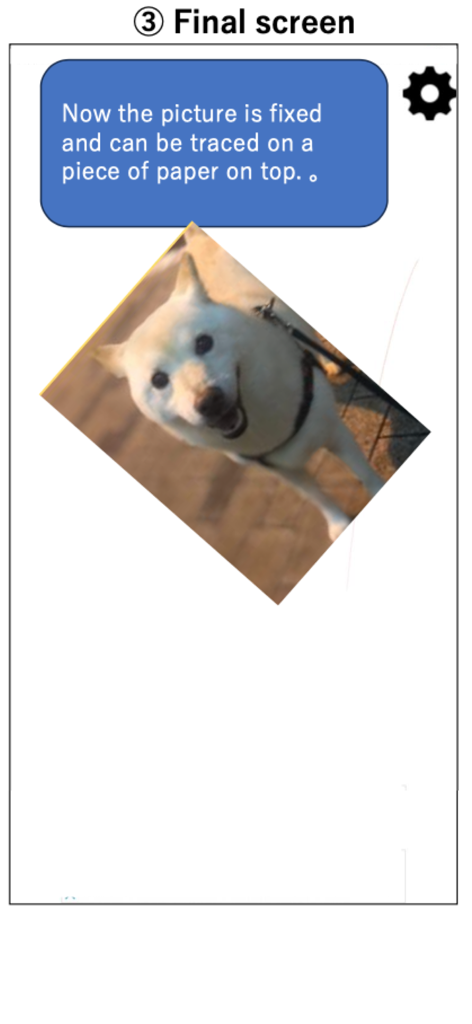
TracingMatアプリのインターフェース。紙にトレースする準備ができた犬の固定画像が表示されています。

TracingMatアプリのインターフェース。紙にトレースする準備ができた犬の固定画像が表示されています。

あなたのデジタルキャンバスが、プロ仕様のライトボックスに

このアプリを際立たせるツール、 95K+ 人のユーザーが選択.

🔒

タッチプルーフロック

ワンタップで画像を固定します。意図しないズームやシフトを防ぎ、フラストレーションなく線画に完全に集中できます。

💡

最大の視認性

標準制限を超えて画面の明るさをブーストし、厚い水彩紙、カードストック、または刺繍布を通して簡単に確認できます。

🔄

ミラー&スケールツール

デザインを即座に反転させて対称性を確認したり、回転・リサイズして、物理的なスケッチブックやDIYプロジェクトに完璧に合わせることができます。

アプリについて

について知っておくべきこと TracingMat.

説明

"Tracing Mat" is an app for using your iPad or iPhone as a light table. After displaying the image you want to copy on the app, place the copy destination paper on it and trace the image that can be seen through under the paper. It is also possible to prepare the manuscript on paper, stack the copy destination paper on it, place it on the screen, and illuminate it from below with this application. [How to use] Tap the “gear” button on the upper right to enter the setting mode. In the setting mode, add the image to be displayed with the “+” button or "Camera" button at the bottom left. When you tap the displayed image, it will be in a state with a yellow frame. In this state, you can move the image by dragging and zoom in and out by pinching. you can also flip and rotate the image. The screen brightness can be adjusted with the slider bar at the bottom right. When you tap the “left arrow” button on the upper left to exit the setting mode, the displayed image will be fixed, so place a piece of paper from the top of the screen and trace it. [Caution] - I think it is easier to see the image under the paper if the room is darkened a little. - Attach a protective film, etc., to prevent the display from being scratched during copying. - Please use this application at your own risk. We do not take any responsibility for the disadvantage caused by using this application.

最新バージョン

1.15.1

サイズ

4.6 MB

リリース日

2020年2月6日

アイデアを形にする準備はできましたか?

iPadを究極のポータブルライトテーブルに変えた95,000人以上のクリエイターの仲間入りをしましょう。今すぐTracingMatをダウンロードして、プロのような精度でトレースを始めましょう。

ダウンロード: App Store

App information, icons, screenshots, and descriptions displayed on this page are sourced from the Apple App Store and are the property of their respective developers. Download estimates and rankings are based on MWM's proprietary models and may not reflect actual figures. This page is provided for informational and analytical purposes only.

Believe this page infringes your intellectual property? File a dispute