Track My Asthma
Track My Asthma
ダウンロード: App Store

このページはアプリまたはその開発者の公式ページではなく、情報提供および論評を目的として作成された独立した編集出版物です。明示的に別段の記載がない限り、アプリおよびその開発者は、MWM、Apple、Google Play、アプリのパブリッシャー、またはアプリの開発者と提携、承認、後援、認可、またはその他の公式的な関係はなく、このページのいかなる内容も、アプリがMWMのサービスを使用して開発されたことを意味するものではありません。すべての商標、ロゴ、スクリーンショット、その他のコンテンツはそれぞれの所有者の財産です。

ロゴ: Track My Asthma
ダウンロード: App Store

Track My Asthma

究極のデジタルダイアリーで、喘息ケアの推測作業をなくしましょう。投薬記録、ピークフローの測定、医師向けのレポート作成が、Apple Healthとのシームレスな連携とiCloudのセキュリティで可能です。

主要数値

ダウンロード

10K+

ユーザー評価

1.0/5

評価数

0

開発元

Will Dale

カテゴリ

Medical

対応言語

1

最新バージョン

2.4

サイズ

4.6 MB

リリース日

2020年11月19日
機能

呼吸器の健康を完全に管理しましょう

自動投薬リマインダーから詳細な呼吸器健康チャートまで、症状に先んじて楽に呼吸するために必要な洞察を提供します。

医師向けのデータとチャート

ピークフローの傾向を測定し、専門的なCSVレポートをエクスポートして、次回の診察時に専門家に客観的なデータを提供しましょう。

家族全員の管理

介護者にとって究極のツール—iCloudのプライバシーで、単一デバイスで複数の家族メンバーの喘息プロフィールをシームレスに追跡できます。

以下のスクリーンショットと説明は、アプリの公式ストアリスティングから直接取得されたものであり、アプリ開発者の所有物です。

アプリストア

スクリーンショット
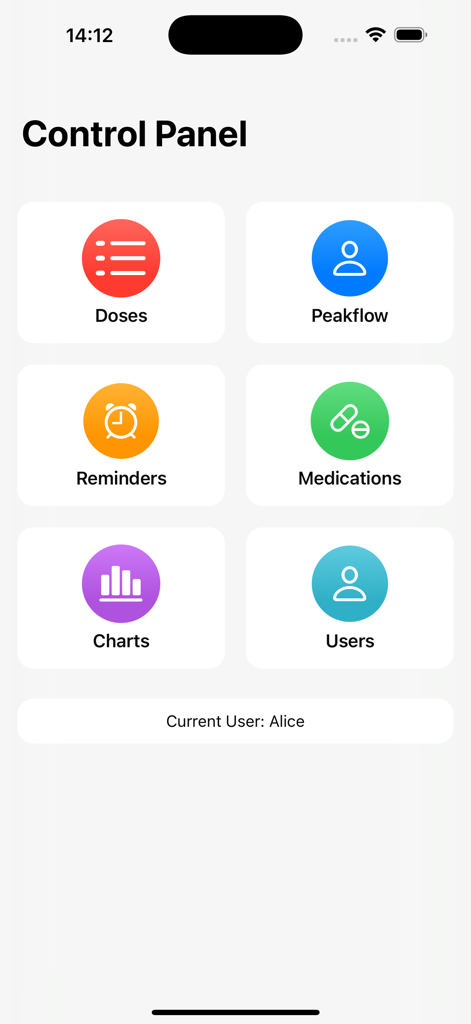
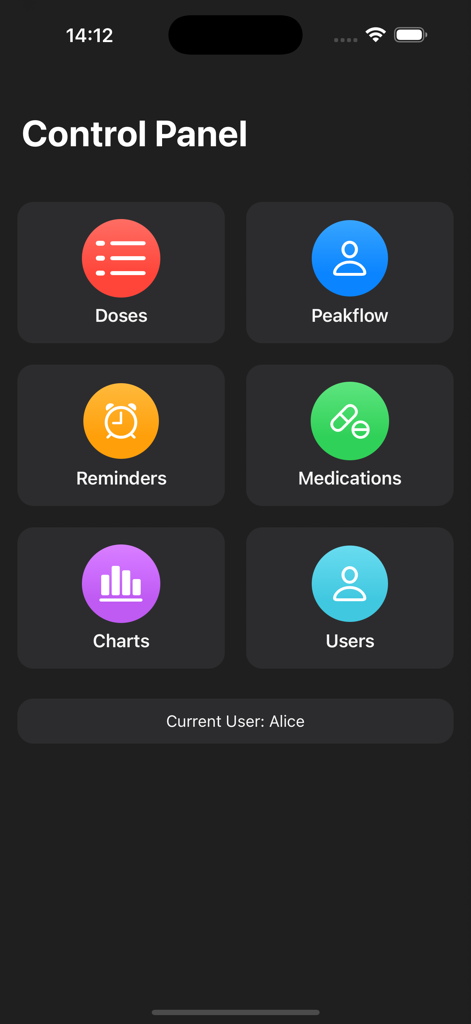
Track My Asthma - Track My Asthmaアプリのメインコントロールパネル。投与量、ピークフロー、リマインダー、投薬、チャート、ユーザーのアイコンが表示されています。
Track My Asthmaアプリのメインコントロールパネル。投与量、ピークフロー、リマインダー、投薬、チャート、ユーザーのアイコンが表示されています。

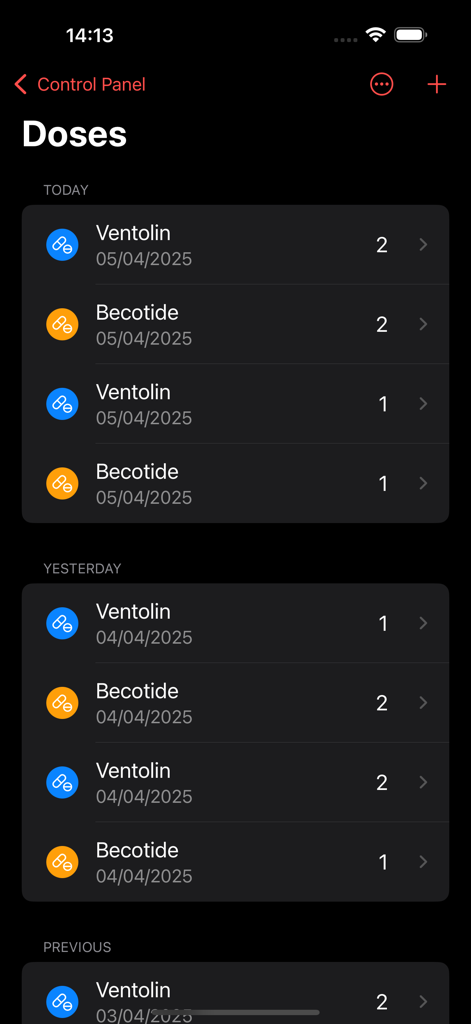
Track My Asthma - Track My Asthmaアプリの日付順に整理されたベンテリンとベコタイドの喘息薬投与量のリスト。
Track My Asthmaアプリの日付順に整理されたベンテリンとベコタイドの喘息薬投与量のリスト。

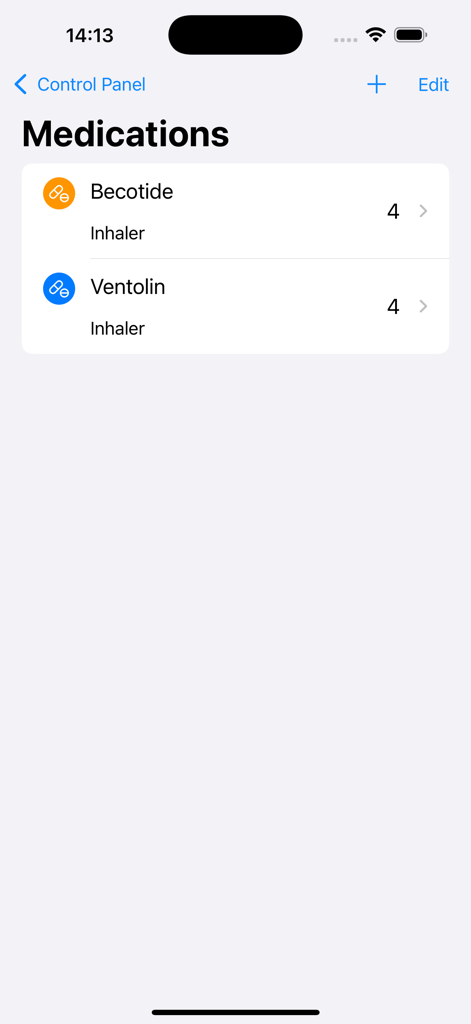
Track My Asthma - ベコタイドとベンテリンを含む喘息吸入器のリストを表示する投薬画面。

ベコタイドとベンテリンを含む喘息吸入器のリストを表示する投薬画面。

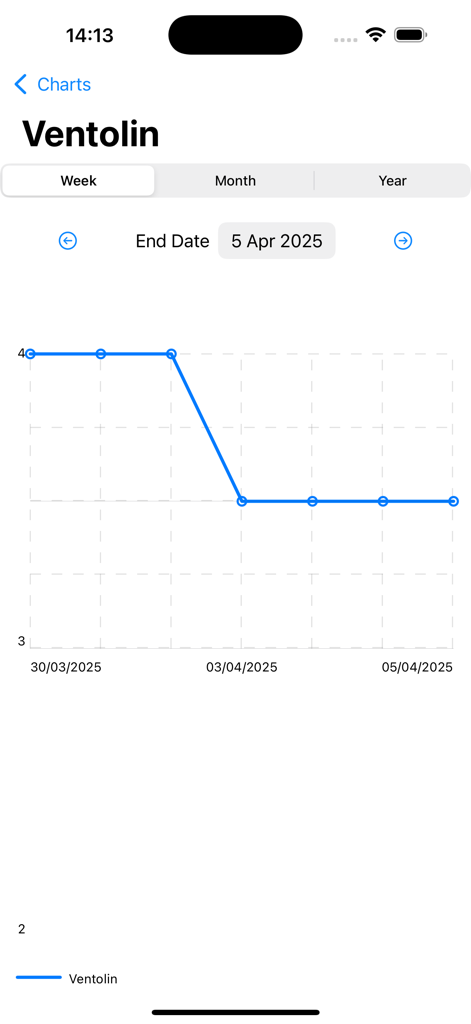
Track My Asthma - Track My Asthmaアプリでのベンテリンの週次投薬使用量チャート
Track My Asthmaアプリでのベンテリンの週次投薬使用量チャート

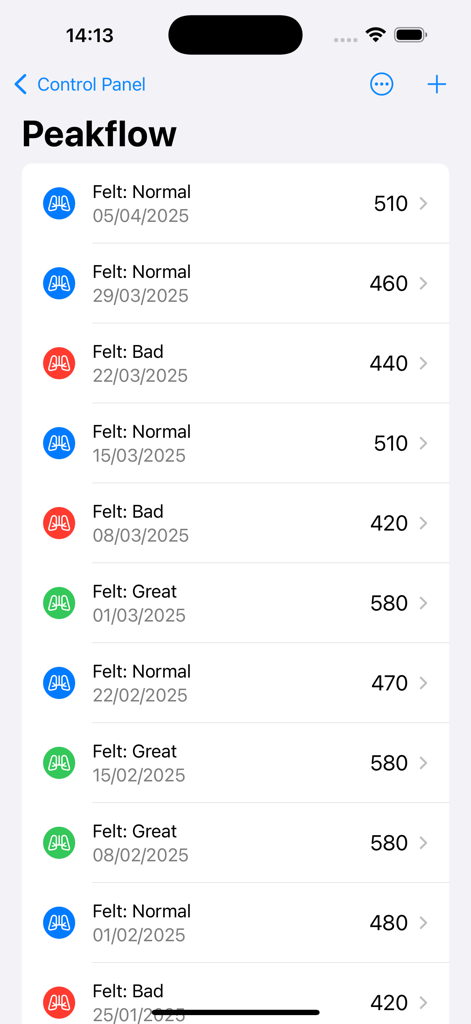
Track My Asthma - Track My Asthmaアプリでのピークフロー測定値と色分けされた症状のリスト
Track My Asthmaアプリでのピークフロー測定値と色分けされた症状のリスト

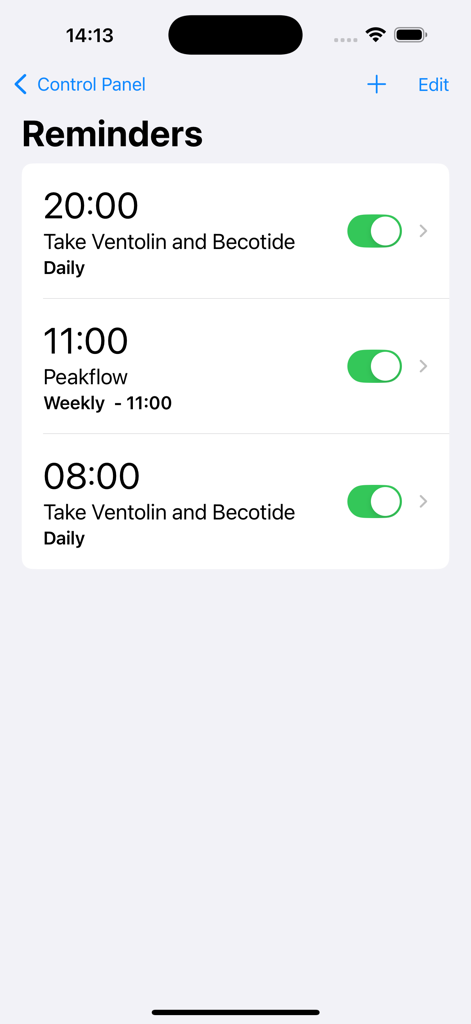
Track My Asthma - 喘息追跡アプリでの毎日の投薬と週次ピークフローリマインダーを表示するインターフェース
喘息追跡アプリでの毎日の投薬と週次ピークフローリマインダーを表示するインターフェース

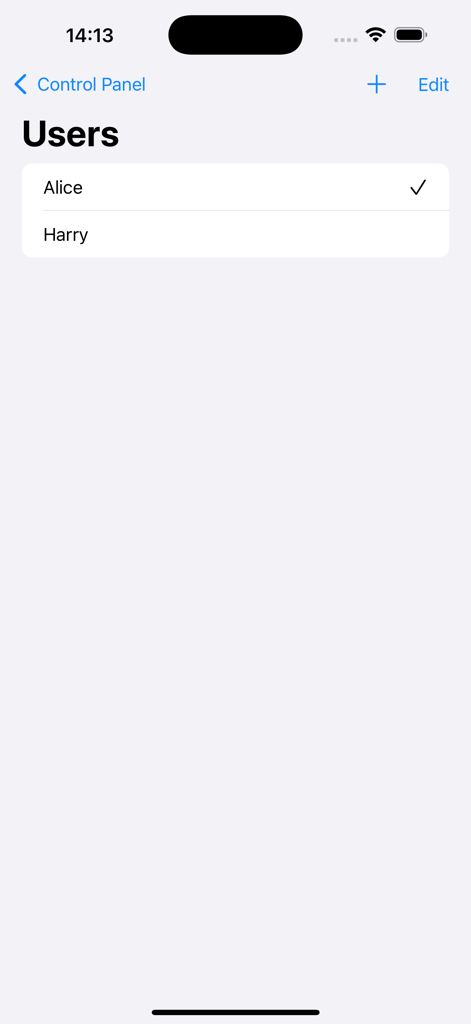
Track My Asthma - Track My Asthmaアプリのアリスとハリーのプロフィールを表示するユーザー選択画面。
Track My Asthmaアプリのアリスとハリーのプロフィールを表示するユーザー選択画面。

Track My Asthma - Track My Asthmaアプリのコントロールパネル。投与量、ピークフロー、リマインダー、投薬、チャート、複数ユーザーのメニューオプションが表示されています
Track My Asthmaアプリのコントロールパネル。投与量、ピークフロー、リマインダー、投薬、チャート、複数ユーザーのメニューオプションが表示されています

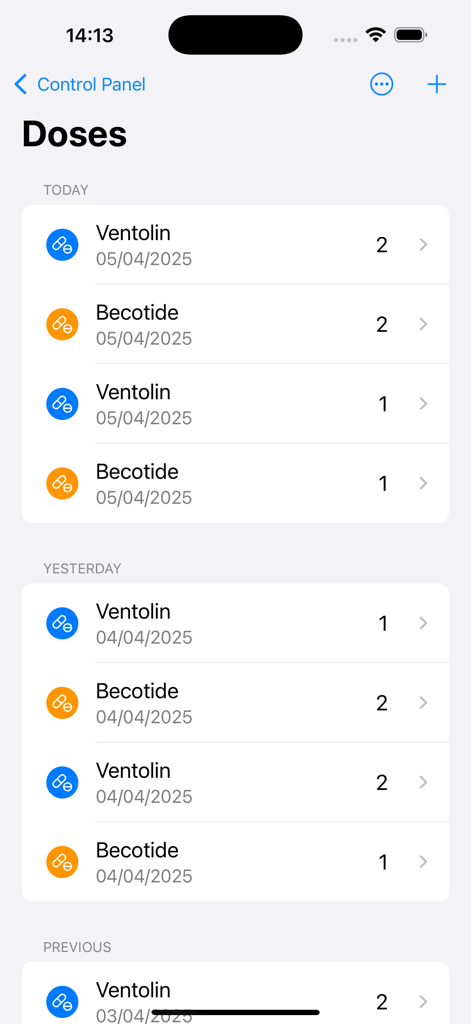
Track My Asthma - Track My Asthmaアプリの投与量画面。ベンテリンとベコタイドを含む投薬使用量の年代記的なリストと色分けされたアイコンが表示されています。

Track My Asthmaアプリの投与量画面。ベンテリンとベコタイドを含む投薬使用量の年代記的なリストと色分けされたアイコンが表示されています。

説明

Track My Asthma is an easy way to track your Asthma. You can use it as a personal Asthma diary or use it to track multiple peoples Asthma. Control panel The control panel gives you a centralised point from which you get easy access to all the functions of Track My Asthma. Doses Taken Track My Asthma makes it super easy to track your medication usage. Every time you take a dose of your medication, add it to the Doses Taken page to get a complete diary of medication usage. The colour coding makes it simple to see if doses are being missed. You can also filter by medication to see just a list of those doses. Your health data is yours so you can export it to CSV at any time. Peakflow Much like in Doses Taken, the peak flow diary is simple to use. When you take a measurement, add it to the tracker to get a full record of your peak flow measurements. Optionally, you can mark how you were feeling at the time to help you keep track of symptoms. You can choose to add your peak flow data to Apple Health. As with the Doses Taken, you can export your peak flow data to CSV at any time. Add Reminders Set reminders in the app to send you notifications when it is time to take medications, do a peak flow reading or book an appointment to see the Doctor or Asthma Nurse. Set the reminders to repeat Daily, Weekly Monthly or just a one-off. Medications In the Medications page, add all the medications you want to track. Add data like its name, the number of doses per day, type of medicine (Inhaler or Tablet), notes about it. If it's your rescue medication, you can choose to add it to Apple Health's Inhaler Usage section. Charts The Charts page allows you to view your progress over time easily and intuitively. For each of the medicines that you are tracking, you can view the doses you have taken. The peak flow chart will help you see changes over time. If need you can export the underlying chart data as CSV. Features: Track usage of multiple medications. Track your peak flow. Export your data for use in other apps. Set reminders. View charts of your progress. Track multiple people on one device. Add measurement to Apple Health. Light and Dark Mode. All backed up in iCloud.

Download

ダウンロード: App Store

このページはアプリまたはその開発者の公式ページではなく、情報提供および論評を目的として作成された独立した編集出版物です。明示的に別段の記載がない限り、アプリおよびその開発者は、MWM、Apple、Google Play、アプリのパブリッシャー、またはアプリの開発者と提携、承認、後援、認可、またはその他の公式的な関係はなく、このページのいかなる内容も、アプリがMWMのサービスを使用して開発されたことを意味するものではありません。すべての商標、ロゴ、スクリーンショット、その他のコンテンツはそれぞれの所有者の財産です。