Transkriptor Voice To Text
ダウンロード: App Store

このページはアプリまたはその開発者の公式ページではなく、情報提供および論評を目的として作成された独立した編集出版物です。明示的に別段の記載がない限り、アプリおよびその開発者は、MWM、Apple、Google Play、アプリのパブリッシャー、またはアプリの開発者と提携、承認、後援、認可、またはその他の公式的な関係はなく、このページのいかなる内容も、アプリがMWMのサービスを使用して開発されたことを意味するものではありません。すべての商標、ロゴ、スクリーンショット、その他のコンテンツはそれぞれの所有者の財産です。

ロゴ: Transkriptor Voice To Text
ダウンロード: App Store

Transkriptor Voice To Text

インスタントで99%正確な音声認識により、聴覚に障害のある方々に力を与えます。医師の診察、家族の集まり、日常の生活でのシンプルさと自立のために設計されており、インターネット接続なしでも利用できます。

主要数値

ダウンロード

18K+

ユーザー評価

3.5/5

評価数

100

開発元

Alexey Beschetnikov

カテゴリ

Medical

対応言語

25

最新バージョン

1.5

サイズ

8.2 MB

リリース日

2022年5月26日
機能

すべての言葉に接続し続ける

あらゆる会話での自立と明瞭さのために設計された、リアルタイムで高精度の音声認識であなたをサポートします。

ワンタッチのシンプルさ

シングルタップで即座に文字起こしを開始できます。複雑なメニューや技術的な疲れはなく、最も必要な時にクリアなリアルタイムテキストが得られます。

自信を持って医療機関を受診

医師の診察で細部まで把握できます。後で確認したり、家族と正確に共有したりするために、文字起こしを直接メモに保存してください。

以下のスクリーンショットと説明は、アプリの公式ストアリスティングから直接取得されたものであり、アプリ開発者の所有物です。

アプリストア

スクリーンショット
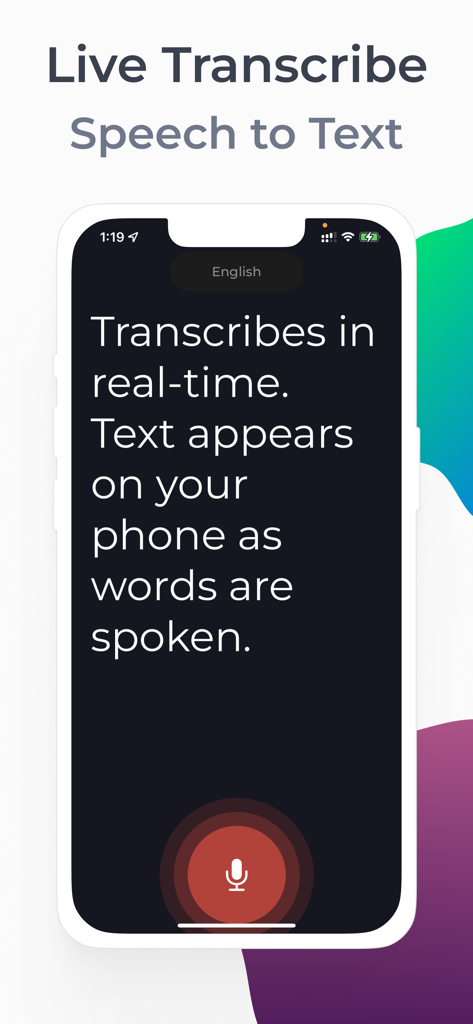
Transkriptor Voice To Text - アクセシビリティのために大きなマイクボタンを備えた、リアルタイムの音声テキスト変換文字起こしを示すiPhone画面
アクセシビリティのために大きなマイクボタンを備えた、リアルタイムの音声テキスト変換文字起こしを示すiPhone画面

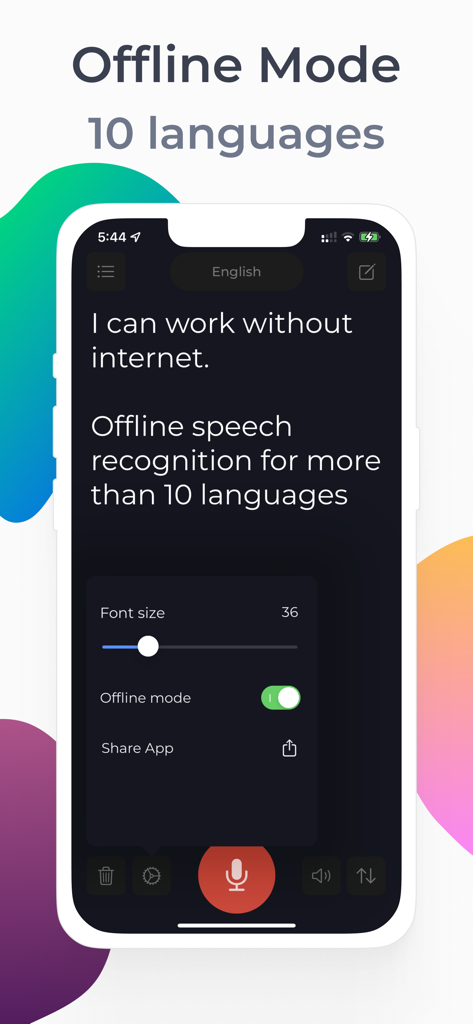
Transkriptor Voice To Text - アクセシビリティのためにオフライン音声テキスト変換と調整可能なフォントサイズを示すTranskriptorアプリのインターフェイス
アクセシビリティのためにオフライン音声テキスト変換と調整可能なフォントサイズを示すTranskriptorアプリのインターフェイス

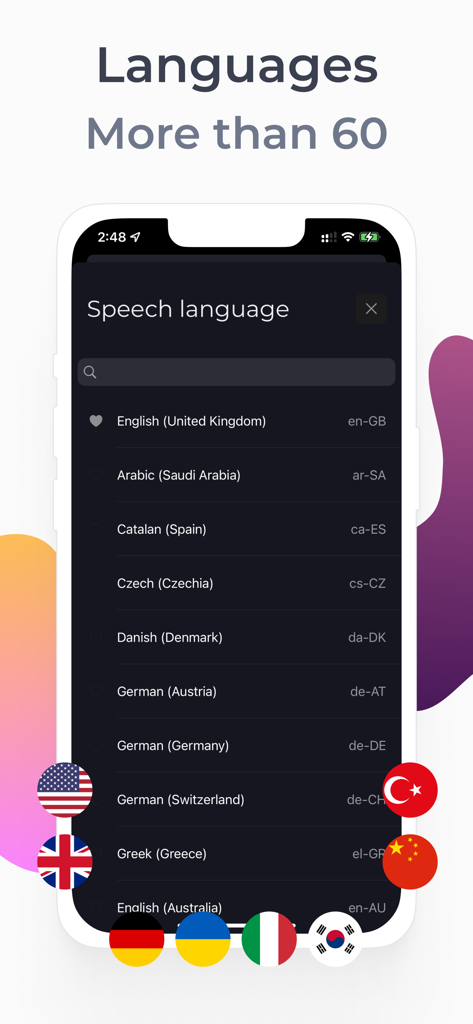
Transkriptor Voice To Text - カラフルな国旗アイコンと共に60以上のサポートされている音声認識言語のリストを表示するTranskriptorアプリのスクリーンショット。
カラフルな国旗アイコンと共に60以上のサポートされている音声認識言語のリストを表示するTranskriptorアプリのスクリーンショット。

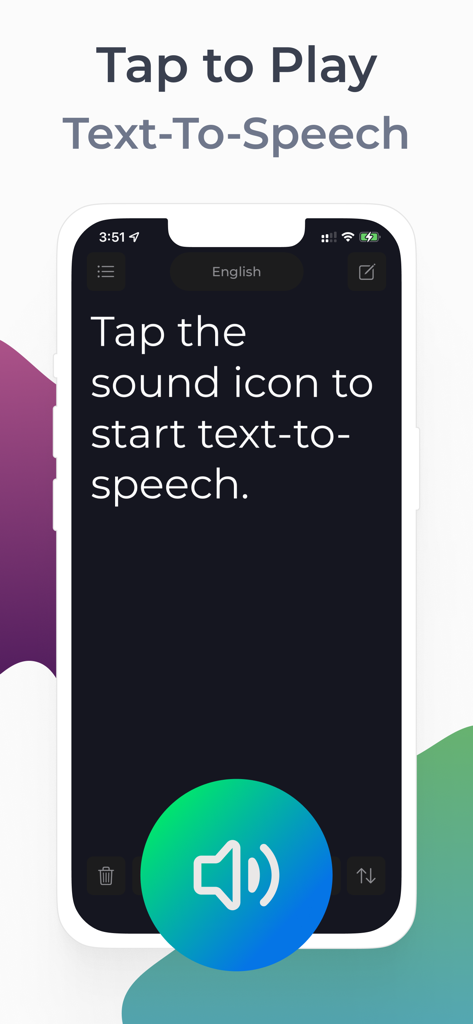
Transkriptor Voice To Text - Transkriptorアプリが、大きなスピーカーボタンでテキスト読み上げを開始する方法を示すインターフェイス
Transkriptorアプリが、大きなスピーカーボタンでテキスト読み上げを開始する方法を示すインターフェイス

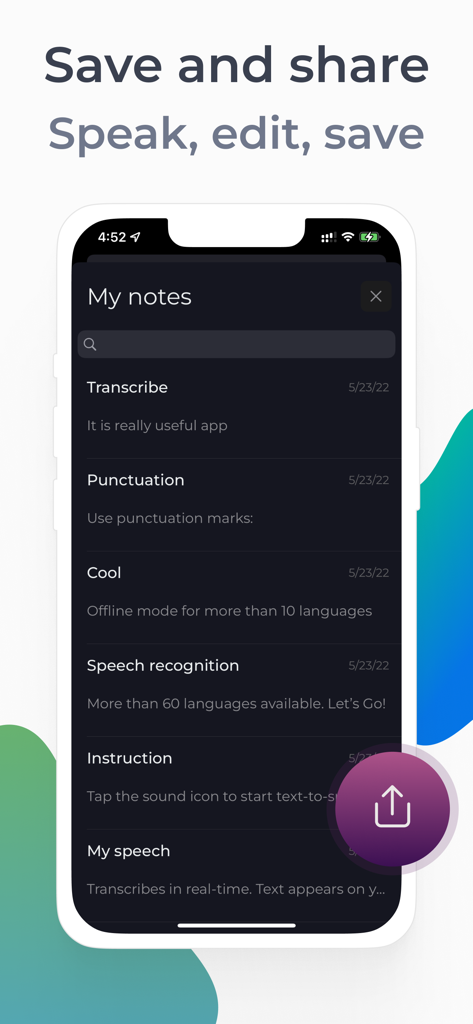
Transkriptor Voice To Text - さまざまな保存された音声テキストエントリと共有アイコンを備えた、Transkriptorアプリのマイノートセクションを表示するiPhone画面。
さまざまな保存された音声テキストエントリと共有アイコンを備えた、Transkriptorアプリのマイノートセクションを表示するiPhone画面。

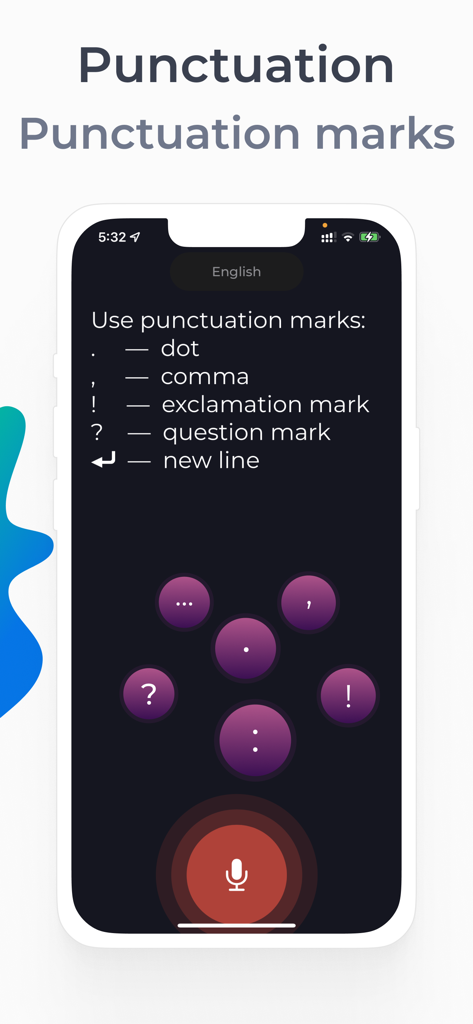
Transkriptor Voice To Text - Transkriptorアプリで、ドット、カンマ、感嘆符などの句読点の音声コマンドを示すモバイル画面。

Transkriptorアプリで、ドット、カンマ、感嘆符などの句読点の音声コマンドを示すモバイル画面。

説明

Live Transcribe — live subtitles for the deaf and hard of hearing in 60+ languages ​​and dialects. The application recognizes speech and displays the text on the screen. Very easy to use - just 1 touch. Speech recognition app features: • An indispensable app for deaf or hard of hearing people • More than 60 dictation languages • 99 percent accurate speech recognition • Voice over text at high volume (suitable as a voice volume booster for the hard of hearing) • Audio notes. Saving recognized speech to notes. • Text-to-Speech — Voice over notes • Changing the font size • Offline mode for more than 10 languages • Dictation of punctuation marks • Light and dark theme • Unlimited live captions Easy to use our Transcriber: 1. Click on the Microphone icon 2. Dictate text. Speak your language. The application will recognize your speech and display it in text Tip: Hold the phone with the microphone facing the person who is speaking. This will help the app recognize the text better. Important: The app will ask permission to access the microphone and speech recognition. Please allow the application access. The application can be used at a doctor's appointment. You can save the recognized text in the application notes. It's comfortable. Our technology is not affiliated with Google. Speech recognition can be used in two modes: 1. Online speech recognition - recognition occurs through an Internet connection and is available for all languages ​​that are available in the application 2. Offline mode - speech recognitions at your device. This type of speech recognition is supported by more than 10 languages Terms of Service: https://sites.google.com/view/livetranscribe/terms-of-use Privacy Policy: https://sites.google.com/view/livetranscribe/privacy-policy

Download

ダウンロード: App Store

このページはアプリまたはその開発者の公式ページではなく、情報提供および論評を目的として作成された独立した編集出版物です。明示的に別段の記載がない限り、アプリおよびその開発者は、MWM、Apple、Google Play、アプリのパブリッシャー、またはアプリの開発者と提携、承認、後援、認可、またはその他の公式的な関係はなく、このページのいかなる内容も、アプリがMWMのサービスを使用して開発されたことを意味するものではありません。すべての商標、ロゴ、スクリーンショット、その他のコンテンツはそれぞれの所有者の財産です。








