
このページはアプリまたはその開発者の公式ページではなく、情報提供および論評を目的として作成された独立した編集出版物です。明示的に別段の記載がない限り、アプリおよびその開発者は、MWM、Apple、Google Play、アプリのパブリッシャー、またはアプリの開発者と提携、承認、後援、認可、またはその他の公式的な関係はなく、このページのいかなる内容も、アプリがMWMのサービスを使用して開発されたことを意味するものではありません。すべての商標、ロゴ、スクリーンショット、その他のコンテンツはそれぞれの所有者の財産です。


ダウンロード
10M+ユーザー評価
評価数
117.8K開発元
カテゴリ
Photo & Video対応言語
1最新バージョン
3.8サイズ
34.7 MBリリース日
2015年3月26日ウェブコンテンツのSamsung TVへのストリーミングを簡素化する主要機能の分析
Samsung TV向けTV Castアプリの技術評価
ウェブ動画のSamsung TVへのキャスト
このアプリは、ユーザーがウェブ上の動画、オンライン映画、ライブストリーム、またはライブテレビ番組をSamsung Smart TVまたはBlu-ray Playerに直接キャストし、大画面で視聴できる主要機能を提供します。
広告ブロッカー
本ツールは、ほとんどのウェブサイトで広告やポップアップをブロックし、アプリからのスポンサー広告も削除することで、中断のないクリーンな視聴体験を可能にします。
簡単なセットアップとPlex不要
ユーザーは、Plexのような複雑なメディアサーバーやその他のサードパーティ製ソフトウェアをインストールする必要がなく、簡単なセットアップでコンテンツストリーミングを開始できます。
幅広い動画形式のサポート
Mp4、m3u8、HLSライブストリーム、およびHTTPS経由の動画形式をサポートしており、多様なオンラインコンテンツを安定してストリーミングすることが可能です。
高度なリモート再生バー
本アプリは、ブラウジング中に再生バーを使用して、動画のシーク、早送り、巻き戻し、再生、一時停止、停止といった詳細な動画コントロールを提供し、視聴体験を向上させます。
ローカル動画のキャスト
ユーザーは、iPhoneやiPadのカメラロールに保存されたmp4、m4v、mov形式のローカル動画をSamsung TVに直接キャストし、個人のメディアコンテンツを大画面で楽しめます。
時間制限なしの視聴
ユーザーは動画の長さに関わらず、時間制限なくコンテンツを視聴できるため、長時間の映画やライブストリームも中断されることなく楽しむことが可能です。
デスクトップモード
本機能は、ブラウザのユーザーエージェントを変更し、iOSデバイスをデスクトップPCとして認識させることで、モバイル版ではなくデスクトップ版のウェブサイトを読み込み、より広範なコンテンツへのアクセスを可能にします。
よくある質問
について知っておくべきこと TV Cast for Samsung TV App
What is the TV Cast for Samsung TV App?
The TV Cast for Samsung TV App streams web videos, online movies, livestreams, and live TV shows to Samsung Smart TVs and Blu-ray Players. It provides direct casting from your mobile device.
Does the TV Cast for Samsung TV App require a subscription?
No, there are no recurring subscription fees for the TV Cast for Samsung TV App. The app emphasizes "NO SUBSCRIPTIONS" on its primary promotional material, indicating one-time purchases for features.
Does TV Cast for Samsung TV App offer in-app purchases?
Yes, the TV Cast for Samsung TV App offers in-app purchases for upgrade features. The Premium Edition unlocks all available features, including future updates without additional payment.
What video formats does TV Cast for Samsung TV App support?
The TV Cast for Samsung TV App supports streaming of mp4, m3u8, hls livestreams, and video-over-https. Users can cast various web video formats directly to their Samsung Smart TV.
Does the TV Cast for Samsung TV App have a time limit for streaming?
No, the TV Cast for Samsung TV App does not impose any time limits on streaming. Users can watch videos of any duration, including those lasting hours, without interruption.
How do I set up the TV Cast for Samsung TV App on my TV?
To set up the TV Cast for Samsung TV App, open the Samsung App Store (Smart Hub) on your TV or Blu-ray Player. Search for and install the 'TV Cast' receiver app to enable video casting.
How do I connect my iPhone/iPad to the TV Cast for Samsung TV App?
Users connect their iPhone/iPad to the TV Cast for Samsung TV App by entering their device's IP address on the Samsung TV using the remote's number pad and navigation keys.
Does the TV Cast for Samsung TV App support DRM-protected content?
No, the TV Cast for Samsung TV App does not support DRM-protected videos. This includes iTunes movies, Flash video, and content from services like HBO Now.
Does the TV Cast for Samsung TV App mirror my device's screen?
No, the TV Cast for Samsung TV App does not mirror your device's screen or tab. It only streams the video portion of a website directly to your Samsung Smart TV.
What is the Remote Playbar feature in TV Cast for Samsung TV App?
The Remote Playbar feature in TV Cast for Samsung TV App provides advanced video control, such as scrubbing, forward, rewind, play, pause, and stop, while browsing.
Can I cast local videos with TV Cast for Samsung TV App?
Yes, the TV Cast for Samsung TV App allows users to cast local videos from their iPhone or iPad camera roll. It supports mp4, m4v, and mov formats.
Does the TV Cast for Samsung TV App include an ad-blocker?
Yes, the TV Cast for Samsung TV App offers an Ad-Blocker feature as an in-app purchase. It blocks ads and pop-ups on most websites and removes sponsoring ads from within the app.
Does TV Cast for Samsung TV App offer customer support?
Yes, TV Cast for Samsung TV App provides "FAST PREMIUM SUPPORT CHAT." This indicates that users can obtain quick assistance with the app's features or any encountered issues.
以下のスクリーンショットと説明は、アプリの公式ストアリスティングから直接取得されたものであり、アプリ開発者の所有物です。
アプリストア
スクリーンショット
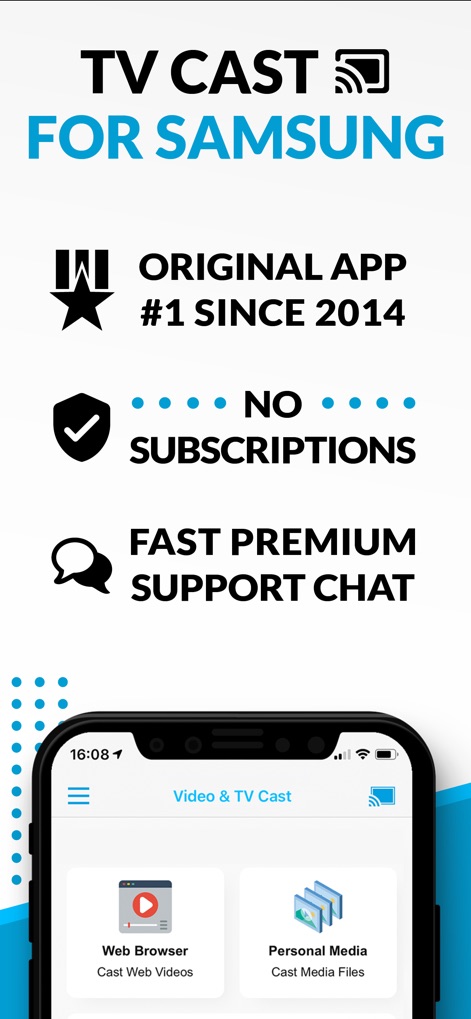
このアプリは、サブスクリプション不要で手軽に利用でき、さらに迅速なプレミアムサポートチャットを通じて、ユーザーに安心と快適な体験を提供します。
卓越した機能性

本アプリは、iOSデバイスからウェブ動画やオンライン映画をシームレスにキャストし、大画面テレビでの迫力あるコンテンツ視聴体験を実現します。
大画面でストリーミング

本アプリは、写真、ファイル、音楽といった多種多様な個人メディアをテレビへ簡単に投影でき、直感的なキャストアイコンがそのシンプルで効率的な操作性を象徴しています。
あらゆるメディアを投影
説明
Download



このページはアプリまたはその開発者の公式ページではなく、情報提供および論評を目的として作成された独立した編集出版物です。明示的に別段の記載がない限り、アプリおよびその開発者は、MWM、Apple、Google Play、アプリのパブリッシャー、またはアプリの開発者と提携、承認、後援、認可、またはその他の公式的な関係はなく、このページのいかなる内容も、アプリがMWMのサービスを使用して開発されたことを意味するものではありません。すべての商標、ロゴ、スクリーンショット、その他のコンテンツはそれぞれの所有者の財産です。