TV Cast: Mirror Home Screen
ダウンロード: App Store

このページはアプリまたはその開発者の公式ページではなく、情報提供および論評を目的として作成された独立した編集出版物です。明示的に別段の記載がない限り、アプリおよびその開発者は、MWM、Apple、Google Play、アプリのパブリッシャー、またはアプリの開発者と提携、承認、後援、認可、またはその他の公式的な関係はなく、このページのいかなる内容も、アプリがMWMのサービスを使用して開発されたことを意味するものではありません。すべての商標、ロゴ、スクリーンショット、その他のコンテンツはそれぞれの所有者の財産です。

ロゴ: TV Cast: Mirror Home Screen
ダウンロード: App Store

TV Cast: Mirror Home Screen

お気に入りの思い出やウェブ動画を、驚異のUltra HDで鮮やかに映し出しましょう。iPhoneのミラーリング、高品質動画のキャスト、写真の共有を、ワンタップで簡単に行えます。バッファリングなしで、エンターテイメントをすぐに楽しめます。

主要数値

ダウンロード

1K+

ユーザー評価

3.8/5

評価数

0

開発元

VPN PROXY MASTER

カテゴリ

Lifestyle

対応言語

1

最新バージョン

2.6

サイズ

46.4 MB

リリース日

2024年2月7日
機能

あなたのiPhoneコンテンツを、4Kで拡大表示

リビングルームをプレミアムホームシアターに変えましょう。ワンタップで、驚異のUltra HD動画、ウェブストリーム、個人的な思い出をキャストできます。

シネマティック4Kストリーミング

高解像度の旅行動画や家族写真を、一ピクセルも失うことなく、驚異のUltra HDで披露しましょう。

ユニバーサルウェブキャスト

映画、ニッチなスポーツ、ライブイベントなどを、どのウェブサイトからでも直接ストリーミングできます。ブラウジングできるものであれば、大画面にキャストできます。

以下のスクリーンショットと説明は、アプリの公式ストアリスティングから直接取得されたものであり、アプリ開発者の所有物です。

アプリストア

スクリーンショット
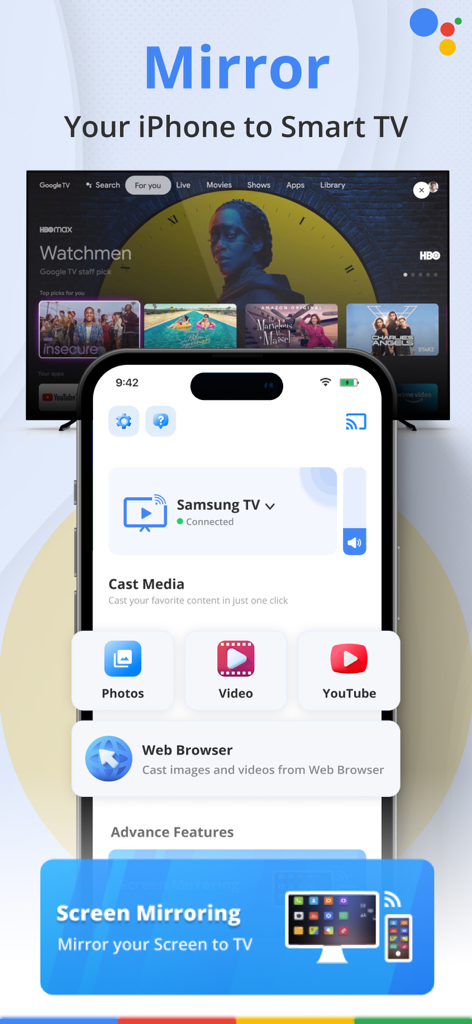
TV Cast: Mirror Home Screen - TVキャストアプリのインターフェースが表示され、iPhone画面をスマートテレビにミラーリングするオプションが表示されている様子
TVキャストアプリのインターフェースが表示され、iPhone画面をスマートテレビにミラーリングするオプションが表示されている様子

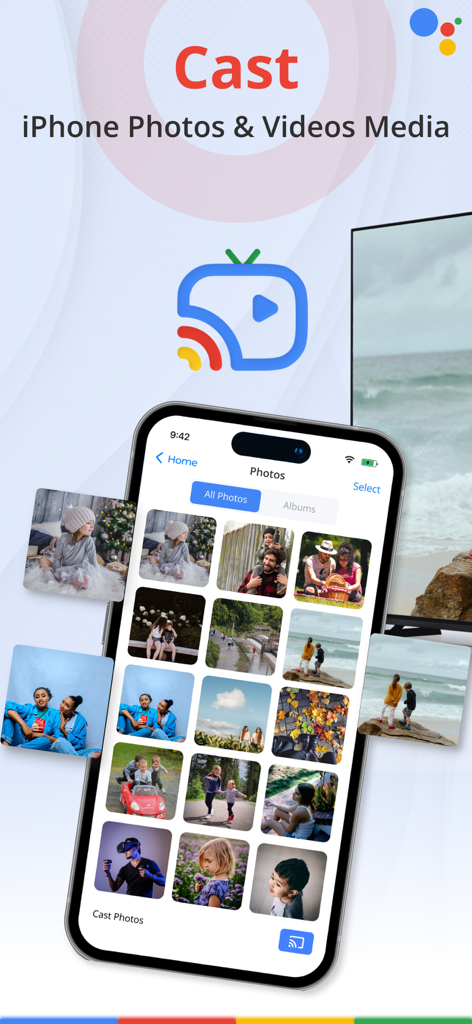
TV Cast: Mirror Home Screen - iPhoneにTVキャストアプリのインターフェースが表示され、写真ギャラリーがテレビ画面にミラーリングされている様子
iPhoneにTVキャストアプリのインターフェースが表示され、写真ギャラリーがテレビ画面にミラーリングされている様子

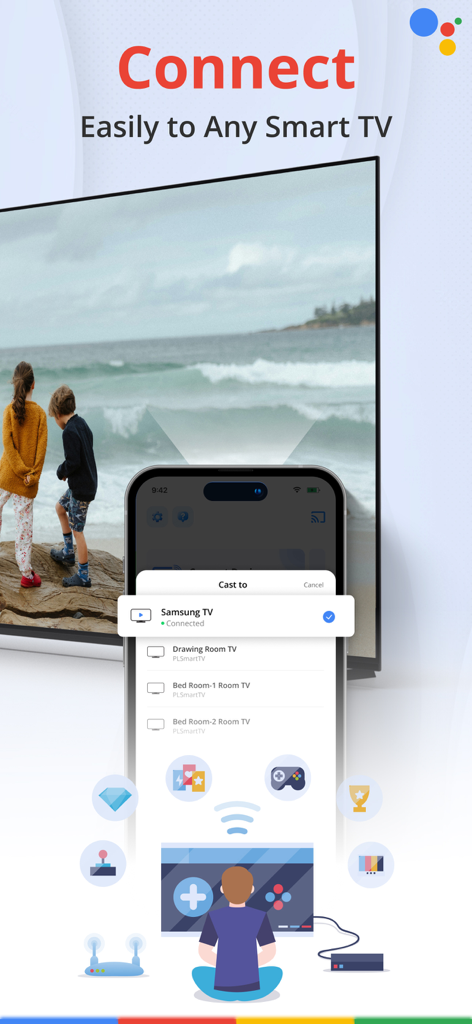
TV Cast: Mirror Home Screen - スマホ画面にTVキャストアプリのインターフェースが表示され、Samsungや寝室のテレビなど、複数のスマートテレビに接続するオプションが表示されている様子
スマホ画面にTVキャストアプリのインターフェースが表示され、Samsungや寝室のテレビなど、複数のスマートテレビに接続するオプションが表示されている様子

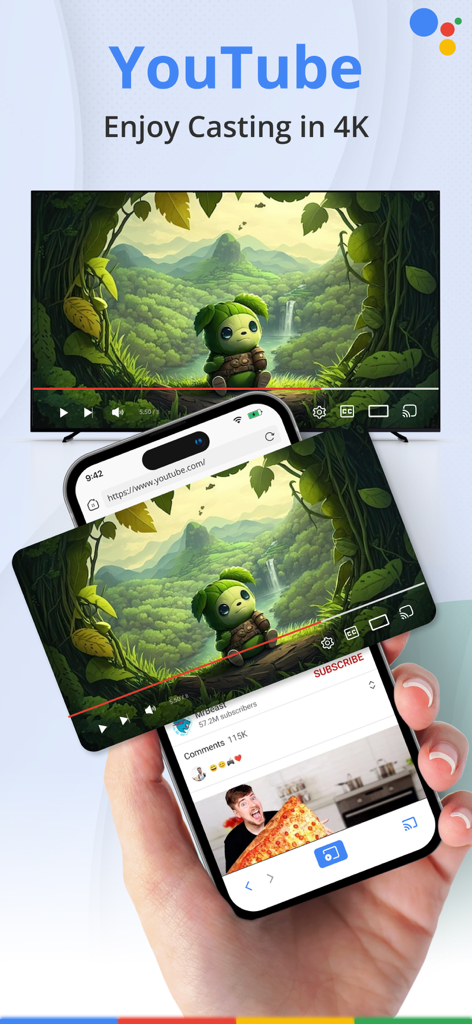
TV Cast: Mirror Home Screen - TVキャストを使用して、iPhoneからスマートテレビにYouTube動画を4K解像度でミラーリングしている様子
TVキャストを使用して、iPhoneからスマートテレビにYouTube動画を4K解像度でミラーリングしている様子

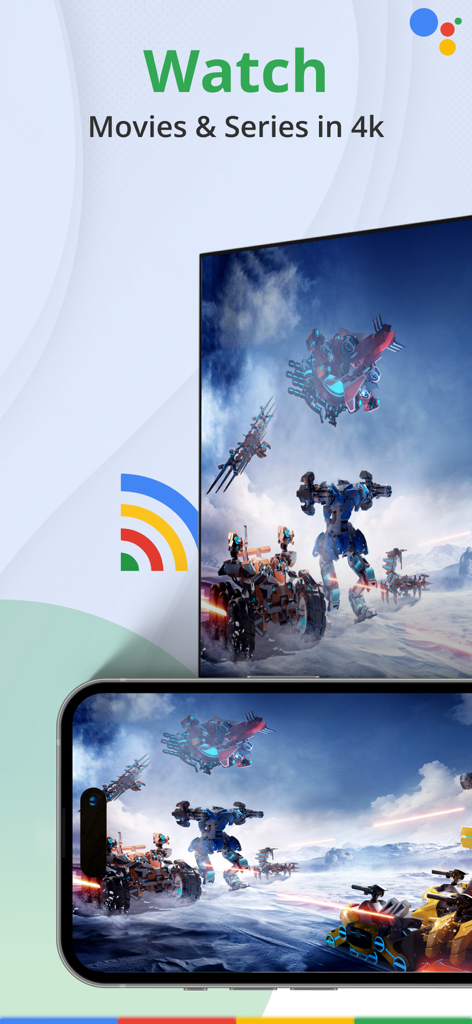
TV Cast: Mirror Home Screen - スマートフォン画面で、高画質4K映画を大型テレビ画面にミラーリングしている様子
スマートフォン画面で、高画質4K映画を大型テレビ画面にミラーリングしている様子

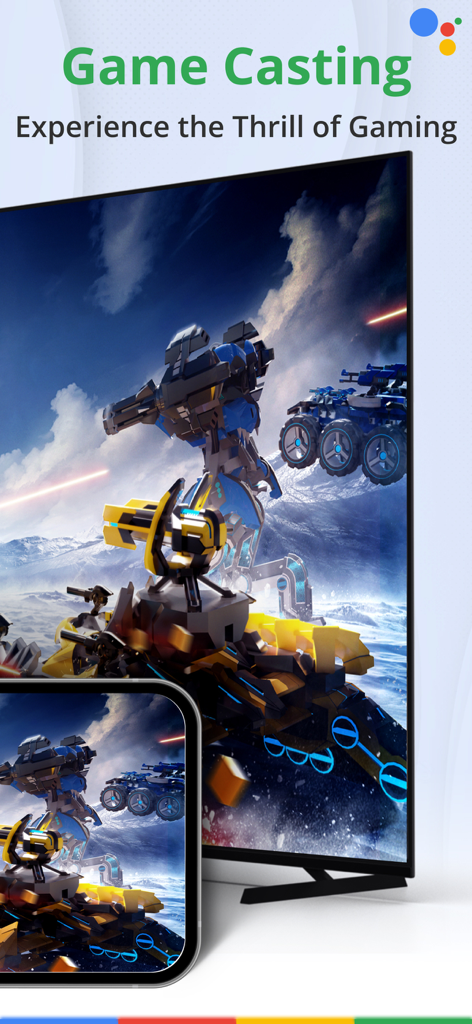
TV Cast: Mirror Home Screen - 未来的なロボット戦闘を示す大型テレビ画面に、iPhoneからモバイルゲームをミラーリングしている様子

未来的なロボット戦闘を示す大型テレビ画面に、iPhoneからモバイルゲームをミラーリングしている様子

説明

Transform your living room into an awesome multimedia hub with TV Cast! Effortlessly share your favorite photos, videos, and web content on the big screen for a fantastic experience. Perfect for movie nights, family photo sharing, and exploring web videos. Exciting features include -Casting from your Photo Library in stunning 4K quality -Mirroring your phone screen -Streaming videos directly from your browser to TV -Easily connect and control -Elevate your entertainment with TV Cast Cast Photos: Share your special moments in style with TV Cast Turn your living room into a stunning gallery of memories effortlessly. Share heartwarming photos in high-definition detail, from vacations to birthdays. TV Cast showcases every pixel beautifully, making it a powerful tool to impress guests and create lasting connections through shared memories. Cast Videos: Maximize your Entertainment Experience Say goodbye to buffering and low-quality streams as you dive into stunning 4K Ultra HD resolution. Enjoy a home theater experience that rivals the big screen, whether it's the latest blockbusters or your favorite TV series. TV Cast ensures top-notch visuals and audio, creating an entertainment extravaganza in the comfort of your own home. Cast Browser Videos: Make web video browsing more exciting Enhance your online viewing experience instantly with TV Cast, allowing you to cast web videos from popular streaming websites effortlessly. No more straining your eyes—simply tap, cast, and enjoy. Dive into new content, explore the web, and discover captivating videos, all without leaving the comfort of your couch. If there would be any recommendation or any query please feel free to contact us at our support info@vpnmasterproxy.com. We are always happy to help. Premium Subscription: This app includes optional auto-renewable subscriptions to access current and future premium categories (price may vary depending on location): 1-Month Subscription: $5.99 / 3 Days free trial 1-Weekly Subscription: $2.99 • Payments will be charged to your iTunes account at confirmation of purchase and will automatically renew (at the duration/price selected) unless auto-renew is turned off at least 24 hours before the end of the current period. • Account will be charged for renewal within 24 hours prior to the end of the current period, and identify the cost of the renewal. • You can manage your subscription and/or turn off auto-renewal by going to your iTunes Account Settings, but refunds will not be given for any unused portion of the term. Disclaimer: This app is not affiliated with Google or any other trademark mentioned here. Subscription Terms https://docs.google.com/document/d/19uSOVfbRuqIoXbXLv82blpTyLsDOa6NancD8bMNmQas/edit?tab=t.0 Terms and Conditions https://docs.google.com/document/d/14PxNa0a9XSusDBSHSjGlomC17S0mjKUeO_c_yhpInsE/edit?tab=t.0 Privacy Policy https://docs.google.com/document/d/1iz65GfpMKGW7VQw2_kDE82Bb-NfeDsUtULducvW0ggk/edit?tab=t.0

Download

ダウンロード: App Store

このページはアプリまたはその開発者の公式ページではなく、情報提供および論評を目的として作成された独立した編集出版物です。明示的に別段の記載がない限り、アプリおよびその開発者は、MWM、Apple、Google Play、アプリのパブリッシャー、またはアプリの開発者と提携、承認、後援、認可、またはその他の公式的な関係はなく、このページのいかなる内容も、アプリがMWMのサービスを使用して開発されたことを意味するものではありません。すべての商標、ロゴ、スクリーンショット、その他のコンテンツはそれぞれの所有者の財産です。








