
このページはアプリまたはその開発者の公式ページではなく、情報提供および論評を目的として作成された独立した編集出版物です。明示的に別段の記載がない限り、アプリおよびその開発者は、MWM、Apple、Google Play、アプリのパブリッシャー、またはアプリの開発者と提携、承認、後援、認可、またはその他の公式的な関係はなく、このページのいかなる内容も、アプリがMWMのサービスを使用して開発されたことを意味するものではありません。すべての商標、ロゴ、スクリーンショット、その他のコンテンツはそれぞれの所有者の財産です。

TXT Official Light Stick Ver.2
魔法の一部になりましょう。ライトスティックを接続して、コンサートの同期オーシャンに参加し、自宅でもステージでも、パーソナライズされたファン体験のためにカラーをカスタマイズしましょう。
ダウンロード
256K+ユーザー評価
評価数
100開発元
カテゴリ
Entertainment対応言語
13最新バージョン
1.5サイズ
47.9 MBリリース日
2024年2月6日TXTの魔法を体験
ワールドツアーの最前列から自宅の快適な部屋まで、Official Light Stick Ver.2の可能性を最大限に引き出しましょう。
シームレスなコンサート同期
伝説の「ライトスティックオーシャン」に参加しましょう。座席情報をペアリングして、音楽とエフェクトと同期させ、没入感のあるライブ体験をしましょう。
あなたのシグネチャーカラー
セルフモードであなたのスタイルを表現しましょう。スペクトルから任意のカラーを選択して、空間を変換したり、完璧なソーシャルメディアの背景を作成したりできます。
よくある質問
について知っておくべきこと TXT Official Light Stick Ver.2
TXT Official Light Stick Ver.2をスマートフォンにBluetoothで接続するにはどうすればいいですか?
TXT Official Light Stick Ver.2を接続するには、まず電源を切り、中央と下部のボタンを同時に2秒間押し続けると、青く点滅します。スマートフォンのBluetoothを有効にして、ライトスティックとペアリングしてください。
TXT Official Light Stick Ver.2アプリの「コンサートモード」の機能は何ですか?
TXT Official Light Stick Ver.2アプリの「コンサートモード」は、コンサートチケット情報とのペアリングを可能にします。この機能は、ライトスティックをステージ効果と同期させ、コンサート体験を向上させます。このモードはコンサートの数日前に有効になります。
コンサートのためにTXT Official Light Stick Ver.2をペアリングするのに推奨される時期はいつですか?
ユーザーは、コンサートのためにTXT Official Light Stick Ver.2を約1〜2日前にペアリングする必要があります。これにより、ファームウェアのアップデートやペアリングの完了が可能になり、現場の混雑による遅延や失敗の可能性を回避できます。
TXT Official Light Stick Ver.2の色や照明効果をカスタマイズできますか?
はい、ユーザーはTXT Official Light Stick Ver.2をカスタマイズできます。アプリ内の「セルフモード」をBluetoothで接続して使用すると、スマートフォンから直接、色、明るさ、点滅効果を調整できます。
TXT Official Light Stick Ver.2にはどのような電池が必要ですか?
TXT Official Light Stick Ver.2には、単4形アルカリ乾電池が3本必要です。コンサート中に暗くなる、または予期せずシャットダウンするなどの問題を防止し、最適なパフォーマンスを確保するために、使用前に古い電池を新しい電池に交換することが不可欠です。
TXT Official Light Stick Ver.2アプリを動作させるには、どのような権限が必要ですか?
TXT Official Light Stick Ver.2アプリは、チケット情報を確認するためにNFC権限、ライトスティックと接続するためにBluetooth権限が必要です。これらの権限は、アプリのコア機能に必須です。
以下のスクリーンショットと説明は、アプリの公式ストアリスティングから直接取得されたものであり、アプリ開発者の所有物です。
アプリストア
スクリーンショット
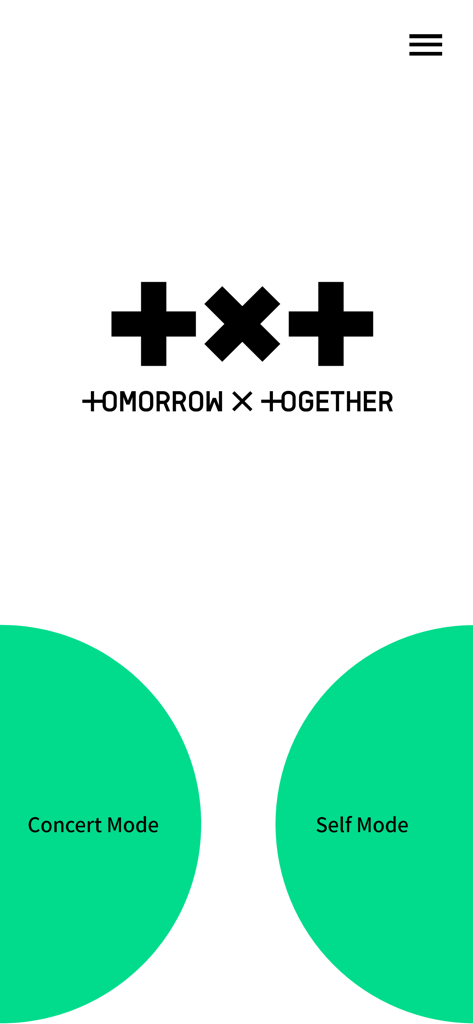
TXT Official Light Stickアプリのホーム画面。コンサートモードとセルフモードの選択ボタンが表示されています。
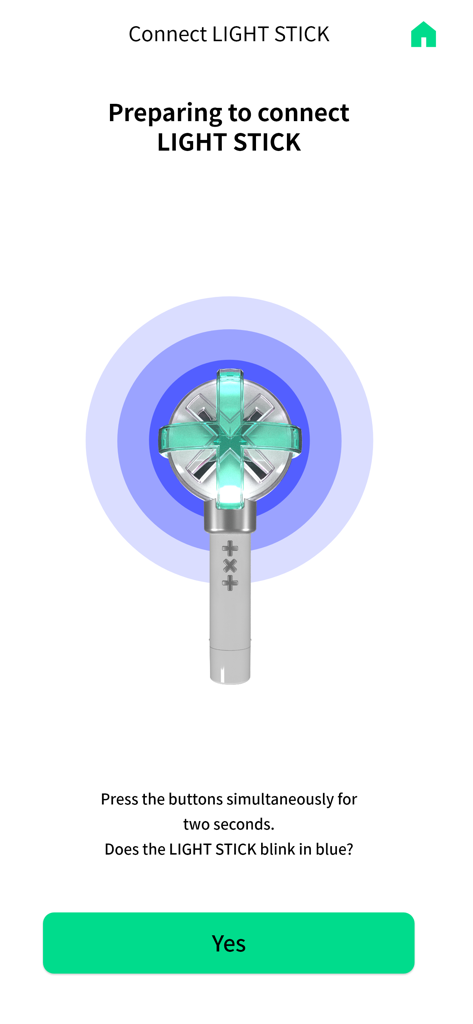
スマートフォンアプリ画面。Bluetooth経由でTXT公式ライトスティックをペアリングするための手順が表示されています。
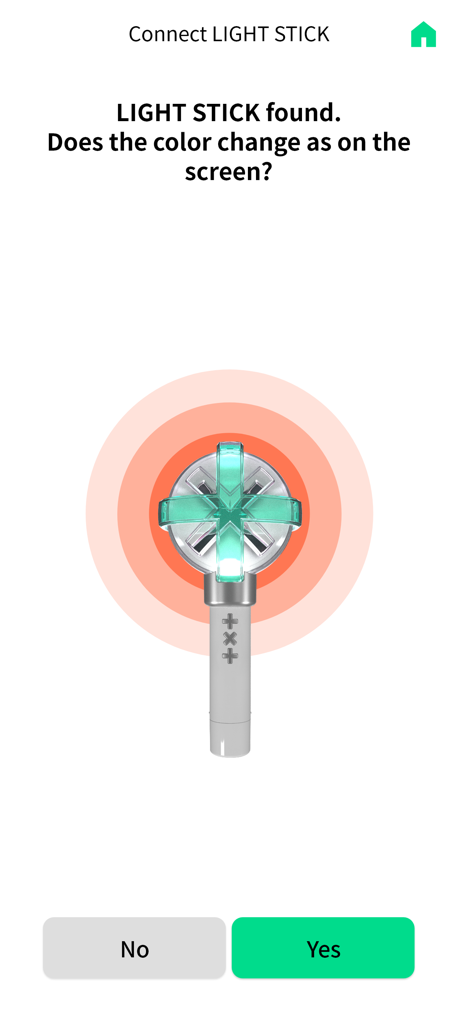
TXT Official Light Stick Ver.2のBluetooth接続画面。ライトカラーの変更を確認するように求められています。
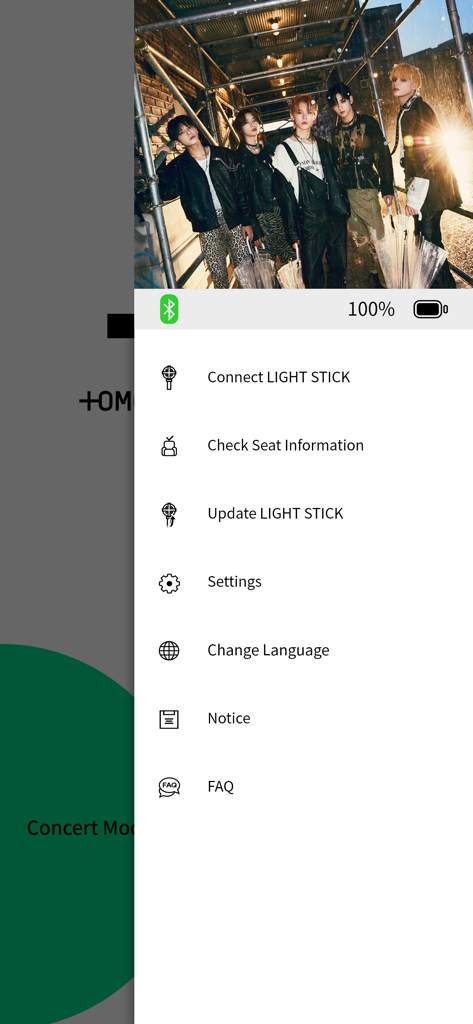
TXT Official Light Stick Ver.2アプリのメニュー。設定とライトスティック接続オプションが表示されています。
説明
Download
類似アプリ
似た機能とユーザー体験を持つアプリ

wePix arena
FREDERIC GIRY

Stadium FX
CUE Audio, LLC

CrowdFX
Jamie Severns

Top Hat - Better Learning
TopHatMonocle Corp

Poll Everywhere
Poll Everywhere, Inc.

&TEAM Official Light Stick V1
HYBE Co., Ltd

iClicker Student
HPHLP

PointSolutions
Turning Technologies, LLC

Budweiser Sports App
Fandom Connect Operating Pty Ltd
このページはアプリまたはその開発者の公式ページではなく、情報提供および論評を目的として作成された独立した編集出版物です。明示的に別段の記載がない限り、アプリおよびその開発者は、MWM、Apple、Google Play、アプリのパブリッシャー、またはアプリの開発者と提携、承認、後援、認可、またはその他の公式的な関係はなく、このページのいかなる内容も、アプリがMWMのサービスを使用して開発されたことを意味するものではありません。すべての商標、ロゴ、スクリーンショット、その他のコンテンツはそれぞれの所有者の財産です。