
このページはアプリまたはその開発者の公式ページではなく、情報提供および論評を目的として作成された独立した編集出版物です。明示的に別段の記載がない限り、アプリおよびその開発者は、MWM、Apple、Google Play、アプリのパブリッシャー、またはアプリの開発者と提携、承認、後援、認可、またはその他の公式的な関係はなく、このページのいかなる内容も、アプリがMWMのサービスを使用して開発されたことを意味するものではありません。すべての商標、ロゴ、スクリーンショット、その他のコンテンツはそれぞれの所有者の財産です。


ダウンロード
5M+ユーザー評価
評価数
34.8K開発元
カテゴリ
Photo & Video対応言語
21最新バージョン
10.0.18サイズ
72.4 MBリリース日
2015年6月8日強力で直感的なモバイルコンテンツ編集ソリューションの主要機能評価
Ultralight: 写真・動画エディターの分析
直感的で使いやすいインターフェース
このアプリはユーザーフレンドリーで操作が簡単でありながら、細部にわたる正確な制御を可能にし、初心者からプロまで対応します。
包括的な写真編集ツール
このアプリは、露出、彩度、カラーグレーディング、HSL、ビネット、トリミングなど、写真の細部を調整するための広範な編集ツールを提供します。
写真と動画の一貫したワークフロー
本アプリは、写真と動画の両方で一貫したツールとワークフローを提供し、クリエイターが異なるメディアタイプ間でスムーズに作業できるようにします。
クロスデバイス対応
ユーザーは、iPhone、iPad、Macといった複数のデバイス間で、デスクトップ品質の編集環境を利用でき、どこからでも作業を継続できます。
高品質でカスタマイズ可能なプリセット
ユーザーは高品質なプリセットを完全にカスタマイズし、独自のスタイルに合わせて保存することで、一貫したビジュアルを作成できます。
非破壊編集機能
ユーザーは非破壊編集機能により、いつでも変更を元に戻したり、やり直したりすることができ、安心して実験的な編集を進められます。
シンプルな動画編集機能
このツールは、動画クリップのトリミング、結合、および写真や動画のコラージュ作成といった基本的な動画編集機能を提供します。
リアルタイム編集と高パフォーマンスプレビュー
このアプリは、高パフォーマンスなプレビューによるリアルタイム編集を提供し、ユーザーが調整を即座に確認し、作業効率を大幅に向上させます。
よくある質問
について知っておくべきこと Ultralight: Photo Video Editor
What is Ultralight: Photo Video Editor?
Ultralight is a simple, powerful, and intuitive photo and video editor available on iPhone, iPad, and Mac. It offers desktop-quality editing with a user-friendly interface.
Is Ultralight: Photo Video Editor free to download?
Yes, Ultralight: Photo Video Editor is free to download. Ultralight Pro features, offering advanced tools, are available as a separate in-app purchase.
What key photo editing tools does Ultralight offer?
Ultralight provides creative photo editing tools including high-quality presets, light and exposure adjustments, saturation, temperature, color grading, clarity, sharpen, HSL, vignette, crop, and perspective correction.
Can Ultralight edit videos?
Yes, Ultralight supports simple video editing. Users can apply built-in and custom filters, trim clips, merge multiple videos, and create video collages using the same tools as photo editing.
What devices are compatible with Ultralight: Photo Video Editor?
Ultralight: Photo Video Editor is available on iPhone, iPad, and Mac. It provides the same editing tools across all these devices, ensuring a consistent user experience.
Does Ultralight Pro offer additional features?
Yes, Ultralight Pro unlocks professional tools such as Curves, Pro color controls, Texture overlays, and Layers and masks. These advanced features enhance editing capabilities.
How do I subscribe to Ultralight Pro?
Users can subscribe to Ultralight Pro as a separate in-app purchase after a free trial. The subscription is annual and renews automatically unless turned off 24 hours before the period ends.
Can I manage my Ultralight Pro subscription?
Yes, you can manage your Ultralight Pro membership through your device settings. Navigate to Settings > iTunes & App Store > Apple ID > Subscriptions to adjust your preferences.
Where can I find the privacy policy for Ultralight?
The privacy policy for Ultralight is available at https://www.uova.fi/privacy-policy.html. Detailed terms and conditions are also provided on the Uova website for user reference.
What is the average rating for Ultralight: Photo Video Editor?
Ultralight: Photo Video Editor has an average rating of 4.7 stars. It has garnered over 150K five-star reviews from its 7.5M+ downloads, indicating high user satisfaction.
以下のスクリーンショットと説明は、アプリの公式ストアリスティングから直接取得されたものであり、アプリ開発者の所有物です。
アプリストア
スクリーンショット
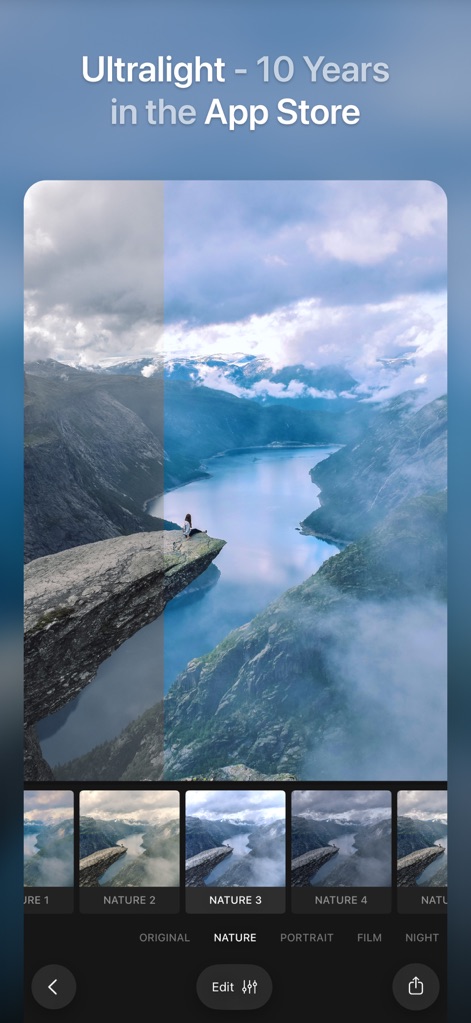
このアプリは、高品質なプリセットを適用することで、写真に劇的な変化をもたらします。ビフォーアフターの比較機能と多彩なフィルターコレクションにより、理想のスタイルを簡単に見つけられます。
劇的変化、多彩なプリセット
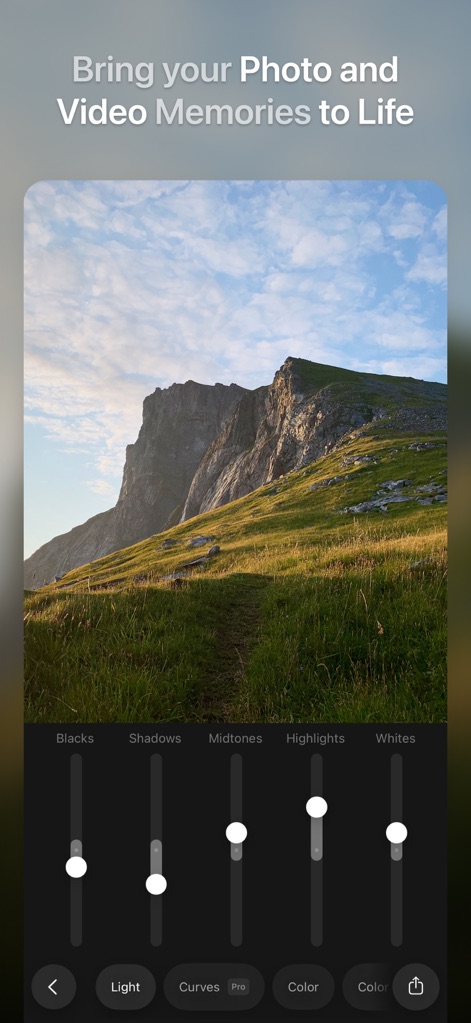
本ツールは、画像の明るさ調整を直感的に行えます。ブラック、シャドウ、ミッドトーン、ハイライト、ホワイトのスライダーを使い、写真のトーンを細かくコントロールできます。
光を操る、完璧な露出
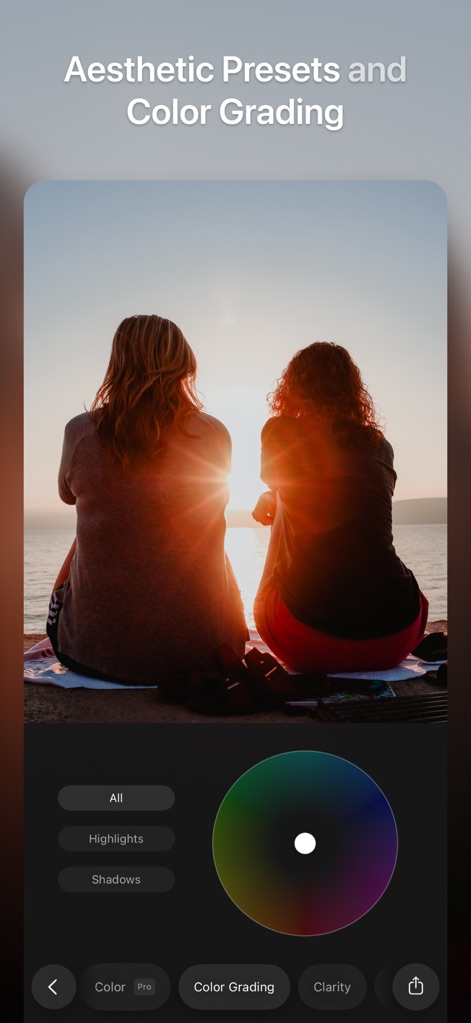
このアプリは、プロフェッショナルなカラーグレーディング機能を提供します。詳細な色相調整とハイライト・シャドウの個別設定により、思い通りの色表現が可能です。
色彩の魔法、高度な調整
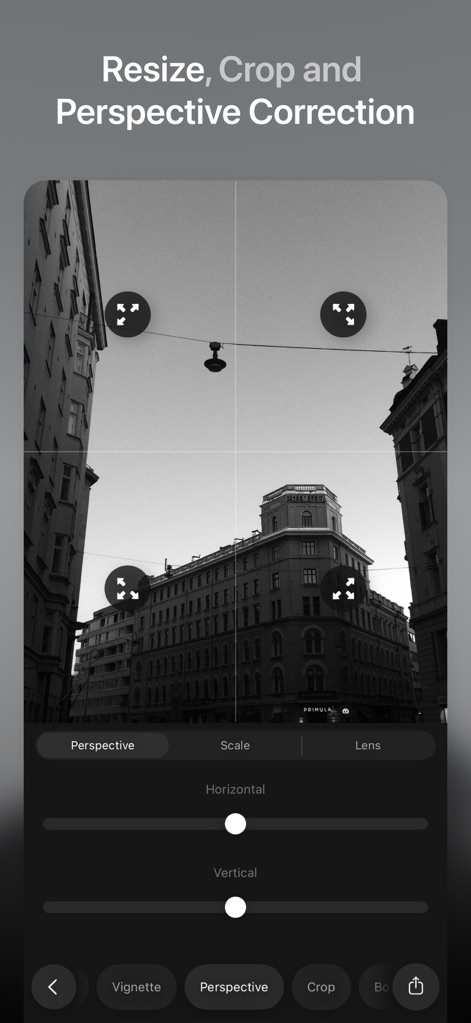
ユーザーは、遠近法補正ツールを使って歪みを解消し、完璧な構図を実現できます。トリミングと水平・垂直の調整により、画像の見た目を正確に修正可能です。
構図を極める、精密な補正
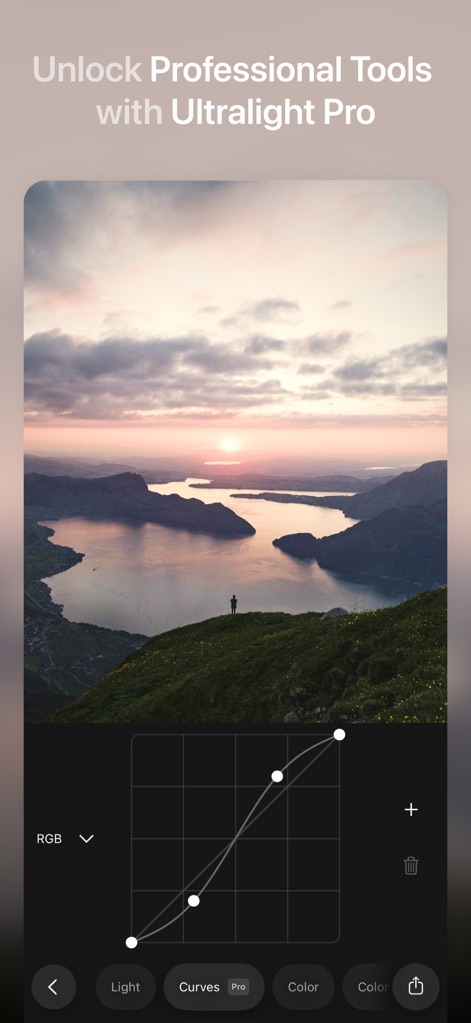
Ultralight Proを解除すると、高度なカーブ調整が利用可能になります。このプロフェッショナルなツールにより、ユーザーは輝度とコントラストを詳細に制御し、独自の表現を生み出せます。
プロの曲線、無限の表現
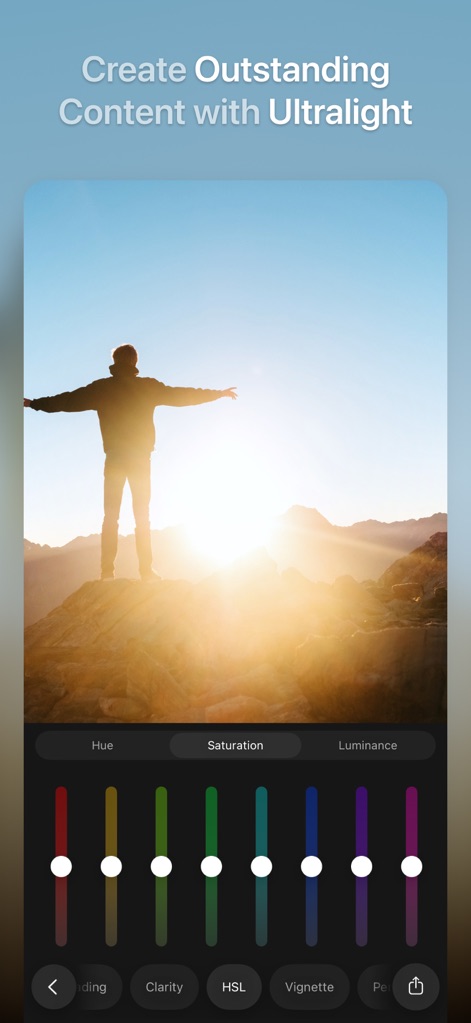
本アプリのHSLツールは、各色の色相、彩度、輝度を個別に調整することを可能にします。これにより、写真の色を細部にわたりコントロールし、印象的な仕上がりを実現できます。
色相を自由に、直感的なHSL
説明
Download
類似アプリ
似た機能とユーザー体験を持つアプリ

Lightroom: AI Photo Editor
Adobe Inc.

MIX-Photo Editor & Filters
灏 徐

Presets for Lightroom - FLTR
Onelight Apps CY Ltd

Colorby: AI Photo Color Editor
Zhanghan Ke

PRESETS: Filters for Pictures
Gustas Brazaitis

Edith: Presets for Lightroom
MWM

Soft Focus Lite 〜beauty selfie
handyCloset Inc.

BerryFilm - Korean Style Cam
Seungyun Kim

Presets for Lightroom: Filters
Alenrom sp. z o.o.
このページはアプリまたはその開発者の公式ページではなく、情報提供および論評を目的として作成された独立した編集出版物です。明示的に別段の記載がない限り、アプリおよびその開発者は、MWM、Apple、Google Play、アプリのパブリッシャー、またはアプリの開発者と提携、承認、後援、認可、またはその他の公式的な関係はなく、このページのいかなる内容も、アプリがMWMのサービスを使用して開発されたことを意味するものではありません。すべての商標、ロゴ、スクリーンショット、その他のコンテンツはそれぞれの所有者の財産です。