
このページはアプリまたはその開発者の公式ページではなく、情報提供および論評を目的として作成された独立した編集出版物です。明示的に別段の記載がない限り、アプリおよびその開発者は、MWM、Apple、Google Play、アプリのパブリッシャー、またはアプリの開発者と提携、承認、後援、認可、またはその他の公式的な関係はなく、このページのいかなる内容も、アプリがMWMのサービスを使用して開発されたことを意味するものではありません。すべての商標、ロゴ、スクリーンショット、その他のコンテンツはそれぞれの所有者の財産です。


Unicorn Blocker:Adblock
3倍高速なブラウジングと21%のバッテリー寿命向上を体験してください。不快な広告をブロックし、モバイルデータを節約し、Safari上でのトラッカーや詐欺から家族を守ります。
ダウンロード
366K+ユーザー評価
評価数
48K+開発元
カテゴリ
Utilities対応言語
3最新バージョン
1.27.4サイズ
124.3 MBリリース日
2015年10月17日より速く、クリーンに、そして長くブラウジング
Unicorn Blockerは、不要な情報を排除し、モバイルデータを保護し、iPhoneの日常的なパフォーマンスを向上させることで、Safari体験を最適化します。
3倍高速なブラウジング速度
リソースを大量に消費するスクリプトや広告を排除し、アクセスするすべてのサイトでデータ消費を4分の1に抑えながら、ページの読み込み速度を最大3倍に向上させます。
家族を守る
子供たちを刺激的なコンテンツから守り、高齢の両親を欺瞞的な釣り広告やフィッシング詐欺から自動的に保護します。
よくある質問
について知っておくべきこと Unicorn Blocker:Adblock
Unicorn Blocker:Adblockとは何ですか?
Unicorn Blocker:Adblockは広告をブロックし、データ使用量を最大4倍削減、ウェブブラウジング速度を3倍以上向上、バッテリー寿命を最大21%延長します。
Unicorn Blocker:Adblockはモバイルデータを節約できますか?
はい、Unicorn Blocker:Adblockは、広告による不要なデータ使用量を削減することで、最大4倍のデータを節約します。
Unicorn Blocker:Adblockはブラウジング速度を向上させますか?
はい、Unicorn Blocker:Adblockは、より軽量なウェブ環境を作り出すことで、ウェブブラウジング速度を3倍以上、最大4倍向上させます。
Unicorn Blocker:Adblockはバッテリー寿命を延長しますか?
はい、Unicorn Blocker:Adblockは、より軽量なウェブ環境とデータ使用量の削減により、バッテリー寿命を最大21%延長します。
iPhoneでUnicorn Blocker:Adblock拡張機能を有効にするにはどうすればよいですか?
インストール後、iPhoneの「設定」→「アプリ」→「Safari」→「拡張機能」で両方のUnicorn拡張機能を有効にし、「オン」に切り替えて、すべてのウェブサイトで「許可」するように設定してください。
Unicorn Blocker:Adblockの使用から恩恵を受けられるのは誰ですか?
Unicorn Blocker:Adblockは、広告の誤クリックを防ぎたい、気が散る広告をブロックしたい、子供や高齢者を保護したい、データ/バッテリーを節約したい、音声ガイダンスによる視覚障害をサポートしたいユーザーに役立ちます。
Unicorn Blocker:Adblockはどのような種類の広告をブロックしますか?
Unicorn Blocker:Adblockは、ウェブサイト広告、トラッキング広告、埋め込み広告、ポップアップ広告、強制リダイレクト広告、アンチ広告ブロック回避広告、動画広告をブロックします。また、不要なSNS要素や暗号通貨マイニングスクリプトも削除します。
Unicorn Blocker:Adblockのクリーナー機能とは何ですか?
Unicorn Blocker:Adblockのクリーナー機能は、広告ブロックが不十分な可能性のあるウェブサイトの特定のコンテンツ領域をユーザーが直接選択して削除することを可能にします。
Unicorn Blocker:Adblockのブロックデータベースを更新するにはどうすればよいですか?
ブロックデータベースを更新するには、Unicornアプリ内の更新ボタンを押すか、バックグラウンド更新が必要な自動更新を有効にしてください。
Unicorn Blocker:Adblockを使用しているのに、なぜ一部の広告が表示されるのですか?
動画サイト、Twitter、Facebook、またはアンチ広告ブロック対策が施されているサイトでは、Safariのコンテンツブロック機能の範囲外であるため、一部の広告が残る場合があります。Unicorn Proでこれらの問題のほとんどが解決されます。
Unicorn Blocker:Adblockは他のアプリやゲームの広告もブロックしますか?
いいえ、Unicorn Blocker:AdblockはSafariブラウザ専用であり、他のアプリケーションやゲームアプリ内の広告はブロックしません。
Unicorn Blocker:Adblockが効果的に広告をブロックしない場合はどうすればよいですか?
広告ブロックが機能しない場合は、アプリ内のガイドを参照して設定を確認してください。問題が解決しない場合は、Unicorn Blocker:Adblockアプリをアンインストールして再インストールしてください。
Unicorn Blocker:Adblockを使用中に突然広告が表示された場合はどうすればよいですか?
突然広告が表示された場合は、Unicorn Blocker:Adblockアプリ内で最新のブロックルールに更新できるか確認してください。
Unicorn Blocker:Adblockが広告をブロックできないことはありますか?
はい、多くのサイトが広告の実装を頻繁に追加または変更するため、完全な広告ブロックができない場合があります。
Unicorn Blocker:Adblockのカスタマーサポートに連絡するにはどうすればよいですか?
Unicorn Blocker:Adblockのカスタマーサポートには、support@unicorn-soft.comまでメールで連絡して支援を受けてください。
Unicorn Blocker:Adblockは特定のウェブリソースをブロックできますか?
はい、Unicorn Blocker:Adblockは、画像、GIF、ウェブフォント、スクリプトなどの特定のウェブリソースをユーザーがブロックできるようにし、データを節約して速度を向上させます。
Unicorn Blocker:Adblockはユーザーフィルターを提供していますか?
はい、Unicorn Blocker:Adblockにはユーザーフィルター機能があり、ユーザーはカスタムルールを作成してドメインや広告をブロックできます。
Unicorn Blocker:Adblockはウェブサイトのホワイトリスト登録をサポートしていますか?
はい、Unicorn Blocker:Adblockにはホワイトリスト登録サイトのオプションがあり、ユーザーは特定のウェブサイトを広告ブロックから除外できます。
Unicorn Blocker:Adblockで特定の広告を手動で削除できますか?
はい、Unicorn Blocker:Adblockには「クリーナー」機能があり、Safariから直接特定の広告領域を選択して削除できます。
Unicorn Blocker:Adblockは簡単にセットアップできますか?
はい、Unicorn Blocker:Adblockは簡単にセットアップできます。iPhoneのSafari設定内で直接コンテンツブロッカーを有効にします。
以下のスクリーンショットと説明は、アプリの公式ストアリスティングから直接取得されたものであり、アプリ開発者の所有物です。
アプリストア
スクリーンショット
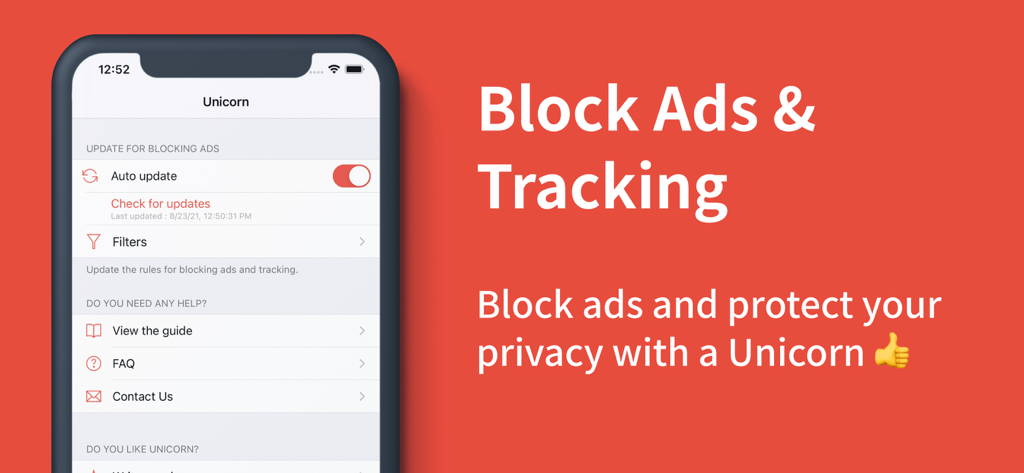
iPhoneで広告やトラッキングをブロックするためのUnicorn Blockerアプリインターフェース
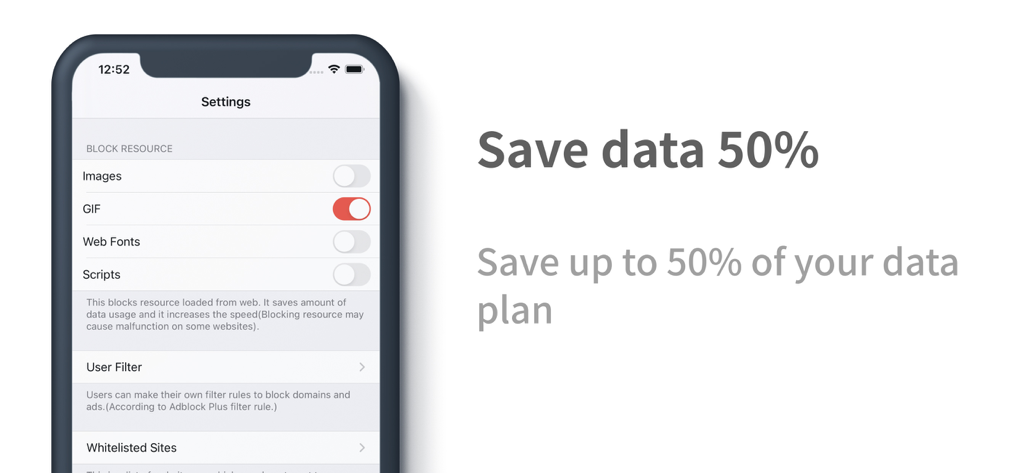
GIFやスクリプトをブロックしてモバイルデータを最大50%節約するUnicorn Blockerの設定画面が表示されたスマートフォンの画面
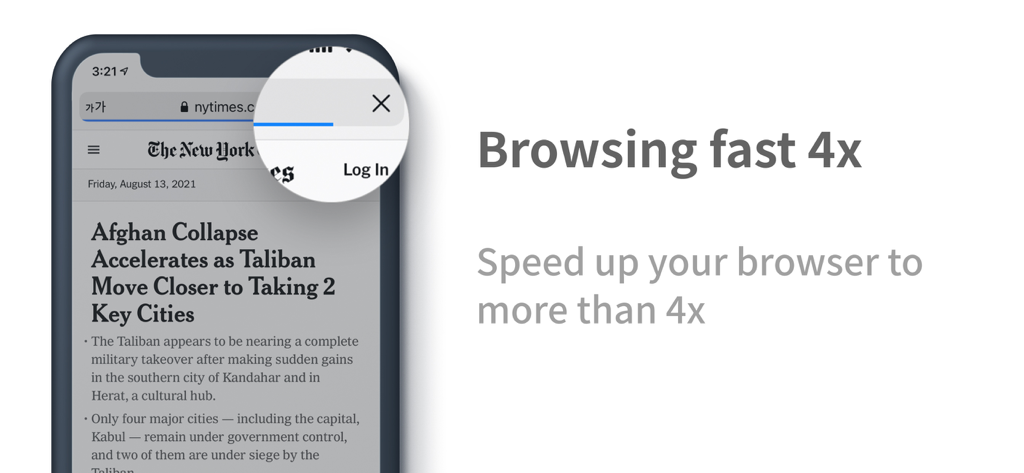
iPhoneで4倍高速なブラウジングを表示するUnicorn Blockerアプリ
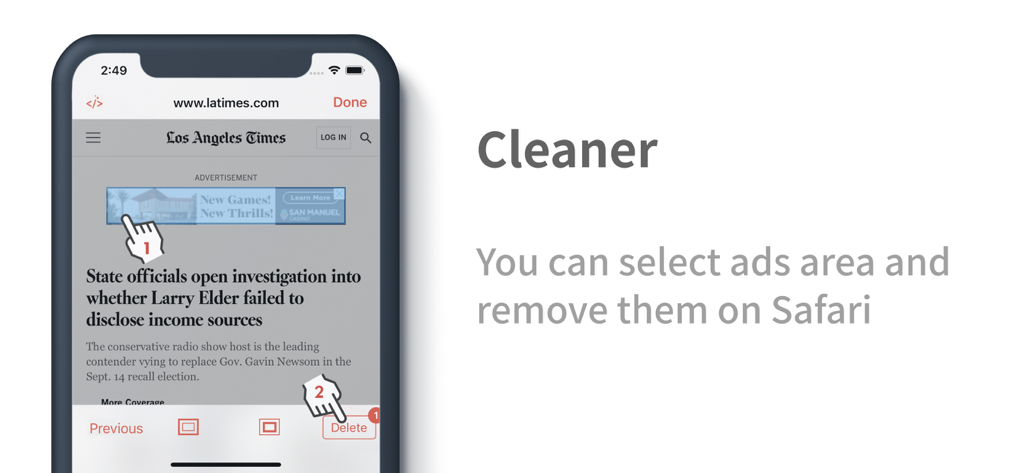
Safariのニュースサイトで広告を手動で選択して削除するUnicorn Blockerクリーナーツール
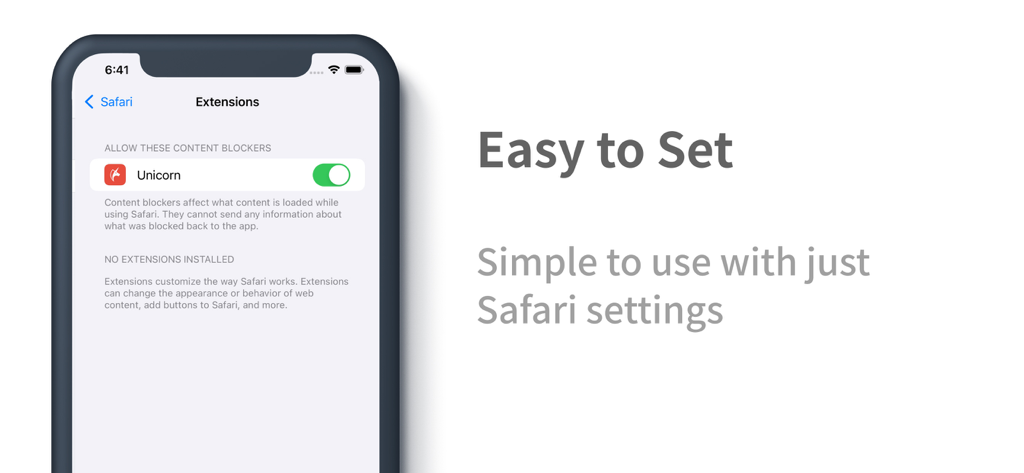
Safari設定でUnicorn Blocker拡張機能が有効になっているiPhoneの画面
説明
Download
類似アプリ
同じカテゴリのトップランクアプリ

Google LLC

Google Chrome
Google LLC

中国移动(手机营业厅)
China Mobile Online Services Co., Ltd.

Google Authenticator
Google LLC

CNH do Brasil
Servicos e Informacoes do Brasil

Cleanup: Phone Storage Cleaner
DEEP FLOW SOFTWARE SERVICES - FZCO

gov.br
Servicos e Informacoes do Brasil

中国电信-全国统一官方服务平台
CHINA TELECOM Corporation Ltd.

Microsoft Edge: AI Browser
Microsoft Corporation
このページはアプリまたはその開発者の公式ページではなく、情報提供および論評を目的として作成された独立した編集出版物です。明示的に別段の記載がない限り、アプリおよびその開発者は、MWM、Apple、Google Play、アプリのパブリッシャー、またはアプリの開発者と提携、承認、後援、認可、またはその他の公式的な関係はなく、このページのいかなる内容も、アプリがMWMのサービスを使用して開発されたことを意味するものではありません。すべての商標、ロゴ、スクリーンショット、その他のコンテンツはそれぞれの所有者の財産です。