
このページはアプリまたはその開発者の公式ページではなく、情報提供および論評を目的として作成された独立した編集出版物です。明示的に別段の記載がない限り、アプリおよびその開発者は、MWM、Apple、Google Play、アプリのパブリッシャー、またはアプリの開発者と提携、承認、後援、認可、またはその他の公式的な関係はなく、このページのいかなる内容も、アプリがMWMのサービスを使用して開発されたことを意味するものではありません。すべての商標、ロゴ、スクリーンショット、その他のコンテンツはそれぞれの所有者の財産です。

Universal TV Remote Control ⁺
紛失したリモコンを探すのはもうやめましょう。iPhoneを、瞬時ペアリング、簡単な検索のための高速キーボード、主要なテレビブランドすべてに対応したシームレスな操作が可能な強力なユニバーサルコントローラーに変えましょう。
ダウンロード
235K+ユーザー評価
評価数
300開発元
カテゴリ
Utilities対応言語
9最新バージョン
1.1.6サイズ
63.3 MBリリース日
2025年7月6日ホームデバイスをよりスマートに操作
紛失したリモコンを探したり、扱いにくいボタンに苦労したりするのはもうやめましょう。このアプリは、iPhoneを家中のあらゆるスマートテレビの強力で統一された司令塔に変えます。
即座に入力&検索
画面上の文字を探す手間はもう不要。スマートフォンのキーボードを使って、映画のタイトルやパスワードを瞬時に入力できます。
ユニバーサルホームカバレッジ
リビングのSamsungでも、寝室のRokuでも、一つのアプリですべてのブランドとデバイスを操作できます。
よくある質問
について知っておくべきこと Universal TV Remote Control ⁺
Universal TV Remote Control ⁺は、すべてのスマートTVブランドと互換性がありますか?
はい、Universal TV Remote Control ⁺は、Samsung、LG、Sony、Philips、TCL、Roku TV、Fire TVなどの主要なスマートTVブランドに対応しています。
Universal TV Remote Control ⁺アプリをテレビに接続するにはどうすればよいですか?
Universal TV Remote Control ⁺アプリは、ワンタップペアリングを使用して数秒でテレビに接続します。セットアッププロセスにコードは必要ありません。
Universal TV Remote Control ⁺で音量を調整したり、チャンネルを変更したりできますか?
はい、Universal TV Remote Control ⁺アプリを使用すると、スマートフォンから音量の調整、チャンネルの変更、メニューの操作、再生機能の制御が可能です。
Universal TV Remote Control ⁺には、操作用のタッチパッドやキーボードがありますか?
はい、Universal TV Remote Control ⁺には、スワイプ操作用のタッチパッドと簡単な入力用のキーボードの両方が含まれており、従来のリモコンと比較してテキスト入力を強化しています。
Universal TV Remote Control ⁺アプリからストリーミングサービスに直接アクセスできますか?
はい、Universal TV Remote Control ⁺はインスタントアプリアクセスを提供し、ユーザーはワンタップでお気に入りのストリーミングサービスをテレビで開くことができます。
Universal TV Remote Control ⁺アプリでテレビの電源をオン/オフできますか?
はい、Universal TV Remote Control ⁺アプリには電源コントロールが含まれており、物理的なリモコンが利用できない場合でも、ユーザーはテレビの電源をオンまたはオフにすることができます。
Universal TV Remote Control ⁺アプリのレイアウトはカスタマイズ可能ですか?
はい、Universal TV Remote Control ⁺アプリはカスタマイズ可能なレイアウトを提供します。ユーザーはボタンを並べ替え、特定の好みに合わせてインターフェイスをパーソナライズできます。
Universal TV Remote Control ⁺ Premiumは広告を削除しますか?
はい、Universal TV Remote Control ⁺ Premiumにアップグレードすると、広告なしのエクスペリエンスが得られ、アプリの無中断な使用が可能になります。
Universal TV Remote Control ⁺ Premiumで複数のテレビを制御できますか?
はい、Universal TV Remote Control ⁺ Premiumを使用すると、単一のアプリから無制限の数のテレビやストリーミングデバイスを接続して制御できます。
Universal TV Remote Control ⁺のプライバシーポリシーはどこで見つけられますか?
Universal TV Remote Control ⁺のプライバシーポリシーは、アプリの説明に記載されているとおり、https://ctmobikt.notion.site/privacypolicyで入手できます。
以下のスクリーンショットと説明は、アプリの公式ストアリスティングから直接取得されたものであり、アプリ開発者の所有物です。
アプリストア
スクリーンショット
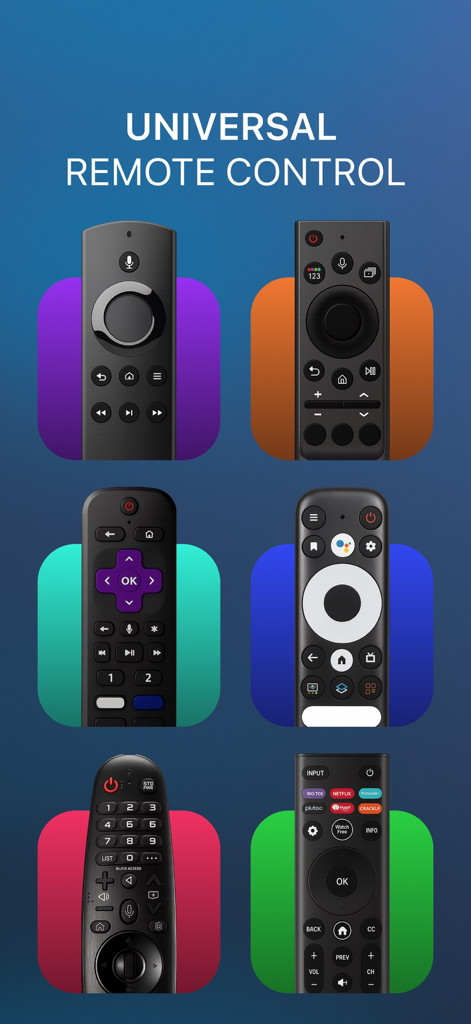
様々なスマートテレビのリモコンのコレクションで、アプリのユニバーサル互換性を例示しています。
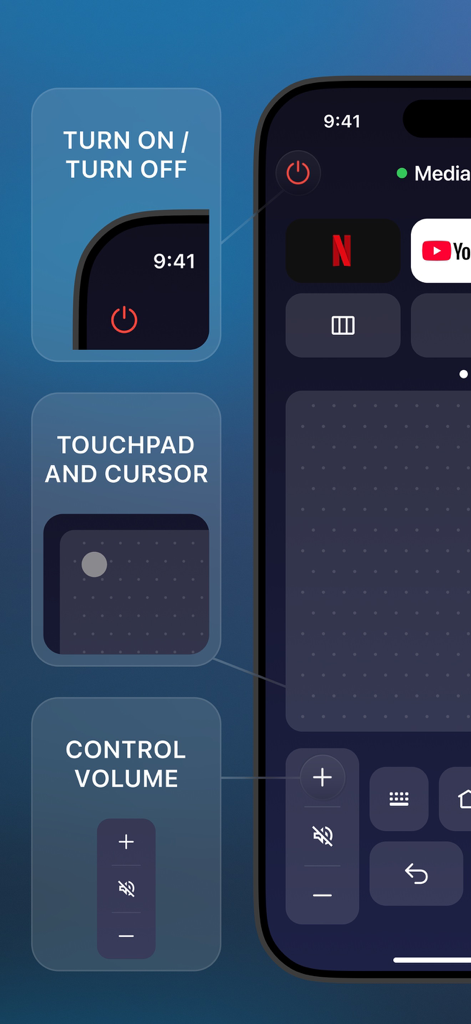
スマートフォン画面に、タッチパッドと音量コントロールを備えたユニバーサルテレビリモートアプリを表示
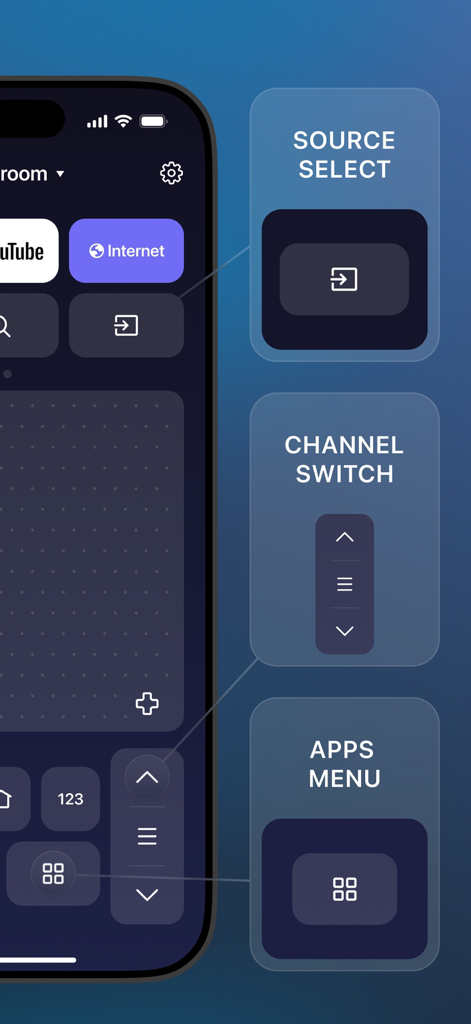
ユニバーサルテレビコントロールのためのソース選択、チャンネル切り替え、アプリメニューを表示するスマートフォンアプリ
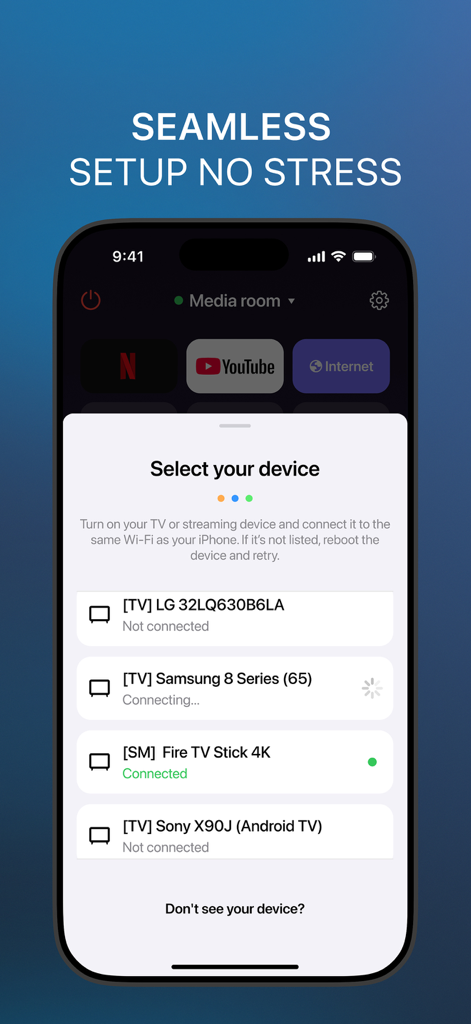
シームレスなペアリングのために準備されたスマートテレビとストリーミングスティックのリストを表示するスマートフォンアプリのインターフェース
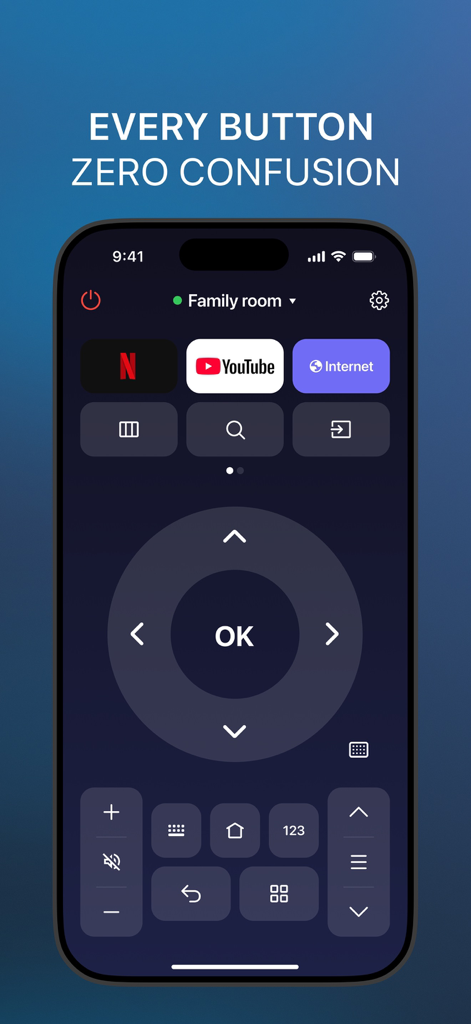
NetflixとYouTubeのショートカットボタン、および大きなナビゲーションパッドを備えたユニバーサルTVリモートコントロールアプリのインターフェースを表示するスマートフォンの画面。
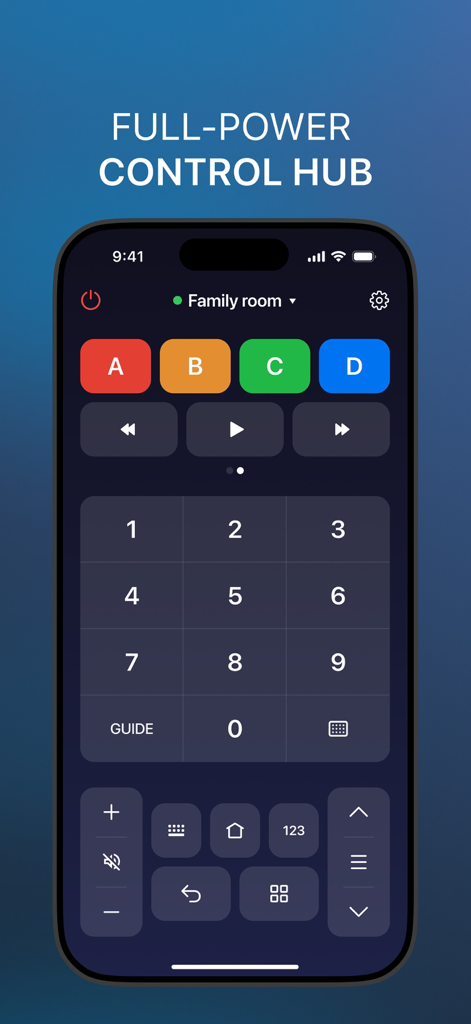
スマートホームコントロールボタンと数字キーパッドを備えたユニバーサルTVリモートアプリのインターフェースをスマートフォンの画面に表示
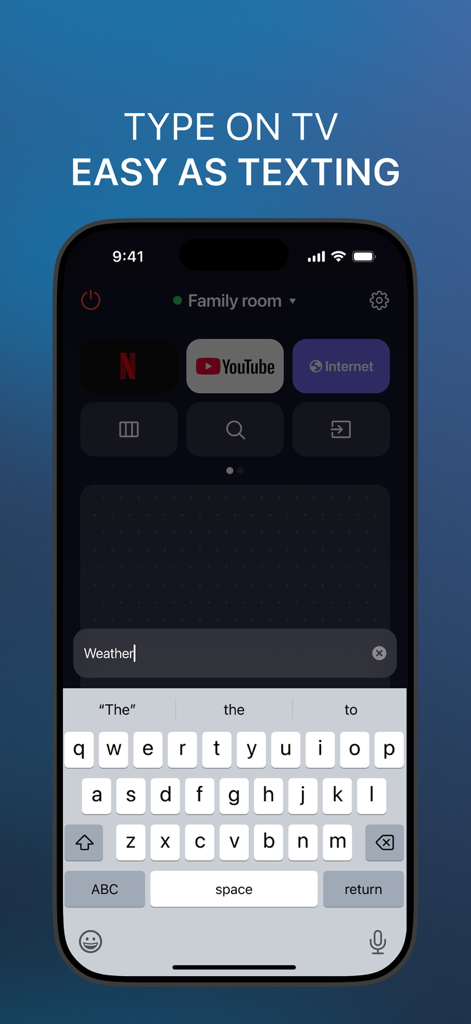
スマートテレビへの入力を可能にするスマートフォンアプリのキーボード
説明
Download
類似アプリ
似た機能とユーザー体験を持つアプリ

The Roku App (Official)
ROKU INC

TV Remote & Smart TV Control
To Ngoc Mai

Universal TV Remote Control .
Apps Venture Inc.

TV Remote, Universal Remote
Hangzhou Yingshitong Technology Co., Ltd.

TV Remote Control “Universo”
Nemo Apps LLC

TV Remote・Universal Control #1
Mihai Turlea

Remote Smart Tv Universal
clement gasner

Remote TV Control TCL Onn App
CEMAL CAGLAR KIRICI

TV Remote Control Universal AI
Anh Ngo
このページはアプリまたはその開発者の公式ページではなく、情報提供および論評を目的として作成された独立した編集出版物です。明示的に別段の記載がない限り、アプリおよびその開発者は、MWM、Apple、Google Play、アプリのパブリッシャー、またはアプリの開発者と提携、承認、後援、認可、またはその他の公式的な関係はなく、このページのいかなる内容も、アプリがMWMのサービスを使用して開発されたことを意味するものではありません。すべての商標、ロゴ、スクリーンショット、その他のコンテンツはそれぞれの所有者の財産です。