Unzip - Zip RAR 7Z File Viewer

Unzip - Zip RAR 7Z File Viewer

ダウンロード: App Store
ロゴ: Unzip - Zip RAR 7Z File Viewer

Unzip - Zip RAR 7Zファイルビューア:オールインワンモバイルファイルパワーハウス

iOSの制限から解放されましょう。あらゆるアーカイブを展開し、メディアを編集し、OCRを使用し、FaceIDでプライベートデータを保護します。すべて1つのプロフェッショナルなサブスクリプション不要のツールキットで。

開発元

Kunshan Apu Network Technology Co., Ltd.

カテゴリ

Utilities

ダウンロード

822K+

ユーザー評価

4.7/5

評価数

65K+

対応言語

6

ファイルをマスターする

このインターフェースを利用する 822K+ 人のユーザー.

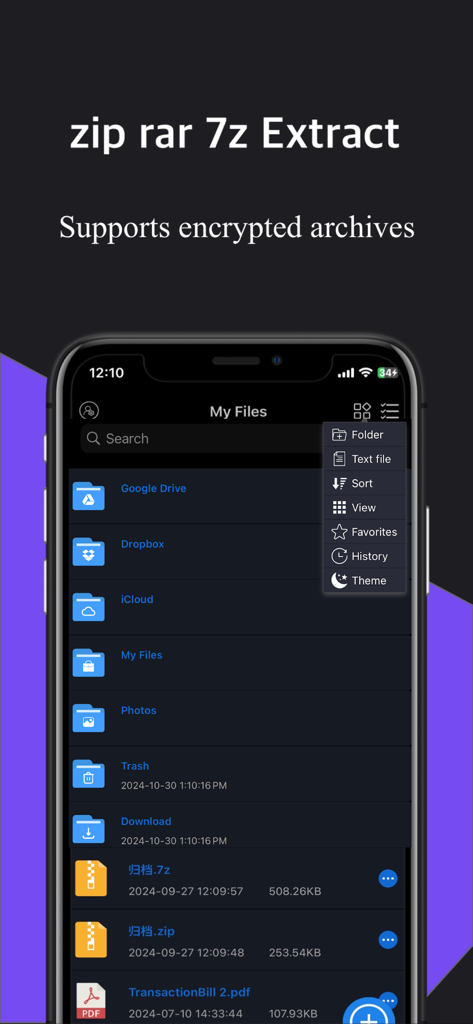
クラウドストレージオプションとローカルファイルフォルダを備えた、zipおよびrarファイルの展開用モバイルアプリインターフェイス
クラウドストレージオプションとローカルファイルフォルダを備えた、zipおよびrarファイルの展開用モバイルアプリインターフェイス

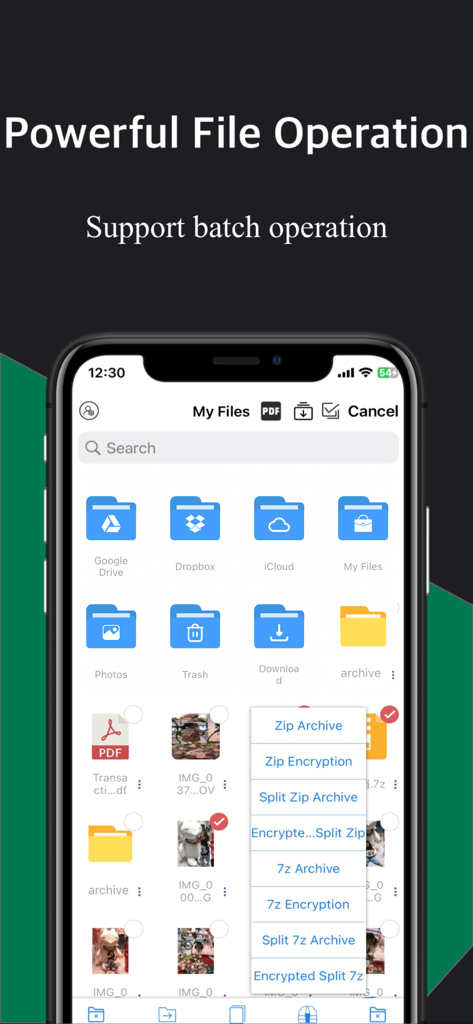
クラウドストレージフォルダとZIPおよび7Zアーカイブの圧縮メニューを備えたファイル管理アプリを示すiPhone画面
クラウドストレージフォルダとZIPおよび7Zアーカイブの圧縮メニューを備えたファイル管理アプリを示すiPhone画面

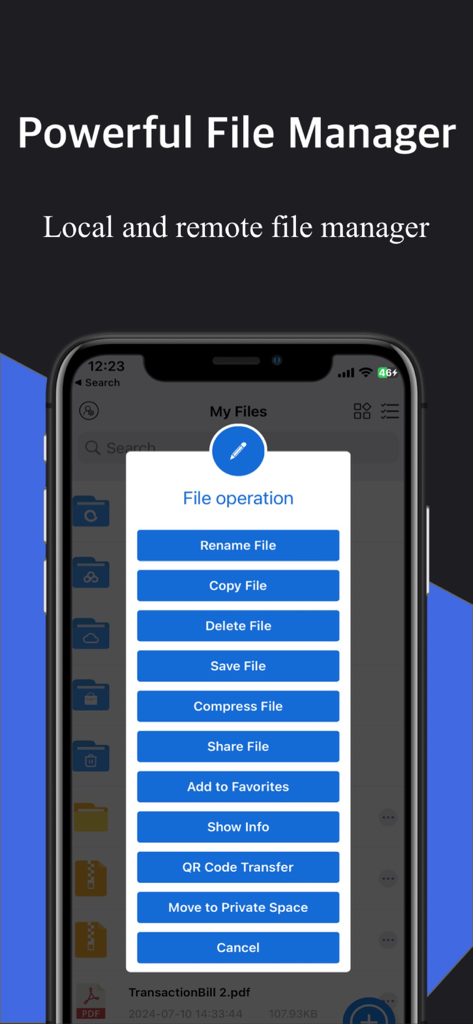
ファイル管理および圧縮オプションを示す、iOS上のUnzipアプリのファイル操作メニュー。
ファイル管理および圧縮オプションを示す、iOS上のUnzipアプリのファイル操作メニュー。

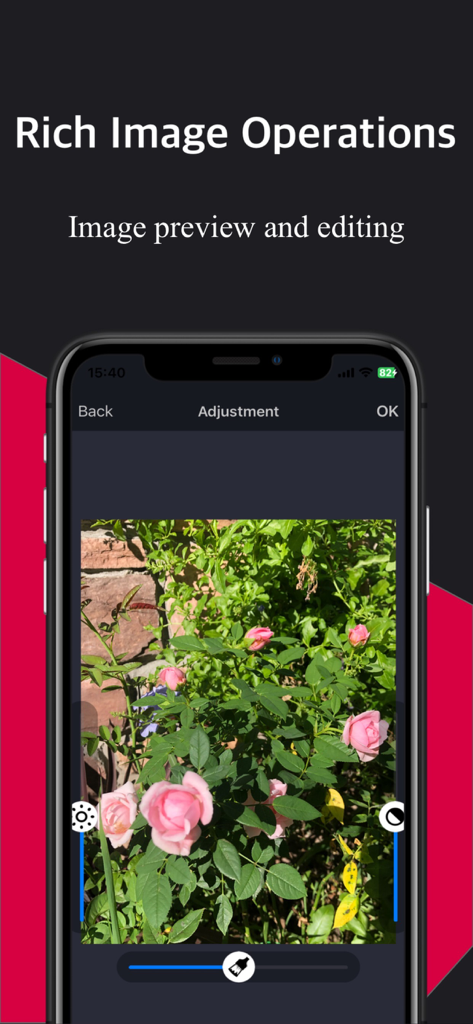
ピンクのバラの写真とともに、画像プレビューと編集ツールを示すUnzipアプリのインターフェイス
ピンクのバラの写真とともに、画像プレビューと編集ツールを示すUnzipアプリのインターフェイス

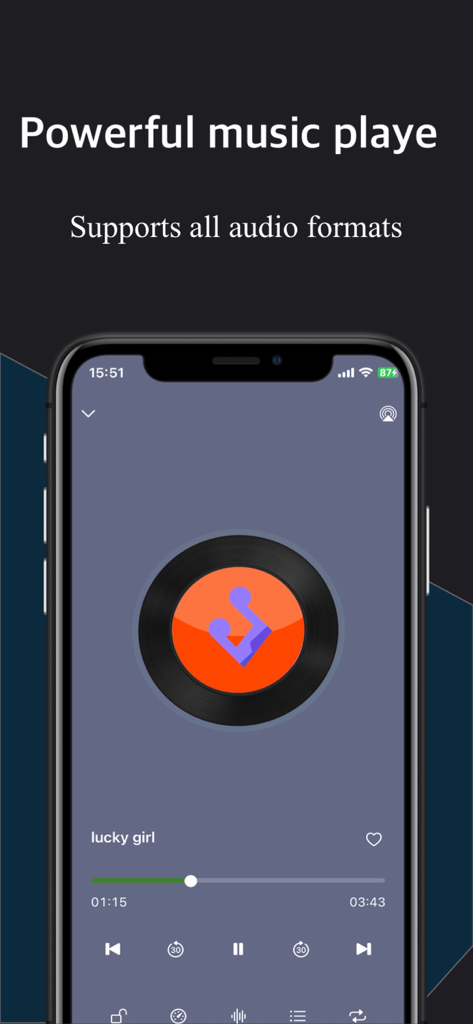
再生コントロールとレコード盤のグラフィックを備えた、音楽プレーヤーインターフェイスを示すモバイルアプリ画面
再生コントロールとレコード盤のグラフィックを備えた、音楽プレーヤーインターフェイスを示すモバイルアプリ画面

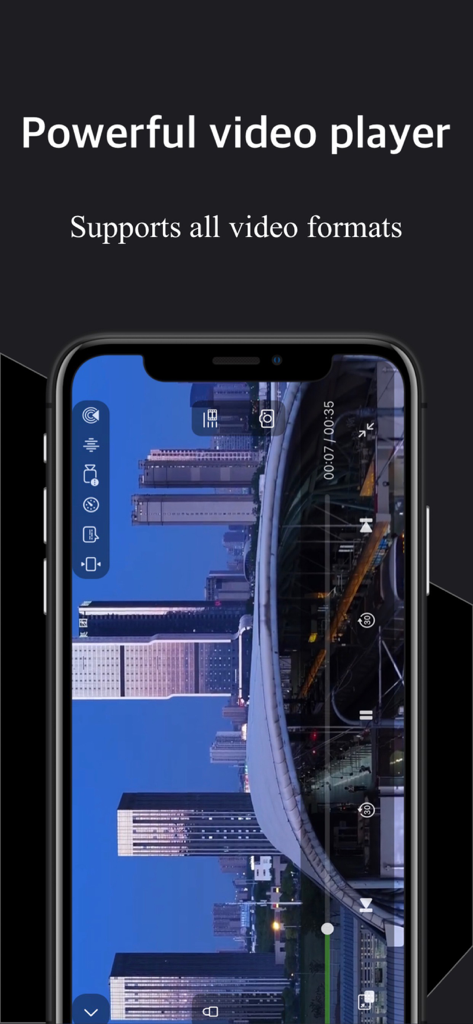
コントロールを備えた風景ビデオを再生する、Unzipアプリの強力なビデオプレーヤーインターフェイス
コントロールを備えた風景ビデオを再生する、Unzipアプリの強力なビデオプレーヤーインターフェイス

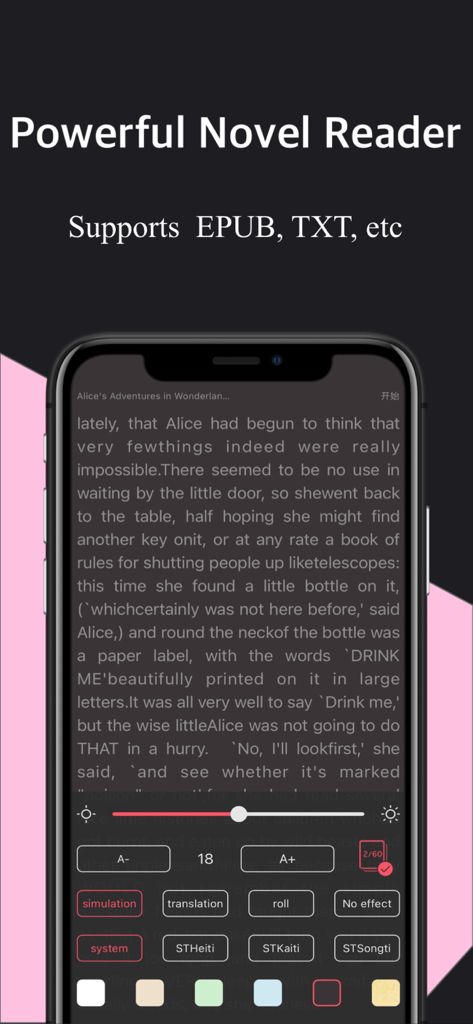
カスタマイズ可能な読書設定を備えたEPUBおよびTXT形式をサポートする、小説リーダーを示すモバイルアプリインターフェイス
カスタマイズ可能な読書設定を備えたEPUBおよびTXT形式をサポートする、小説リーダーを示すモバイルアプリインターフェイス

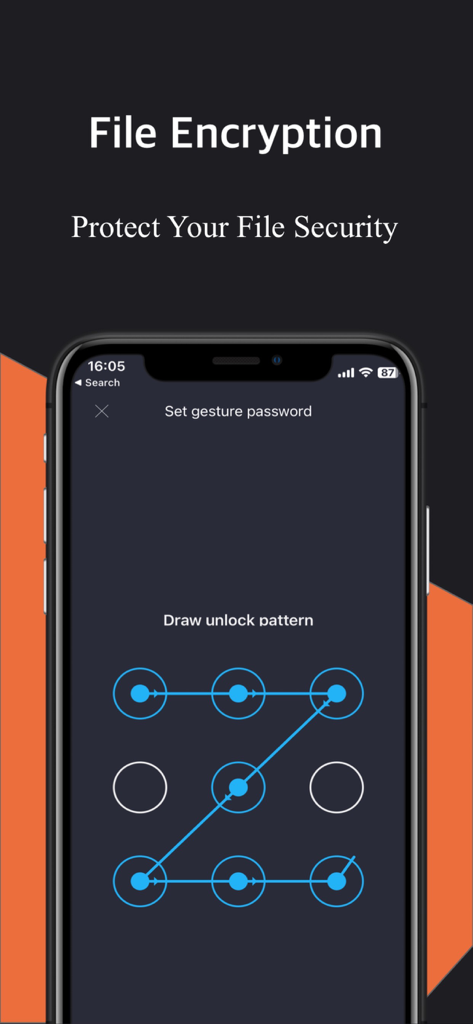
セキュリティのためのジェスチャーロックパターンを示すUnzipアプリのファイル暗号化画面。

セキュリティのためのジェスチャーロックパターンを示すUnzipアプリのファイル暗号化画面。

モバイル生産性を解き放つ

このアプリを際立たせるツール、 822K+ 人のユーザーが選択.

📦

プログレードのアーカイブ管理

ZIP、RAR、7Zファイルを瞬時に展開します。暗号化されたアーカイブと分割ボリュームのサポートにより、外出先でもあらゆる仕事や学校のドキュメントを処理できます。

🛡️

強化されたプライバシーコントロール

FaceID、TouchID、またはアプリ全体のパスワードで機密データを保護します。暗号化されたZIPファイルを作成して、安心して機密情報を共有できます。

🚀

デジタルスイスアーミーナイフ

内蔵メディアプレーヤー、OCR画像からテキストへの変換、目の保護読書モード。サブスクリプションなしで、すべてのコンテンツを管理、表示、編集できる1つのアプリ。

☁️

クラウドストレージ&リモートアクセス

iCloud Drive、Google Drive、Dropbox、OneDrive、SMB、FTP、WebDAVに接続します。すべてのファイルは、お気に入りのクラウドストレージプロバイダーを介して、どこからでもアクセスできます。

🖼️

写真&ビデオ編集

高度な写真編集ツールと、さまざまな形式のビデオの再生機能。あらゆるメディアを1つのアプリで管理、編集、再生できます。

✍️

OCR&ドキュメントスキャン

画像からテキストへの変換(OCR)、PDFへの変換、スマートスキャン機能。ドキュメントをデジタル化し、どこからでもアクセスして編集できます。

アプリについて

について知っておくべきこと Unzip - Zip RAR 7Z File Viewer.

説明

Core Features: ► Professional File Extraction: Supports multiple formats (ZIP, RAR, 7Z, etc.) Supports split archives and encrypted file extraction Supports mixed password input and encrypted compression Encrypted files can be shared ► Robust APP Security: Supports fingerprint and face recognition unlock App password protection ► Professional File Compression: Supports ZIP and 7Z compression and encryption Customizable split size ► Local File Management: List and grid display modes File operations (create, rename, move, delete) Supports browsing various file types and sorting Batch import of photos and videos Multiple import methods (SMB, FTP, iCloud, etc.) Wireless sync and sharing functions ► Text Novel Reading Mode: Eye protection reading mode Configurable fonts and background colors ► Text Editing and Creation: ► Supported File Formats: Text: HTML, TXT, DOC, PDF, etc. Images: JPG, PNG, GIF, etc. Videos: MP4, AVI, MKV, etc. Audio: MP3, WAV, etc. Compressed: ZIP, RAR, 7Z, etc. ► Professional Image Editing: Image filters, cropping, text addition, etc. ► Professional Video Editing: Add filters, text, and clips ► Versatile Video Player: Playback speed control (0.5x~4.0x) Supports multiple formats MP4 clip editing and GIF export ► Powerful OCR Recognition: OCR recognition for imported images Cloud recognition engine with high accuracy ► Document Sorting: Sort by name, date, size, etc. ► Supports Dark Mode: Eye protection ► Supports Novel Reading: Eye protection ► Supports Landscape and Portrait Modes: Different layouts for screen orientation In-App Purchase Options: Lifetime VIP: -Lifetime member: $3.99 (one-time payment, valid forever). Prices may vary during promotions. Please refer to the in-app prices. Payment will be charged to your iTunes Account upon confirmation. Subscription automatically renews unless auto-renew is turned off at least 24-hours before the end of the current period. Account will be charged for renewal within 24-hours prior to the end of the current period. Privacy Policy: https://www.appsbus.cn/privacy.html Terms of Use: https://www.appsbus.cn/user_terms.html Contact Us: scanner_2018@163.com Download to explore more features of Decompression Master. For any questions, please contact us in the app.

最新バージョン

8.20.0

サイズ

306.9 MB

リリース日

2020年1月7日

モバイルワークフローの可能性を最大限に引き出す

80万人以上のパワーユーザーに参加して、外出先でどんなファイルタイプでも管理、保護、読み取りましょう。プロフェッショナルな展開、OCR、プライベートストレージを1回の生涯価値で入手しましょう。

ダウンロード: App Store

App information, icons, screenshots, and descriptions displayed on this page are sourced from the Apple App Store and are the property of their respective developers. Download estimates and rankings are based on MWM's proprietary models and may not reflect actual figures. This page is provided for informational and analytical purposes only.

Believe this page infringes your intellectual property? File a dispute