Verbes - French Verb Trainer
ダウンロード: App Store

このページはアプリまたはその開発者の公式ページではなく、情報提供および論評を目的として作成された独立した編集出版物です。明示的に別段の記載がない限り、アプリおよびその開発者は、MWM、Apple、Google Play、アプリのパブリッシャー、またはアプリの開発者と提携、承認、後援、認可、またはその他の公式的な関係はなく、このページのいかなる内容も、アプリがMWMのサービスを使用して開発されたことを意味するものではありません。すべての商標、ロゴ、スクリーンショット、その他のコンテンツはそれぞれの所有者の財産です。


ロゴ: Verbes - French Verb Trainer
ダウンロード: App Store

Verbes - French Verb Trainer

ゲームは効率的な学習のために。700以上の動詞、複数の時制、高度なテストで練習をカスタマイズしましょう。熱心な学生や学業での成功を目指す人のために設計されています。

主要数値

ダウンロード

4K+

ユーザー評価

3.5/5

評価数

0

開発元

iBall Apps

カテゴリ

Education

対応言語

1

最新バージョン

6.0.5

サイズ

37.7 MB

リリース日

2009年4月20日
機能

すべての動詞、すべての時制をマスター

熱心な学習者のための高精度トレーニングツール。高校の中間試験から生涯にわたる習得まで、フランス語のメカニズムを一切の邪魔なく練習できます。

精密練習

特定の時制、語尾、または不規則パターンで絞り込みます。次の試験や会話に必要なものを正確に練習しましょう。

ハイスピードドリル

迅速なアクティブリコールで瞬時の認識を構築します。ゲーム化された無駄はありません。流暢さのために必要な純粋な反復練習だけです。

以下のスクリーンショットと説明は、アプリの公式ストアリスティングから直接取得されたものであり、アプリ開発者の所有物です。

アプリストア

スクリーンショット
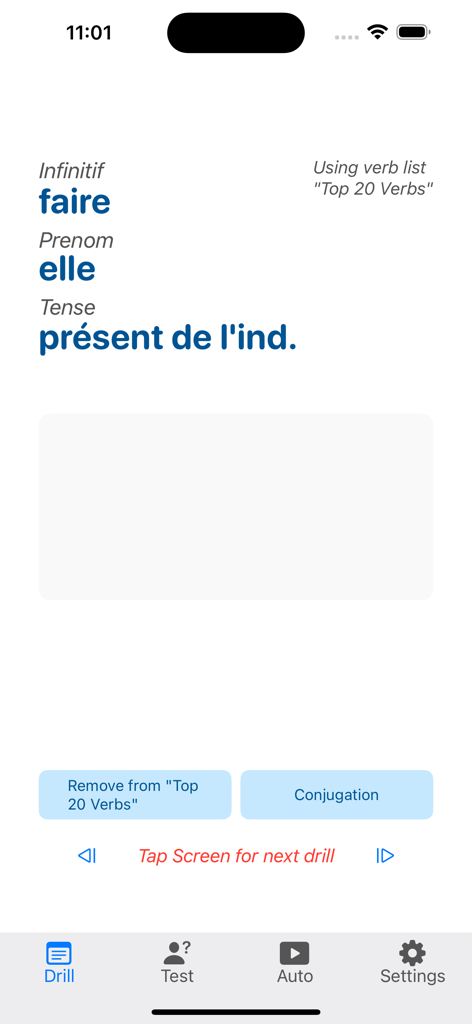
Verbes - French Verb Trainer - Verbesアプリの練習画面。現在時制の動詞faireの活用練習が表示されています。
Verbesアプリの練習画面。現在時制の動詞faireの活用練習が表示されています。

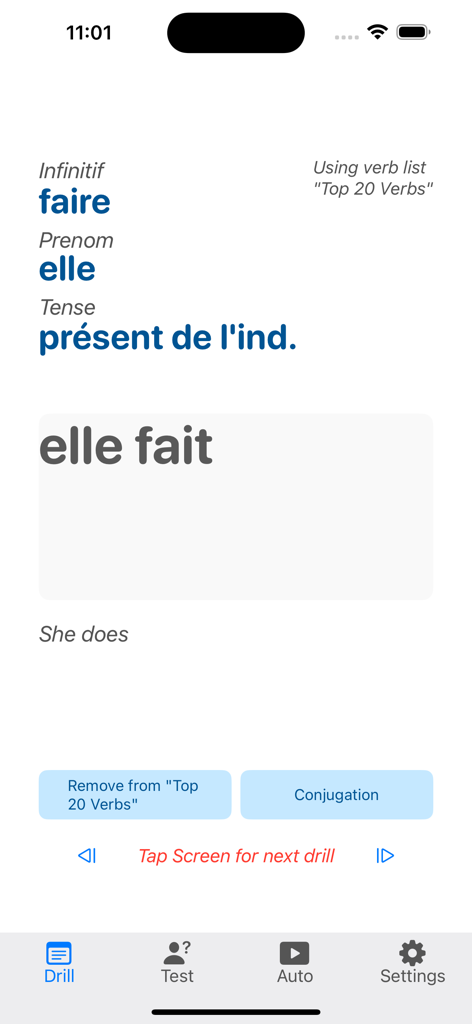
Verbes - French Verb Trainer - 現在時制の動詞faireのフランス語動詞活用練習。答えはelle faitと表示されています。
現在時制の動詞faireのフランス語動詞活用練習。答えはelle faitと表示されています。

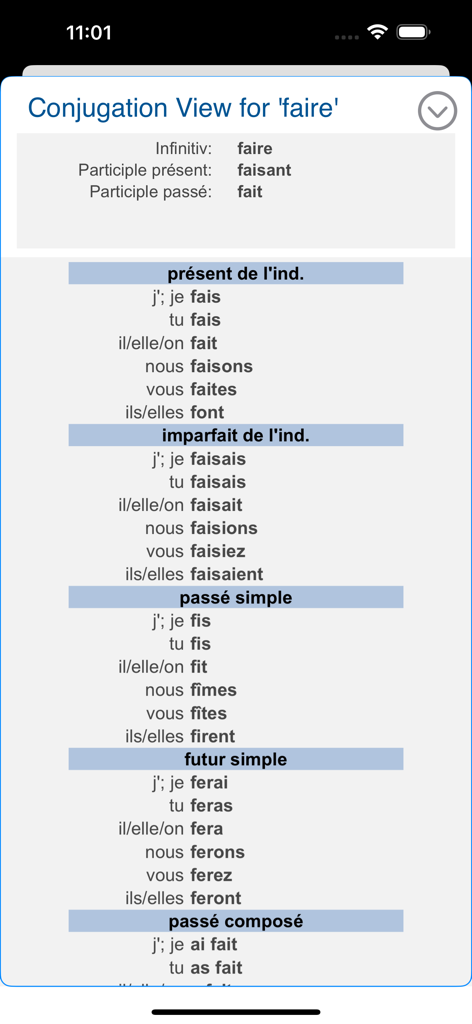
Verbes - French Verb Trainer - 複数の時制における動詞faireの活用リスト

複数の時制における動詞faireの活用リスト

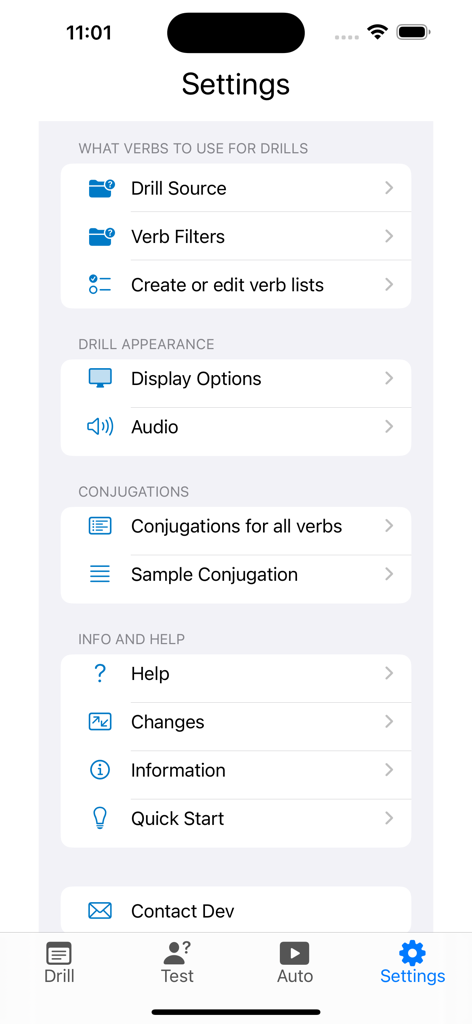
Verbes - French Verb Trainer - Verbes French Verb Trainerアプリの設定メニュー。練習のカスタマイズや活用オプションが表示されています。
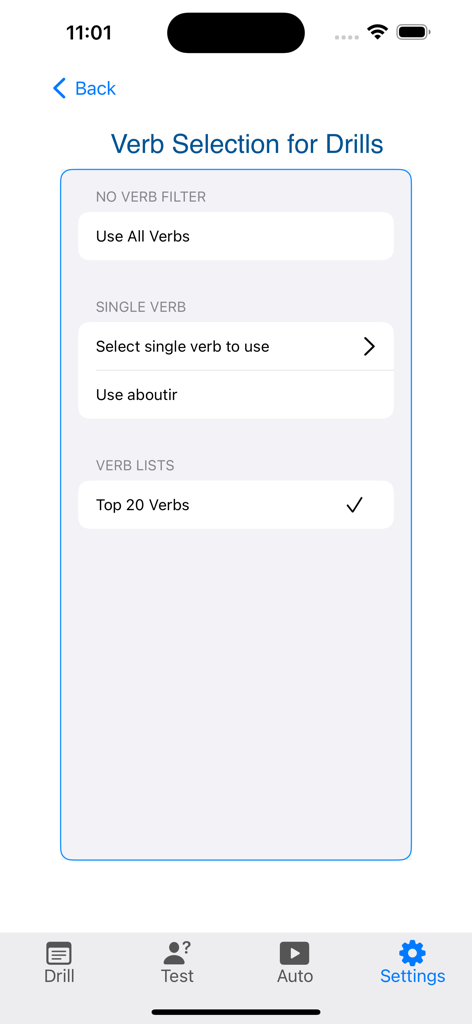
Verbes French Verb Trainerアプリの設定メニュー。練習のカスタマイズや活用オプションが表示されています。

Verbes - French Verb Trainer - Verbesアプリの練習絞り込み設定画面。時制や動詞の種類でフランス語動詞を絞り込むオプションが表示されています。
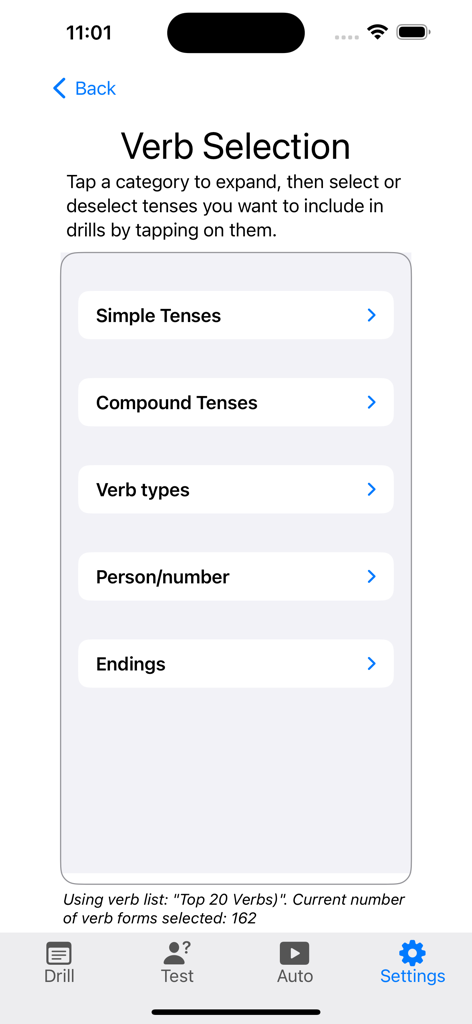
Verbesアプリの練習絞り込み設定画面。時制や動詞の種類でフランス語動詞を絞り込むオプションが表示されています。

Verbes - French Verb Trainer - Verbesアプリの動詞選択画面。時制と動詞の種類のカテゴリが表示されています。
Verbesアプリの動詞選択画面。時制と動詞の種類のカテゴリが表示されています。

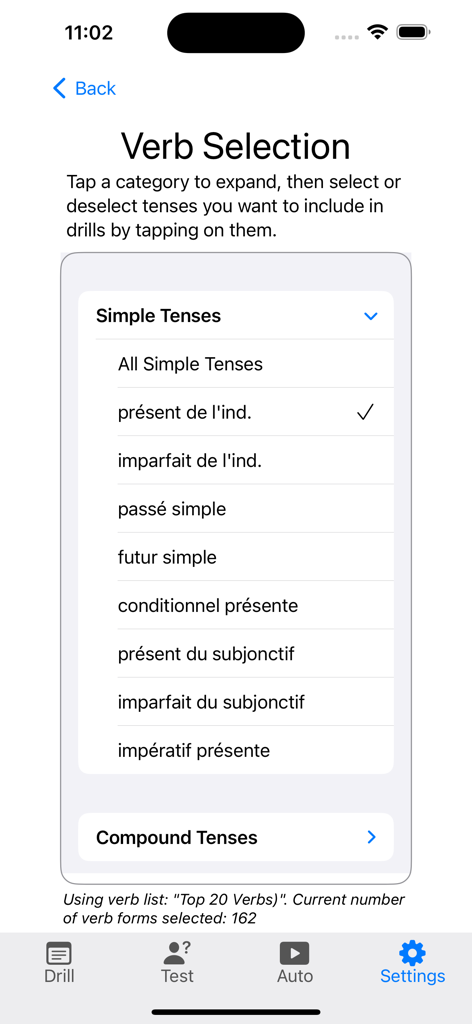
Verbes - French Verb Trainer - Verbesアプリで特定のフランス語動詞時制を選択するためのメニュー。

Verbesアプリで特定のフランス語動詞時制を選択するためのメニュー。

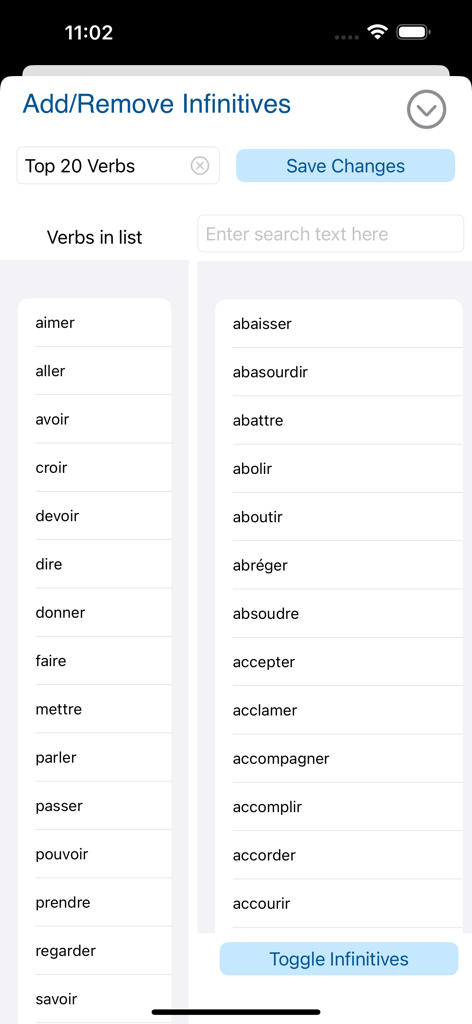
Verbes - French Verb Trainer - Verbesアプリでカスタム学習リスト用のフランス語不定詞動詞を選択・管理するためのインターフェース
Verbesアプリでカスタム学習リスト用のフランス語不定詞動詞を選択・管理するためのインターフェース

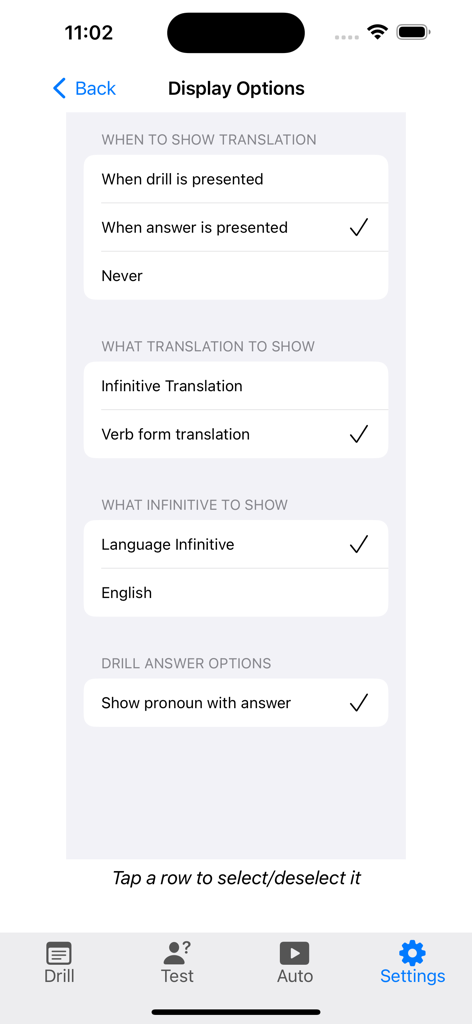
Verbes - French Verb Trainer - French Verb Trainerアプリの表示設定画面。翻訳と練習のカスタマイズ設定が表示されています。
French Verb Trainerアプリの表示設定画面。翻訳と練習のカスタマイズ設定が表示されています。

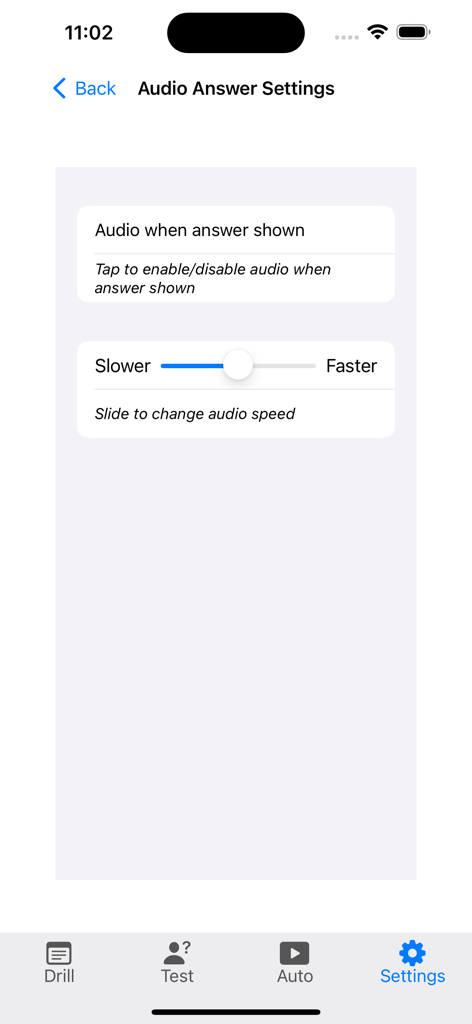
Verbes - French Verb Trainer - French Verb Trainerアプリの音声回答設定画面。音声トグルと速度スライダーが表示されています。

French Verb Trainerアプリの音声回答設定画面。音声トグルと速度スライダーが表示されています。

説明

If you're trying to learn French verb conjugations, Verbes is the app for you! Each French verb has 89 forms; you don't have to learn all of them, but you do have to learn many and you must be able to easily use at least the present tense and a few others. Many students of French find that the way to learn verb conjugations is to drill themselves, over and over and over. Verbes is the tool to do just that. Using Verbes is simple: touch the screen and a new drill appears - an infinitive selected randomly, a tense selected randomly and a person/number ("je", "tu", "il", "elle", etc.) selected randomly. You say - out loud or in your mind - what you think the answer is and touch the screen again. The correct answer appears. If you want, you can also hear the correct answer at the same time. Verbes has full conjugations for over 700 verbs. You can set Verbes to drill you on a subset of the 500+ verbs in the app. How can you choose? - Select one infinitive to drill yourself; - Create a list of verbs to drill (Verbes comes with a "Top 20 Verbs" verb list); - Select what tense or tenses to drill. Want to work on just present tense: select that . Want to work on present and future and preterite? Select those and all drills presented will be only one of those three tenses; - Want to drill on irregular verbs only? Select that. - Want to drill only "-ir" verbs? Select that. - Want to drill only on first person singular verb forms? Select that. - Want to drill on regular "-ir" verbs only, present and preterite tenses only, first person plural only? Select those settings and all drills will be "ar" verbs in present or preterite tense, first person plural. You can customize the drills to a fine level, and then apply those settings to a verb list you've created. You'll drill yourself on exactly what you need to drill yourself on. - You can test yourself. See your improvement! Verbes has three types of tests: timed, number of verbs, and a combination of both. you can selected how long you want the test or how many verbs you want the test to quiz you on. When the test is done, you'll see your score. You can save the test results, and see a history of all saved tests - clear proof that you're learning! You create and save any number of verb lists. This allows you to study a small set of verbs as a unit. When you use a verb list, only the verbs from that list will be used for quizzing. You can see a verb's complete conjugation from the main drill screen. You can see the full conjugation of any verb in the app by selecting that verb in the Settings screen. You can see a sample conjugation, in English, showing how each tense is used. Verbes includes a small Help file. If you'd like to see a more complete "How-To" document, go to www.verbtrainers.com and click on the "How to use your Verbtrainer" link in the left column. You can contact the developer at support@verbtrainers.com. I answer every email I receive, usually within a day of receiving it.

Download

ダウンロード: App Store

このページはアプリまたはその開発者の公式ページではなく、情報提供および論評を目的として作成された独立した編集出版物です。明示的に別段の記載がない限り、アプリおよびその開発者は、MWM、Apple、Google Play、アプリのパブリッシャー、またはアプリの開発者と提携、承認、後援、認可、またはその他の公式的な関係はなく、このページのいかなる内容も、アプリがMWMのサービスを使用して開発されたことを意味するものではありません。すべての商標、ロゴ、スクリーンショット、その他のコンテンツはそれぞれの所有者の財産です。