Verizon One Talk
Verizon One Talk
ダウンロード: App Store

このページはアプリまたはその開発者の公式ページではなく、情報提供および論評を目的として作成された独立した編集出版物です。明示的に別段の記載がない限り、アプリおよびその開発者は、MWM、Apple、Google Play、アプリのパブリッシャー、またはアプリの開発者と提携、承認、後援、認可、またはその他の公式的な関係はなく、このページのいかなる内容も、アプリがMWMのサービスを使用して開発されたことを意味するものではありません。すべての商標、ロゴ、スクリーンショット、その他のコンテンツはそれぞれの所有者の財産です。

ロゴ: Verizon One Talk
ダウンロード: App Store

Verizon One Talk

プロフェッショナルなイメージを確立し、どこにいてもつながりを維持。スマートフォン、デスク電話、コンピューターで、50以上のビジネス機能を使用して音声、ビデオ、メッセージングを管理できます。

主要数値

ダウンロード

376K+

ユーザー評価

4.4/5

評価数

15K+

開発元

Verizon Wireless

カテゴリ

Business

対応言語

1

最新バージョン

11.1.3

サイズ

225.8 MB

リリース日

2016年9月8日
機能

プロフェッショナルなコミュニケーションを、よりシンプルに

スマートフォンをフル機能のビジネスシステムに変革。米国で最も信頼性の高いネットワーク上の1つのプロフェッショナルな番号で、通話、テキスト、ビデオ会議を管理。

1つの番号、2つのアイデンティティ

個人番号を非表示にしてプライバシーを保護。あらゆるモバイルデバイスから、プロフェッショナルIDを使用して通話やビジネス用テキストの送信が可能です。

どこでも使える信頼の通話

見込み客を逃しません。クリアなビジネスグレードの音声品質と、モバイル、デスク、デスクトップアプリでの一斉着信を体験してください。

以下のスクリーンショットと説明は、アプリの公式ストアリスティングから直接取得されたものであり、アプリ開発者の所有物です。

アプリストア

スクリーンショット
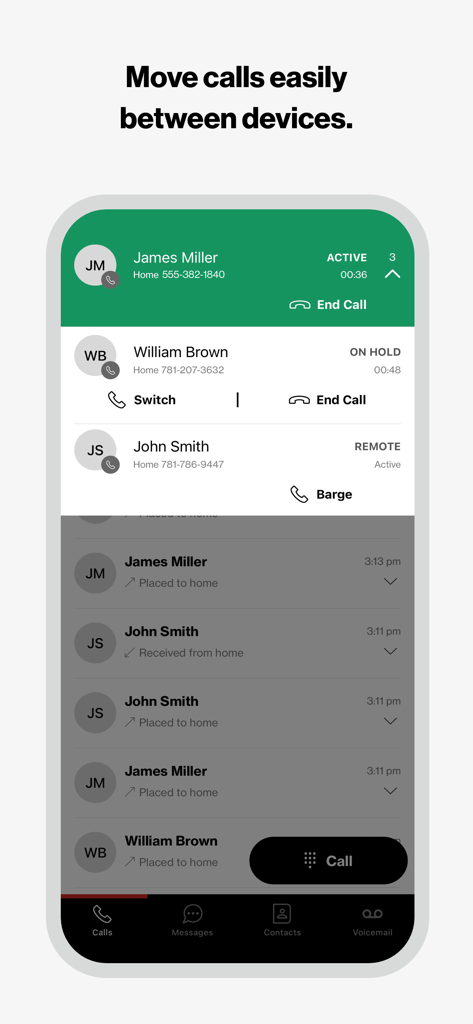
Verizon One Talk - 通話管理機能と、デバイス間での通話移動機能を表示するVerizon One Talkアプリのインターフェース。
通話管理機能と、デバイス間での通話移動機能を表示するVerizon One Talkアプリのインターフェース。

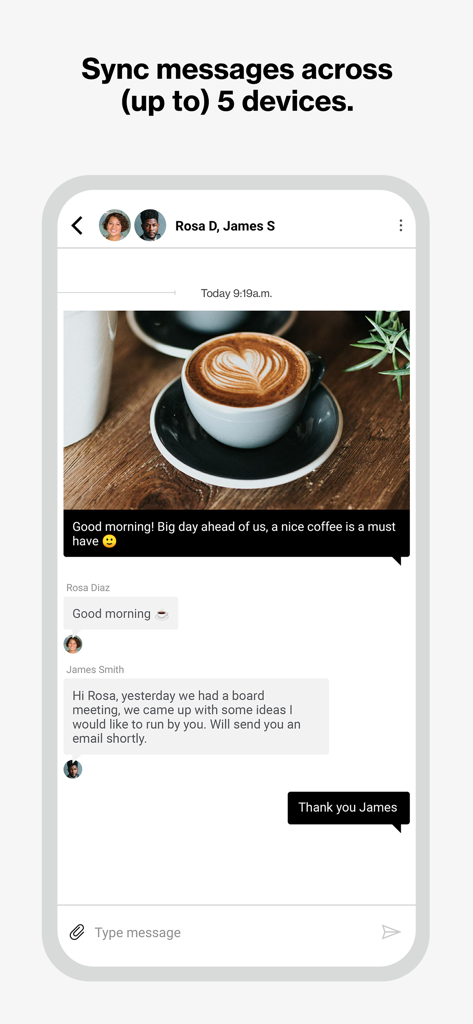
Verizon One Talk - ビジネスチャットの会話と、5台のデバイス間でのメッセージ同期に関する通知を表示するVerizon One Talkモバイルアプリのインターフェース。
ビジネスチャットの会話と、5台のデバイス間でのメッセージ同期に関する通知を表示するVerizon One Talkモバイルアプリのインターフェース。

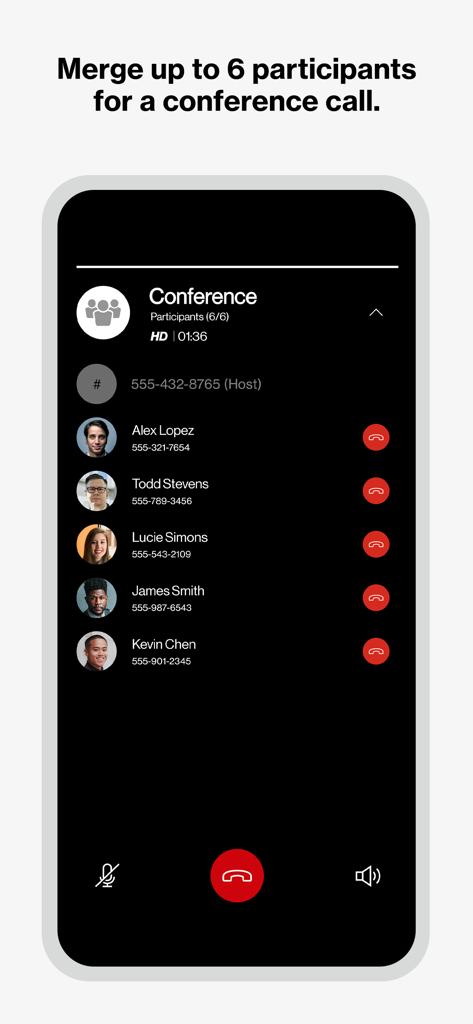
Verizon One Talk - 6人の参加者による電話会議を表示するVerizon One Talkアプリのインターフェース。
6人の参加者による電話会議を表示するVerizon One Talkアプリのインターフェース。

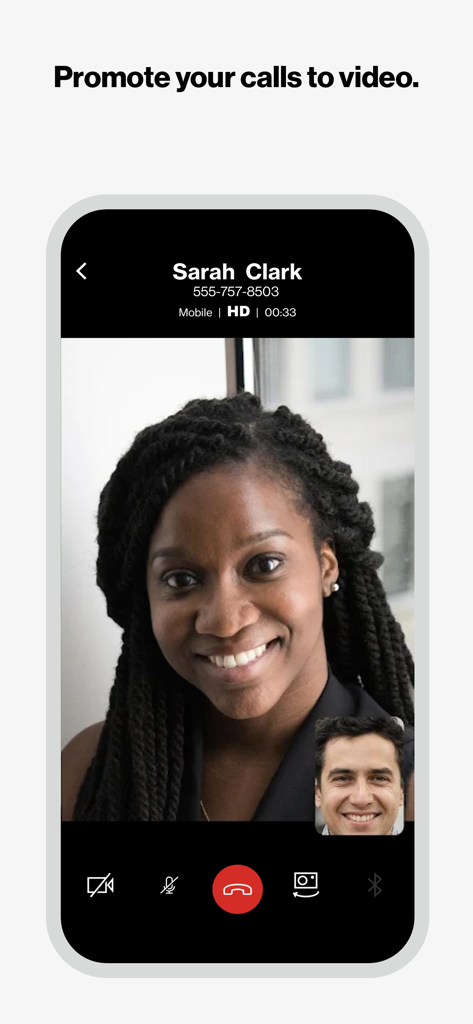
Verizon One Talk - スマートフォン画面に表示されたVerizon One Talkアプリによる高画質ビデオ通話の様子。
スマートフォン画面に表示されたVerizon One Talkアプリによる高画質ビデオ通話の様子。

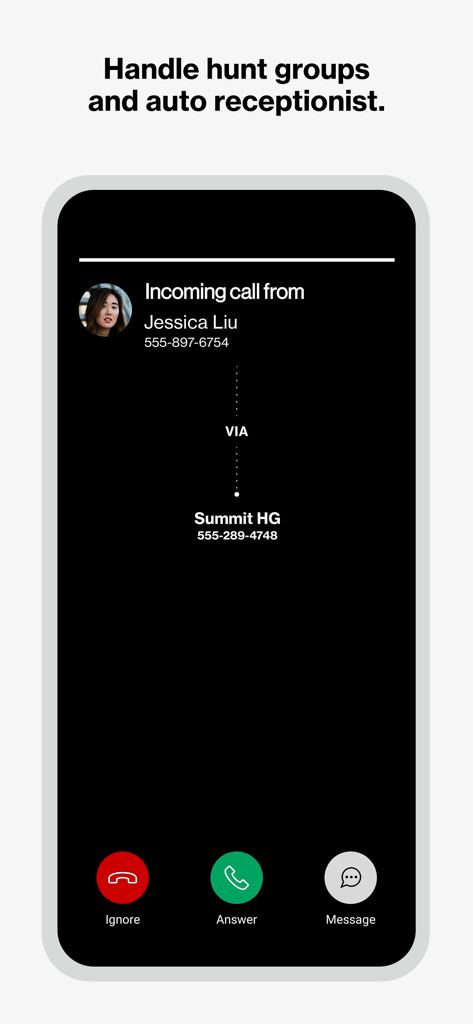
Verizon One Talk - ビジネスハントグループ経由の着信を表示するVerizon One Talkアプリのインターフェース。
ビジネスハントグループ経由の着信を表示するVerizon One Talkアプリのインターフェース。

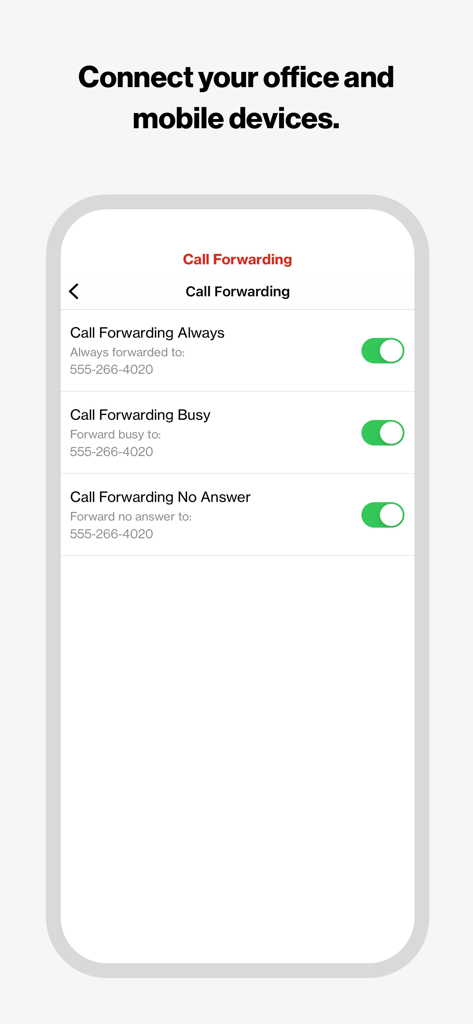
Verizon One Talk - Verizon One Talkモバイルアプリの通話転送設定メニュー。

Verizon One Talkモバイルアプリの通話転送設定メニュー。

説明

Verizon One Talk: Voice, video and messaging business solution Your business is constantly evolving, so you need a phone and collaboration solution that can keep up. We have you covered for how you work today and in the future. One Talk is a mobile-first business phone solution built for how you work today, allowing you to connect with customers, employees and others in the office or on-the-go. Easily manage 50+ business and user features from the Verizon One Talk web portal or mobile app. One Talk includes multiple user device & app options: * Smartphone Native Dialer. Connect mobile employees to the office and customers from their smartphone native keypad— all over the reliable and award-winning Verizon network.
 * Desk, conference, and cordless phones. Enhance calling and collaboration with a range of Voice over Internet Protocol (VoIP) phones, including the nation’s first 4G cellular enabled desk phone, and accessories for your office-based employees.
 * Mobile App for smartphones and tablets. Enable employees using business-owned or personal smartphones and tablets (including other carrier devices) to access One Talk features from a single number.
 * Desktop App for computers. Easily make and receive voice/ video calls and SMS/text messages on your computer (PC or Mac®), similar to using your smartphone.
 One Talk has 50+ powerful features to enhance communications, providing: * Anywhere calling. Provide flexibility and a better calling experience with business-grade features like Caller ID and Simultaneous Ring.
 * Easy collaboration. Boost your employees’ ability to collaborate more effectively with messaging (chat, SMS and IM) and video conferencing from BlueJeans by Verizon on a single unified app.
 * Engaging customer experience. Connect callers to the people they need with features like Auto Receptionist, Hunt Groups and more.
 Get started: 1. Subscribe to the Verizon One Talk service 2. Install the One Talk app.  Enter your One Talk phone number.  Request PIN  3. An email will be sent to the email associated with your number with an activation PIN.  Enter your PIN and complete setup 4. Start using the One Talk App for calling, video and messaging.   One Talk Terms and Conditions Apply. See OneTalk.com for more information.

Download

ダウンロード: App Store

このページはアプリまたはその開発者の公式ページではなく、情報提供および論評を目的として作成された独立した編集出版物です。明示的に別段の記載がない限り、アプリおよびその開発者は、MWM、Apple、Google Play、アプリのパブリッシャー、またはアプリの開発者と提携、承認、後援、認可、またはその他の公式的な関係はなく、このページのいかなる内容も、アプリがMWMのサービスを使用して開発されたことを意味するものではありません。すべての商標、ロゴ、スクリーンショット、その他のコンテンツはそれぞれの所有者の財産です。








