Vermeer's Lens: AR Drawing
ダウンロード: App Store

このページはアプリまたはその開発者の公式ページではなく、情報提供および論評を目的として作成された独立した編集出版物です。明示的に別段の記載がない限り、アプリおよびその開発者は、MWM、Apple、Google Play、アプリのパブリッシャー、またはアプリの開発者と提携、承認、後援、認可、またはその他の公式的な関係はなく、このページのいかなる内容も、アプリがMWMのサービスを使用して開発されたことを意味するものではありません。すべての商標、ロゴ、スクリーンショット、その他のコンテンツはそれぞれの所有者の財産です。

ロゴ: Vermeer's Lens: AR Drawing
ダウンロード: App Store

Vermeer's Lens: AR Drawing

補助線のイライラを解消し、スケッチの楽しさに直結。写真を紙に投影して完璧な比率でトレースし、本物のようなトーンを再現して、自宅でプロのような仕上がりを実現しましょう。

主要数値

ダウンロード

93K+

ユーザー評価

2.6/5

評価数

0

開発元

zhiyang law

カテゴリ

Graphics & Design

対応言語

1

最新バージョン

1.3

サイズ

14.3 MB

リリース日

2016年3月9日
機能

ARでリアルな描画をマスター

比率に悩むのはもうおしまい。誇りに思えるアートを作り始めましょう。Vermeer’s Lensは、スマホを物理的な紙のスケッチ用の強力なライトボックスプロジェクターに変えます。

精密なAR投影

あらゆる写真を紙に重ねて、ARKitのない古いデバイスでも完璧な比率で簡単にトレースできます。

ダイナミックなパースペクティブ

どんな角度からでも描けます。スマートなアルゴリズムが画像を変換し、スケッチブックの位置や傾きに完璧に合わせます。

以下のスクリーンショットと説明は、アプリの公式ストアリスティングから直接取得されたものであり、アプリ開発者の所有物です。

アプリストア

スクリーンショット
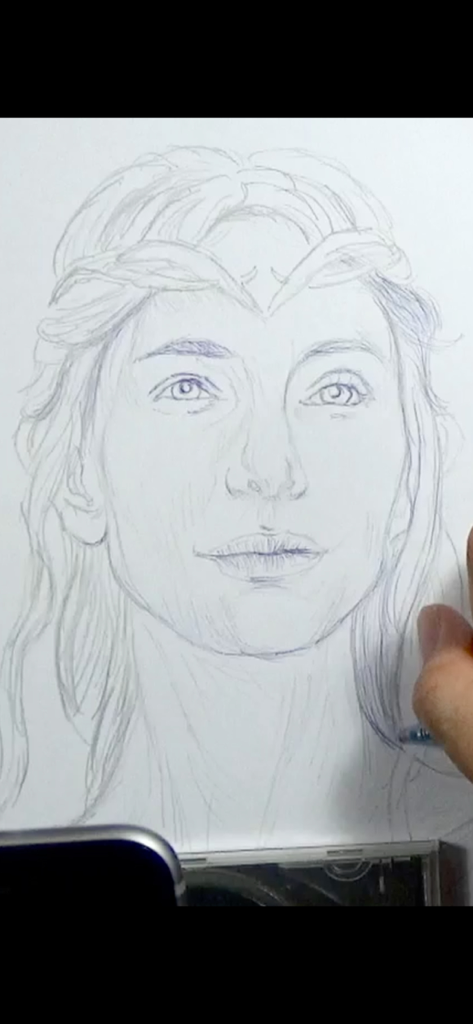
Vermeer's Lens: AR Drawing - Vermeer's Lens AR描画アプリを使用して、紙にリアルな似顔絵を描いている手。
Vermeer's Lens AR描画アプリを使用して、紙にリアルな似顔絵を描いている手。

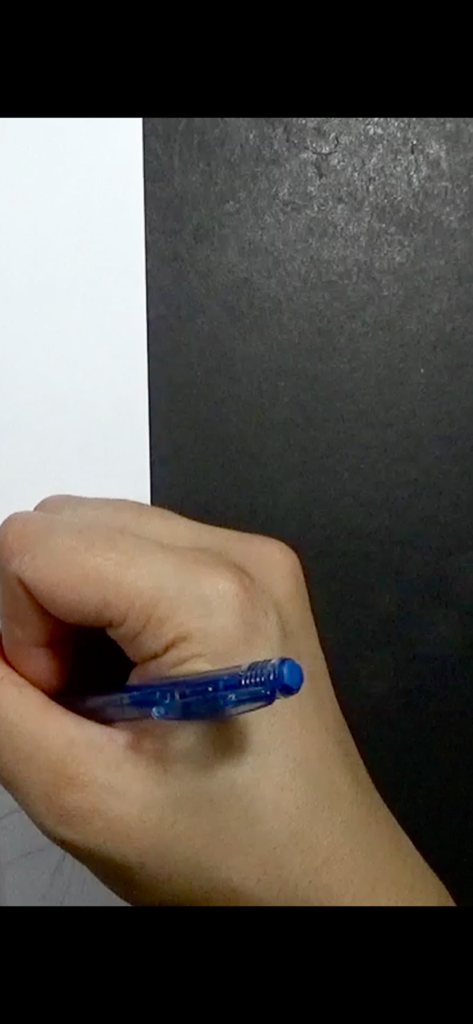
Vermeer's Lens: AR Drawing - 白い紙に青いペンを持って描いている手のアップ。

白い紙に青いペンを持って描いている手のアップ。

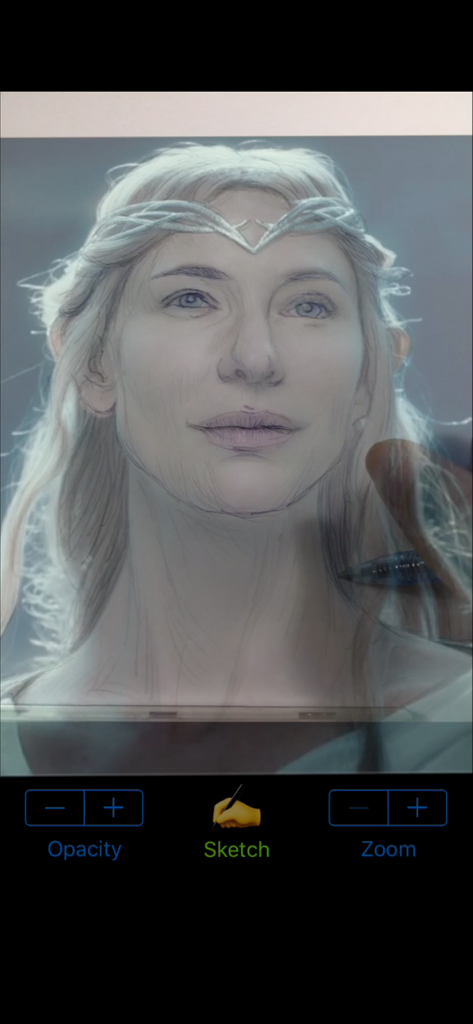
Vermeer's Lens: AR Drawing - Vermeer's Lens AR描画アプリのオーバーレイを使用して、紙にガラドリエルの肖像画をスケッチしているユーザー。
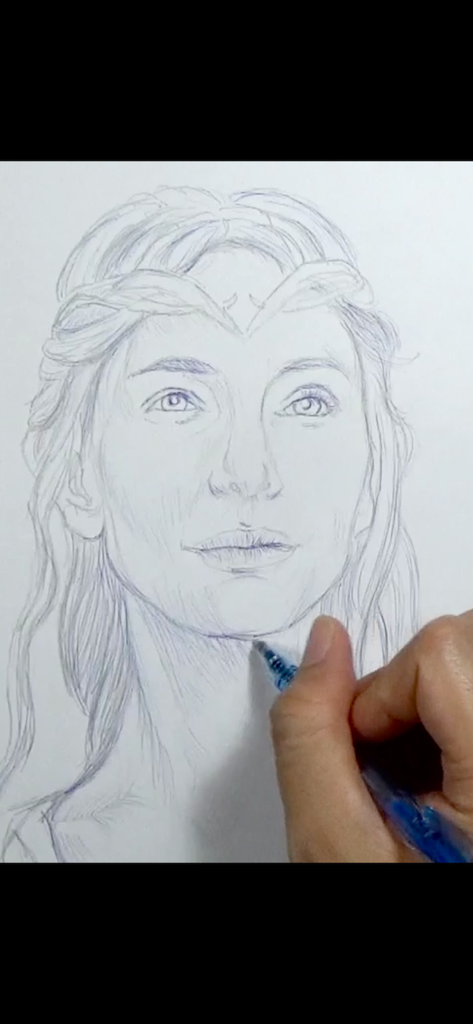
Vermeer's Lens AR描画アプリのオーバーレイを使用して、紙にガラドリエルの肖像画をスケッチしているユーザー。

Vermeer's Lens: AR Drawing - Vermeer's Lensアプリを使用して、紙に詳細な似顔絵を描いている手。
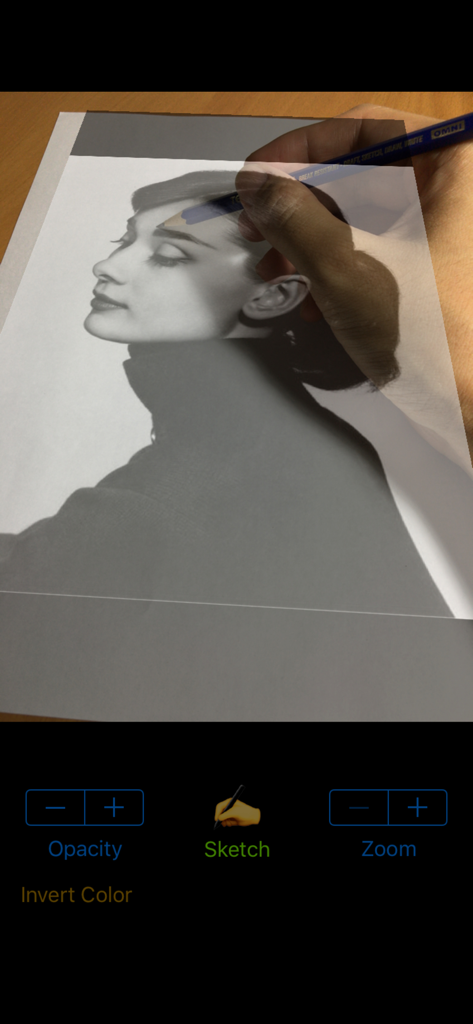
Vermeer's Lensアプリを使用して、紙に詳細な似顔絵を描いている手。

Vermeer's Lens: AR Drawing - Vermeer's Lens ARアプリを使用して、鉛筆で物理的な紙にポートレート写真をトレースしている人物。
Vermeer's Lens ARアプリを使用して、鉛筆で物理的な紙にポートレート写真をトレースしている人物。

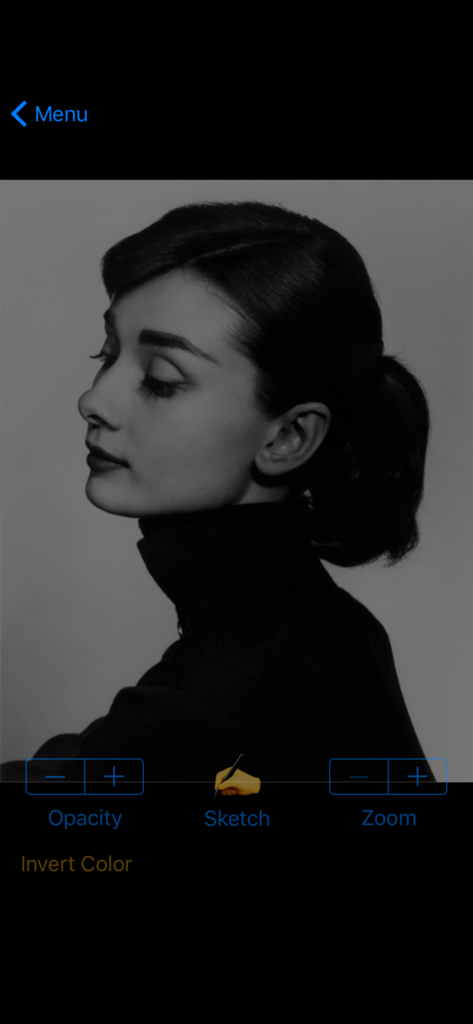
Vermeer's Lens: AR Drawing - スケッチと不透明度のコントロールを備えた白黒のポートレートを表示するVermeer's Lensアプリのインターフェース。
スケッチと不透明度のコントロールを備えた白黒のポートレートを表示するVermeer's Lensアプリのインターフェース。

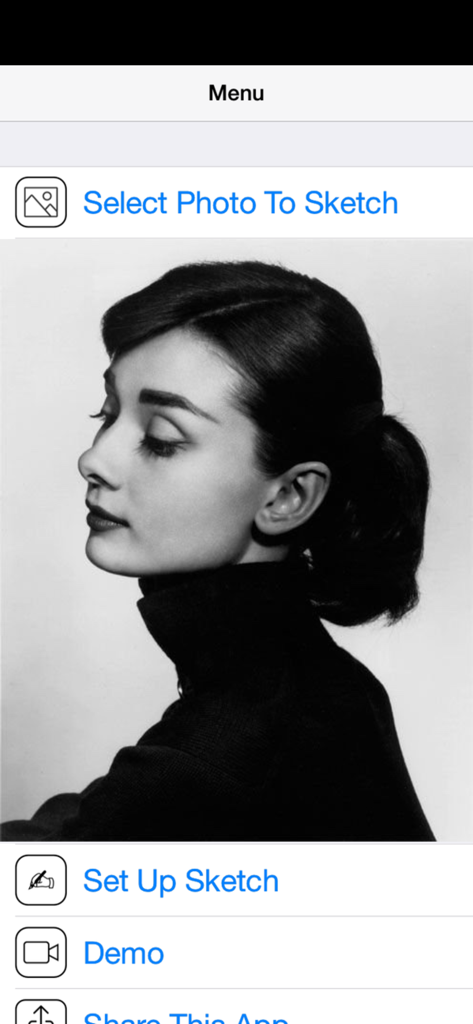
Vermeer's Lens: AR Drawing - 白黒のポートレートとスケッチする写真を選択するオプションを表示する、Vermeer's Lens AR描画アプリのメインメニュー。

白黒のポートレートとスケッチする写真を選択するオプションを表示する、Vermeer's Lens AR描画アプリのメインメニュー。

説明

* A quick sketch of Galadriel (played by Cate Blanchett) from "The Lord Of The Rings" film series; done using Vermeer's Lens, a 2B pencil and blue ballpoint pen on an A4 printer paper. ◉ Vermeer's Lens is no ordinary drawing app. It is a drawing app that helps you make real sketches on paper. ◉ Vermeer's Lens is an augmented reality drawing app that works like an AR projector. It projects any photo you've selected from your photo library on any paper or sketch books you prefer drawing on. ◉ Vermeer's Lens allows you to trace out the images you want to draw before shading. But it is more than a tracing tool, as it also allows you to capture areas of different tones and highlights - achieving a more lifelike picture.  ◉ Vermeer's Lens is a great tool for portrait drawing. ◉ Vermeer's Lens can also be used in short drawing/sketching practices for beginners. ◉ Vermeer's Lens enables even beginners to make stunning drawings. ◉ Through its precise algorithms, what is traditionally difficult, such as portraits, can now be done without the need of construction lines. ◉ This app works on most phones without using Apple's ARKit which can only run on newer high performance chips. It's a simple effective tool for a simple hobby. *** See "Developer's website" below for a video demo *** A Youtube channel (see "Developer's website") is set up to provide you with examples of Vermeer's Lens in action. Content will be regularly uploaded so long as there are people interested in this app. *** This app works on most phones without using Apple's ARKit which can only run on newer high performance chips. It is simple, reliable and stable. ________________________________________________________ How it works : > a photo is chosen from your photo library and “projected” over the paper to draw on. > This projection is achieved by imaging the paper on the phone screen, and overlaying the translucent photo onto it. > With the phone held in a phone-holder, you can use its screen as a lens, through which you trace out the photo onto the paper. > Phone can be tilted and rotated to the angle most comfortable to you, while Vermeer’s Lens transforms the photo to match the perspective of the paper. > Not just the outlines, even the different subtle tones and contours of a face could be captured, to get that 3-D effect. > Opacity of the overlaying photo could be adjusted to allow close comparison between your drawing and the photo. > The overlaying photo responds to on-screen gesture: you could move, scale and rotate the photo during sketching. > A zoom option allows you to zoom in on your drawing for delicate pencil work. in addition : > A Vermeer’s Lens channel is also created on youtube to provide our users with additional "instructions & tutorials"on the use of this app to create art (videos updated regularly). This is linked directly to the app via the “Demo” button. > You can email us for support/feedback directly via the “Contact Us” button on the main menu of the app. Or leave a message (go to the “about” tab) on our youtube channel (see “Developer’s website” below). For more info and demo: > See “Developer’s website” below

Download

ダウンロード: App Store

このページはアプリまたはその開発者の公式ページではなく、情報提供および論評を目的として作成された独立した編集出版物です。明示的に別段の記載がない限り、アプリおよびその開発者は、MWM、Apple、Google Play、アプリのパブリッシャー、またはアプリの開発者と提携、承認、後援、認可、またはその他の公式的な関係はなく、このページのいかなる内容も、アプリがMWMのサービスを使用して開発されたことを意味するものではありません。すべての商標、ロゴ、スクリーンショット、その他のコンテンツはそれぞれの所有者の財産です。