Video Converter, Compressor

Video Converter, Compressor

ダウンロード: App Store
ロゴ: Video Converter, Compressor

動画変換・圧縮:プロ仕様のフォーマット変換とロスレス圧縮

デジタルクリエイターやストレージ節約のための究極ツール。DiscordやSlackのファイルサイズ制限を即座に回避し、高画質オーディオを抽出し、25以上のプロプリセットで4Kメディアを変換。すべてデバイス上でプライベートに処理されます。

ダウンロード: App Store

開発元

Remux Tech Private Limited

カテゴリ

Utilities

ダウンロード

10K+

ユーザー評価

4.9/5

評価数

0

対応言語

1

一目でわかる効率性

このインターフェースを利用する 10K+ 人のユーザー.

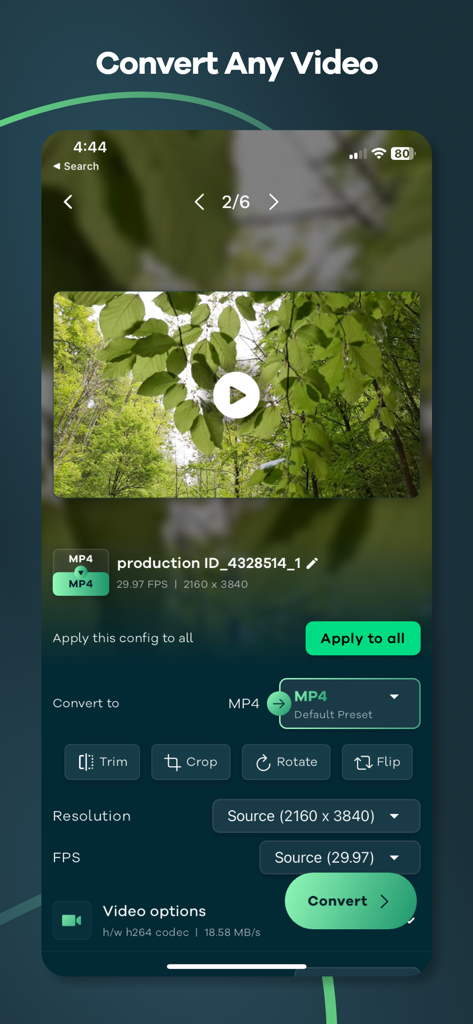
iPhone上のMP4変換オプションと解像度設定を表示する動画コンバーターアプリのインターフェイス
iPhone上のMP4変換オプションと解像度設定を表示する動画コンバーターアプリのインターフェイス

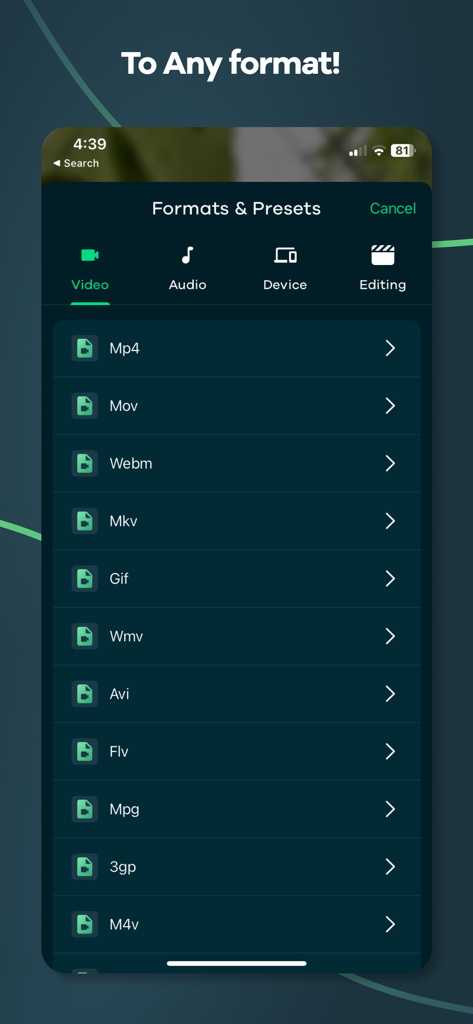
変換用のMp4、Mov、MKVを含む動画フォーマットのリストを表示するモバイルアプリインターフェイス
変換用のMp4、Mov、MKVを含む動画フォーマットのリストを表示するモバイルアプリインターフェイス

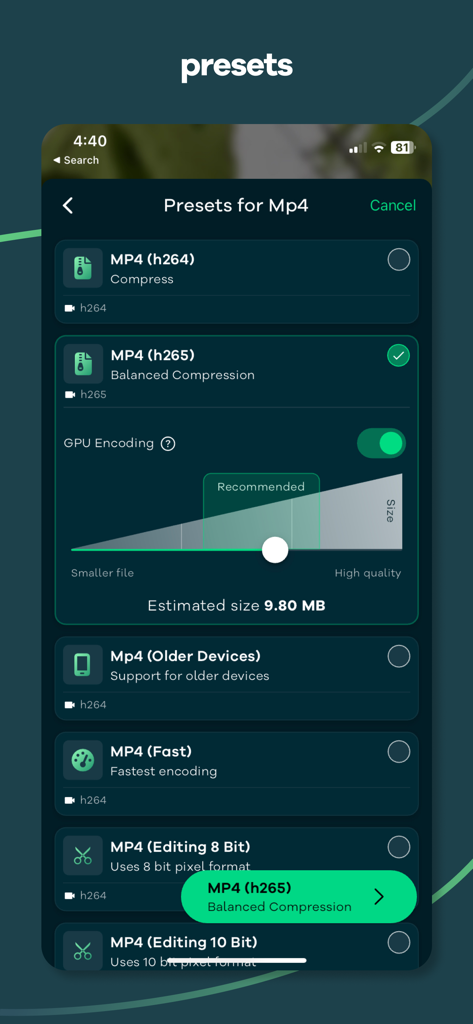
品質とファイルサイズのスライダーが付いた複数のMP4変換プリセットを表示するモバイルアプリインターフェイス
品質とファイルサイズのスライダーが付いた複数のMP4変換プリセットを表示するモバイルアプリインターフェイス

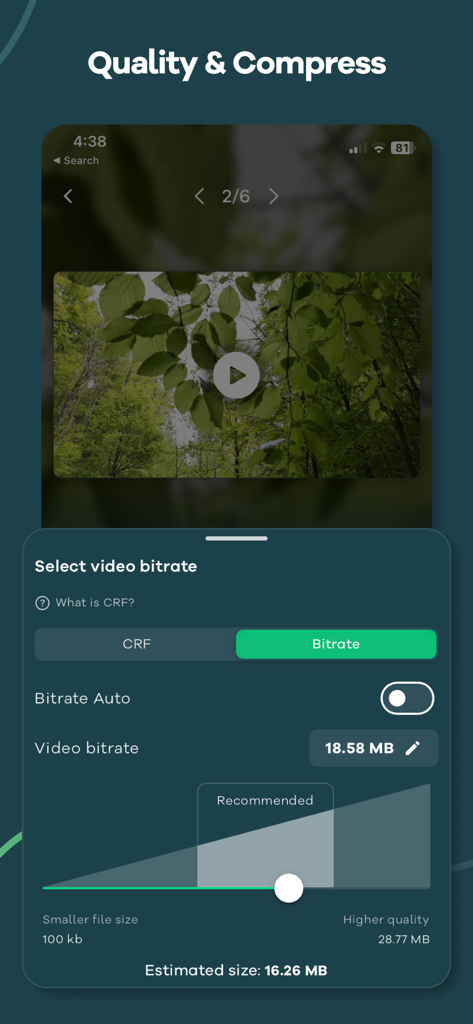
品質と圧縮を制御するための動画ビットレート調整設定
品質と圧縮を制御するための動画ビットレート調整設定

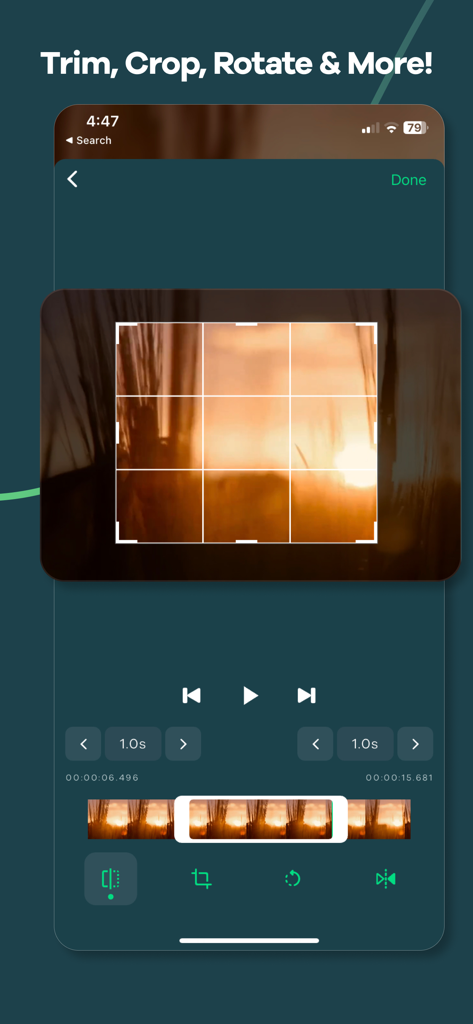
グリッドオーバーレイ付きの動画トリミング、クロッピング、回転用モバイルアプリインターフェイス
グリッドオーバーレイ付きの動画トリミング、クロッピング、回転用モバイルアプリインターフェイス

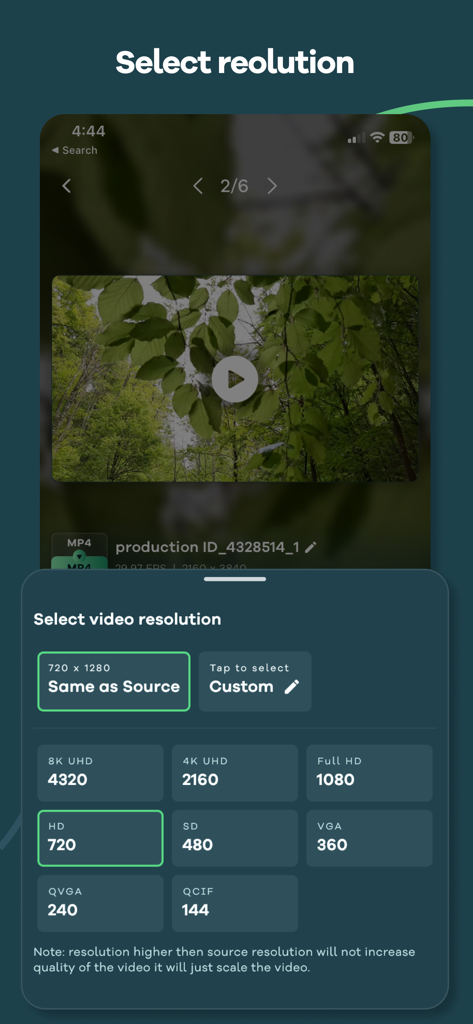
4KやフルHDを含む動画解像度設定を選択するためのインターフェイス
4KやフルHDを含む動画解像度設定を選択するためのインターフェイス

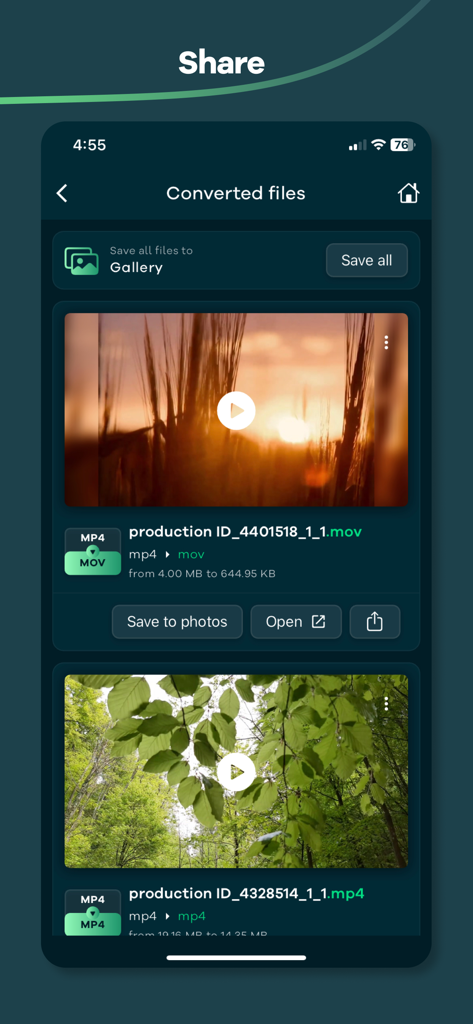
保存または共有できる変換・圧縮済み動画ファイルを表示する共有画面
保存または共有できる変換・圧縮済み動画ファイルを表示する共有画面

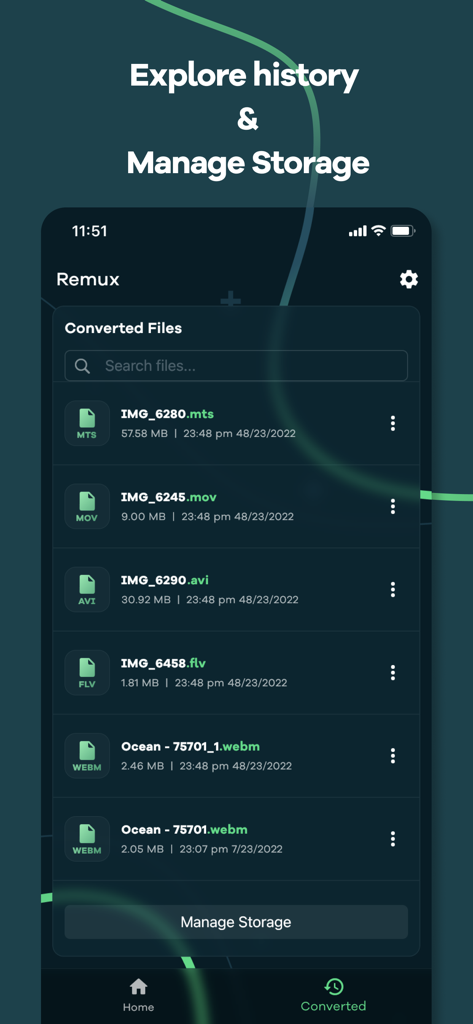
さまざまな動画フォーマットとファイルサイズを示す変換済みファイル履歴およびストレージ管理画面のスクリーンショット

さまざまな動画フォーマットとファイルサイズを示す変換済みファイル履歴およびストレージ管理画面のスクリーンショット

メディアワークフローを最適化

このアプリを際立たせるツール、 10K+ 人のユーザーが選択.

🗜️

スマートロスレス圧縮

プロフェッショナルな視覚的忠実度を維持しながら、Discord、Slack、またはEメール用に巨大な4Kファイルを縮小します。

🔄

ユニバーサルフォーマット変換

あらゆるデバイスやプラットフォームに最適化された25以上のプリセットで、MP4、MOV、HEVC、GIF間で即座に切り替えます。

🎧

バッチオーディオ抽出

複数の動画から高忠実度のMP3またはWAVトラックを同時に抽出して、コンテンツを再利用します。

アプリについて

について知っておくべきこと Video Converter, Compressor.

説明

You can convert video to mp3, mp4, mov, webm, mkv, hevc, WMV, avi, flv, mpg, 3gp, m4v, flash, f4v, ts, mts, ogv, gif Alternatively, you can use it as an audio extractor from video to mp3, m4a, wav, aif, flac. This app supports a wide range of video and audio codecs, including Flash, HEVC, VP9, AV1, MPEG2, MPEG4, H.264, H.265, AAC, and FLAC. This app also includes a powerful video compressor that can compress your videos to reduce file size without any loss in quality. You can import batch videos to convert and compress at the same time. Common Use cases: - Convert Video to MP4, MOV, Flash, WebM, and more - Mp3 converter ( Extract audio from video, video to mp3 converter ) - Video compress (Shrink video size) - Convert Video to Gif - Change Video Resolution or Video frames per second We have also included over 25+ presets (Pre defined settings) so that you don't have to go through complicated export settings. For example: - Preset that prioritize video quality - Optimized for speed and reasonable quality - For video editing purpose that preserve the alpha channel of the video with higher bitrate - Preset that support for older devices This app allows you to tweak all the settings like bitrate, video codec, audio codec, resolution, FPS, pixel format, audio track, Crop, Rotate, Trim, Flip and so much more. How to use: 1. Import video by tapping the Gallery or File button or drag and drop. 2. Select the output format by tapping the "Format" button, After selecting the format app will choose the best quality settings for the selected format. 3. Tap the "Convert" button to start conversion. We are actively working hard on this project and we try to include more and more feature as fast as possible we how you like our app. So what are you waiting for? Give it a try, It's free! This project uses the code of ffmpeg.org and you can download the source code from https://remux.app/source and review the build steps from readme.md. Privacy Policy: https://remux.app/privacy_policy Terms and Conditions: https://remux.app/terms_and_conditions

最新バージョン

1.3.0

サイズ

86.6 MB

リリース日

2022年4月6日

削除するのをやめて、圧縮を始めよう

ファイルサイズを数秒で縮小・変換するプログレードプリセットを使用する10,000人以上のクリエイターに参加しよう。ストレージを節約し、今日から無料でより速く共有しましょう。

ダウンロード: App Store

App information, icons, screenshots, and descriptions displayed on this page are sourced from the Apple App Store and are the property of their respective developers. Download estimates and rankings are based on MWM's proprietary models and may not reflect actual figures. This page is provided for informational and analytical purposes only.

Believe this page infringes your intellectual property? File a dispute