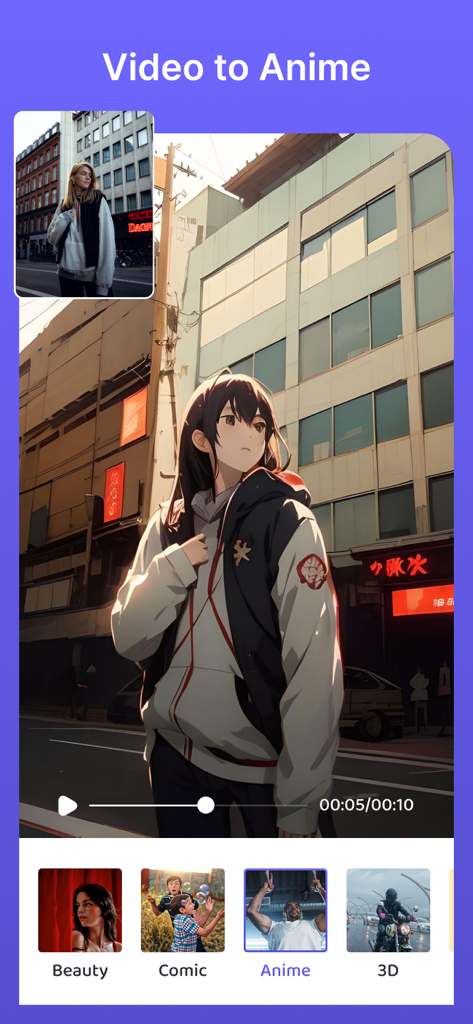
Video to Anime機能のスクリーンショット。実在の人物がアニメキャラクターに変換され、Beauty、Comic、3Dなどの様々なスタイルオプションが表示されている。
説明
Introducing Video Object Remover – Your Ultimate Solution to Effortlessly Erase, Logos, Text, and Enhance Your Videos with the Power of AI!
Unleash Your Video Editing Creativity!
Are you tired of logos, and unwanted text cluttering your videos? Do you strive to make your videos look clean, professional, and even more impressive than before? Look no further than Video Object Remover – the ultimate video editing tool that empowers you to bring your creative vision to life.
Key Features:
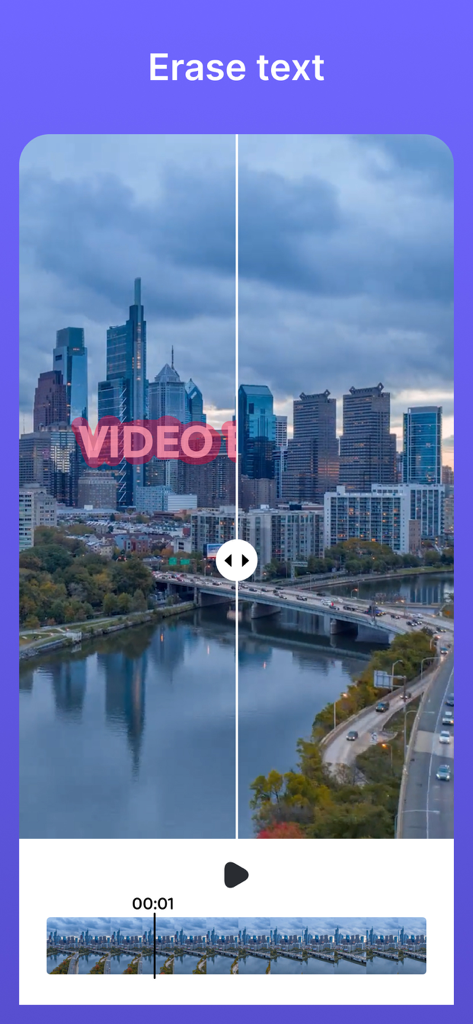
1. Text Remover Extraordinaire: Our app specializes in removing logos, and text from your videos with unmatched precision and ease. Bid farewell to distracting elements and create stunning videos that captivate your audience.
2. AI-Powered Magic: Tap into the extraordinary capabilities of artificial intelligence to effortlessly erase logos, and text from your videos. Our AI remover ensures impeccable results every single time. Let technology work its wonders as you focus on unleashing your creativity.
3. Video Logo Eraser: Easily eliminate logos from your videos, transforming them into sleek, professional masterpieces. Whether you're a business owner, content creator, or simply someone striving for an immaculate video presentation, our tool has you covered.
4. Text Cutter & Eraser: Say goodbye to unwanted text that mars the beauty of your videos. Whether it's subtitles, captions, or any other text overlay, our app serves as your go-to solution for seamless removal, leaving your videos polished and distraction-free.
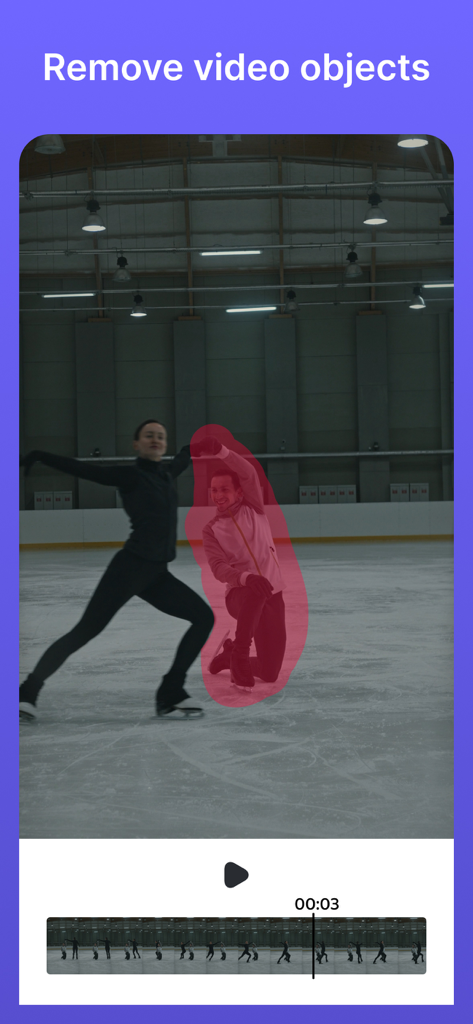
5. Object Vanisher: Remove undesirable objects and elements from your videos effortlessly. Enhance the visual appeal of your content by erasing distracting or unnecessary items, allowing your audience to focus on what truly matters.
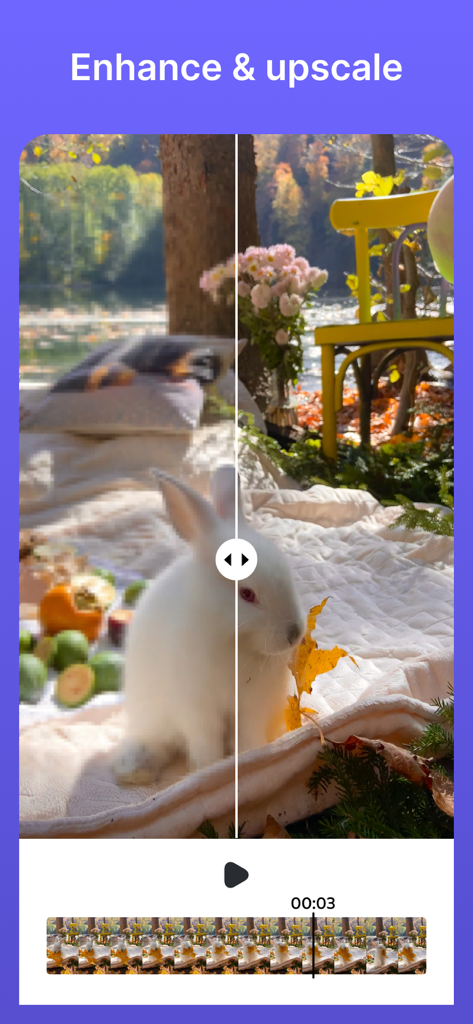
6. Video Enhancement: Elevate the quality of your videos with our enhancement feature. Immerse your viewers in a more vibrant, balanced, and detailed visual experience. Enhance color quality, sharpen details, and take your videos to the next level of professionalism.
7. Upscale Video Resolution: No more compromising on video quality. Transform low-resolution videos into high-definition masterpieces that shine on any screen. Our upscale feature ensures your videos look their absolute best, whether viewed on a mobile device or a large screen.
8. Easy-to-Use Interface: Our user-friendly interface ensures that everyone, regardless of their video editing expertise, can achieve remarkable results. Simply select the area to edit, and let our intuitive app do the rest. Enjoy a seamless editing experience that allows you to focus on your creative vision.
How to Use Video Object Remover:
1. Select Your Video: Open the app and choose the video you want to edit from your device's gallery.
2. Choose Your Editing Option: Select from the available editing options, including logo removal, text erasing, object vanishing, video enhancement, and upscaling.
3. Apply the Edit: Once you've configured the settings, tap the "Process" button to start the process. The app's AI will work its magic to transform your video.
4. Save and Share: After editing is complete, save your enhanced video to your device and share it with your audience, friends, or social media followers.
Unlock your video editing potential with Video Object Remover! Experience the magic of AI-powered logo removal, enhancement, and upscaling, and regain full control over your video content.
Don't let logos, and text detract from the brilliance of your videos. Get Video Object Remover today and embark on a journey of creating captivating, distraction-free content that truly stands out and looks better than ever.
Terms of Use: https://www.apple.com/legal/internet-services/itunes/dev/stdeula/