
このページはアプリまたはその開発者の公式ページではなく、情報提供および論評を目的として作成された独立した編集出版物です。明示的に別段の記載がない限り、アプリおよびその開発者は、MWM、Apple、Google Play、アプリのパブリッシャー、またはアプリの開発者と提携、承認、後援、認可、またはその他の公式的な関係はなく、このページのいかなる内容も、アプリがMWMのサービスを使用して開発されたことを意味するものではありません。すべての商標、ロゴ、スクリーンショット、その他のコンテンツはそれぞれの所有者の財産です。


Video Eraser .
カメラロールをバイラル対応のストーリーに変える最も簡単な方法。音楽を追加し、魅力的なエフェクトを適用し、数回タップするだけでお気に入りの思い出を世界と共有しましょう。
ダウンロード
742K+ユーザー評価
評価数
0開発元
カテゴリ
Photo & Video対応言語
37最新バージョン
7.8.50サイズ
249.0 MBリリース日
2019年1月25日思い出をシネマティックストーリーに
Vidanimateは、編集スキルがなくても、音楽、フィルター、魅力的なエフェクトを使ってお気に入りの写真を高品質の動画に変換できるプロフェッショナルツールを提供します。
ワンタップ プロテンプレート
複雑な編集はスキップ。様々な洗練されたテンプレートから選択して、写真をアニメーション化し、数秒で目を引くコンテンツを作成しましょう。
完璧なサウンドトラック
音楽ライブラリへの無制限アクセスでムードを演出。プロジェクトに最適なトラックを簡単に同期させ、最大限のソーシャルインパクトをもたらしましょう。
よくある質問
について知っておくべきこと Video Eraser .
Vidanimateとは何ですか?
Vidanimateは、写真から個人用ビデオを作成し、音楽、エフェクトを追加し、アプリから直接プロジェクトを共有するためのツールを提供するビデオエディターです。
Vidanimateでビデオに音楽を追加できますか?
はい、Vidanimateではユーザーは自分のビデオに曲を追加できます。VidEspresso Premiumサブスクリプションにより、プロジェクト用の音楽への無制限アクセスが提供されます。
Vidanimateでエフェクトやフィルターを適用できますか?
はい、Vidanimateではユーザーはビデオにさまざまな写真エフェクトやフィルターを適用できます。VidEspresso Premiumサブスクリプションにより、エフェクトへの無制限アクセスが提供されます。
VidanimateのVidEspresso Premiumのサブスクリプションオプションは何ですか?
VidEspresso Premiumでは、週次サブスクリプションが$4.99、月次サブスクリプションが$9.99で提供されます。どちらのオプションにも3日間の無料トライアル期間が含まれます。
VidEspresso Premiumサブスクリプションにはどのような機能が含まれていますか?
VidEspresso Premiumサブスクリプションにより、音楽、ステッカー、エフェクトへの無制限アクセスが可能になります。また、無制限の数のビデオを保存することもできます。
VidEspresso Premiumサブスクリプションを管理するにはどうすればよいですか?
ユーザーは、購入後にiTunesアカウント設定を通じてVidEspresso Premiumサブスクリプションと自動更新設定を管理します。自動更新は、現在の期間の終了前に24時間以内にオフにする必要があります。
Vidanimateでプロジェクトを保存して編集できますか?
はい、Vidanimateではユーザーはビデオプロジェクトを保存し、作成後にいつでも編集できます。
Vidanimateはスライドショー作成を提供していますか?
はい、Vidanimateはスライドショーメーカーとして機能し、ユーザーはカメラロールから写真をインポートして整理することで、ビデオスライドショーを作成できます。
Vidanimateはビデオにトランジションを適用できますか?
はい、Vidanimateではユーザーはビデオセグメント間にさまざまなトランジションを追加して、シームレスで完成度の高いビデオプロジェクトを作成できます。
Vidanimateはスローモーションエフェクトをサポートしていますか?
はい、Vidanimateはスローモーションエフェクトをサポートしており、ユーザーは特定のビデオセグメントの速度を正確に調整できます。
以下のスクリーンショットと説明は、アプリの公式ストアリスティングから直接取得されたものであり、アプリ開発者の所有物です。
アプリストア
スクリーンショット
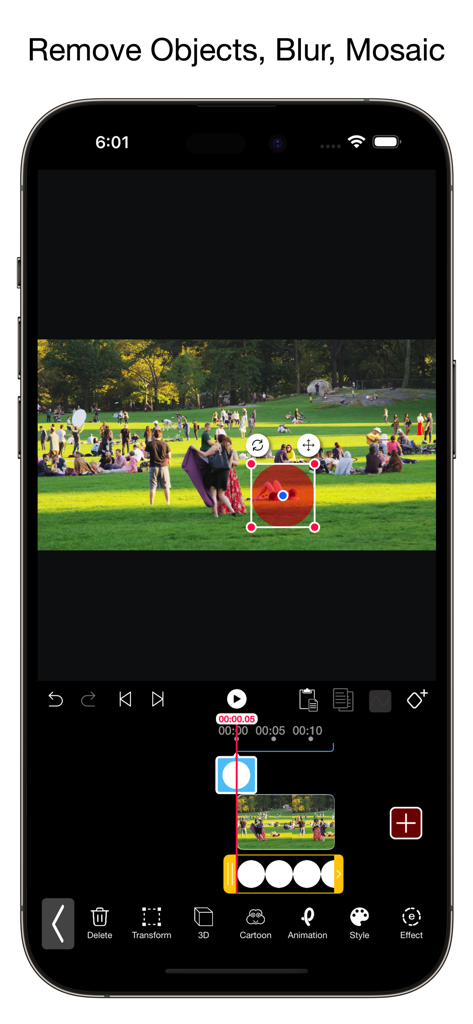
Video Eraserアプリのモバイルインターフェース。選択ツールを使用して動画からオブジェクトを削除しています。
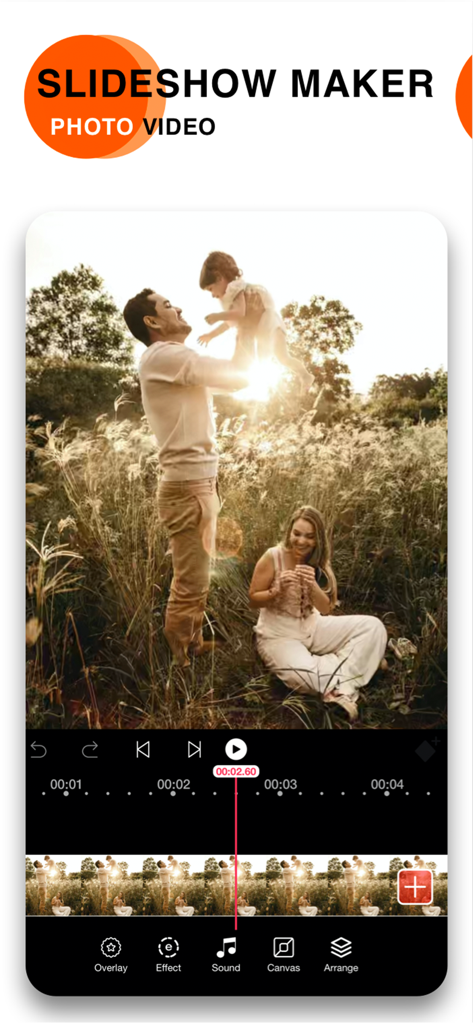
Vidanimateのモバイルアプリインターフェース。サウンドとエフェクトのツールで編集中の家族スライドショーを表示しています。
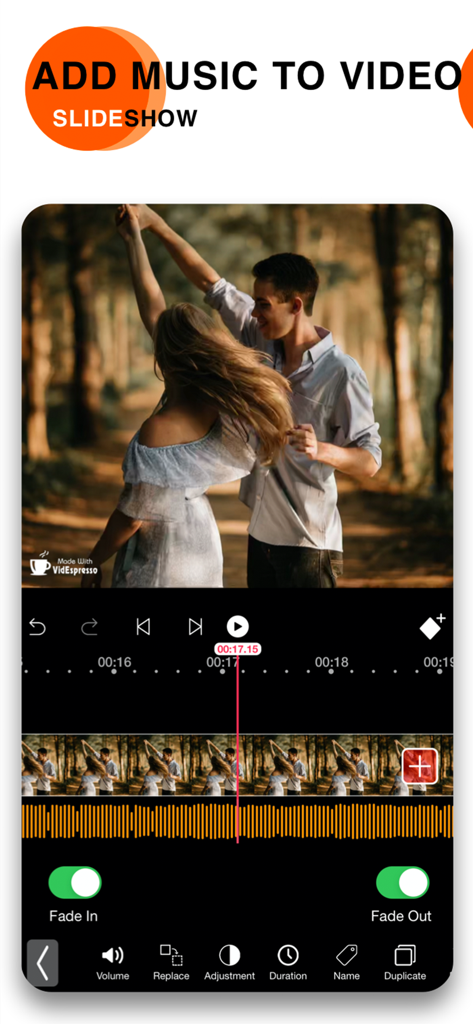
動画スライドショーに音楽とオーディオフェードを追加する方法を示すモバイルアプリインターフェース。
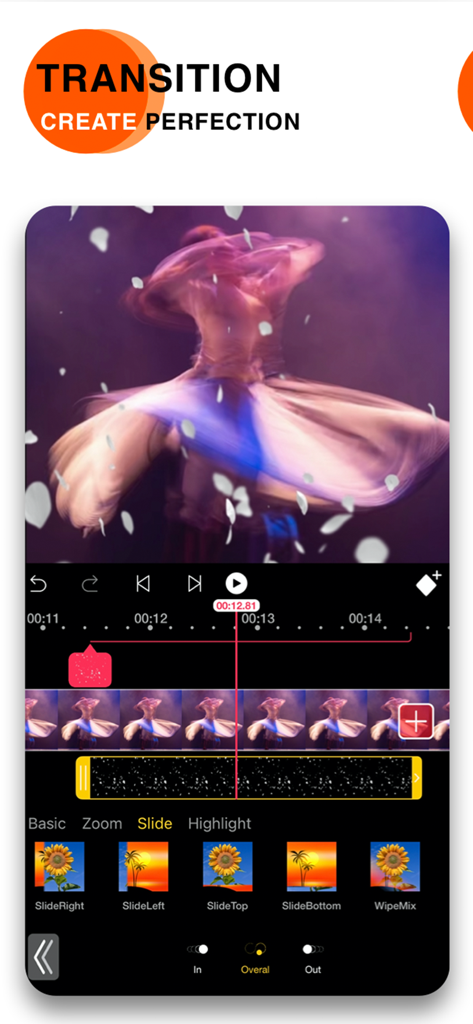
クリエイティブな動画編集のためのスライドおよびズームトランジションエフェクトを示すモバイルビデオエディターインターフェース。
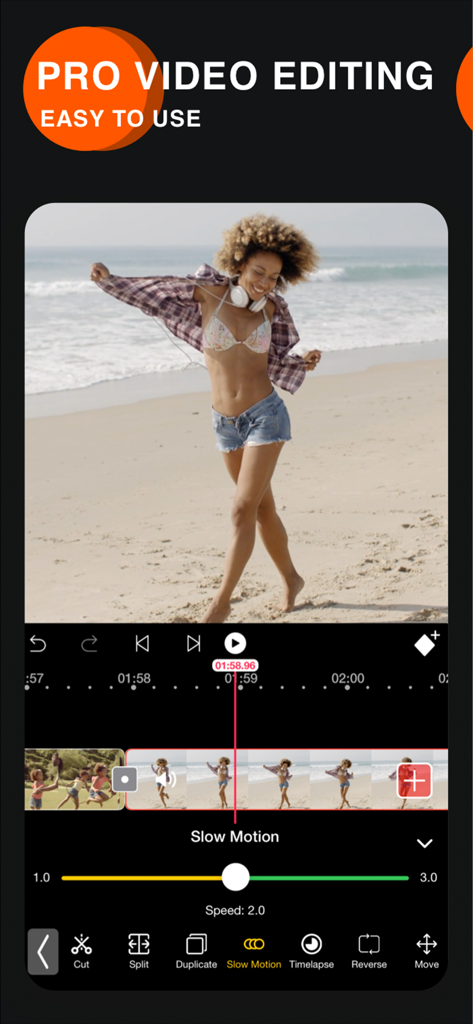
スピード調整スライダー付きのスローモーション動画編集ツールを示すVideo Eraserアプリのインターフェース。
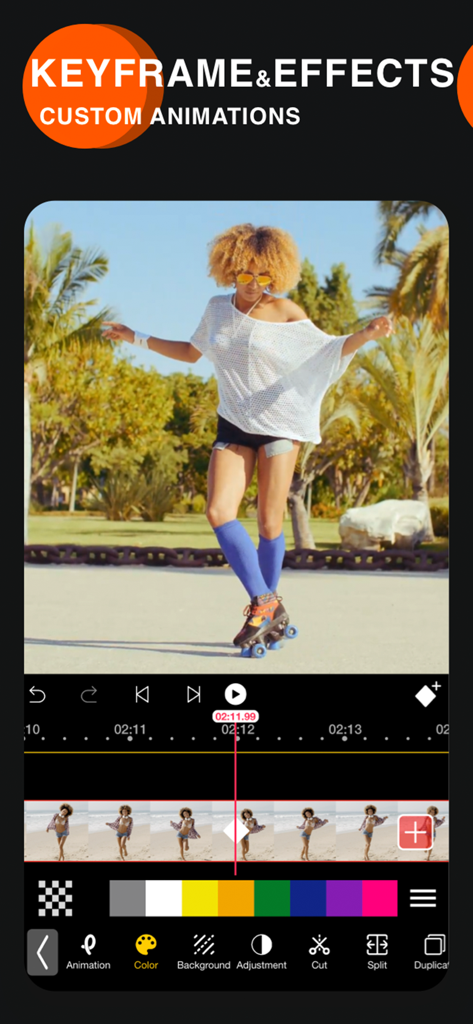
カスタムアニメーションのためのキーフレームとエフェクトを示すVideo Eraserアプリのインターフェース。
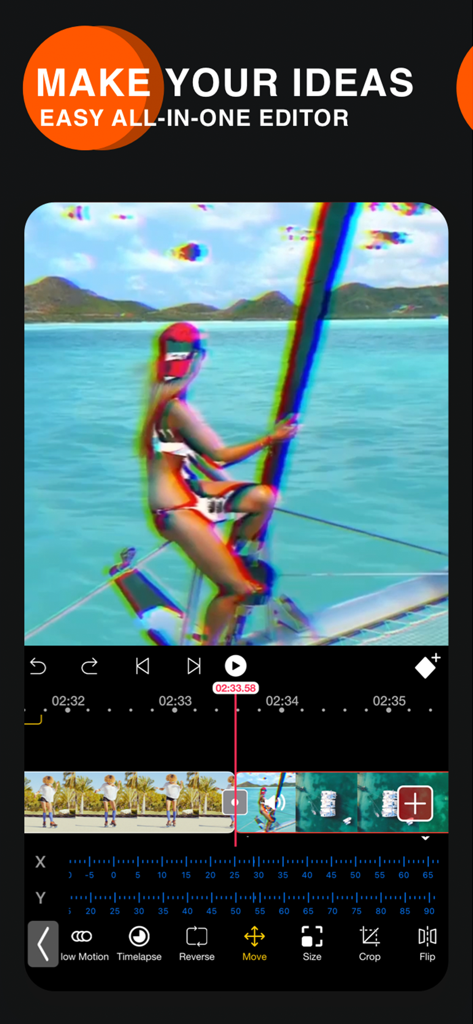
グリッチエフェクトとタイムライン編集ツールを示すVidanimateビデオエディターアプリのインターフェース。
説明
Download
類似アプリ
似た機能とユーザー体験を持つアプリ

VEED Shorts: AI videos
VEED Ltd

AI Video Maker - Renderforest
Renderforest LLC

Slideshow Creator -MovieStudio
立瑗 胡

Filmigo Video Maker & Editor
VIDEOSHOW PTE. LTD.

Slideshow Maker Video & Photo
Honk Honk Punch Pty Ltd

Quick Slideshow Maker + Music
Zipo Apps Ltd.

Salad Video -Video Editor
ChengDu PinGuo Technology Co., Ltd.

Story Swag - Quick Reels
Slider LLC

StoryWave - Video Maker
UNSTATIC LTD
このページはアプリまたはその開発者の公式ページではなく、情報提供および論評を目的として作成された独立した編集出版物です。明示的に別段の記載がない限り、アプリおよびその開発者は、MWM、Apple、Google Play、アプリのパブリッシャー、またはアプリの開発者と提携、承認、後援、認可、またはその他の公式的な関係はなく、このページのいかなる内容も、アプリがMWMのサービスを使用して開発されたことを意味するものではありません。すべての商標、ロゴ、スクリーンショット、その他のコンテンツはそれぞれの所有者の財産です。