Video FX: Movie Clip Editor
ダウンロード: App Store

このページはアプリまたはその開発者の公式ページではなく、情報提供および論評を目的として作成された独立した編集出版物です。明示的に別段の記載がない限り、アプリおよびその開発者は、MWM、Apple、Google Play、アプリのパブリッシャー、またはアプリの開発者と提携、承認、後援、認可、またはその他の公式的な関係はなく、このページのいかなる内容も、アプリがMWMのサービスを使用して開発されたことを意味するものではありません。すべての商標、ロゴ、スクリーンショット、その他のコンテンツはそれぞれの所有者の財産です。


ロゴ: Video FX: Movie Clip Editor
ダウンロード: App Store

Video FX: Movie Clip Editor

退屈な動画に別れを告げろ。このアプリが、あなたのスマホを瞬時に映画スタジオに変える。クリエイティブなビジョンを即座に実現させる能力をユーザーに提供する。

主要数値

ダウンロード

2.5M+

ユーザー評価

4.4/5

評価数

50.0K

開発元

Picthug Pte Ltd

カテゴリ

Photo & Video

対応言語

4

最新バージョン

5.31

サイズ

133.9 MB

リリース日

2015年3月9日
機能

若年層向けソーシャルビデオ編集の核心

'Video FX: Movie Clip Editor' の主要機能分析

プロフェッショナルな視覚エフェクト

本アプリは、10種類以上のユニークなアニメーションとビデオ強化機能を提供し、ユーザーはワンタップで桜の花びら、パーティーの紙吹雪、フィルムダメージ、テレビグリッチなどの多様な効果を適用し、動画を映画のような傑作に変換することが可能です。

直感的なワンタップ操作

このツールは、信じられないほど使いやすいインターフェースを備えており、ユーザーは単一のタップで魅力的なフィルターや素晴らしい音楽エフェクトを動画に適用でき、複雑な編集スキルなしで瞬時にプロ品質のコンテンツを作成できます。

音楽・サウンドエフェクトの追加

本アプリは、ユーザーが動画に音楽を追加したり、見事な特殊効果を組み込んだりすることを可能にし、TikTok、Instagram、YouTubeなどのプラットフォーム向けの魅力的な投稿を作成するのに最適なオーディオ体験を提供します。

以下のスクリーンショットと説明は、アプリの公式ストアリスティングから直接取得されたものであり、アプリ開発者の所有物です。

アプリストア

スクリーンショット
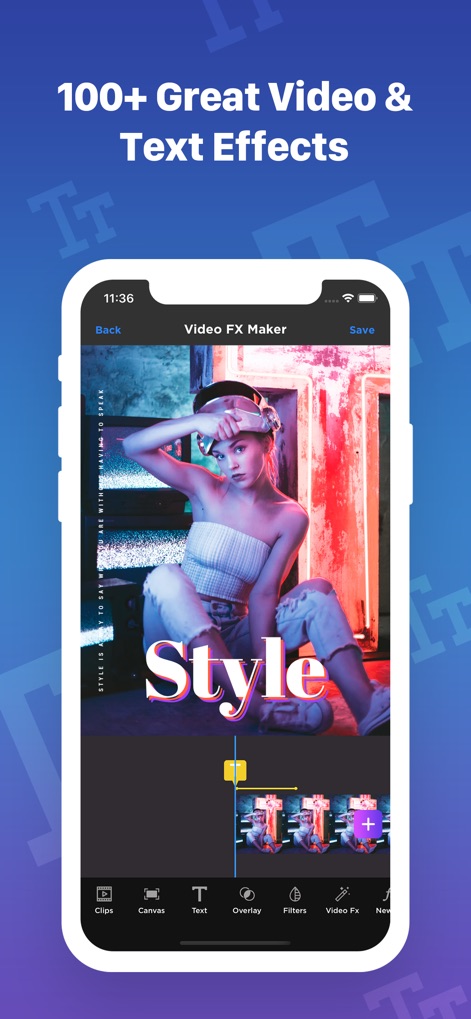
Video FX: Movie Clip Editor - 本アプリのテキストツールとオーバーレイ機能で、あなたのビデオに「スタイル」のような視覚的に魅力的なテキストエフェクトと、プロフェッショナルな映像エフェクトを簡単に追加できます。

本アプリのテキストツールとオーバーレイ機能で、あなたのビデオに「スタイル」のような視覚的に魅力的なテキストエフェクトと、プロフェッショナルな映像エフェクトを簡単に追加できます。

魅力的な映像表現

Video FX: Movie Clip Editor - このアプリを使えば、爆発や魔法のような特殊視覚効果をビデオに適用し、ドラマチックなシーンを簡単に作成できます。

このアプリを使えば、爆発や魔法のような特殊視覚効果をビデオに適用し、ドラマチックなシーンを簡単に作成できます。

驚きの特殊効果
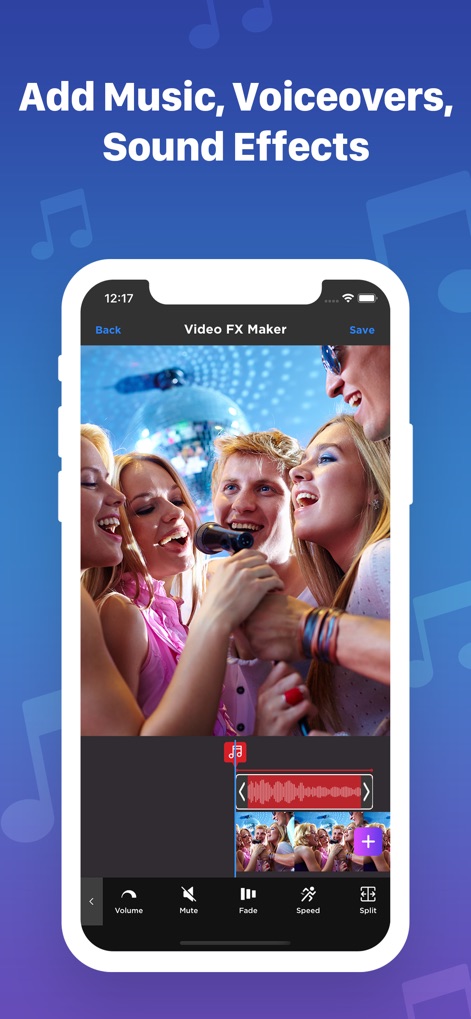
Video FX: Movie Clip Editor - ユーザーは、バックグラウンドミュージックやボイスオーバーを追加するだけでなく、音量調整やサウンドエフェクトでビデオのオーディオ体験を向上させることができます。

ユーザーは、バックグラウンドミュージックやボイスオーバーを追加するだけでなく、音量調整やサウンドエフェクトでビデオのオーディオ体験を向上させることができます。

完璧なサウンドトラック
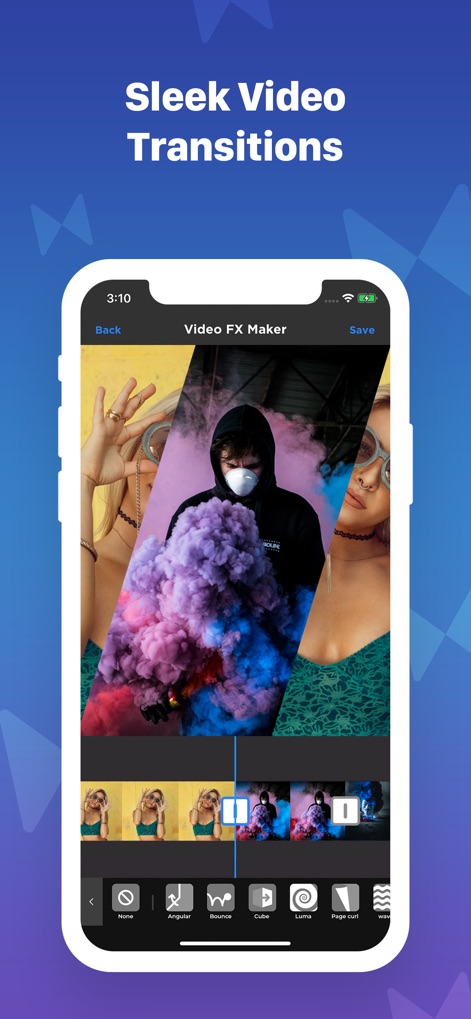
Video FX: Movie Clip Editor - このツールは、AngularやCubeのような多種多様な切り替え効果を提供し、複数のビデオクリップ間をスムーズなトランジションで繋ぎます。

このツールは、AngularやCubeのような多種多様な切り替え効果を提供し、複数のビデオクリップ間をスムーズなトランジションで繋ぎます。

画面切り替えで魅了
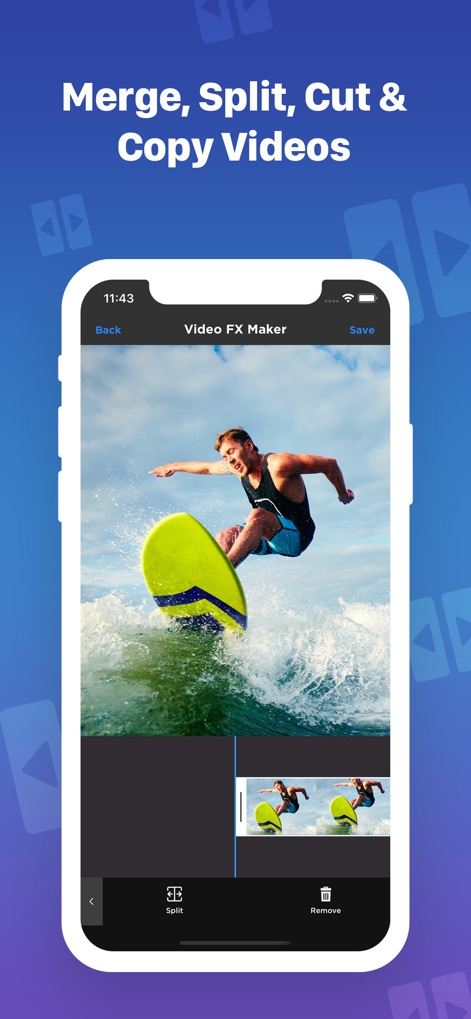
Video FX: Movie Clip Editor - ユーザーはビデオクリップを簡単に分割したり、複数のシーンを結合したり、不要な部分をトリミングして完璧なコンテンツを作成できます。

ユーザーはビデオクリップを簡単に分割したり、複数のシーンを結合したり、不要な部分をトリミングして完璧なコンテンツを作成できます。

高度な動画編集
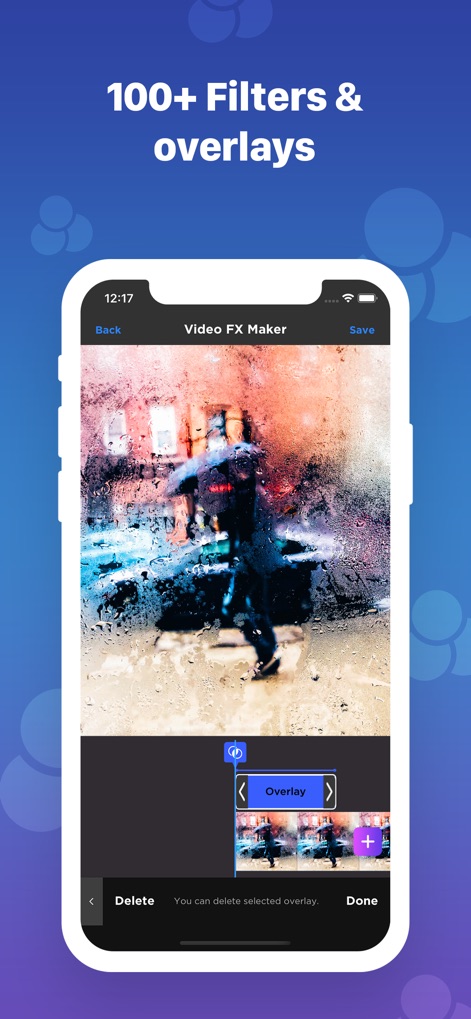
Video FX: Movie Clip Editor - 本アプリは、100種類以上の豊富なフィルターと美しいオーバーレイ効果を提供し、ビデオに深みと独特の雰囲気を加えることができます。

本アプリは、100種類以上の豊富なフィルターと美しいオーバーレイ効果を提供し、ビデオに深みと独特の雰囲気を加えることができます。

雰囲気あるフィルター

Video FX: Movie Clip Editor - FireflyやUNICORNのような多彩なテキストスタイルとフォントのカスタマイズ機能で、あなたのメッセージを視覚的に魅力的に表現できます。

FireflyやUNICORNのような多彩なテキストスタイルとフォントのカスタマイズ機能で、あなたのメッセージを視覚的に魅力的に表現できます。

個性的なテキスト

説明

Create stunning videos in a snap with the Video FX app. Video FX is a powerful one-click video effects studio that lets you transform your videos into cinematic masterpieces – right from your phone! With our app, it has never been easier to create and edit videos perfect for any occasion or platform. You don’t have to be a professional video editor to make stunning videos. With Video FX, your get 10+ new animations and video enhancements perfectly designed to look professional and fun! Explore tons of cool effects like autumn leaves, falling snow and anamorphic lens flares to give your videos a completely new look! We know video editing also requires great music to complement your masterpiece. With the Video FX app, you can add music and dazzling special effects to your iMovie, TikTok, Instagram and Youtube videos. It just takes one click to add beautifully crafted music effects to any video. Best of all, our app is incredibly easy to use. With just a single tap you can apply dazzling filters and awesome music effects made to elevate your videos. Here’s how to get started: Step 1: Import a video from your camera roll, including Vine, Hyperlapse, Flipagram, Instagram or Dubsmash videos. Step 2: Add effects from our library of LIVE animations with just a tap. Step 3: You’re all set – Just save, export and share! No more complicated design sites or video editing software. With just a few taps, you can start spicing up your videos without all of the complications and stress. Get Video FX for FREE today and start making the videos of your dreams! KEY FEATURES: VIDEO EFFECTS Choose from 10+ handcrafted effects to elevate your videos, including: - Cherry Blossoms: Instantly create a romantic atmosphere - Party Time: Add 3D confetti to your party videos - Dandelions: Give your video a cool and refreshing feel - Film Damage: Add an aged film effect to your videos instantly - TV Glitch: Enhance your video with the TV glitch effect for a cool, retro feel - Color Frames: Apply simple and beautiful dynamic frames to your videos - And so much more! - Whatever your creative vision is, you get complete customization from start to finish! MUSICAL EFFECTS - Add music to your videos, whether you want to lip-sync, add background music or make an AMV - Enhance your videos with sound effects for the perfect social media posts VIDEO EDITING - Merge multiple video clips to combine scenes and visuals easily - Add text to videos to elevate your lip-sync videos, music videos, or videos of wherever your creative vision takes you! - Add stunning overlay effects to give your videos depth You can create amazing videos with just a few taps. Download Video FX today and start making movie magic! ================== VIDEO FX SUBSCRIPTION PRICING AND TERMS VIDEO FX offers two auto-renewing subscription options: 3 day trial, then $3.99/week OR 3 day trial, then $39.99/year These prices are for United States customers. Pricing in other countries may vary and actual charges may be converted to your local currency depending on the country of residence. • Payment will be charged to iTunes Account at confirmation of purchase • Subscription automatically renews unless auto-renew is turned off at least 24-hours before the end of the current period • Account will be charged for renewal within 24-hours prior to the end of the current period, and identify the cost of the renewal • Subscriptions may be managed by the user and auto-renewal may be turned off by going to the user's Account Settings after purchase • Any unused portion of a free trial period, if offered, will be forfeited when the user purchases a subscription to that publication, where applicable Privacy policy: https://www.vidthug.co/privacy-policy Terms of Use: https://www.vidthug.co/terms-of-use

Download

ダウンロード: App Store

このページはアプリまたはその開発者の公式ページではなく、情報提供および論評を目的として作成された独立した編集出版物です。明示的に別段の記載がない限り、アプリおよびその開発者は、MWM、Apple、Google Play、アプリのパブリッシャー、またはアプリの開発者と提携、承認、後援、認可、またはその他の公式的な関係はなく、このページのいかなる内容も、アプリがMWMのサービスを使用して開発されたことを意味するものではありません。すべての商標、ロゴ、スクリーンショット、その他のコンテンツはそれぞれの所有者の財産です。