Video Maker - Slideshow Editor
ダウンロード: App Store

このページはアプリまたはその開発者の公式ページではなく、情報提供および論評を目的として作成された独立した編集出版物です。明示的に別段の記載がない限り、アプリおよびその開発者は、MWM、Apple、Google Play、アプリのパブリッシャー、またはアプリの開発者と提携、承認、後援、認可、またはその他の公式的な関係はなく、このページのいかなる内容も、アプリがMWMのサービスを使用して開発されたことを意味するものではありません。すべての商標、ロゴ、スクリーンショット、その他のコンテンツはそれぞれの所有者の財産です。


ロゴ: Video Maker - Slideshow Editor
ダウンロード: App Store

Video Maker - Slideshow Editor

家族の思い出を、音楽とアニメーション付きのプロ品質のビデオに変換する最も簡単な方法。編集スキルは不要です—写真を選択し、テーマを選んで、数分で愛する人と魔法を共有しましょう。

主要数値

ダウンロード

880K+

ユーザー評価

4.0/5

評価数

50K+

開発元

pixel force private limited

カテゴリ

Photo & Video

対応言語

1

最新バージョン

2.0.19.4

サイズ

84.3 MB

リリース日

2014年6月23日
機能

人生の大きな瞬間を祝おう

写真ライブラリを、家族の物語を語る美しく高品質なムービーに変換する最も簡単な方法。 steep learning curve(急な学習曲線)はありません。

ワンタップビデオマジック

編集経験は不要です。お気に入りの写真を選択するだけで、スマートエディターがプロ並みのムービーを即座に作成します。

あらゆる思い出のための音楽

豊富なテーマライブラリから完璧なサウンドトラックを追加したり、独自の曲を使用して誕生日や休暇のビデオを忘れられないものにしましょう。

以下のスクリーンショットと説明は、アプリの公式ストアリスティングから直接取得されたものであり、アプリ開発者の所有物です。

アプリストア

スクリーンショット
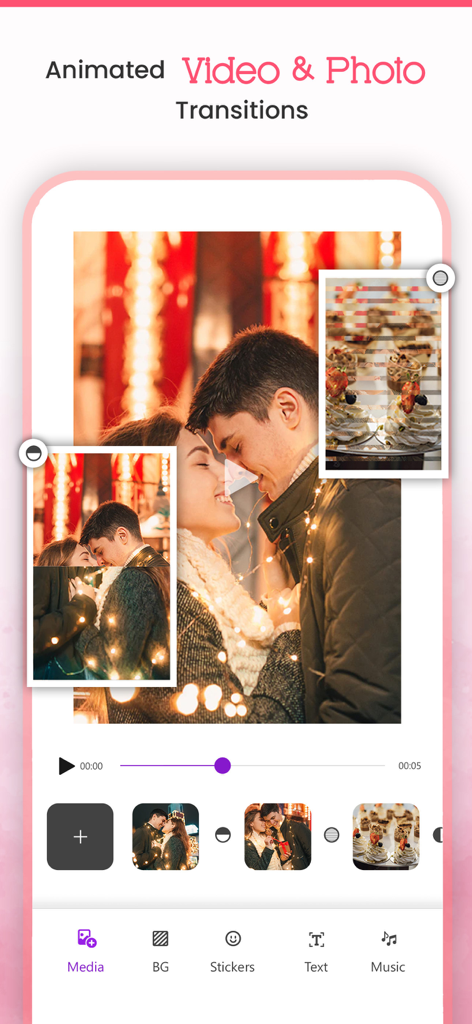
Video Maker - Slideshow Editor - ビデオメーカーアプリのユーザーインターフェース。アニメーショントランジション付きの写真スライドショー編集が表示されています。
ビデオメーカーアプリのユーザーインターフェース。アニメーショントランジション付きの写真スライドショー編集が表示されています。

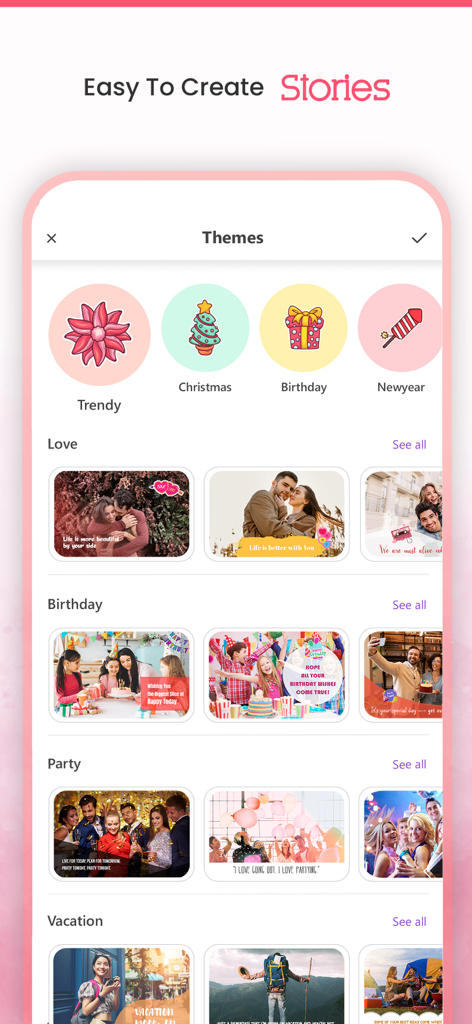
Video Maker - Slideshow Editor - ビデオメーカーアプリのインターフェース。誕生日や休日のためのさまざまなスライドショーテーマが表示されています。
ビデオメーカーアプリのインターフェース。誕生日や休日のためのさまざまなスライドショーテーマが表示されています。

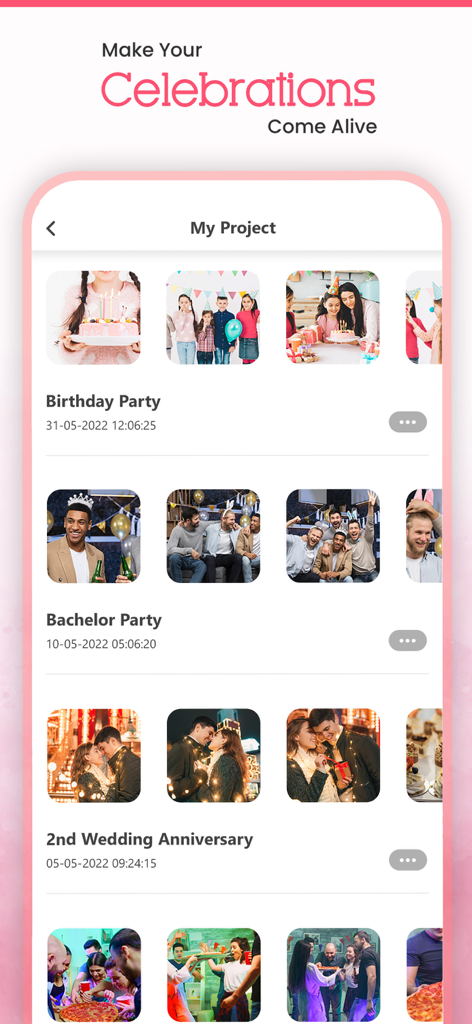
Video Maker - Slideshow Editor - モバイルアプリのインターフェース。誕生日や記念日のための保存された写真スライドショープロジェクトのリストが表示されています。
モバイルアプリのインターフェース。誕生日や記念日のための保存された写真スライドショープロジェクトのリストが表示されています。

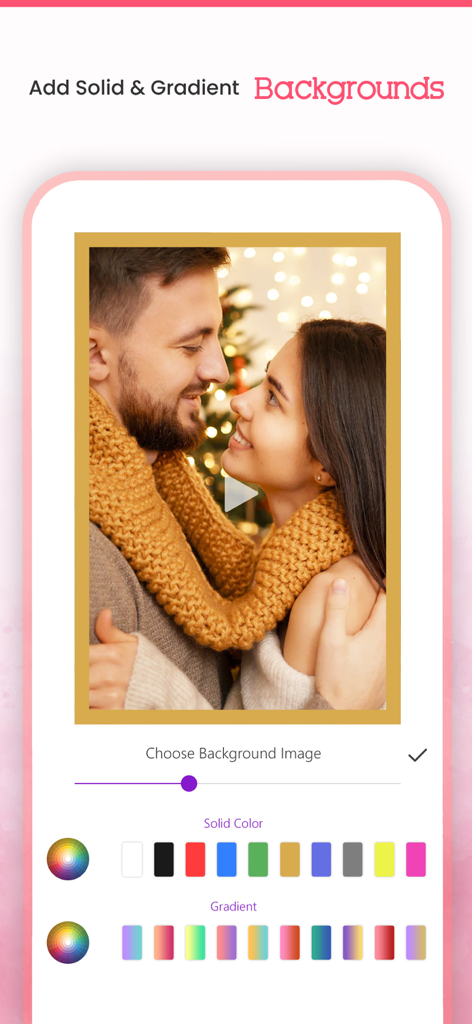
Video Maker - Slideshow Editor - モバイルアプリのインターフェース。ビデオスライドショー用のソリッドおよびグラデーションの背景オプションが表示されています。
モバイルアプリのインターフェース。ビデオスライドショー用のソリッドおよびグラデーションの背景オプションが表示されています。

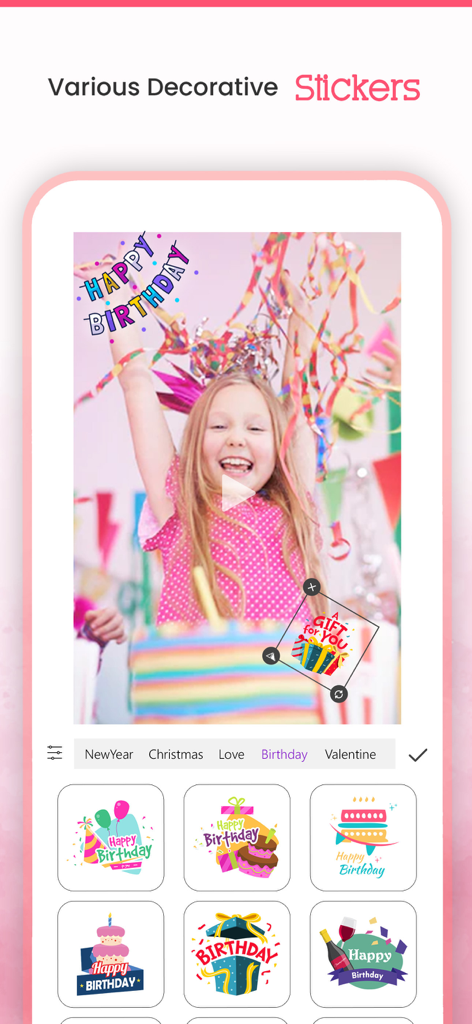
Video Maker - Slideshow Editor - ビデオメーカー スライドショーエディターアプリのインターフェースにある装飾的な誕生日ステッカー選択メニュー。

ビデオメーカー スライドショーエディターアプリのインターフェースにある装飾的な誕生日ステッカー選択メニュー。

説明

VideoMaker App will turn your photos into sensational movies by adding beautiful animations and music to it for Free. It allows you to select the Theme/effects and Audio of your Choice, and allows you to create & Share your Stunning Video. It's never been easier to make video from images/photos by choosing one of our video effects and music from our library or choose your ownsong/Music of your choice to make most beautiful video out of your photos, and Share that amazing movements with your Friends using our inbuilt Social Sharing option. Key Features:- * Create Stunning Video from your Photos * Add our in-built movie Themes and make your albums with your photos * Add Animated backgrounds to your video * Add Music from our in-built library * You can choose song or music of your own choice if you wish * You can arrange the images according to your choice * Add Title to your Video/Photo * Option to choose photos from your camera roll * In-built option to share your Awesome video with social networking sites * You can share on Facebook, Instagram, email, YouTube, Viddy etc Steps to create your movie 1. Select Create Project and select your Aspect Ratio and all photos from your album. 2. Add your Favourite transition. 3. Select your background, background 4. Select animation transition 5. Select music from music library or from our app. 6. Add effects to photos. 7. Enter your movie title. 8. Click on done button to create your movie. 9. Share with your friends(supports Facebook,Instagram, email,YouTube ,Viddy etc). Or You can use our huge collection of Themes and make movie with photos and videos too. How Does VideoMaker App Works? You don't need be a video editor at all to use this app. Just use our app as a movie maker. VideoMaker app will analyze your photos and focus on users automatically and creates a professional looking movie from photos that you have selected. It will give you an option to select effect and music according to your Choice/mood and make your video even more interesting/Compiling. RESTORE:You can restore your paid in app purchases without paying again. Follow these steps 1. Open the app 2. Click on Top Right to open the Premium window 3. Click on RESTORE to re-activate your in app purchases again 4. DONE Video Maker Premium Subscription========================== 1. Enjoy professional video maker & slideshow tools with Pro-Level Features & Amazing Members-Only Benefits. 2. Get unlimited access to all premium Slideshow maker Themes 3. Get unlimited access to all premium filters and tools 4. Patterns, colors, Stickers and Fonts 5. Get rid of ads and watermark 6. Get access to all movie style Photo and video transitions. • Subscriptions may be managed by the user and auto-renewal may be turned off by going to the user's Account Settings after purchase • Any unused portion of a free trial period, if offered, will be forfeited when the user purchases a subscription to that publication, where applicable Subscription plans: 1. USD $20.99/6 Months 2. USD $3.99/Week 3. USD $30.99/Year with 3 days Free Trial Subscriptions automatically renew unless they are turned off at least 24 hours before the end of the current period in account settings. Renewals are charged within 24-hours preceding the end of the current period. Payment is charged to iTunes Account at confirmation of purchase. Subscriptions are managed by the user. Terms of Service: http://206.189.130.170/ps_tc.html Privacy: http://206.189.130.170/ps_privacy.html

Download

ダウンロード: App Store

このページはアプリまたはその開発者の公式ページではなく、情報提供および論評を目的として作成された独立した編集出版物です。明示的に別段の記載がない限り、アプリおよびその開発者は、MWM、Apple、Google Play、アプリのパブリッシャー、またはアプリの開発者と提携、承認、後援、認可、またはその他の公式的な関係はなく、このページのいかなる内容も、アプリがMWMのサービスを使用して開発されたことを意味するものではありません。すべての商標、ロゴ、スクリーンショット、その他のコンテンツはそれぞれの所有者の財産です。








