Video Stopwatch SC
Video Stopwatch SC
ダウンロード: App Store

このページはアプリまたはその開発者の公式ページではなく、情報提供および論評を目的として作成された独立した編集出版物です。明示的に別段の記載がない限り、アプリおよびその開発者は、MWM、Apple、Google Play、アプリのパブリッシャー、またはアプリの開発者と提携、承認、後援、認可、またはその他の公式的な関係はなく、このページのいかなる内容も、アプリがMWMのサービスを使用して開発されたことを意味するものではありません。すべての商標、ロゴ、スクリーンショット、その他のコンテンツはそれぞれの所有者の財産です。

ロゴ: Video Stopwatch SC
ダウンロード: App Store

Video Stopwatch SC

ミリ秒単位の精度でヒューマンエラーを排除。データに基づいたコーチやソロアスリートがテクニックを分析し、動画を並列比較し、あらゆるわずかな向上を追跡するための究極のツールです。

主要数値

ダウンロード

7K+

ユーザー評価

4.5/5

評価数

600

開発元

SECONDS COUNT TIMING SYSTEMS LLC

カテゴリ

Utilities

対応言語

1

最新バージョン

v1.6.1

サイズ

36.5 MB

リリース日

2018年1月3日
機能

エリートパフォーマンスのための精密分析

お使いのモバイルデバイスをプロ仕様のタイミングラボに変えましょう。ミリ秒単位の精度でトレーニングデータをキャプチャ、分析、整理します。

フレーム単位の正確なタイミング

親指の遅延エラーを排除。高速FPSで記録し、フレームごとにスクラブして、開始と終了を絶対的な精度でマークします。

同期&比較分析

進捗状況を視覚化。2つの動画を並べてロックし、現在のフォームを自己ベストやプロモデルと比較します。

以下のスクリーンショットと説明は、アプリの公式ストアリスティングから直接取得されたものであり、アプリ開発者の所有物です。

アプリストア

スクリーンショット
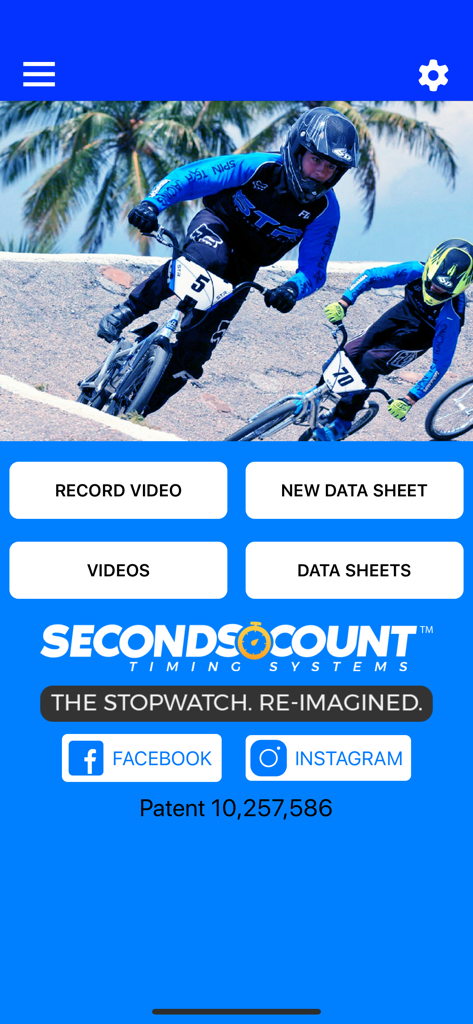
Video Stopwatch SC - Video Stopwatch SCアプリのホーム画面。動画記録と運動データシート管理のオプションを表示。
Video Stopwatch SCアプリのホーム画面。動画記録と運動データシート管理のオプションを表示。

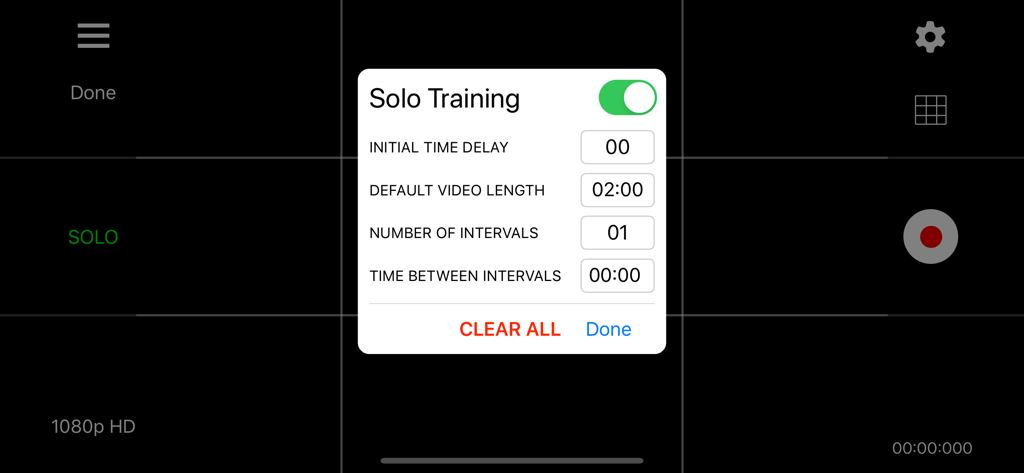
Video Stopwatch SC - Video Stopwatch SCアプリのソロトレーニング設定メニュー。インターバルと遅延のオプションを表示。
Video Stopwatch SCアプリのソロトレーニング設定メニュー。インターバルと遅延のオプションを表示。

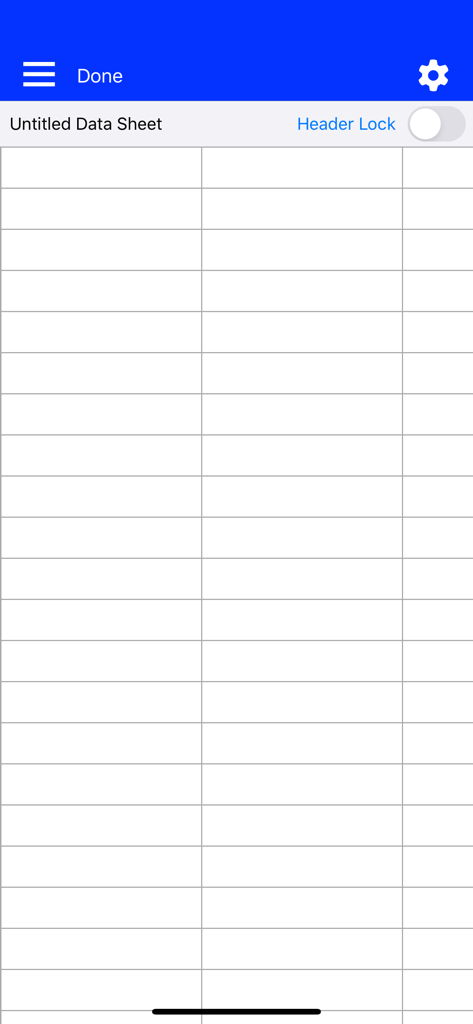
Video Stopwatch SC - Video Stopwatch SCの空のデータシートグリッド。トレーニング結果を整理するために使用。
Video Stopwatch SCの空のデータシートグリッド。トレーニング結果を整理するために使用。

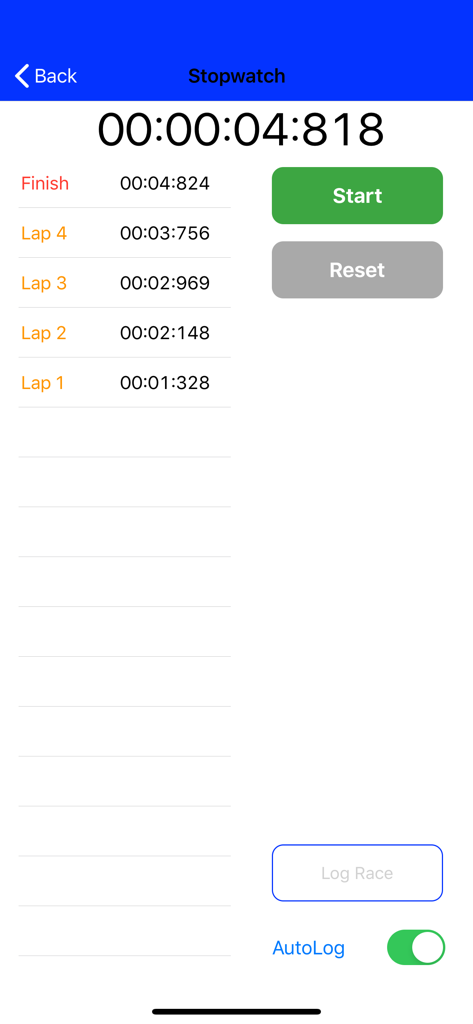
Video Stopwatch SC - 手動ストップウォッチインターフェース。高精度のラップタイムとフィニッシュタイムを表示。
手動ストップウォッチインターフェース。高精度のラップタイムとフィニッシュタイムを表示。

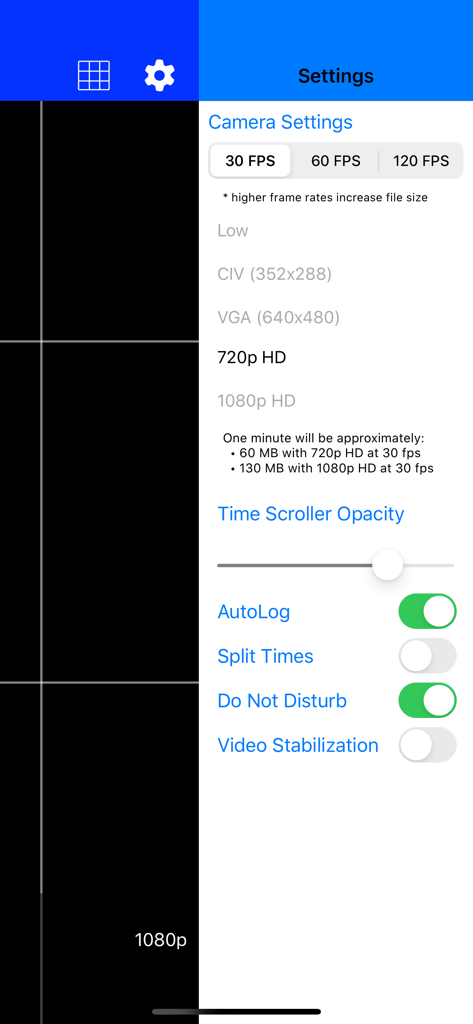
Video Stopwatch SC - Video Stopwatch SCのカメラ設定。フレームレートと解像度オプションを表示。
Video Stopwatch SCのカメラ設定。フレームレートと解像度オプションを表示。

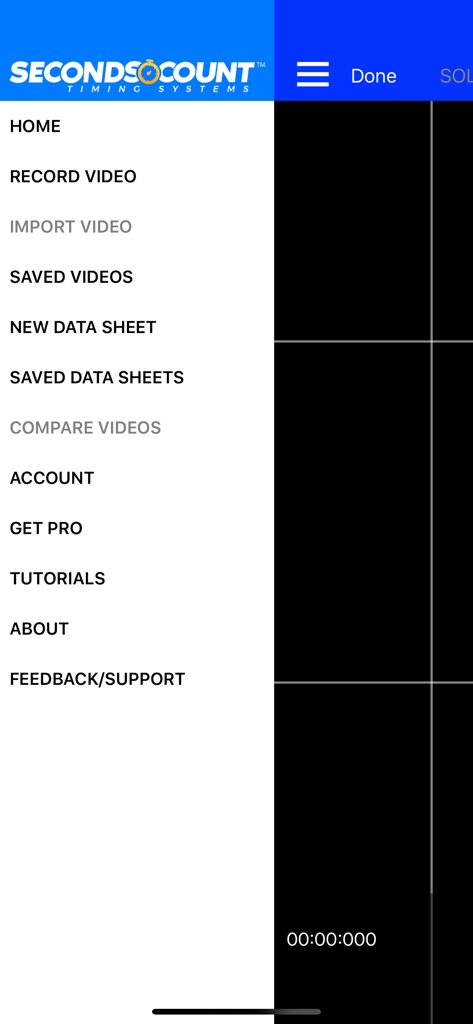
Video Stopwatch SC - Video Stopwatch SCアプリのメインナビゲーションサイドメニュー。動画記録、データシート、パフォーマンス分析のオプションを表示。

Video Stopwatch SCアプリのメインナビゲーションサイドメニュー。動画記録、データシート、パフォーマンス分析のオプションを表示。

説明

Video Stopwatch The world’s most versatile and comprehensive mobile timing and training application. Feature rich and simple to use. Patent Pending technology allows you to record, track, save, compare and analyze all of your critical time and performance data. Record your event and set timing markers after to gain greater precision. Save your timing data in data sheets to stay organized. The compare videos tool allows you to compare 2 videos side by side. Videos always begin at the start marker which makes synchronizing videos a breeze. Patent pending video stopwatch allows you to record an event or training session and then review frame by frame to precisely mark the start, lap and/or multiple finish times. If you are recording a race, Seconds Count can mark the finish points of all competitors and display each finish time and the time distance between each competitor. Data Sheets Store lap and finish times from manual and video timing in datasheets. Add text, dates and comments to cells to keep information organized. With thousands of columns and rows on each data sheet, there is plenty of room to store all of your records Manual Logging Stopwatch A manual stopwatch function can be deployed when video is not needed or used that will automatically log the results in a data sheet. Additional Labels and dates can be added to give these times organization as well. Solo Training Tool: Pro Subscription Required (1 Month Free Trial Available) A solo training function allows user to set app to automatically record multiple videos with a user selectable rest period in between each video allowing the user to repeatedly record themselves and later analyze their performance. Developing consistency is one of the keys to success. Compare Videos Tool: Pro Subscription Required (1 Month Free Trial Available) Improve your form and technique analysis with the compare videos tool. Videos are locked to move synchronously or can be unlocked to move independently. Videos always begin at the start marker which makes synchronizing them a breeze. Pro Subscription - Annual Pro Subscription ($5.99 per year) Subscription includes: - Introductory 1 Month Free Trial - Solo Training Tool - Compare Videos Tool - 60fps and 120fps Video Frame Rate Capability - Time Scroller Opacity Setting - Video Stabilization Setting - Video Brightness Control - Video Trimming Tool - Video Uploading to Web Application - Video Imports - Data Sheet Templates - Data Sheet Split Times - Freezing Data Sheet Headers An introductory 1 Month Free Trial will be given to new subscribers. Pending free trial eligibility, payment will be charged to iTunes Account at the end of the free trial unless cancelled 24 hours prior to the end of the current trial period. If not eligible for free trial, payment will be charged to iTunes Account at confirmation of purchase. Subscription automatically renews unless auto-renew is turned off at least 24-hours before the end of the current period. Account will be charged for renewal within 24-hours prior to the end of the current period, and identify the cost of the renewal. Subscriptions may be managed by the user and auto-renewal may be turned off by going to the user's Account Settings after purchase. Any unused portion of a free trial period, if offered, will be forfeited when the user purchases a subscription to that publication, where applicable. Privacy Policy and Terms of Use: https://secondscount.com/support Take your timing and technique analysis to the next level with Seconds Count. Check us out at www.secondscount.com.

Download

ダウンロード: App Store

このページはアプリまたはその開発者の公式ページではなく、情報提供および論評を目的として作成された独立した編集出版物です。明示的に別段の記載がない限り、アプリおよびその開発者は、MWM、Apple、Google Play、アプリのパブリッシャー、またはアプリの開発者と提携、承認、後援、認可、またはその他の公式的な関係はなく、このページのいかなる内容も、アプリがMWMのサービスを使用して開発されたことを意味するものではありません。すべての商標、ロゴ、スクリーンショット、その他のコンテンツはそれぞれの所有者の財産です。








