VideoMate - Casting for Safari
ダウンロード: App Store

このページはアプリまたはその開発者の公式ページではなく、情報提供および論評を目的として作成された独立した編集出版物です。明示的に別段の記載がない限り、アプリおよびその開発者は、MWM、Apple、Google Play、アプリのパブリッシャー、またはアプリの開発者と提携、承認、後援、認可、またはその他の公式的な関係はなく、このページのいかなる内容も、アプリがMWMのサービスを使用して開発されたことを意味するものではありません。すべての商標、ロゴ、スクリーンショット、その他のコンテンツはそれぞれの所有者の財産です。


ロゴ: VideoMate - Casting for Safari
ダウンロード: App Store

VideoMate - Casting for Safari

デスクトップ級のメディア体験をiPhoneとiPadにもたらします。あらゆるウェブ動画をテレビにキャストし、最大5倍の速度コントロールで視聴を最適化、精密シークとワンタップPicture-in-Pictureで全てのフレームをマスターしましょう。

主要数値

ダウンロード

1K+

ユーザー評価

1.0/5

評価数

0

開発元

Ameen Mody

カテゴリ

Utilities

対応言語

1

最新バージョン

4.0

サイズ

99.3 MB

リリース日

2023年11月7日
機能

メディア体験をマスターする

iPhoneとiPadでデスクトップレベルの動画体験を求めるパワーユーザーのために設計された、究極のSafari拡張機能です。

ユニバーサルウェブキャスティング

モバイルの制限から解放されます。Safariからあらゆるウェブベースの動画を、シングルタップで簡単にスマートテレビにプッシュできます。

精密再生コントロール

最大5.0倍速で、迅速な学習と必要な瞬間を正確に見つけるための0.5秒精密シークで、コントロールを掌握しましょう。

以下のスクリーンショットと説明は、アプリの公式ストアリスティングから直接取得されたものであり、アプリ開発者の所有物です。

アプリストア

スクリーンショット
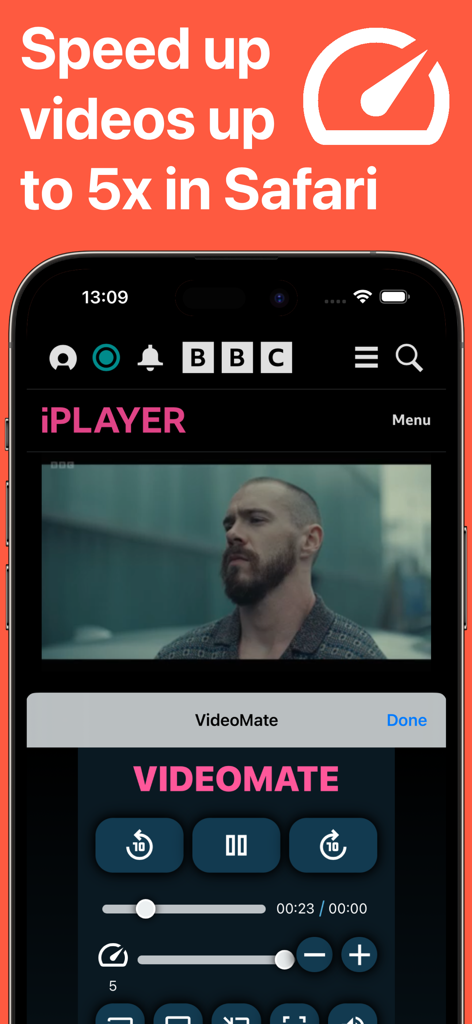
VideoMate - Casting for Safari - iPhoneで最大5倍の動画再生速度をコントロールするためのVideoMate Safari拡張機能インターフェース
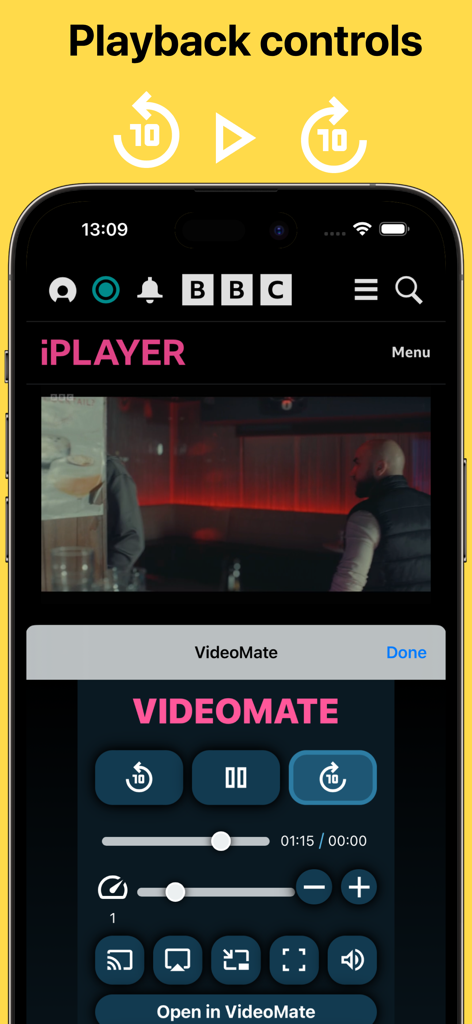
iPhoneで最大5倍の動画再生速度をコントロールするためのVideoMate Safari拡張機能インターフェース

VideoMate - Casting for Safari - 速度調整やキャスティングオプションを含むVideoMate Safari拡張機能の再生コントロールを示すスマートフォンの画面
速度調整やキャスティングオプションを含むVideoMate Safari拡張機能の再生コントロールを示すスマートフォンの画面

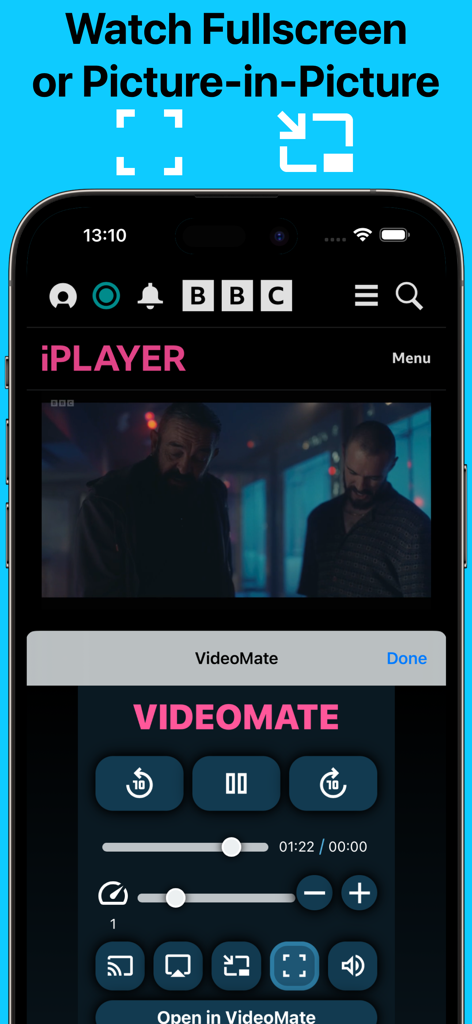
VideoMate - Casting for Safari - Picture-in-Pictureおよびフルスクリーン動画再生用のVideoMate拡張機能インターフェース

Picture-in-Pictureおよびフルスクリーン動画再生用のVideoMate拡張機能インターフェース

VideoMate - Casting for Safari - 5倍速コントロール、ピクチャーインピクチャー、キャスティング機能を強調したVideoMate Safari拡張機能のプロモーション画面
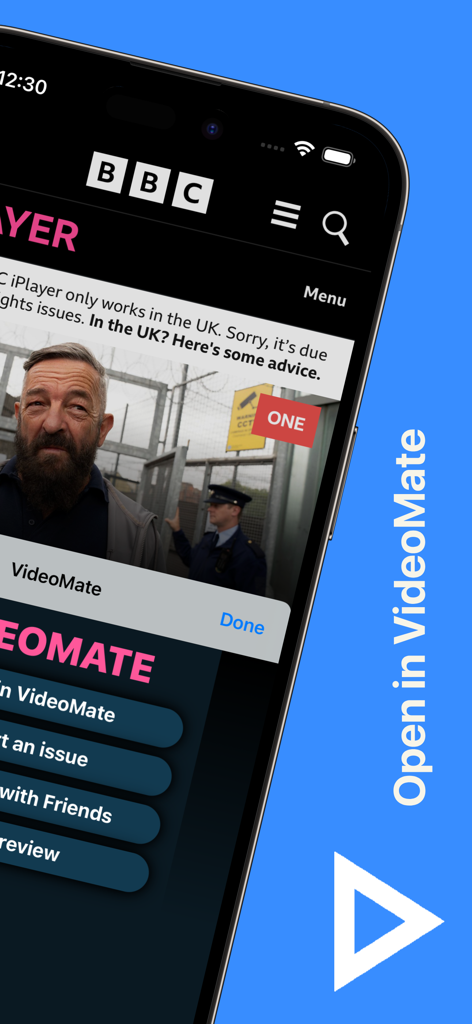
5倍速コントロール、ピクチャーインピクチャー、キャスティング機能を強調したVideoMate Safari拡張機能のプロモーション画面

VideoMate - Casting for Safari - iPhone画面上のVideoMate Safari拡張機能のインターフェース

iPhone画面上のVideoMate Safari拡張機能のインターフェース

説明

VideoMate is a Safari extension that allows your play videos to your TV or locally. Built from the ground up with the goal of creating a desktop like experience for all users. To start using the extension simply enable the extension by going to the device settings > Safari > Extensions > and set VideoMate to "On". Then when you visit a webpage with a video trigger the VideoMate extension. • CAST Play your web video on your TV • SPEED CONTROL Easily control playback speed of your videos from 0.25 - 5.0x. • SEEK Ease to use seek bar makes finding the exact spot easy. Use the "+" and "-" seek buttons to slow seek at 0.5 second interval. • PLAYBACK CONTROLS Play/Pause, Skip forward or backwards, mute/unmute everything is easy now with VideoMate • PIP Picture-in-picture is now possible on video with just one tap Download and see what everyone is talking about! Satisfying you our customer is our one priority. Share you feedback, report bug, feature request. Just email us at jcltravels@gmail.com Note: DRM protected media cannot be played. Payment and automatic renewal terms: -VideoMate subscription automatically renews unless auto-renew is turned off at least 24 hours before the end of the current period -Your account will be charged for renewal within 24 hours prior to the end of the current period -Subscriptions may be managed by you in your account and auto-renewal may be turned off by going to your account settings after purchase -VideoMate Privacy Policy: http://www.jcltravels.co.uk/privacy-policy.html -VideoMate Terms of use: http://www.jcltravels.co.uk/terms-of-use.html

Download

ダウンロード: App Store

このページはアプリまたはその開発者の公式ページではなく、情報提供および論評を目的として作成された独立した編集出版物です。明示的に別段の記載がない限り、アプリおよびその開発者は、MWM、Apple、Google Play、アプリのパブリッシャー、またはアプリの開発者と提携、承認、後援、認可、またはその他の公式的な関係はなく、このページのいかなる内容も、アプリがMWMのサービスを使用して開発されたことを意味するものではありません。すべての商標、ロゴ、スクリーンショット、その他のコンテンツはそれぞれの所有者の財産です。








