Voice Record Pro

Voice Record Pro

ダウンロード: App Store
ロゴ: Voice Record Pro

Voice Record Pro:妥協のないプロフェッショナルオーディオキャプチャ

パワーユーザーのための究極のオールインワンレコーダー。無制限の高忠実度オーディオをキャプチャし、精度で編集し、あらゆるクラウドプラットフォームにエクスポートします。サブスクリプションなし、制限なし、プロの結果のみ。

開発元

Dayana Networks Ltd

カテゴリ

Utilities

ダウンロード

1M+

ユーザー評価

4.7/5

評価数

18K+

対応言語

1

プロのインターフェース

このインターフェースを利用する 1M+ 人のユーザー.

Voice Record Proアプリのインターフェース。録音フォーマットと高度なオーディオ機能が表示されます。
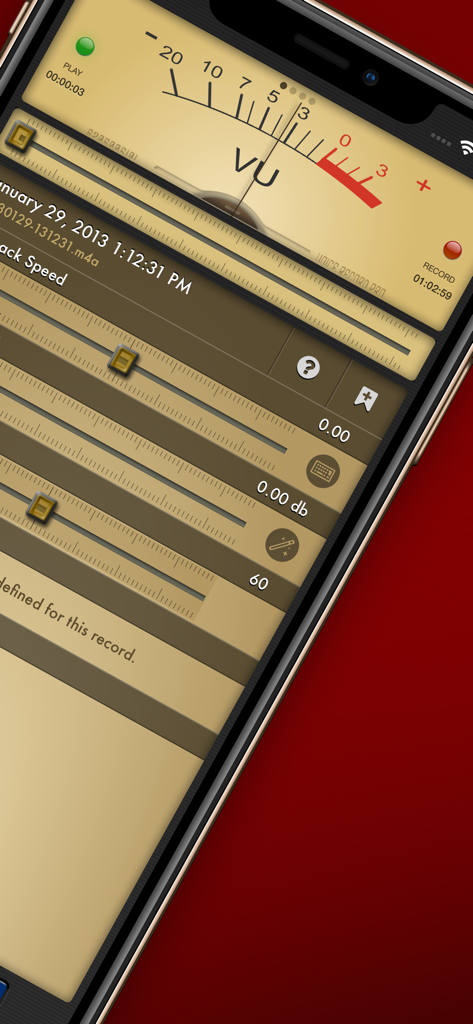
Voice Record Proアプリのインターフェース。録音フォーマットと高度なオーディオ機能が表示されます。

プロフェッショナルオーディオ録音インターフェース。アナログVUメーターと再生速度スライダーが表示されます。
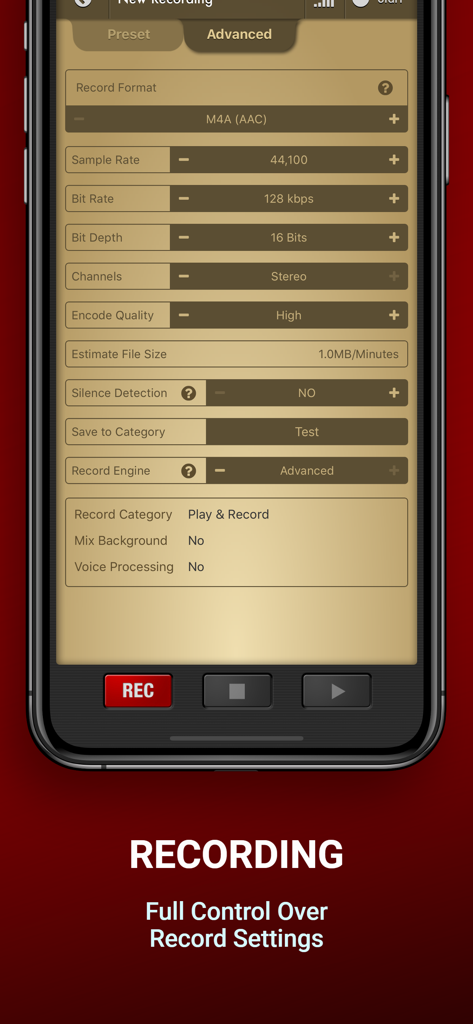
プロフェッショナルオーディオ録音インターフェース。アナログVUメーターと再生速度スライダーが表示されます。

Voice Record Proの高度な録音インターフェース。ビットレートとサンプルレートの詳細なオーディオ設定が表示されます。
Voice Record Proの高度な録音インターフェース。ビットレートとサンプルレートの詳細なオーディオ設定が表示されます。

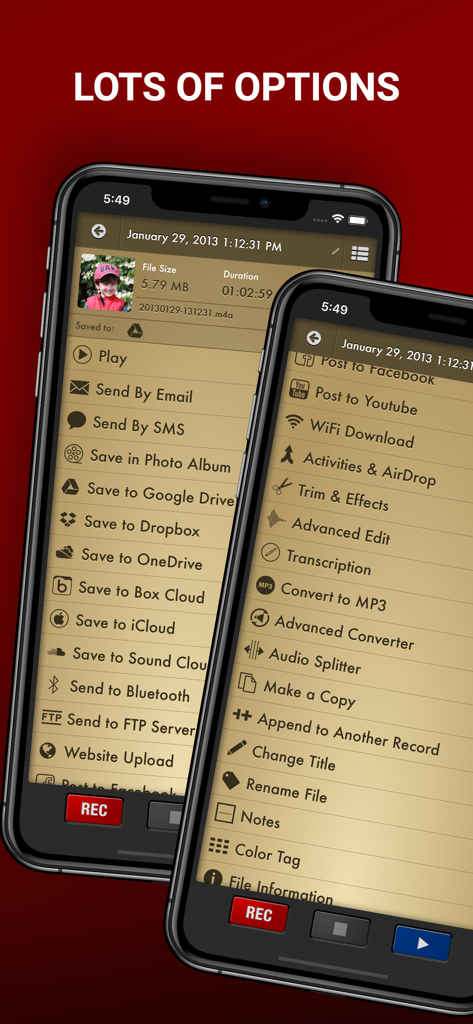
Voice Record Proアプリのエクスポートおよび編集オプションのメニュー。
Voice Record Proアプリのエクスポートおよび編集オプションのメニュー。

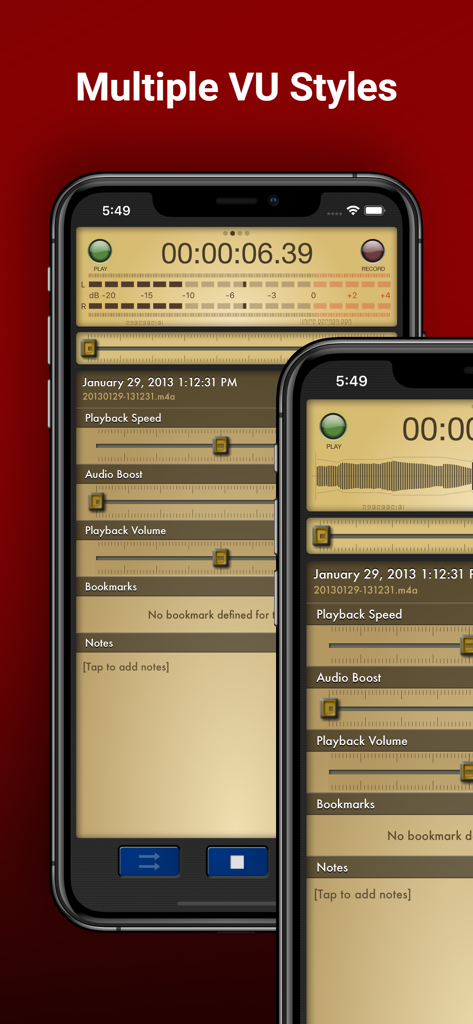
iPhone上のVoice Record Proアプリのインターフェース。複数のVUメーターのスタイルとオーディオ再生コントロールが表示されます。
iPhone上のVoice Record Proアプリのインターフェース。複数のVUメーターのスタイルとオーディオ再生コントロールが表示されます。

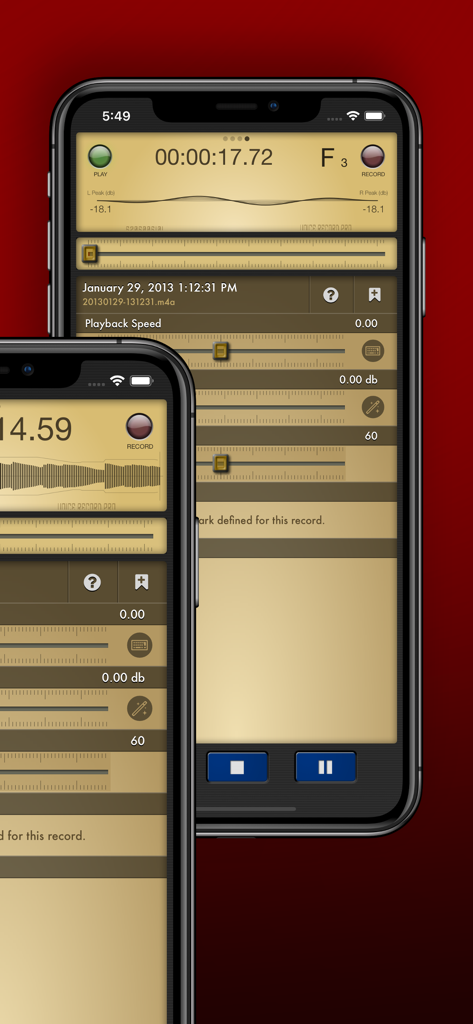
iPhone上のVoice Record Proアプリのインターフェース。プロフェッショナルな再生および音量設定が表示されます。
iPhone上のVoice Record Proアプリのインターフェース。プロフェッショナルな再生および音量設定が表示されます。

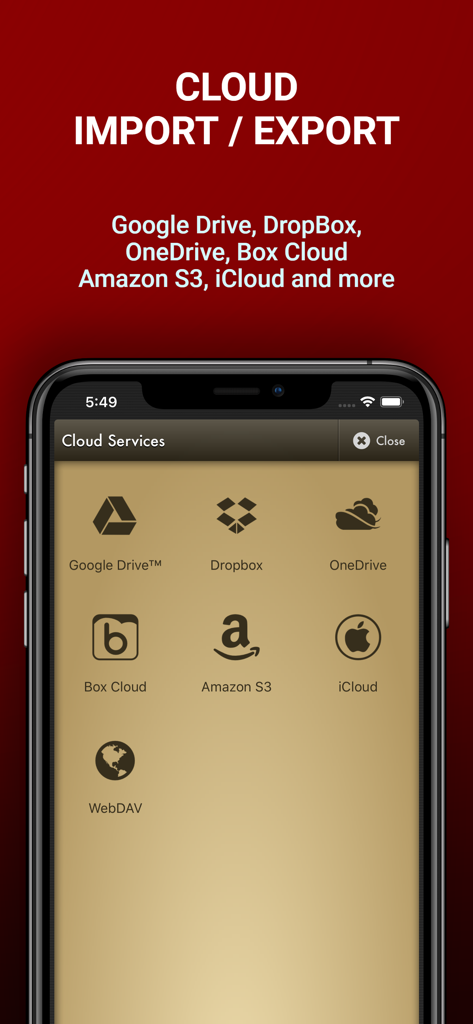
Voice Record Proアプリの画面。Google Drive、Dropbox、OneDriveを含むオーディオファイルのインポートおよびエクスポート用のクラウドサービスオプションが表示されます。
Voice Record Proアプリの画面。Google Drive、Dropbox、OneDriveを含むオーディオファイルのインポートおよびエクスポート用のクラウドサービスオプションが表示されます。

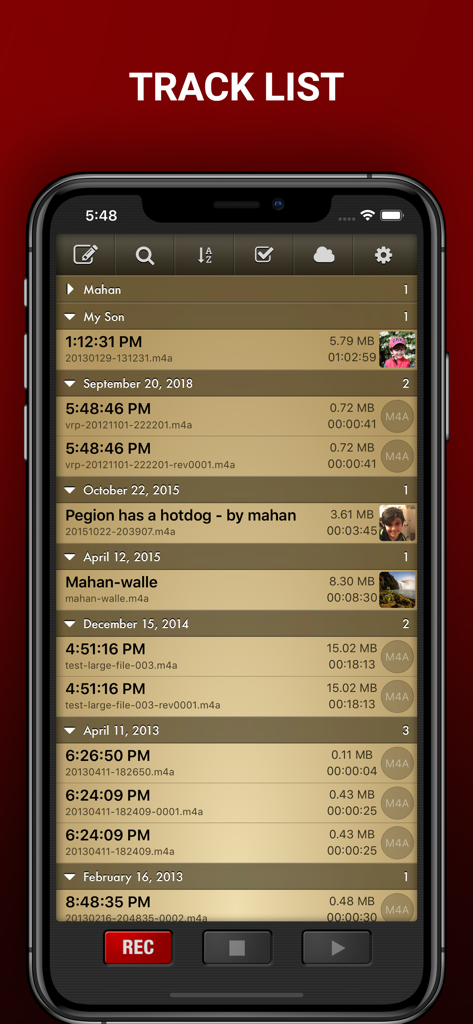
Voice Record Proのトラックリスト画面。タイムスタンプとファイル情報を含む、整理されたオーディオ録音の詳細なリストが表示されます。

Voice Record Proのトラックリスト画面。タイムスタンプとファイル情報を含む、整理されたオーディオ録音の詳細なリストが表示されます。

プロ価格なしのプロフェッショナル録音

このアプリを際立たせるツール、 1M+ 人のユーザーが選択.

🎙️

スタジオ品質コントロール

オーディオを完全に制御します。ビットレートとサンプルレートの細かい設定でMP3、WAV、またはAACで録音し、あらゆる環境に対応します。

☁️

シームレスなワークフロー統合

手間を省きましょう。録音をGoogle Drive、Dropbox、またはOneDriveに即座に同期するか、組み込みのWiFiサーバーを使用してPCにファイルを転送します。

⏱️

スマート生産性ツール

無音検出、重要な瞬間のライブブックマーク、および重要なものだけを保持するための高度なトリミングで時間を最適化します。

アプリについて

について知っておくべきこと Voice Record Pro.

説明

Professional Voice Recorder for iPhone, iPad and iWatch! No limitation, Completely FREE! Voice Record Pro is a professional voice recorder. It allows you to record voice memos and on-site sounds at unlimited length with configurable quality. Voice Record Pro can record directly in MP4 (AAC), MP3 (MPEG) and WAV (PCM) formats plus convert function for all supported formats. None of the features are limited by in-app purchase, they are all free and without limitation. in-app purchase can be used to remove the bottom advertisement from the app. RECORDING: - Unlimited recording, the only limit is your device free space. - Record audio in M4A/AAC format, you can choose the exact quality of the record including bitrate, sample rate, bit depth, number of audio channels and encode quality. - Record audio in MP3 format, in addition to sample rate, bitrate, bit depth and number of channels you can also set to record MP# in VBR (Variable Bit Rate) or CBR (Constant Bit Rate). - Record audio in WAV/PCM format, sample rate, bit depth and number of channels can be configured. - All formats can be set to record audio in silence detection mode, which will only record audio if detected (record level is configurable) - Ability to enable/disable iOS Voice Processing and mix with background sounds. - Ability to record in stereo format on supported devices. - Apply effects while recording - Add bookmarks during record session PLAYBACK: - Change playback speed - Boost audio volume - Change playback volume and divert into connected devices (AirPlay) - Jump to previously defined bookmarks and add new ones - Read and edit notes - Swipe gestures to short and long jump forward and backward, amount of jump is configurable - Swipe gestures to previous and next track - Loop playback on single record or play multiple records in sequence STORAGE & EXPORT: - Export to and import from Google Drive™, DropBox, Microsoft® OneDrive (personal and business), Box Cloud, iCloud Drive, Amazon S3 - Export to SoundCloud and Custom FTP server - Post to Any Web base Script - Import from device Music Library - Sync records with other nearby devices running this app - Send to other devices via Bluetooth - Download directly to PC using built-in web server via local WiFi connection - Upload from PC using WiFi connection - WebDav support using WiFi service - Convert to a movie clip and export to Photo Albums - Post as a Movie Clip on YouTube - Export to other apps on your device that can handle the audio file - Import from other apps - Send Audio or Movie by email - Send Audio or Movie by SMS/iMessage MODIFICATION: - Add notes to records - Add photo to records - Add bookmarks to records - Simple trim and Advanced trim functions - Modify ID3v2 tags - Append a record to another record - Split audio files into separate files based on equal parts, file size or bookmarks - Join multiple audio records into one - Apply effects while recording - Apply effects to the recorded or imported file including: - Echo - Volume/Gain - Pitch & Speed - Reverb - Distortion - 3/6/10 Band Equalizer - Add reminder alarm for each record - Color tag audio files - Convert M4A to and from MP3 to and from WAV GENERAL: - Protect the app with a passcode - Create custom movie templates - Built-in WiFi http server - Custom categories for better organizing - Customized swipe to right gestures on each record - Multiple sort options and deep customization of track lists and much more. Enjoy.

最新バージョン

4.1.0

サイズ

106.4 MB

リリース日

2012年9月13日

今すぐオーディオを完全にコントロール

録音にさらに多くのものを求める100万人以上のプロフェッショナルおよび学生に加わってください。iPhone、iPad、Apple Watchで、無制限の長さ、プログレードのフォーマット、シームレスなクラウドエクスポートを無料でお楽しみください。

ダウンロード: App Store

App information, icons, screenshots, and descriptions displayed on this page are sourced from the Apple App Store and are the property of their respective developers. Download estimates and rankings are based on MWM's proprietary models and may not reflect actual figures. This page is provided for informational and analytical purposes only.

Believe this page infringes your intellectual property? File a dispute