Voice Recorder - Audio Memos
ダウンロード: App Store

このページはアプリまたはその開発者の公式ページではなく、情報提供および論評を目的として作成された独立した編集出版物です。明示的に別段の記載がない限り、アプリおよびその開発者は、MWM、Apple、Google Play、アプリのパブリッシャー、またはアプリの開発者と提携、承認、後援、認可、またはその他の公式的な関係はなく、このページのいかなる内容も、アプリがMWMのサービスを使用して開発されたことを意味するものではありません。すべての商標、ロゴ、スクリーンショット、その他のコンテンツはそれぞれの所有者の財産です。

ロゴ: Voice Recorder - Audio Memos
ダウンロード: App Store

Voice Recorder - Audio Memos

会議や講義のすべてをクリアな音声でキャプチャ。パスコードセキュリティで機密性の高い録音を保護し、バックグラウンドで録音し、ファイルを即座に共有できます。

主要数値

ダウンロード

11K+

ユーザー評価

4.4/5

評価数

400

開発元

APPASPECT TECHNOLOGIES PRIVATE LIMITED

カテゴリ

Utilities

対応言語

30

最新バージョン

6.4

サイズ

51.1 MB

リリース日

2015年5月30日
機能

制限のない録音

セキュリティと精度を重視する学生、プロ、クリエイターのために設計された強力なツールで、標準的なボイスメモを超えましょう。

プライベート&セキュア

ネイティブ録音アプリにはない専用のパスコードロックで、機密性の高い会議や個人的なメモを保護します。

マルチタスク対応

メモを取りながら、ウェブを閲覧しながら、または他の必須アプリを使用しながら、バックグラウンドで高品質のオーディオを録音します。

以下のスクリーンショットと説明は、アプリの公式ストアリスティングから直接取得されたものであり、アプリ開発者の所有物です。

アプリストア

スクリーンショット
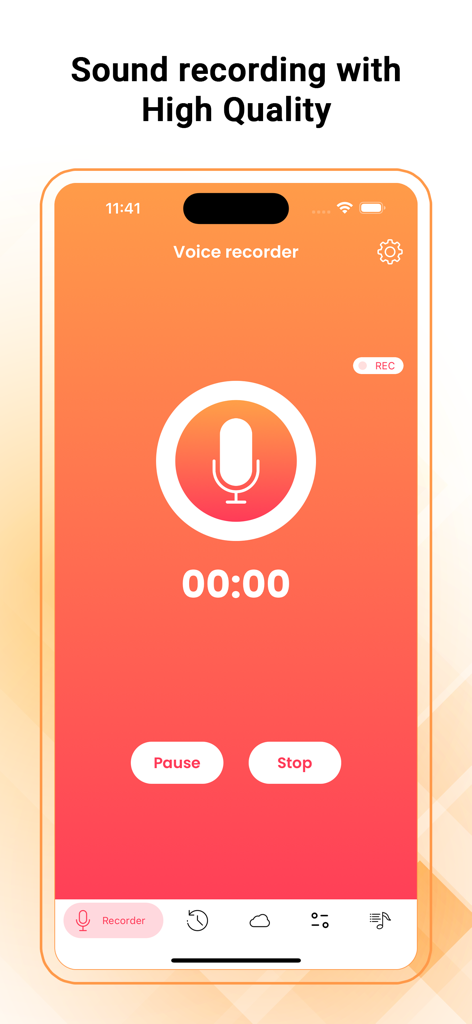
Voice Recorder - Audio Memos - ボイスレコーダーアプリのメイン録音画面。大きなマイクアイコンと高品質オーディオ設定が特徴です。
ボイスレコーダーアプリのメイン録音画面。大きなマイクアイコンと高品質オーディオ設定が特徴です。

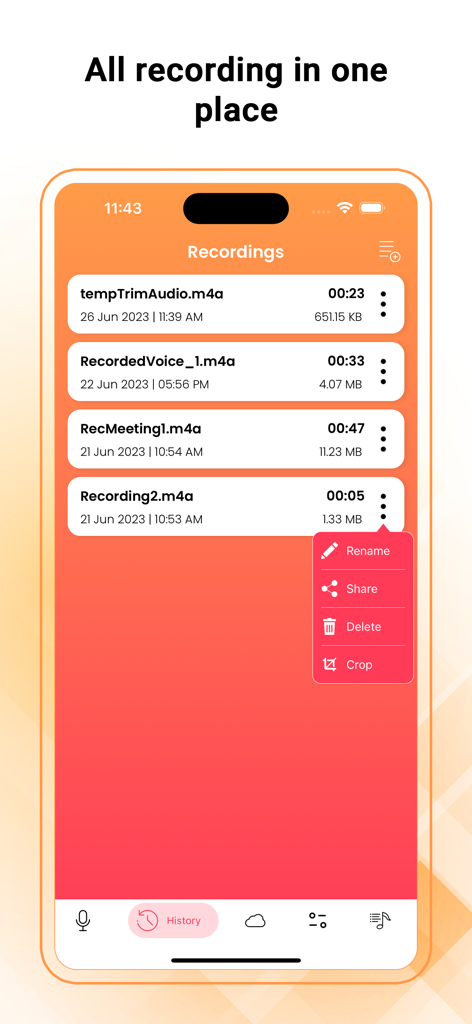
Voice Recorder - Audio Memos - ボイスレコーダーアプリの録音済み音声メモのリスト。名前変更、共有、削除、切り抜きオプションがあります。
ボイスレコーダーアプリの録音済み音声メモのリスト。名前変更、共有、削除、切り抜きオプションがあります。

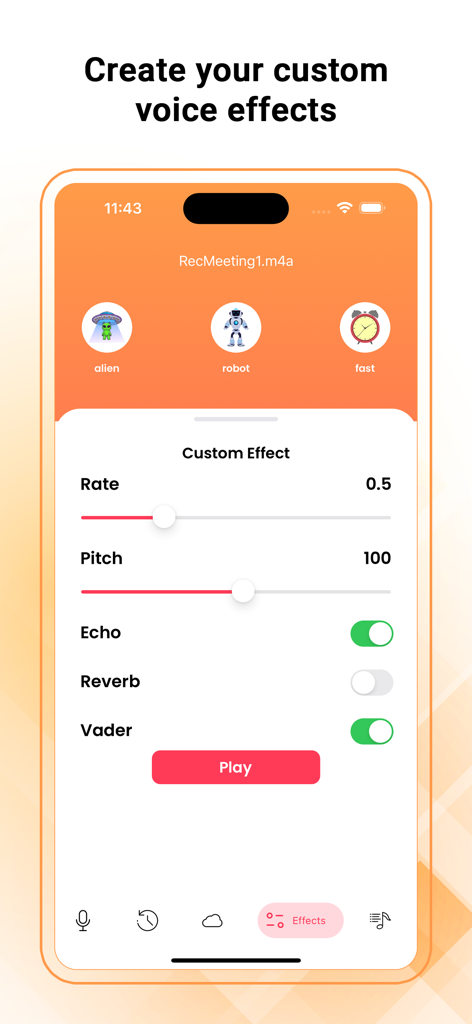
Voice Recorder - Audio Memos - ボイスレコーダーアプリのインターフェース。ピッチ、レート、エコーのカスタムオーディオエフェクト設定が表示されます。
ボイスレコーダーアプリのインターフェース。ピッチ、レート、エコーのカスタムオーディオエフェクト設定が表示されます。

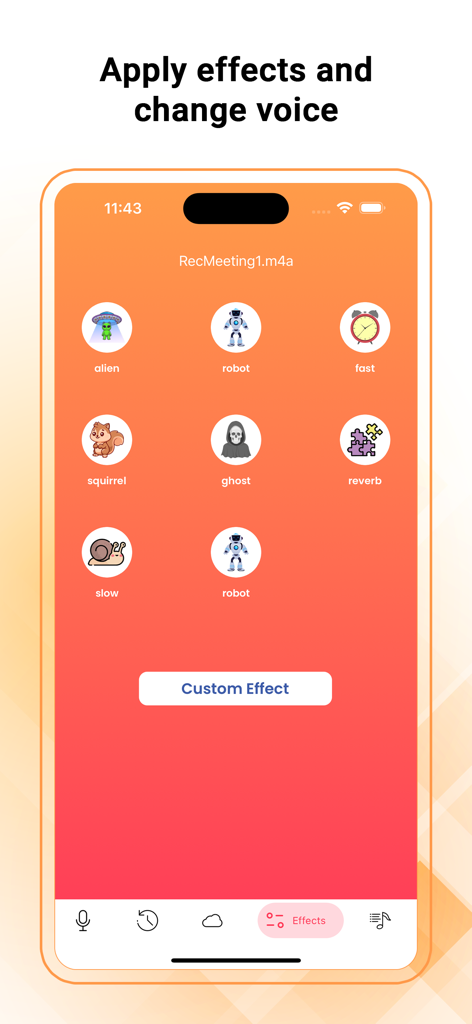
Voice Recorder - Audio Memos - ボイスレコーダーアプリのインターフェース。ロボット、エイリアン、リスなどのさまざまなボイスエフェクトが表示されます。
ボイスレコーダーアプリのインターフェース。ロボット、エイリアン、リスなどのさまざまなボイスエフェクトが表示されます。

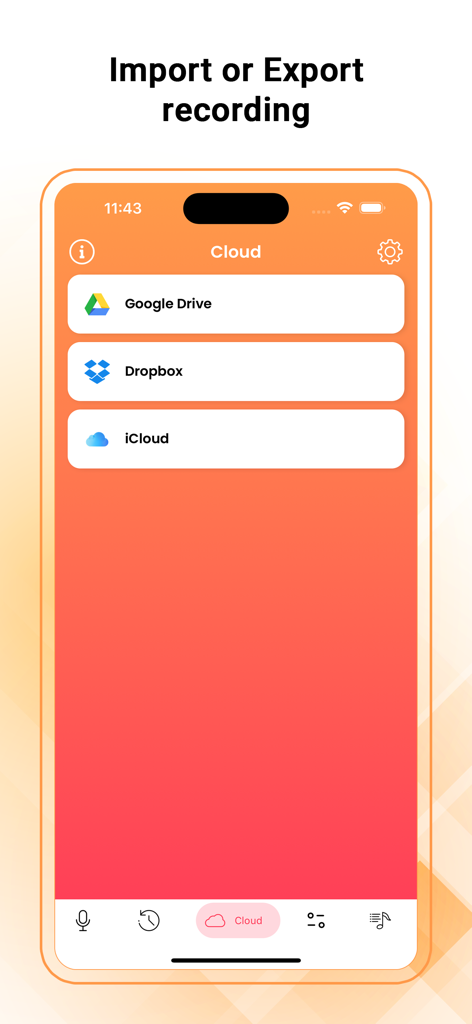
Voice Recorder - Audio Memos - Google Drive、Dropbox、iCloud経由でオーディオ録音をインポートおよびエクスポートするためのクラウドストレージオプションを表示するインターフェース。
Google Drive、Dropbox、iCloud経由でオーディオ録音をインポートおよびエクスポートするためのクラウドストレージオプションを表示するインターフェース。

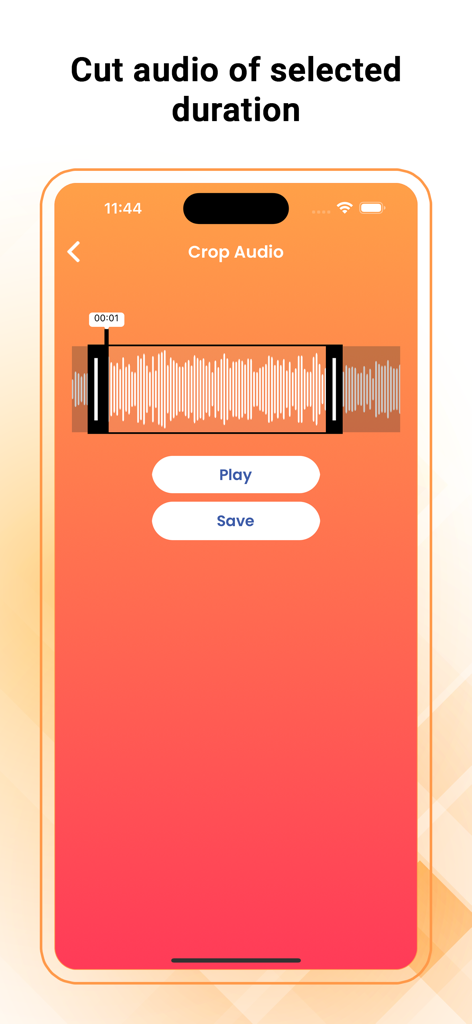
Voice Recorder - Audio Memos - ボイスレコーダーアプリのインターフェース。波形と再生および保存ボタンを備えたオーディオ切り抜きツールが表示されます。
ボイスレコーダーアプリのインターフェース。波形と再生および保存ボタンを備えたオーディオ切り抜きツールが表示されます。

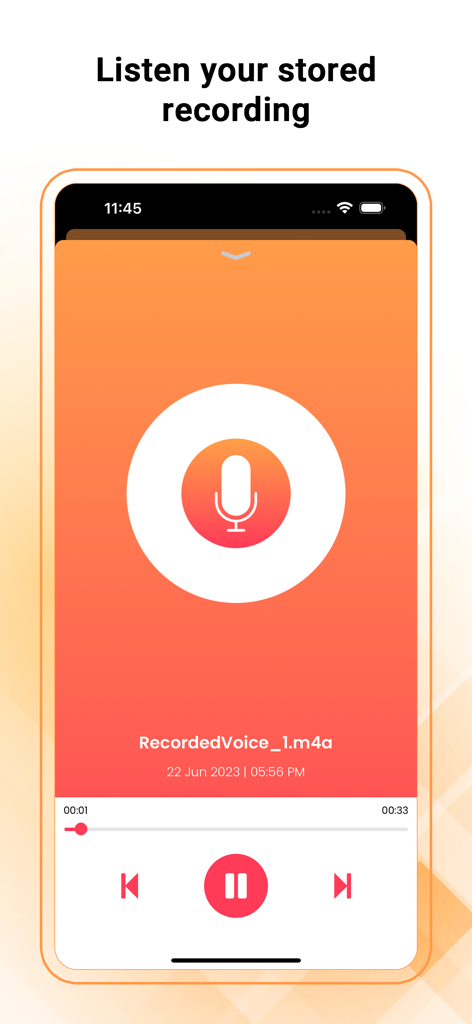
Voice Recorder - Audio Memos - ボイスレコーダーアプリに保存された音声メモを再生するためのスマートフォンインターフェース。再生コントロールと大きなマイクアイコンが特徴です。

ボイスレコーダーアプリに保存された音声メモを再生するためのスマートフォンインターフェース。再生コントロールと大きなマイクアイコンが特徴です。

説明

Voice Recorder - Audio Memos & Voice Notes is a full-featured recording app with a streamlined and simple user interface. Press the big recording button to record; press it again to stop and manage your recordings, all with just a fingertip. Record meetings, conversations, lectures, and more in the easiest way. You can email recordings from Voice Recorder. It also supports direct file sharing through iTunes. and you can modify your sound by adding effects and changing speed, pitch echo, etc. Features: ● One Touch Recording ● Supports Background Recording (you can use other apps while recording) ● Record, Pause, and Resume ● Trim Audio ● Sound Effects ● Record Timer and Playback Counter ● voice changer and create effects ● Set Label for recorded audio and also provide rename feature ● Use the device’s inbuilt or Add-On Mic ● Drag Slider for Seek/Forward/Rewind ● Email your recordings directly from this app ● Delete voice memo at any time from the file listing ● Transfer files using iTunes File Sharing ● File sharing / sending files in another app “Open in” ● Unlimited recording time ● High-quality audio recording ● Provide various themes in the app Settings: ● Record audio with Low, Medium, and High quality ● Passcode Lock for the security of your recorded voice memos Uses: ● Record a lecture or meeting so that you can transcribe it later ● Play a practical joke or impress a friend ● Always have proof of key conversations in case required in future ● Record conversations when you are in or out of the room Microphone Privacy: iOS Settings > Privacy > Microphone > Voice Recorder make it “ON” Disclaimer: We do not condone using Audio Recorder to break laws or intrude on private conversations. Please use the app responsibly.

Download

ダウンロード: App Store

このページはアプリまたはその開発者の公式ページではなく、情報提供および論評を目的として作成された独立した編集出版物です。明示的に別段の記載がない限り、アプリおよびその開発者は、MWM、Apple、Google Play、アプリのパブリッシャー、またはアプリの開発者と提携、承認、後援、認可、またはその他の公式的な関係はなく、このページのいかなる内容も、アプリがMWMのサービスを使用して開発されたことを意味するものではありません。すべての商標、ロゴ、スクリーンショット、その他のコンテンツはそれぞれの所有者の財産です。








