Wake Up Light – Sunrise Alarm
ダウンロード: App Store

このページはアプリまたはその開発者の公式ページではなく、情報提供および論評を目的として作成された独立した編集出版物です。明示的に別段の記載がない限り、アプリおよびその開発者は、MWM、Apple、Google Play、アプリのパブリッシャー、またはアプリの開発者と提携、承認、後援、認可、またはその他の公式的な関係はなく、このページのいかなる内容も、アプリがMWMのサービスを使用して開発されたことを意味するものではありません。すべての商標、ロゴ、スクリーンショット、その他のコンテンツはそれぞれの所有者の財産です。

ロゴ: Wake Up Light – Sunrise Alarm
ダウンロード: App Store

Wake Up Light – Sunrise Alarm

不快なアラーム音で目覚めるのはもうやめましょう。Apple HomeKitライトとブラインドを自動化して概日リズムを同期させ、穏やかでパーソナライズされた日の出を作り出し、よりエネルギッシュで生産的な朝を迎えましょう。

主要数値

ダウンロード

2K+

ユーザー評価

3.6/5

評価数

300

開発元

Andreas Ganske

カテゴリ

Utilities

対応言語

16

最新バージョン

4.17.6

サイズ

50.0 MB

リリース日

2019年6月20日
機能

毎日、太陽と共に目覚める

概日リズムを最適化し、高性能な朝のためにカスタマイズされたシームレスなHomeKitオートメーションで寝室を自然な日の出に変えましょう。

自然な日の出シミュレーション

温かい赤い輝きから明るい昼光へとライトをシフトさせ、自然な夜明けを模倣することで、睡眠慣性を排除します。

スマートホームオーケストレーション

ライト、スマートブラインド、コーヒーメーカーを単一のルーティンに同期させ、朝のあらゆる側面を自動化します。

設定したら忘れる信頼性

アラームはHomeKitハブで直接実行されるため、iPhoneがオフになっていても、別の部屋にあっても、ルーティンがトリガーされます。

以下のスクリーンショットと説明は、アプリの公式ストアリスティングから直接取得されたものであり、アプリ開発者の所有物です。

アプリストア

スクリーンショット
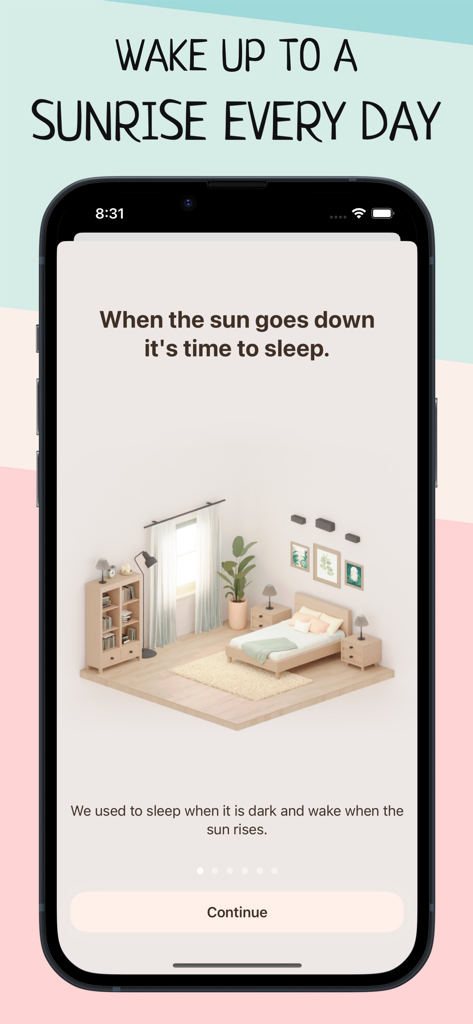
Wake Up Light – Sunrise Alarm - Wake Up Lightアプリのオンボーディング画面。ミニマリストな寝室のイラストと日の出の目覚めのコンセプトが特徴。
Wake Up Lightアプリのオンボーディング画面。ミニマリストな寝室のイラストと日の出の目覚めのコンセプトが特徴。

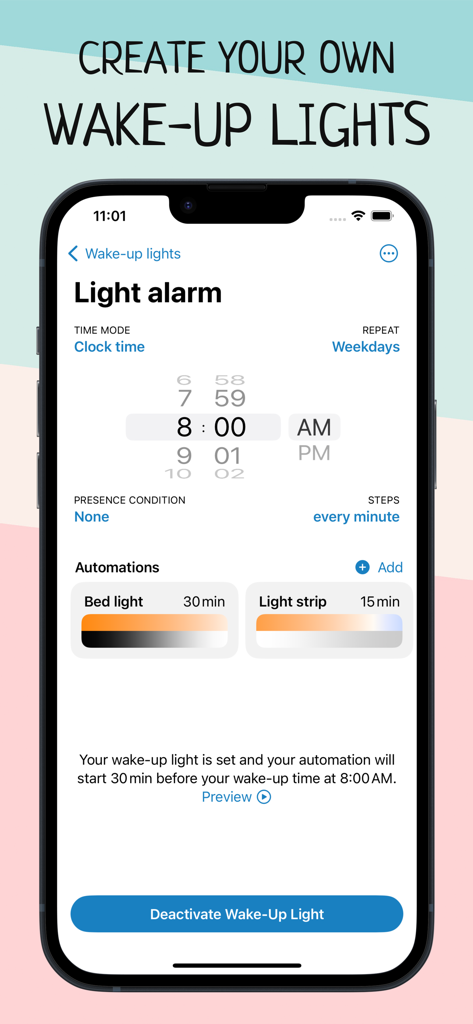
Wake Up Light – Sunrise Alarm - スマートホームライトとオートメーションのための日の出アラーム設定を表示するスマートフォンの画面。
スマートホームライトとオートメーションのための日の出アラーム設定を表示するスマートフォンの画面。

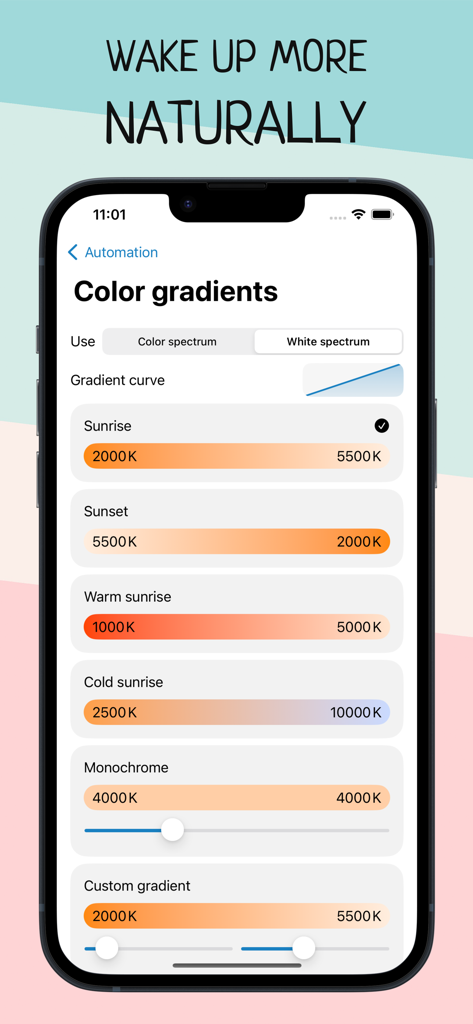
Wake Up Light – Sunrise Alarm - 日の出と日の入りの温度オプションを示すスマートホームオートメーションの日の出アラームカラーグラデーション設定。
日の出と日の入りの温度オプションを示すスマートホームオートメーションの日の出アラームカラーグラデーション設定。

Wake Up Light – Sunrise Alarm - スマートホームデバイスのためのスケジュールされた日の出アラームのリストを表示するWake Up Lightアプリのインターフェース。
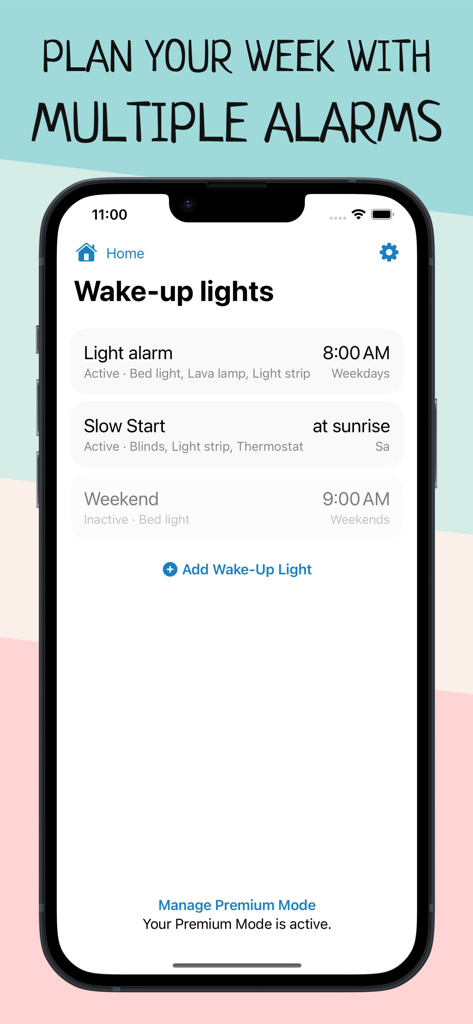
スマートホームデバイスのためのスケジュールされた日の出アラームのリストを表示するWake Up Lightアプリのインターフェース。

Wake Up Light – Sunrise Alarm - 日の出アラームのカラーグラデーションと輝度グラデーション設定を示すスマートライトオートメーション画面。
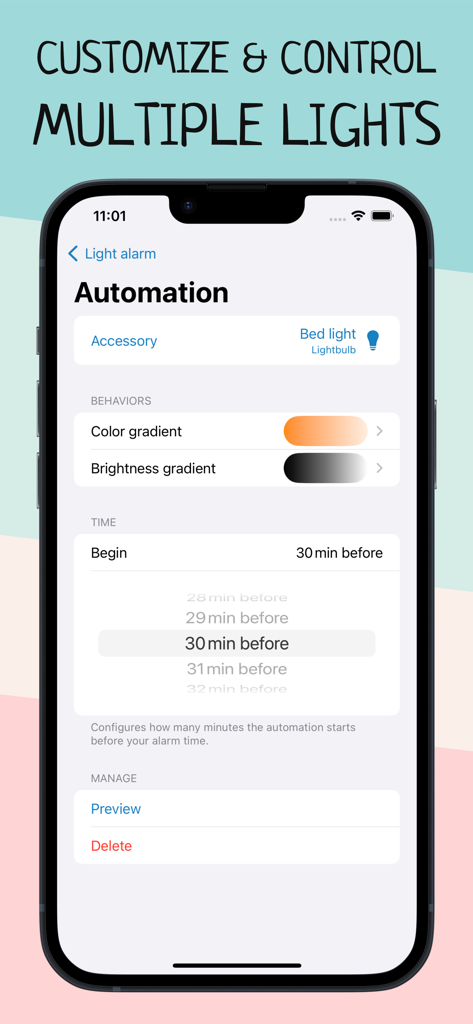
日の出アラームのカラーグラデーションと輝度グラデーション設定を示すスマートライトオートメーション画面。

Wake Up Light – Sunrise Alarm - スマートホームライトオートメーションの輝度グラデーションオプションを示すインターフェース。
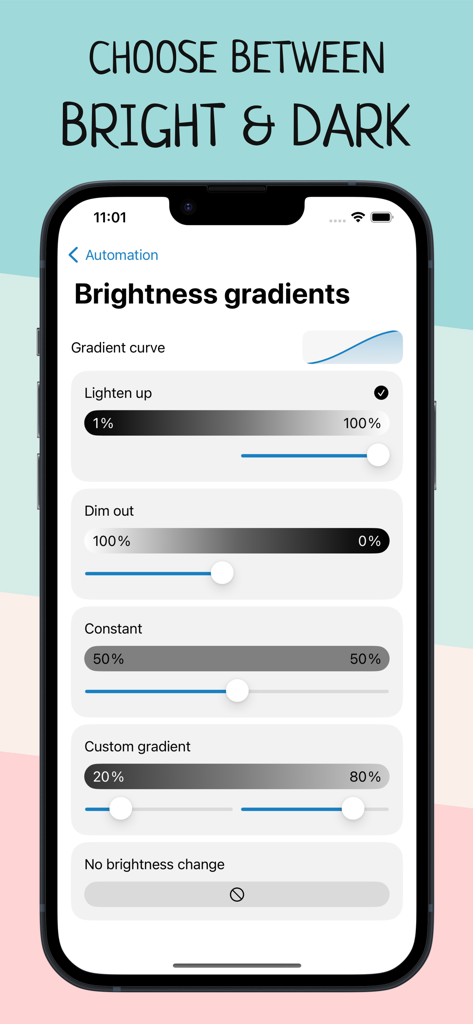
スマートホームライトオートメーションの輝度グラデーションオプションを示すインターフェース。

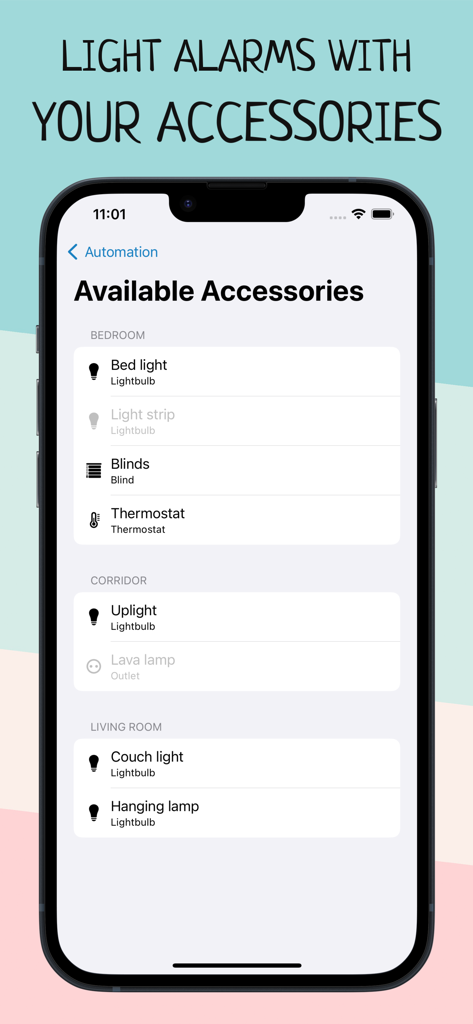
Wake Up Light – Sunrise Alarm - 日の出オートメーションのために部屋ごとに分類されたスマート電球やブラインドなどの利用可能なHomeKitアクセサリのリストを表示するWake Up Lightアプリのスクリーンショット。
日の出オートメーションのために部屋ごとに分類されたスマート電球やブラインドなどの利用可能なHomeKitアクセサリのリストを表示するWake Up Lightアプリのスクリーンショット。

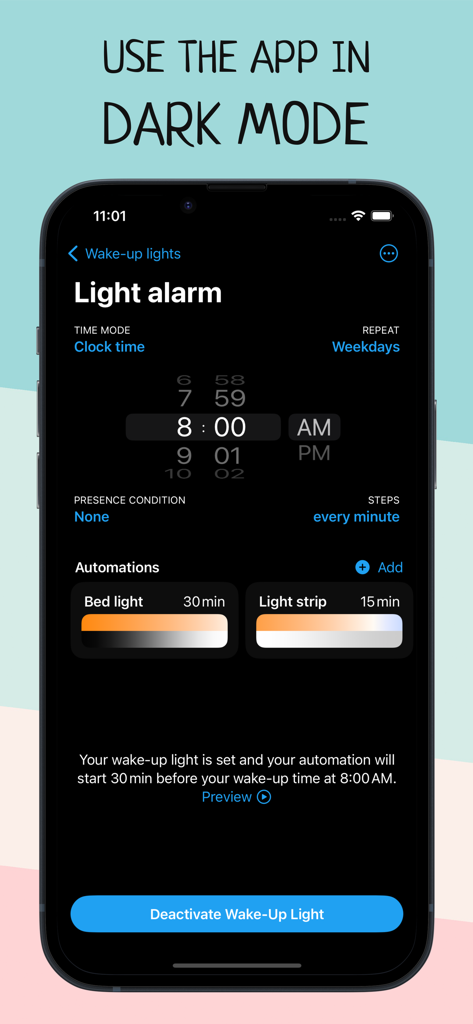
Wake Up Light – Sunrise Alarm - ダークモードでのライトアラーム設定とオートメーションを表示するWake Up Lightアプリのインターフェース。
ダークモードでのライトアラーム設定とオートメーションを表示するWake Up Lightアプリのインターフェース。

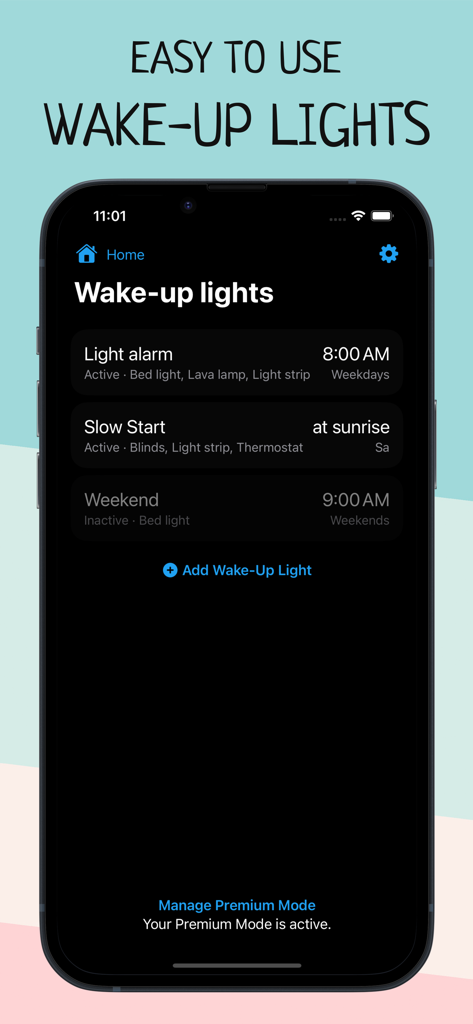
Wake Up Light – Sunrise Alarm - スケジュールされた日の出アラームが表示されるWake Up Lightアプリのホームメニューを表示するスマートフォンの画面。
スケジュールされた日の出アラームが表示されるWake Up Lightアプリのホームメニューを表示するスマートフォンの画面。

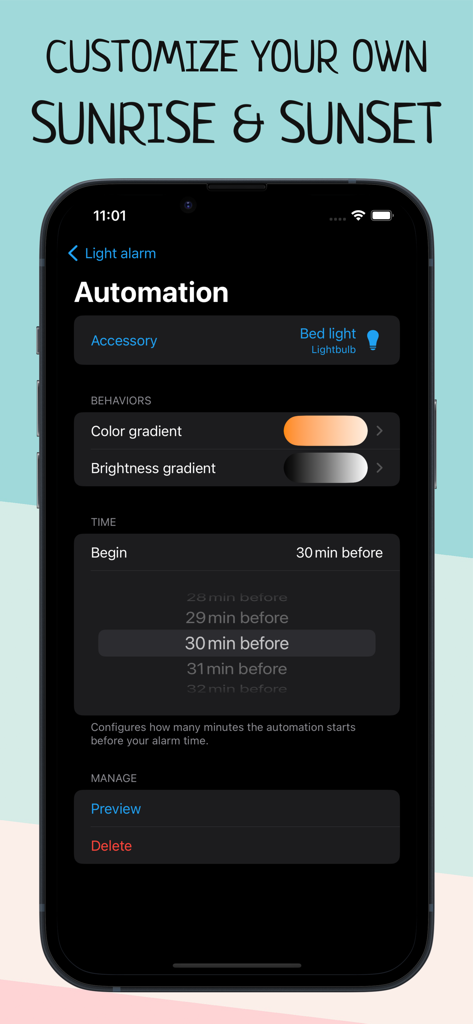
Wake Up Light – Sunrise Alarm - Wake Up Lightアプリの日出アラームオートメーション設定。

Wake Up Lightアプリの日出アラームオートメーション設定。

説明

Wake up more naturally with your wake-up light based on your smart HomeKit lights, and improve your morning routine with Wake Up Light. Are you tired in the morning? Does your body feel like it doesn't want to get up? Create an artificial dawn with Wake Up Light, so getting up in the morning feels easier and more natural. Built for use with HomeKit-enabled lights, now it’s easy to add a wake-up light alarm to the Apple Home app. Say you want to wake up at 8:00 a.m. Use Wake Up Light to schedule your bed light to turn on at 7:30 am with its minimum brightness in a dark reddish color. Your light will then gradually increase its brightness and change its color to daylight white until it reaches its full brightness at 8:00 a.m. Got smart blinds? Let them gradually open 20 minutes before your wake-up time. Coffee machine plugged into a smart outlet? Let it turn on 15 minutes before your alarm goes off. Set a light alarm that starts your day before your desired wake-up time (a recommended duration is something between 30 and 60 minutes). Your light brightens to its maximum intensity by the time you’ve set it, shifting from dim, warm red to bright and cold white after its light-up duration. The brighter the light, the better the effect will be on your body. The goal is to put you into a lighter sleep so that you awaken easier. FEATURES – Alarms that turn on lights and change colors as they brighten – Support for all HomeKit-enabled lights, blinds and outlets – Alarms are shared with everyone who has access to the same home – There is no need to keep your iPhone connected (or even on) – Set the days your wake-up light should wake you – Combine lightbulbs, power outlets, and smart blinds – Shortcuts and Siri support to activate, reschedule and deactivate your alarms – Create multiple wake-up lights and control multiple accessories per alarm – Preview your wake-up light Wake Up Light lets you easily create wake-up lights that fit your needs. Just select your light and preferred wake-up time, and Wake Up Light will create HomeKit automation for you, turning your lights on gradually over time. Adjust the duration of the brightening phase (between 30 and 60 minutes is recommended) and choose the brightness your lights should reach. Your light then brightens to its maximum intensity by the time you have chosen, shifting from dim, warm red to bright and cold white after its light-up duration (if supported by the light bulb). Add multiple wake-up lights to your weekly schedule. Control different lights with their own custom time, duration and brightness. Everyone in the same house can control the wake-up lights, too – thanks to HomeKit. HOW DOES IT WORK? A wake-up light alarm clock brings you slowly into shallower states of sleep by gradually increasing the brightness in your room. The light travels through your closed eyelids, notifying your body the same way as a natural sunrise. This gradual transition from deeper to shallower states of sleep has been found to wake you more naturally and boost your mood, energy and productivity for the whole day. Let your lights brighten your morning. App preview music is Haven by Nihilore: http://www.nihilore.com/license Terms of Use: https://wakeuplight.app/terms-of-use/

Download

ダウンロード: App Store

このページはアプリまたはその開発者の公式ページではなく、情報提供および論評を目的として作成された独立した編集出版物です。明示的に別段の記載がない限り、アプリおよびその開発者は、MWM、Apple、Google Play、アプリのパブリッシャー、またはアプリの開発者と提携、承認、後援、認可、またはその他の公式的な関係はなく、このページのいかなる内容も、アプリがMWMのサービスを使用して開発されたことを意味するものではありません。すべての商標、ロゴ、スクリーンショット、その他のコンテンツはそれぞれの所有者の財産です。








