Warehouse accounting
ダウンロード: App Store

このページはアプリまたはその開発者の公式ページではなく、情報提供および論評を目的として作成された独立した編集出版物です。明示的に別段の記載がない限り、アプリおよびその開発者は、MWM、Apple、Google Play、アプリのパブリッシャー、またはアプリの開発者と提携、承認、後援、認可、またはその他の公式的な関係はなく、このページのいかなる内容も、アプリがMWMのサービスを使用して開発されたことを意味するものではありません。すべての商標、ロゴ、スクリーンショット、その他のコンテンツはそれぞれの所有者の財産です。


ロゴ: Warehouse accounting
ダウンロード: App Store

Warehouse accounting

コンピューターがなくても問題ありません。機敏な中小企業経営者向けに設計されたモバイルファースト管理システムで、在庫を追跡し、バーコードをスキャンし、リアルタイムの利益を監視します。

主要数値

ダウンロード

66K+

ユーザー評価

4.1/5

評価数

200

開発元

Alex Shekunsky

カテゴリ

Business

対応言語

3

最新バージョン

11.35

サイズ

11.7 MB

リリース日

2014年3月31日
機能

プロフェッショナルな在庫管理をポケットに

スプレッドシートや大型コンピューターへの依存をやめましょう。現代の起業家向けに設計されたモバイルファーストソリューションで、倉庫、顧客、キャッシュフローを完全に管理しましょう。

スマートバーコードスキャン

高価なハードウェアは不要です。iPhoneまたはiPadのカメラを使用してバーコードをスキャンし、その場で即座に在庫更新、返品、在庫数を確認できます。

利益・販売分析

リアルタイムデータで成功を可視化しましょう。最も売れている製品を追跡し、トップ顧客を特定し、1つのシンプルなダッシュボードで利益率を監視します。

以下のスクリーンショットと説明は、アプリの公式ストアリスティングから直接取得されたものであり、アプリ開発者の所有物です。

アプリストア

スクリーンショット
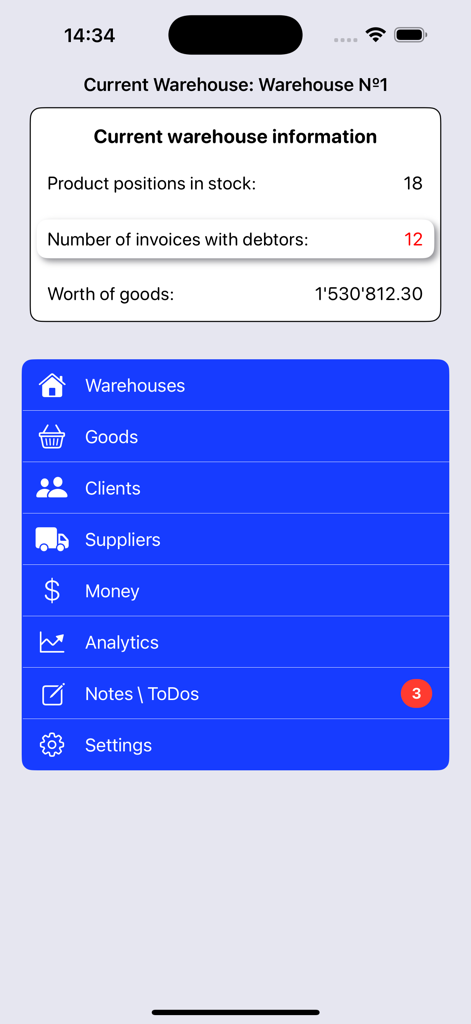
Warehouse accounting - 倉庫会計アプリのダッシュボード。現在の倉庫情報とナビゲーションメニューが表示されています。
倉庫会計アプリのダッシュボード。現在の倉庫情報とナビゲーションメニューが表示されています。

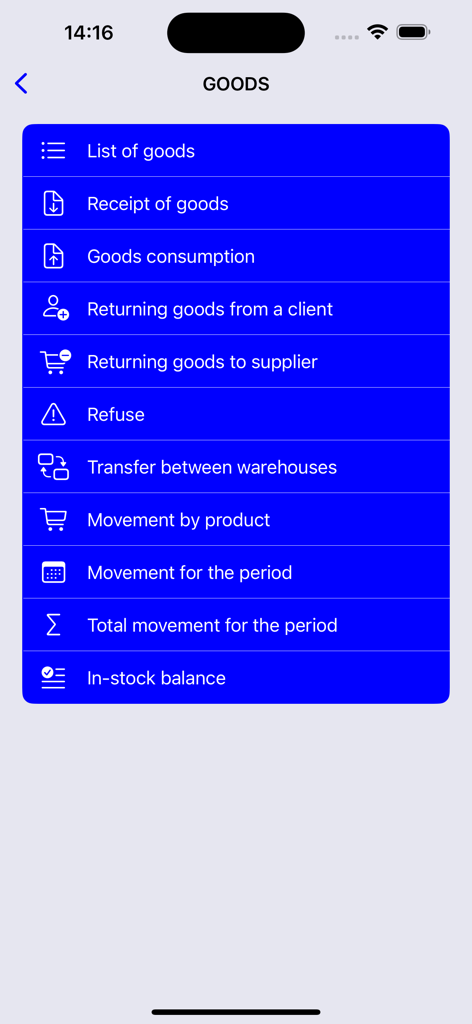
Warehouse accounting - 倉庫会計アプリの商品管理メニュー画面。入荷、消費、在庫残高のオプションが表示されています。
倉庫会計アプリの商品管理メニュー画面。入荷、消費、在庫残高のオプションが表示されています。

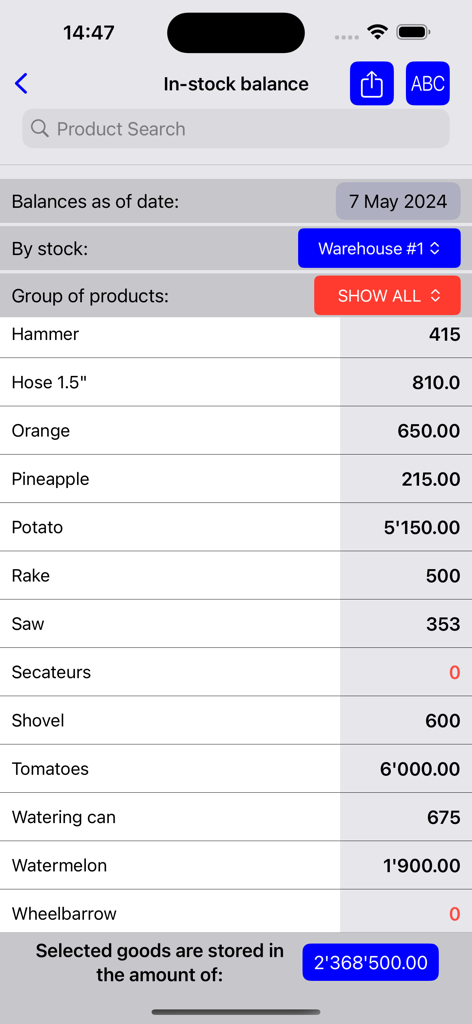
Warehouse accounting - モバイルアプリ画面。在庫残高が表示され、製品リストとその数量が示されています。
モバイルアプリ画面。在庫残高が表示され、製品リストとその数量が示されています。

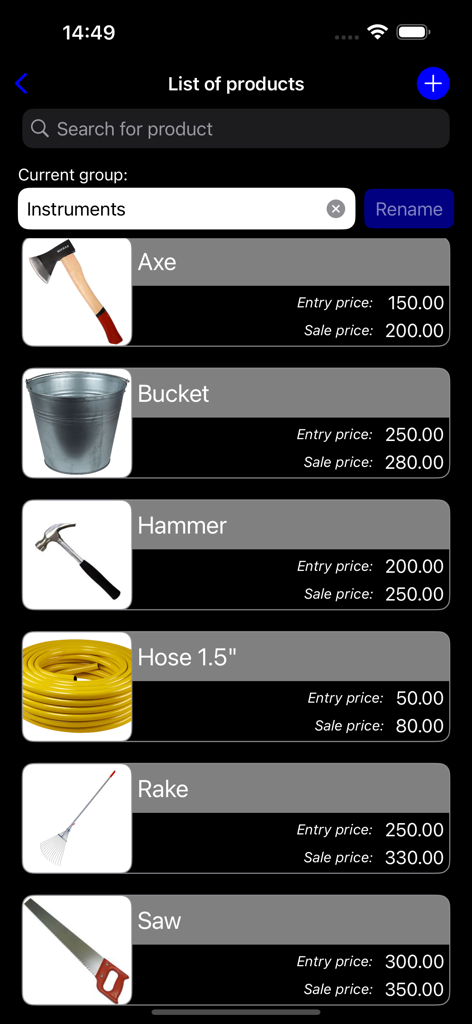
Warehouse accounting - モバイルアプリインターフェース。斧やハンマーなどのツールを含む倉庫製品のリストが表示され、入荷価格と販売価格が示されています。
モバイルアプリインターフェース。斧やハンマーなどのツールを含む倉庫製品のリストが表示され、入荷価格と販売価格が示されています。

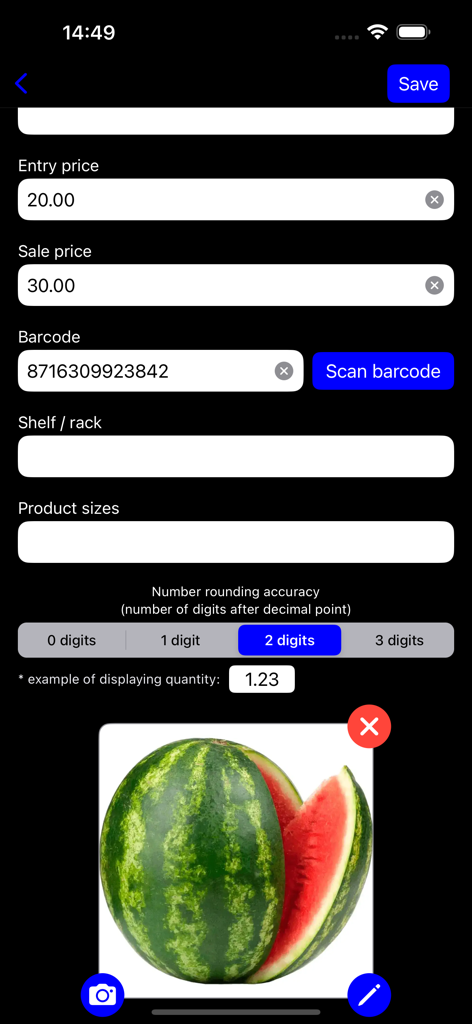
Warehouse accounting - 倉庫会計アプリの製品詳細入力画面。価格フィールド、バーコードスキャナーボタン、製品写真が表示されています。
倉庫会計アプリの製品詳細入力画面。価格フィールド、バーコードスキャナーボタン、製品写真が表示されています。

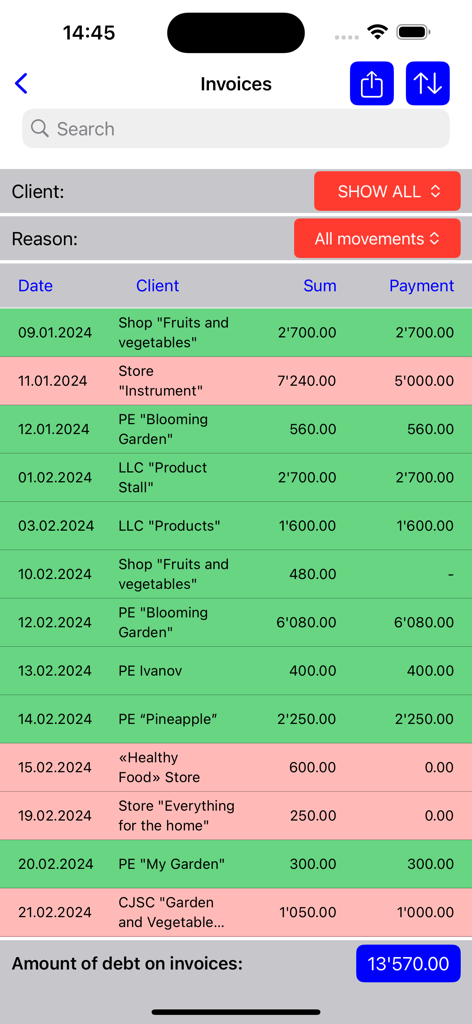
Warehouse accounting - モバイルアプリ画面。支払い状況と合計債務が表示された顧客請求書のリストが表示されています。
モバイルアプリ画面。支払い状況と合計債務が表示された顧客請求書のリストが表示されています。

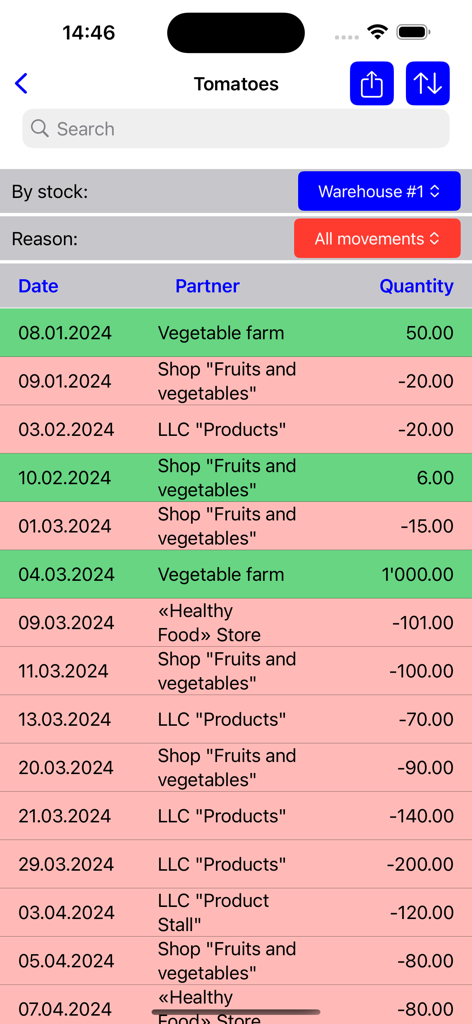
Warehouse accounting - トマトの在庫移動の詳細なリストが表示されたモバイル画面。日付、パートナー、数量が緑と赤で示されています。
トマトの在庫移動の詳細なリストが表示されたモバイル画面。日付、パートナー、数量が緑と赤で示されています。

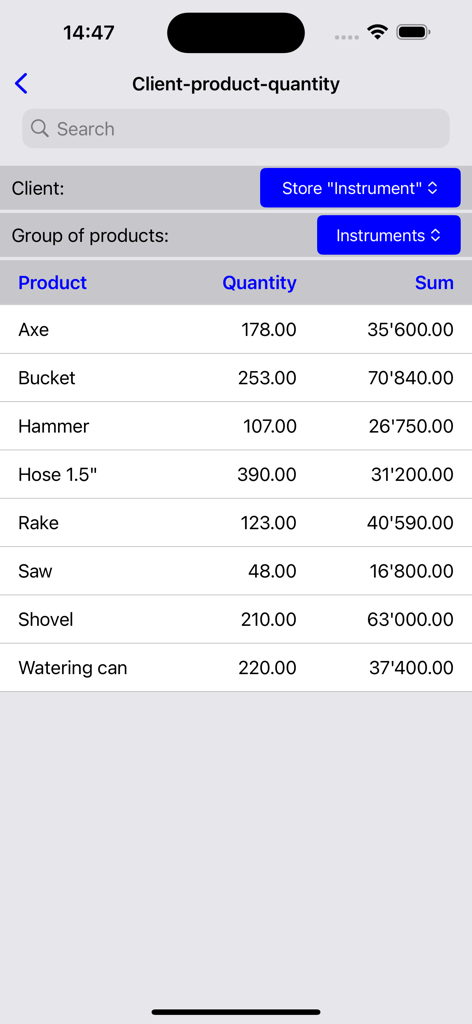
Warehouse accounting - 倉庫会計アプリの特定の顧客に対する製品名、数量、合計金額が表示された在庫リスト。
倉庫会計アプリの特定の顧客に対する製品名、数量、合計金額が表示された在庫リスト。

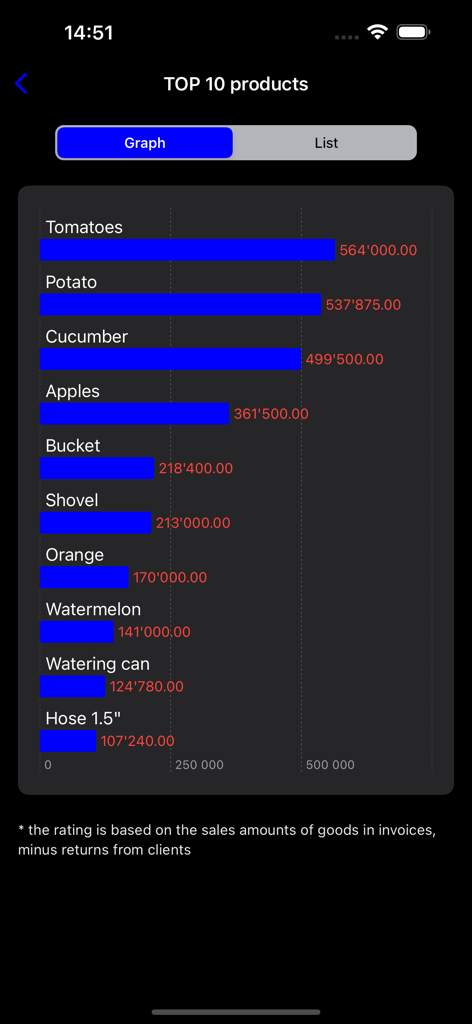
Warehouse accounting - 倉庫会計アプリで、売上金額とともにトップ10の売れ筋製品を示す棒グラフ。

倉庫会計アプリで、売上金額とともにトップ10の売れ筋製品を示す棒グラフ。
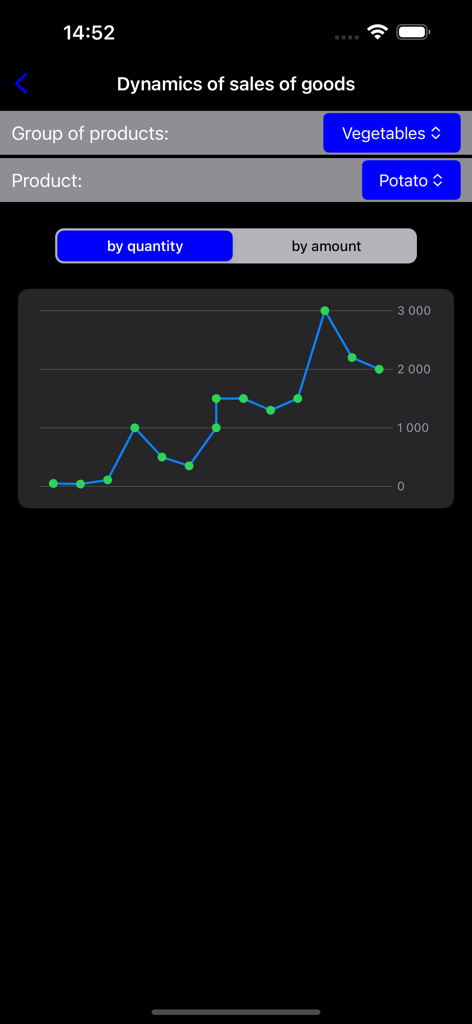
Warehouse accounting - 倉庫会計アプリで、ジャガイモなどの製品の販売動向を示す折れ線グラフが表示されたモバイルアプリ画面。

倉庫会計アプリで、ジャガイモなどの製品の販売動向を示す折れ線グラフが表示されたモバイルアプリ画面。

説明

Do you have a warehouse but do not always have a computer handy for the operational management of the warehouse? Then this app is for you! With this application you can manage your warehouse and to receive information about his condition. The main sections of the program: - WAREHOUSES - GOODS - CUSTOMERS - SHIPPERS - MONEY - ANALYTICS - SETTINGS • In the «WAREHOUSES» section you can: create and delete warehouses, receive brief information on each warehouse, switch the current warehouse for which accounting is maintained. • In the «GOODS» section you may: maintain a list of goods, to carry out "the arrival / consumption» of goods, execute «returns from client», to get information about the "movement" of each goods, receive a list of the "arrival" of the goods for the required period as well as the remains of view products in stock. There is a possibility of working with products of bar code that will read by the iPhone / iPad camera. • In the «CUSTOMERS» section you may: maintain a list of clients, as well as to receive information about the "movement" of the customer, the customer orders and returns from the client. It is also possible to obtain a list of customers of the debtor. • In the «SHIPPERS» you can: work with suppliers directory and get a list of the "arrival" of the supplier for the required period. • Section «MONEY» provides financial information on the costs, revenues and profits for the required period. • In the «ANALYTICS» program will provide you with information in the form of graphs of the dynamics of sales of goods, as well as the "bestseller" among the products and customers. • In the «SETTINGS» section, you can configure: the date format, the password to run the program, notification of debtors, as well as to import / export database application through the service Dropbox. With this function you can exchange data with other applications on devices that have installed "warehouse". All comments and suggestions you may write to the developer address: shekunsky@gmail.com directly from the program.

Download

ダウンロード: App Store

このページはアプリまたはその開発者の公式ページではなく、情報提供および論評を目的として作成された独立した編集出版物です。明示的に別段の記載がない限り、アプリおよびその開発者は、MWM、Apple、Google Play、アプリのパブリッシャー、またはアプリの開発者と提携、承認、後援、認可、またはその他の公式的な関係はなく、このページのいかなる内容も、アプリがMWMのサービスを使用して開発されたことを意味するものではありません。すべての商標、ロゴ、スクリーンショット、その他のコンテンツはそれぞれの所有者の財産です。








