WeDraw: Trace & Create
ダウンロード: App Store

このページはアプリまたはその開発者の公式ページではなく、情報提供および論評を目的として作成された独立した編集出版物です。明示的に別段の記載がない限り、アプリおよびその開発者は、MWM、Apple、Google Play、アプリのパブリッシャー、またはアプリの開発者と提携、承認、後援、認可、またはその他の公式的な関係はなく、このページのいかなる内容も、アプリがMWMのサービスを使用して開発されたことを意味するものではありません。すべての商標、ロゴ、スクリーンショット、その他のコンテンツはそれぞれの所有者の財産です。

ロゴ: WeDraw: Trace & Create
ダウンロード: App Store

WeDraw: Trace & Create

拡張現実オーバーレイと並列リファレンスで、比率をマスターし、アートスキルを磨きましょう。広告なし、サインアップなし、邪魔なものなし – 創造力をページに結びつけるための、ミニマルなツールです。

主要数値

ダウンロード

400

ユーザー評価

1.0/5

評価数

0

開発元

Ali An Nuur

カテゴリ

Graphics & Design

対応言語

1

最新バージョン

1.1

サイズ

157.3 MB

リリース日

2025年7月28日
機能

精密にあなたの技術をマスターする

初心者からデジタルノマドまで、WeDrawはスマートARテクノロジーと邪魔されないワークスペースを通じて、インスピレーションと完成した傑作の間の完璧な架け橋を提供します。

スマートARトレース

拡張現実を使用して、あらゆるリファレンスを紙やキャンバスに投影し、完璧な比率を捉え、筋憶を簡単に構築します。

純粋な創造的集中

サブスクリプションやアカウント設定は不要です。アートだけがスポットライトを浴びる、ミニマルで広告のないインターフェースをお楽しみください。

以下のスクリーンショットと説明は、アプリの公式ストアリスティングから直接取得されたものであり、アプリ開発者の所有物です。

アプリストア

スクリーンショット
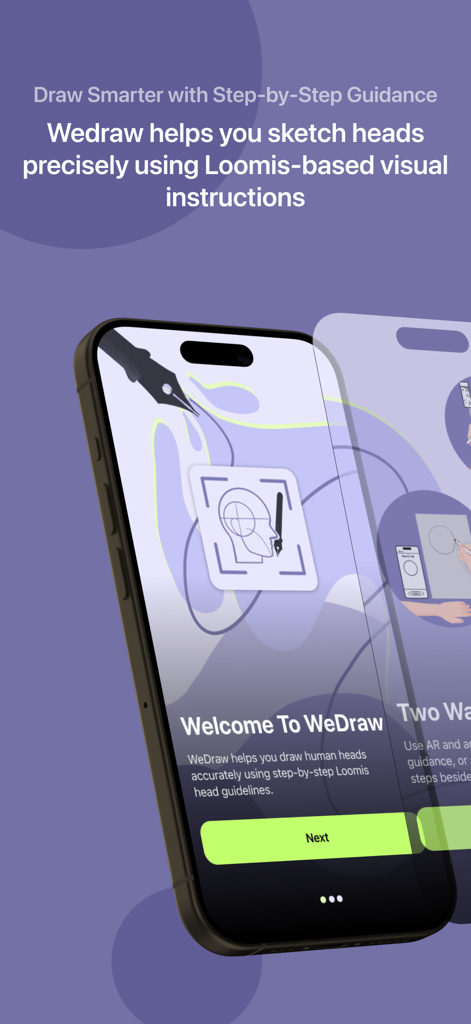
WeDraw: Trace & Create - WeDrawアプリのオンボーディング画面。人間の頭を描くためのルーミス法のステップバイステップガイダンスを表示。
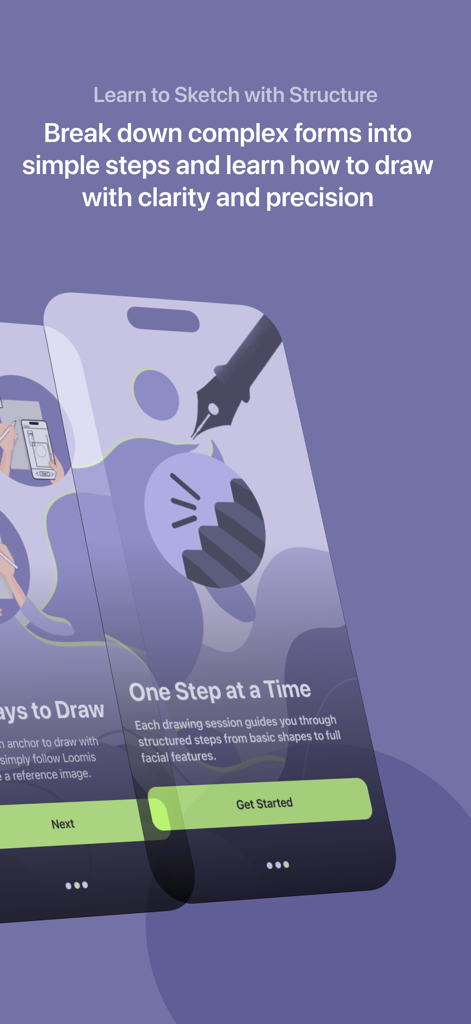
WeDrawアプリのオンボーディング画面。人間の頭を描くためのルーミス法のステップバイステップガイダンスを表示。

WeDraw: Trace & Create - WeDrawアプリのインターフェース。簡単なステップでスケッチ構造を学ぶためのガイドを表示。
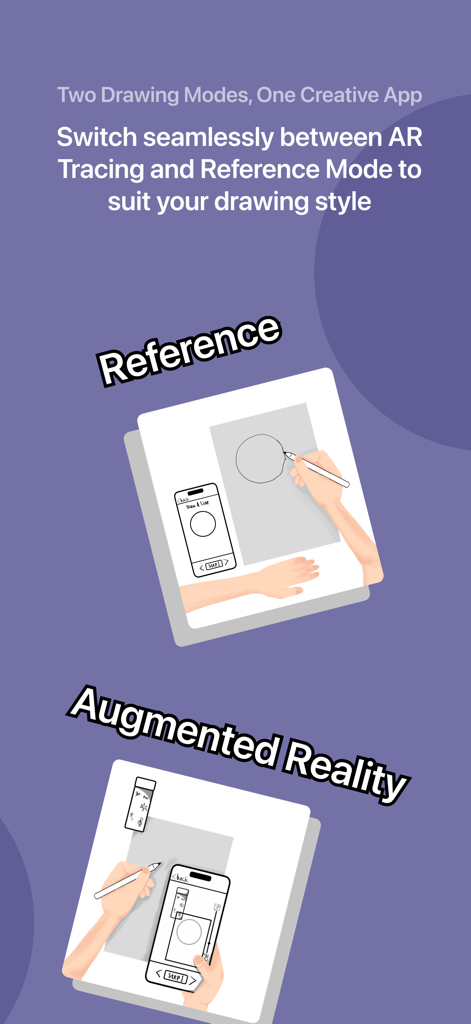
WeDrawアプリのインターフェース。簡単なステップでスケッチ構造を学ぶためのガイドを表示。

WeDraw: Trace & Create - リファレンスと拡張現実描画モードを備えたWeDrawアプリの機能を示すインフォグラフィック。
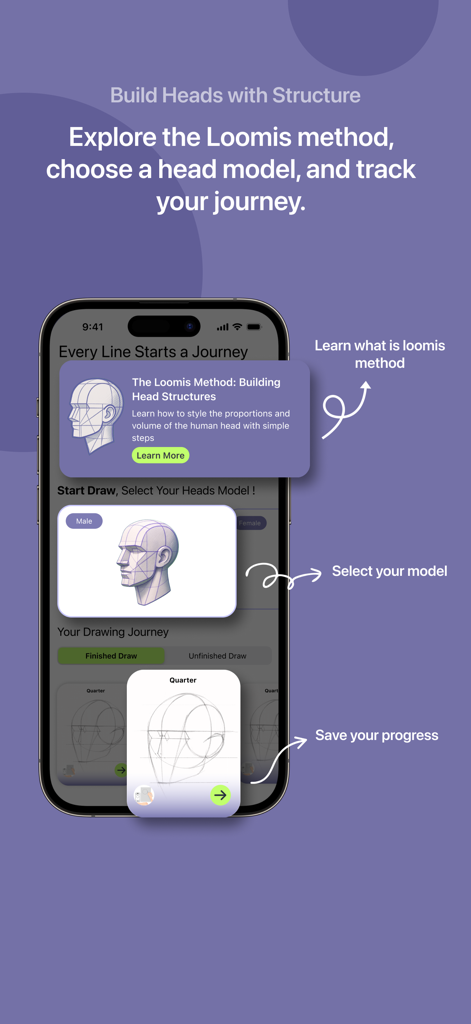
リファレンスと拡張現実描画モードを備えたWeDrawアプリの機能を示すインフォグラフィック。

WeDraw: Trace & Create - WeDrawアプリのインターフェース。3Dモデルを使用して人間の頭の比率を描くためのルーミス法を説明。
WeDrawアプリのインターフェース。3Dモデルを使用して人間の頭の比率を描くためのルーミス法を説明。

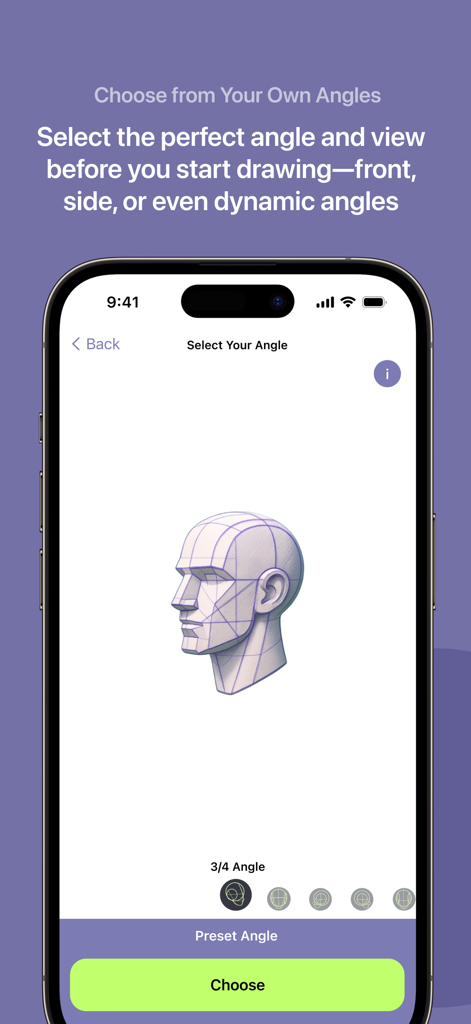
WeDraw: Trace & Create - WeDrawアプリのインターフェース。トレースとスケッチのために、3/4アングルの人間の頭の3Dモデルリファレンスを表示。
WeDrawアプリのインターフェース。トレースとスケッチのために、3/4アングルの人間の頭の3Dモデルリファレンスを表示。

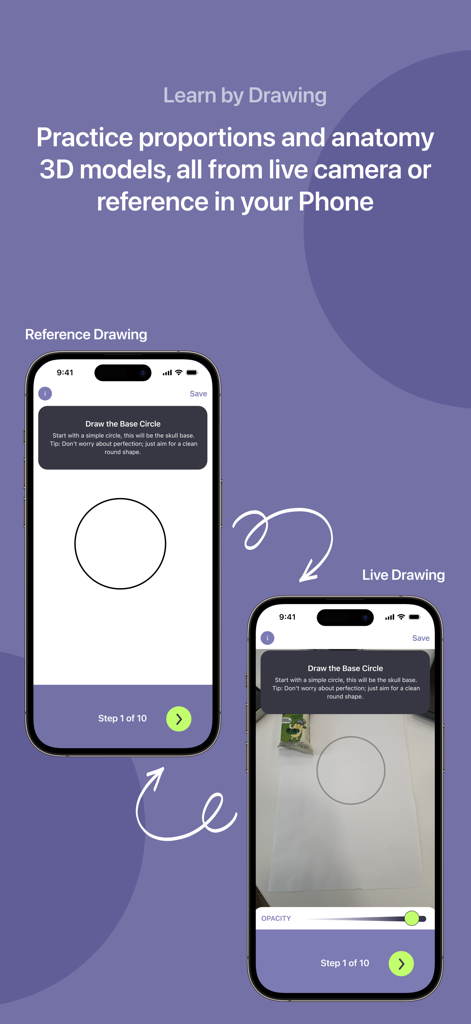
WeDraw: Trace & Create - WeDrawアプリでのリファレンス描画モードとライブARトレースモードの比較。

WeDrawアプリでのリファレンス描画モードとライブARトレースモードの比較。

説明


Bring your imagination into the real world — one trace at a time. Wedraw is an intuitive Augmented Reality (AR) tracing app that helps you learn, practice, and express your creativity by overlaying real-world reference images directly onto your environment. Whether you're an aspiring artist, student, or just someone who loves to draw, Wedraw transforms your device into a smart digital projector that helps you trace and sketch with ease. And it doesn’t stop at AR. You can also draw with reference images right inside the app without AR mode. Use our focused drawing space to sketch from references in a distraction-free interface, perfect for when you want to practice anatomy, still life, or characters in a more traditional digital setup. How It Works 1. Open the App — Launch Wedraw and dive straight into a curated collection of drawing models. 2. Choose a Model to Draw — Select from a range of reference images designed to support your practice and creativity. 3. Pick Your Angle — Decide which perspective or pose of the model best suits your drawing intent. 4. Select a Mode — Choose between: - Draw with Reference (side-by-side view, no AR), or - Draw with AR (overlay image on real-world surface) 5. (For AR Mode) Take a photo of your anchor — a flat, real-world surface that the app will use to place your image. 6. Crop & Adjust the Image — Refine the area you want to draw and position it exactly as needed. 7. Start Drawing — Trace over the AR projection or sketch directly from the reference. Create at your own pace, your way. Features You'll Love - Smart AR Tracing: Overlay images onto real surfaces and trace with accuracy. - Draw with Reference: Prefer classic reference drawing? Use side-by-side mode to sketch without AR. - Flexible Anchoring: Image stays even if AR tracking is temporarily lost. - Gesture Controls: Move, scale, and rotate images intuitively. - Minimal Interface: A clean design that stays out of your way and lets your art take the spotlight. Perfect For: - Art Students & Teachers — Practice fundamentals and structure. - Hobbyists & Creators — Recreate your favorite characters, logos, or scenery. - Beginners & Kids — Build drawing confidence at your own pace. - Digital Nomads — Sketch anywhere, anytime, with nothing but your phone. Whether you’re tracing over an anchor or free-sketching from a reference image, Wedraw is your creative companion. It’s not just a tool, it’s a bridge between your ideas and the page. No sign-up. No ads. Just you and your art. Download Wedraw and start creating today. Meet the Wedraw Squad Crafted with passion by Ali An Nuur M. Evan Cendekia Suryandaru Rudi Juandi Butarbutar Rizky Dwi Putra Widia Sania

Download

ダウンロード: App Store

このページはアプリまたはその開発者の公式ページではなく、情報提供および論評を目的として作成された独立した編集出版物です。明示的に別段の記載がない限り、アプリおよびその開発者は、MWM、Apple、Google Play、アプリのパブリッシャー、またはアプリの開発者と提携、承認、後援、認可、またはその他の公式的な関係はなく、このページのいかなる内容も、アプリがMWMのサービスを使用して開発されたことを意味するものではありません。すべての商標、ロゴ、スクリーンショット、その他のコンテンツはそれぞれの所有者の財産です。







