
このページはアプリまたはその開発者の公式ページではなく、情報提供および論評を目的として作成された独立した編集出版物です。明示的に別段の記載がない限り、アプリおよびその開発者は、MWM、Apple、Google Play、アプリのパブリッシャー、またはアプリの開発者と提携、承認、後援、認可、またはその他の公式的な関係はなく、このページのいかなる内容も、アプリがMWMのサービスを使用して開発されたことを意味するものではありません。すべての商標、ロゴ、スクリーンショット、その他のコンテンツはそれぞれの所有者の財産です。

Whats-App Web Scanner
すべてのデバイス間でチャットをシームレスに同期し、消えるストーリーを保存し、連絡先に追加せずに誰にでも即座にメッセージを送信できます。
ダウンロード
160K+ユーザー評価
評価数
1000開発元
カテゴリ
Social Networking対応言語
8最新バージョン
4.0サイズ
21.6 MBリリース日
2023年3月22日メッセージングエクスペリエンスをマスターする
現代のWhatsAppユーザーのために設計されたプロフェッショナルツールで、デバイス間のギャップを埋めましょう。iPhoneでもiPadでも、同期を保ち、コントロールを維持します。
iPad用デュアルメッセンジャー
ついに、iPadでWhatsAppをネイティブのように使えるシームレスな方法が登場しました。アカウントを数秒でクローンし、すべてのAppleデバイスでリアルタイム同期をお楽しみください。
直接連絡先不要チャット
アドレス帳を散らかすのをやめましょう。一時的な電話番号を連絡先に保存する必要なく、クライアントやマーケットプレイスの販売者に即座にメッセージを送信できます。
よくある質問
について知っておくべきこと Whats-App Web Scanner
What is Whats-App Web Scanner?
Whats-App Web ScannerはiPhone向けのインスタントメッセージングアプリで、WhatsAppのデュアルメッセンジャーとして機能します。ユーザーはWhatsAppアカウントを別のiPhoneまたはiPadにクローンして、複数のデバイスでチャットや機能にアクセスできます。
Can I use Whats-App Web Scanner to manage two WhatsApp accounts on one device?
はい、Whats-App Web Scannerはデュアルメッセンジャーとして機能し、同じWhatsAppアカウントを2つの異なるモバイルデバイスで使用できます。個人のWhatsAppチャットアカウントを別のiPhoneまたはiPadにクローンします。
How does Whats-App Web Scanner connect to my WhatsApp account?
Whats-App Web Scannerは、WhatsApp WebからQRコードをスキャンするようにユーザーに要求することで接続します。これにより、高速で安定した接続が可能になり、簡単にログインしてメッセージをリアルタイムで同期できます。
Does Whats-App Web Scanner allow direct messaging without saving contacts?
はい、Whats-App Web Scannerには「ダイレクトチャット」機能があります。これにより、電話帳に連絡先を追加せずに、WhatsAppまたはWhatsApp Businessで直接メッセージを送信できます。
Can I save WhatsApp stories with Whats-App Web Scanner?
はい、Whats-App Web Scannerにはストーリーセーバー機能が含まれています。デュアルメッセンジャーストーリーセーバーを使用すると、WhatsApp Webのストーリーをデバイスに保存して保持したり、他の人と共有したりできます。
Does Whats-App Web Scanner support Dark Mode?
はい、Whats-App Web Scannerはダークモードをサポートしています。ユーザーはダークモードに切り替えることができ、アプリケーションインターフェースの代替ビジュアルテーマを提供します。
How do I manage my subscription for Whats-App Web Scanner?
Whats-App Web Scannerのサブスクリプションは、iTunesアカウントを通じて管理します。iTunes > iTunes Store > アカウント > 設定 > サブスクリプションの管理にアクセスして、自動更新をキャンセルまたはオフにすることができます。
Does Whats-App Web Scanner sync all my WhatsApp messages?
はい、Whats-App Web ScannerはWhatsAppメッセージを即座に同期します。ユーザーは、クローンされたアカウントからのすべてのメッセージをリアルタイムで読み取り、返信、ダウンロードできるため、メッセージを見逃すことはありません。
以下のスクリーンショットと説明は、アプリの公式ストアリスティングから直接取得されたものであり、アプリ開発者の所有物です。
アプリストア
スクリーンショット
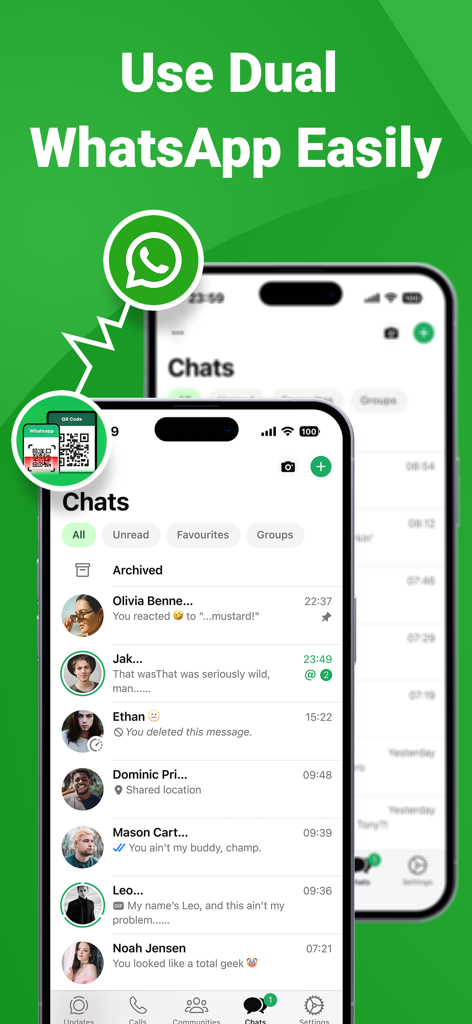
2台のiPhoneでデュアルアカウントメッセージングを示すWhatsAppクローンアプリのインターフェース。
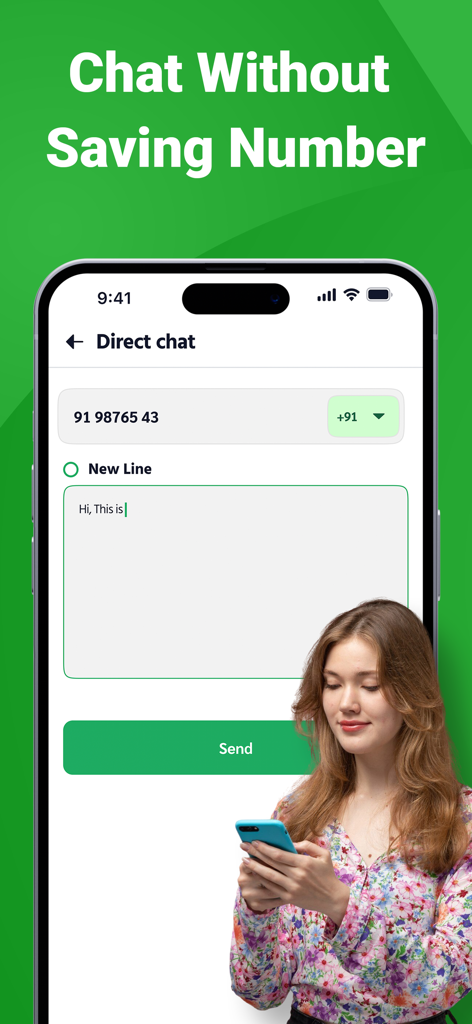
連絡先を保存せずにメッセージを送信するためのダイレクトチャット機能を表示するスマートフォン
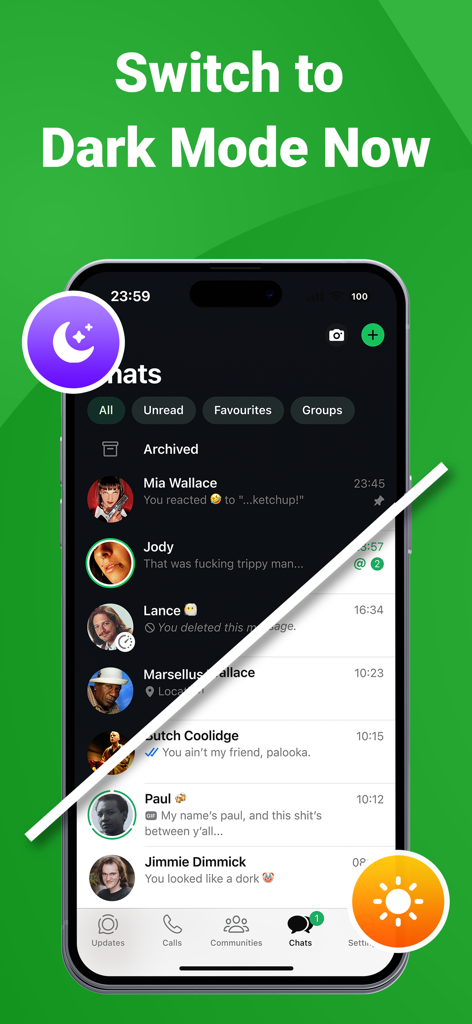
ダークモードとライトモードの両方でアプリインターフェースの分割画面デモンストレーション。
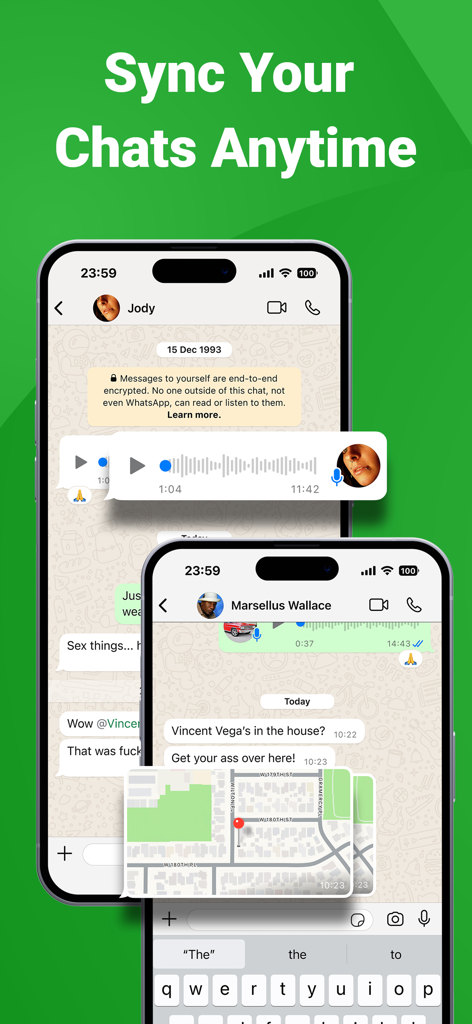
2台のスマートフォンで同期されたチャットメッセージと位置情報共有を示すモバイルアプリインターフェース
説明
Download
類似アプリ
似た機能とユーザー体験を持つアプリ

WatchsApp - Chat for Watch
BEYLER SAGLIK BILISIM SAVUNMA DANISMANLIK SANAYI VE TICARET LIMITED SIRKETI

Battery Life - check runtimes
RBT Digital LLC
Web Scanner - Dual App
Kokila Ukani
WatchsApp - Chat on Watch
芳 王
WatchTalk: Chat on Watch
Bitsbaker LLC.

WristTube for YouTube
ALL RADIO DEVELOPMENT TECHNOLOGY JOINT STOCK COMPANY

WatchChat 2: Chat on Watch
XAN Software GmbH & Co. KG

WatchApp+ for Watch
Jennifer Kirby

Whats Messenger App
Michael Knochen
このページはアプリまたはその開発者の公式ページではなく、情報提供および論評を目的として作成された独立した編集出版物です。明示的に別段の記載がない限り、アプリおよびその開発者は、MWM、Apple、Google Play、アプリのパブリッシャー、またはアプリの開発者と提携、承認、後援、認可、またはその他の公式的な関係はなく、このページのいかなる内容も、アプリがMWMのサービスを使用して開発されたことを意味するものではありません。すべての商標、ロゴ、スクリーンショット、その他のコンテンツはそれぞれの所有者の財産です。