WIFI analyzer. Network scanner

WIFI analyzer. Network scanner

ダウンロード: App Store
ロゴ: WIFI analyzer. Network scanner

WIFIアナライザー。ネットワークスキャナー:ホームネットワーク最適化のプロフェッショナルチョイス

接続を完全に管理しましょう。侵入者を特定し、干渉をスキャンし、最新のリモートプロフェッショナル向けに設計された直感的で高性能なツールでリアルタイムの遅延を監視します。

開発元

Tommy Ward

カテゴリ

Utilities

ダウンロード

117K+

ユーザー評価

4.3/5

評価数

1K+

対応言語

1

あなたのネットワークを可視化する

このインターフェースを利用する 117K+ 人のユーザー.

Wi-Fi信号強度グラフとネットワーク速度メトリクスを表示するモバイルアプリインターフェイス
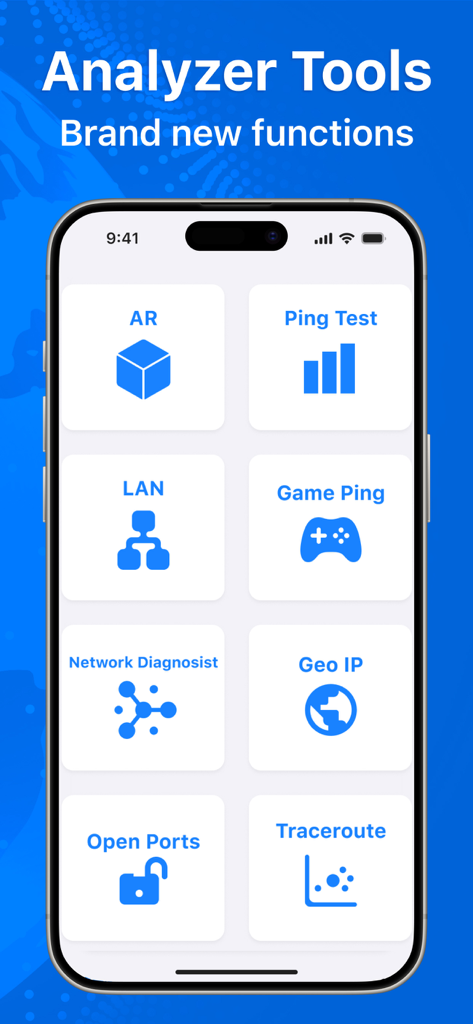
Wi-Fi信号強度グラフとネットワーク速度メトリクスを表示するモバイルアプリインターフェイス

Pingテスト、LANスキャナー、ゲームPingなどのさまざまなネットワーク診断ツールを表示するWi-Fiアナライザーアプリのインターフェイス。
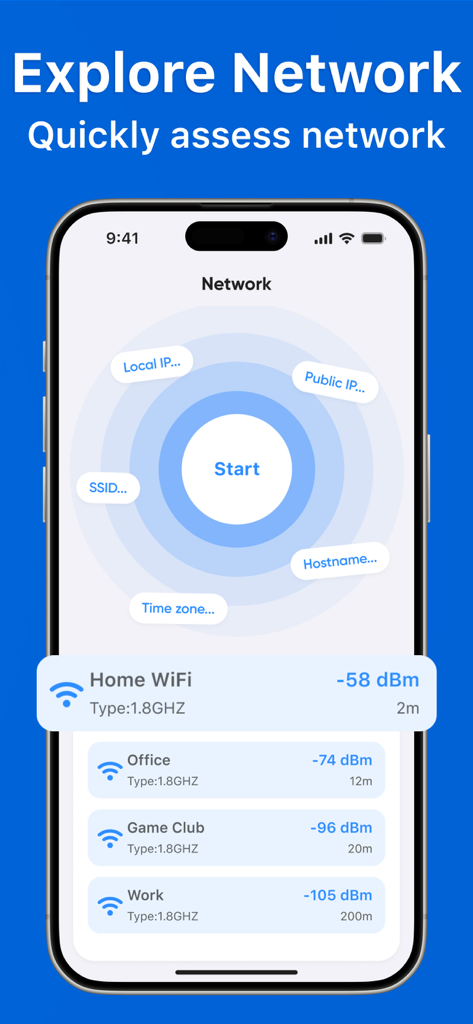
Pingテスト、LANスキャナー、ゲームPingなどのさまざまなネットワーク診断ツールを表示するWi-Fiアナライザーアプリのインターフェイス。

近くのネットワークとそのdBmでの信号強度を示すリストを表示するWi-Fiアナライザーアプリのスマートフォン画面。
近くのネットワークとそのdBmでの信号強度を示すリストを表示するWi-Fiアナライザーアプリのスマートフォン画面。

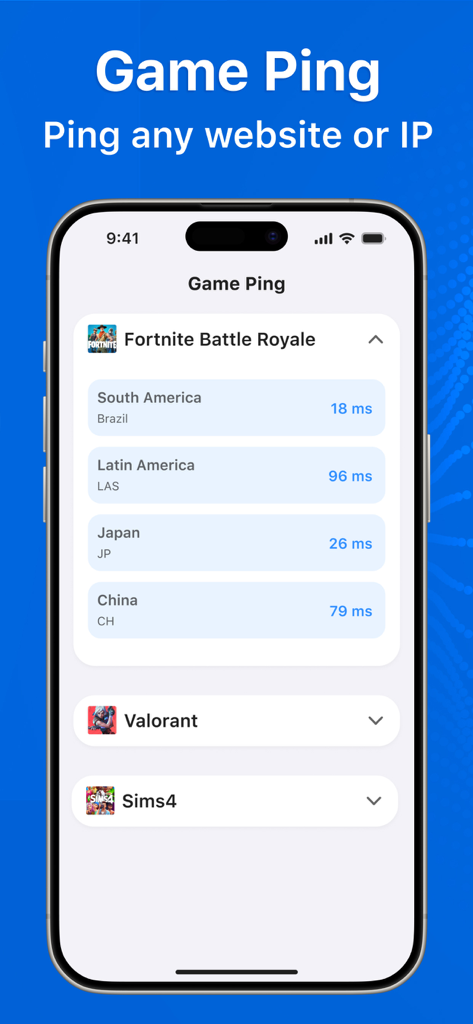
さまざまなグローバルサーバーリージョンにわたる人気のあるビデオゲーム(Fortniteなど)のリアルタイムping遅延を示すモバイルアプリインターフェイス。
さまざまなグローバルサーバーリージョンにわたる人気のあるビデオゲーム(Fortniteなど)のリアルタイムping遅延を示すモバイルアプリインターフェイス。

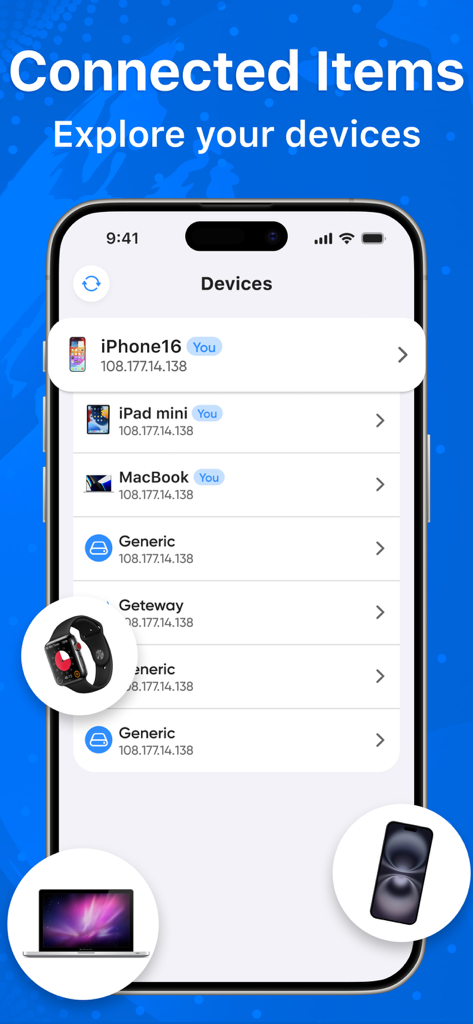
iPhone、iPad、MacBookなどの接続されているデバイスのリストを表示するWIFIアナライザーアプリのインターフェイス
iPhone、iPad、MacBookなどの接続されているデバイスのリストを表示するWIFIアナライザーアプリのインターフェイス

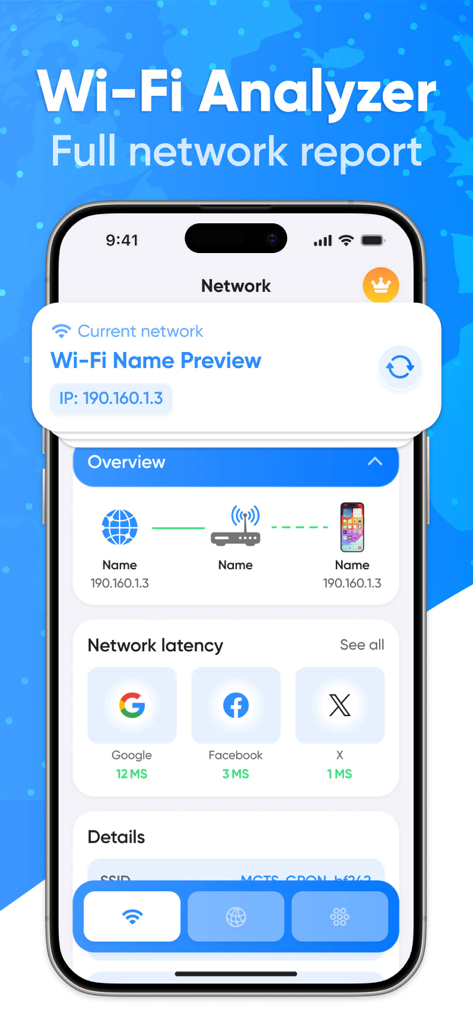
接続パスとウェブサイトの遅延テストを含む完全なネットワークレポートを表示するモバイルアプリインターフェイス
接続パスとウェブサイトの遅延テストを含む完全なネットワークレポートを表示するモバイルアプリインターフェイス

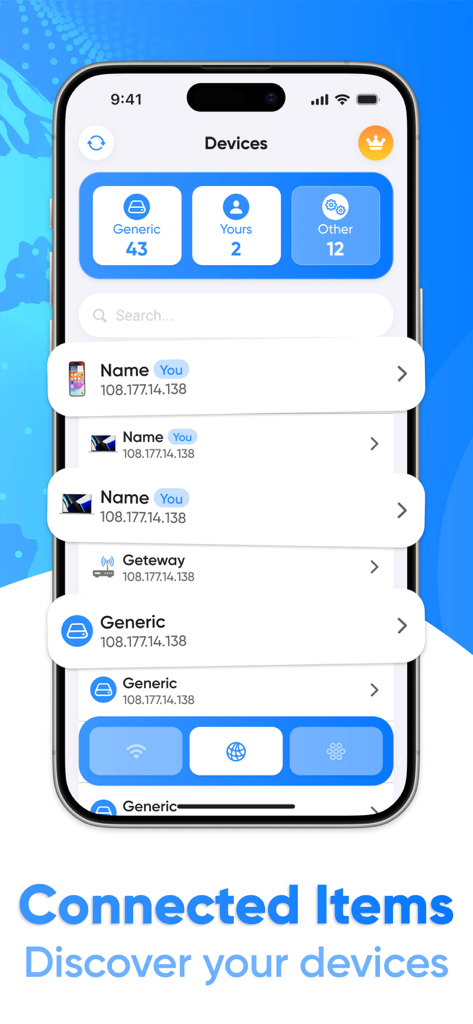
IPアドレスを含むネットワークに接続されているデバイスのリストを表示するWIFIアナライザーアプリのスクリーンショット
IPアドレスを含むネットワークに接続されているデバイスのリストを表示するWIFIアナライザーアプリのスクリーンショット

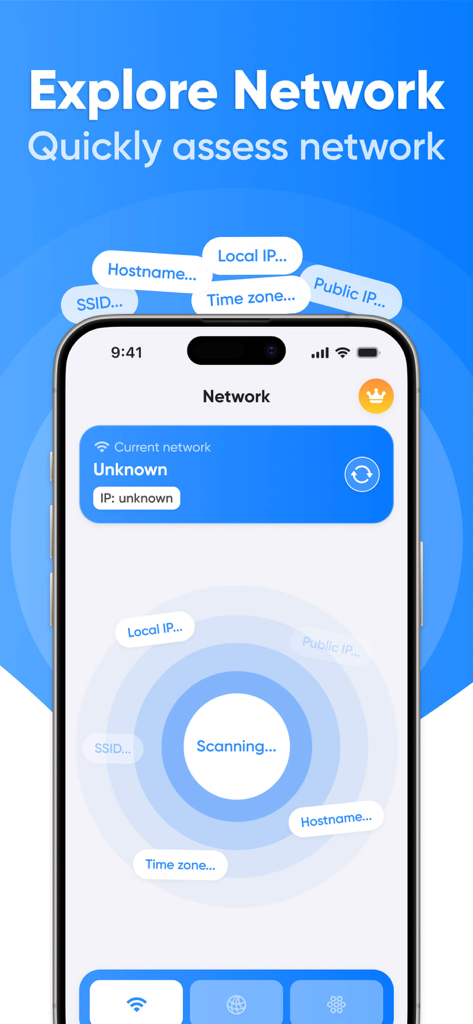
ネットワークをスキャンするWi-Fiアナライザーアプリのインターフェイス
ネットワークをスキャンするWi-Fiアナライザーアプリのインターフェイス

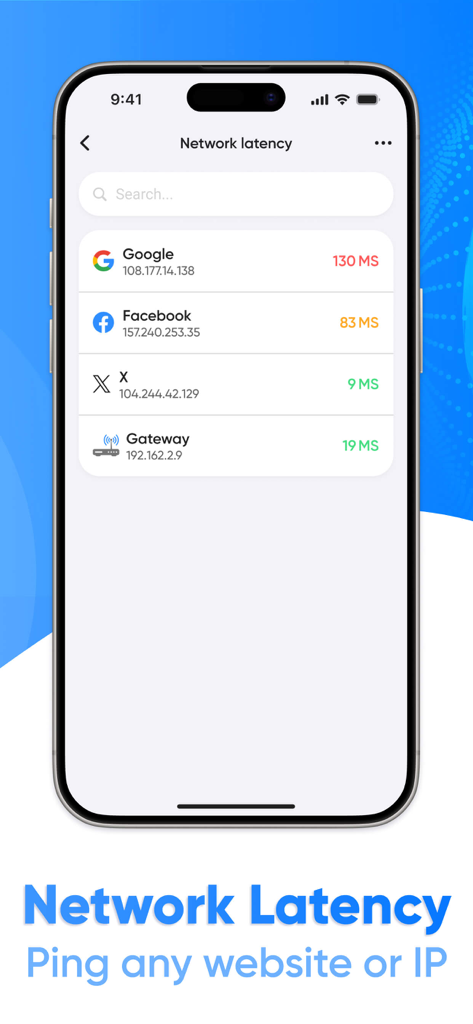
GoogleやFacebookなどのウェブサイトのネットワーク遅延とping結果を表示するWIFIアナライザーアプリのインターフェイス
GoogleやFacebookなどのウェブサイトのネットワーク遅延とping結果を表示するWIFIアナライザーアプリのインターフェイス

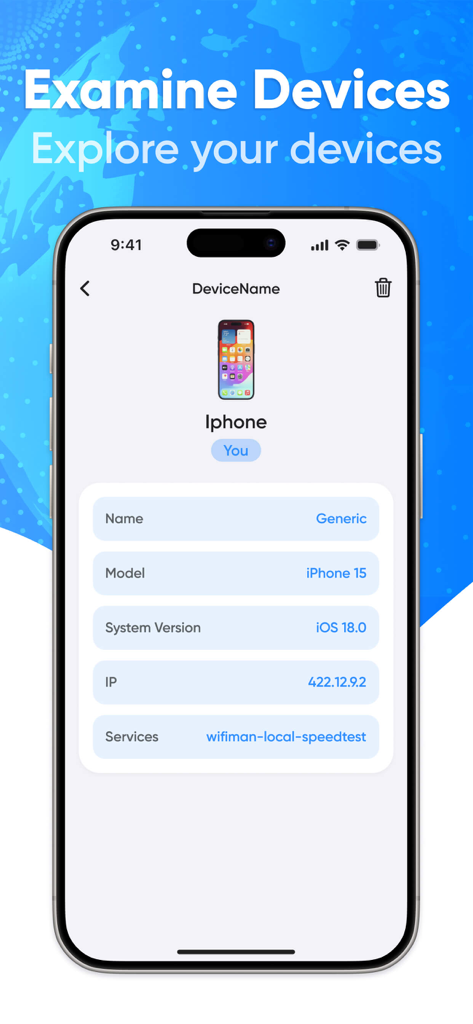
Wifi Analyzerアプリ内の接続されたiPhoneの詳細ビューで、ネットワーク情報が表示される

Wifi Analyzerアプリ内の接続されたiPhoneの詳細ビューで、ネットワーク情報が表示される

ネットワーク環境をマスターする

このアプリを際立たせるツール、 117K+ 人のユーザーが選択.

📶

デッドゾーンを排除する

高精度の信号スキャンを使用して干渉を特定し、カバレッジを最大化するためにルーターの最適な配置を見つけます。

🛡️

完全なデバイスの可視性

ネットワーク上のすべての接続済みデバイスを監視し、即座に分類して、不正な侵入者や帯域幅を大量に消費するデバイスを検出します。

精密なパフォーマンステスト

リアルタイムの遅延およびpingテストを実行して、接続が重要なビデオ通話やシームレスなストリーミングに十分安定していることを確認します。

アプリについて

について知っておくべきこと WIFI analyzer. Network scanner.

説明

Wi-Fi Analyzer is a powerful and intuitive Wi-Fi network analysis and monitoring app designed for users who want to get the most out of their internet connection. With Wi-Fi Analyzer, you can easily manage your network, identify potential issues, and optimize your connection. Key Features: Wi-Fi Network Scan: Quickly and efficiently scan available Wi-Fi networks in your area, displaying their parameters such as signal strength, encryption type, and channels. Scan Results Update: Easily access up-to-date network information with the real-time scan results update feature. Connection Path View: Track the path your device takes to Wi-Fi to understand how data flows through the network. Detailed Network Overview: Get a complete picture of your network with information about your router, connected devices, and their activity. Website and IP Latency Test: Measure the response time of any website or IP address to evaluate the performance of your internet connection. Connected Devices Overview: See which devices are connected to your network, with the ability to divide them into categories (e.g. smartphones, computers, IoT devices). Detailed View of Connected Device: View information about each connected device, including its IP address, MAC address, and current activity. Device Search Function: Easily find the devices you need on your network with the built-in search function. Wi-Fi Analyzer is your reliable assistant in managing your Wi-Fi network. Optimize your Internet connection, monitor security, and get the most out of your connection! This application contains auto-renewable subscriptions and In-App Purchases: For 1 week - $4.99 For 1 month - $12.99 For 1 year - $39.99 Lifetime - $59.99 Privacy Policy Link: https://docs.google.com/document/d/1x6n6W0GPSiKoQVXlFTsb2-6y9Z8O6fXK2FaM4CWVzw0/edit Terms of Use Link: https://www.apple.com/legal/internet-services/itunes/dev/stdeula/

最新バージョン

1.3.4

サイズ

29.6 MB

リリース日

2024年11月1日

今すぐネットワークを完全にコントロールしましょう

117K人以上のプロシューマーに加わり、デッドゾーンを排除し、侵入者を特定し、支払っている高速接続を確保するために、当社のアナライザーを信頼してください。

ダウンロード: App Store

App information, icons, screenshots, and descriptions displayed on this page are sourced from the Apple App Store and are the property of their respective developers. Download estimates and rankings are based on MWM's proprietary models and may not reflect actual figures. This page is provided for informational and analytical purposes only.

Believe this page infringes your intellectual property? File a dispute