Wifi Internet Speed Test Meter
ダウンロード: App Store

このページはアプリまたはその開発者の公式ページではなく、情報提供および論評を目的として作成された独立した編集出版物です。明示的に別段の記載がない限り、アプリおよびその開発者は、MWM、Apple、Google Play、アプリのパブリッシャー、またはアプリの開発者と提携、承認、後援、認可、またはその他の公式的な関係はなく、このページのいかなる内容も、アプリがMWMのサービスを使用して開発されたことを意味するものではありません。すべての商標、ロゴ、スクリーンショット、その他のコンテンツはそれぞれの所有者の財産です。

ロゴ: Wifi Internet Speed Test Meter
ダウンロード: App Store

Wifi Internet Speed Test Meter

バッファリングを停止し、プロバイダーに説明責任を負わせます。ダウンロード、アップロード、pingのリアルタイムデータを使用してホームオフィスを最適化し、支払っている速度を得ていることを確認します。

主要数値

ダウンロード

1000

ユーザー評価

4.8/5

評価数

0

開発元

Sadgun Infotech

カテゴリ

Utilities

対応言語

1

最新バージョン

1.0.4

サイズ

23.3 MB

リリース日

2023年6月20日
機能

接続を管理する

インターネットが遅い理由を推測するのはやめましょう。自宅のネットワークが、仕事、ゲーム、ストリーミングのいずれであっても、支払ったパフォーマンスを提供することを保証するために、プロレベルの診断を取得します。

ISPの約束を確認する

ダウンロードとアップロードの速度を即座に測定して、プロバイダーに説明責任を負わせ、毎月支払っている帯域幅を取得していることを確認します。

ホームオフィスを最適化する

重要なZoom会議やゲームセッションの前にスマートpingテストを実行して、遅延を排除し、安定した高性能接続を確保します。

以下のスクリーンショットと説明は、アプリの公式ストアリスティングから直接取得されたものであり、アプリ開発者の所有物です。

アプリストア

スクリーンショット
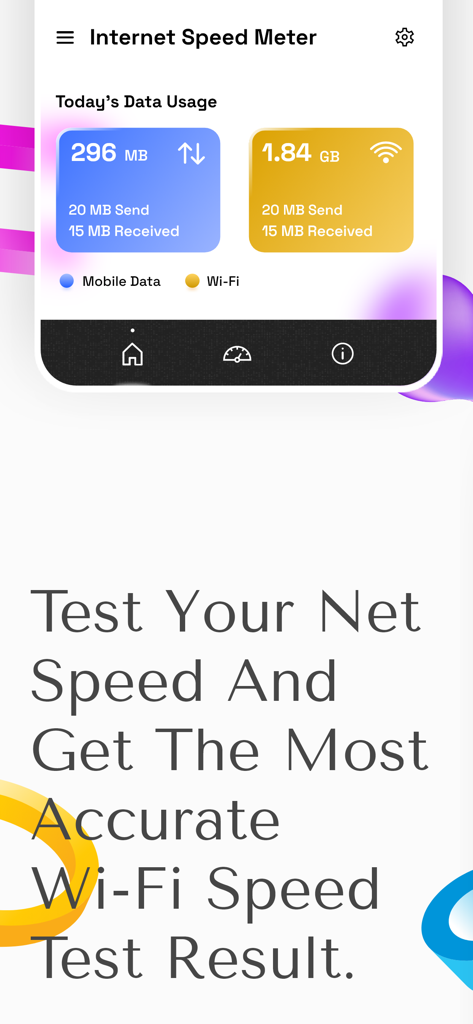
Wifi Internet Speed Test Meter - Wifi Internet Speed Test Meterアプリのインターフェース。毎日のモバイルおよびWiFiデータ使用状況の統計を表示しています
Wifi Internet Speed Test Meterアプリのインターフェース。毎日のモバイルおよびWiFiデータ使用状況の統計を表示しています

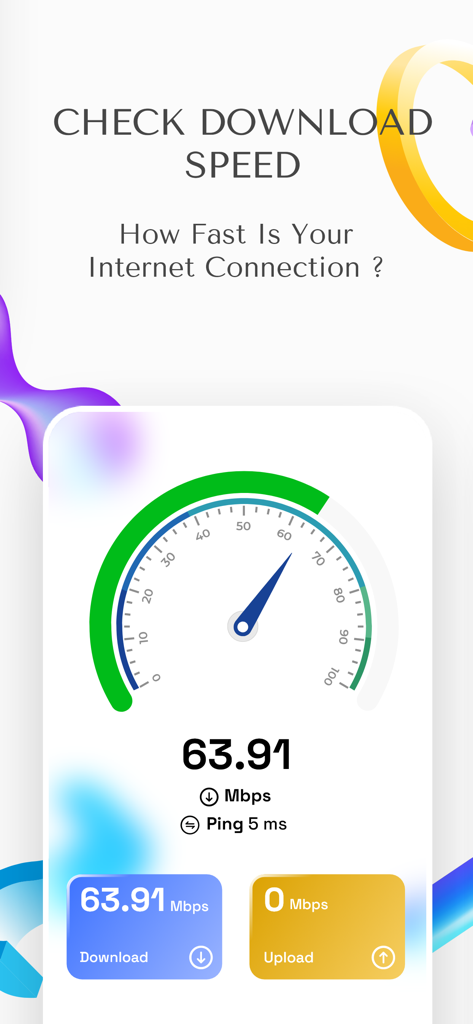
Wifi Internet Speed Test Meter - Wifi Internet Speed Test Meterインターフェース。ダウンロード速度の結果が63.91 Mbpsと表示されています
Wifi Internet Speed Test Meterインターフェース。ダウンロード速度の結果が63.91 Mbpsと表示されています

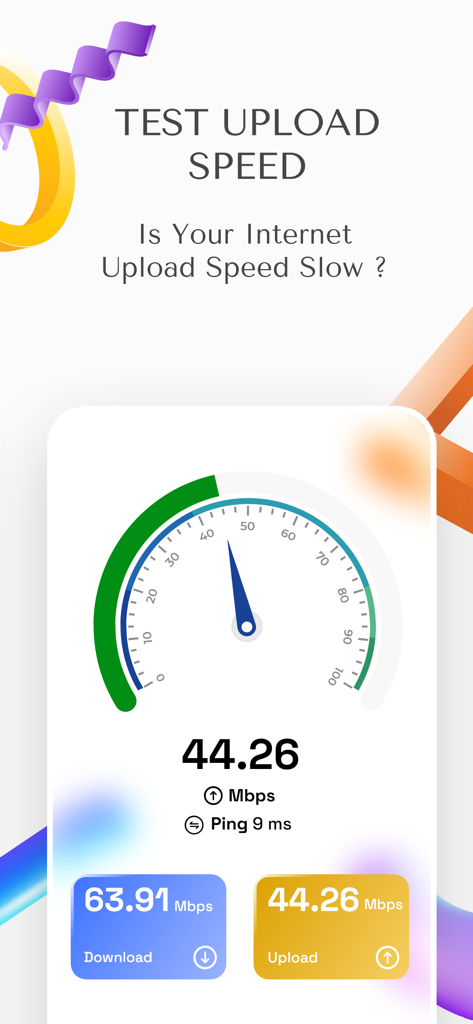
Wifi Internet Speed Test Meter - Wifi Internet Speed Test Meterアプリのスクリーンショット。スピードメーターインターフェースにアップロードおよびダウンロード速度の結果が表示されています

Wifi Internet Speed Test Meterアプリのスクリーンショット。スピードメーターインターフェースにアップロードおよびダウンロード速度の結果が表示されています
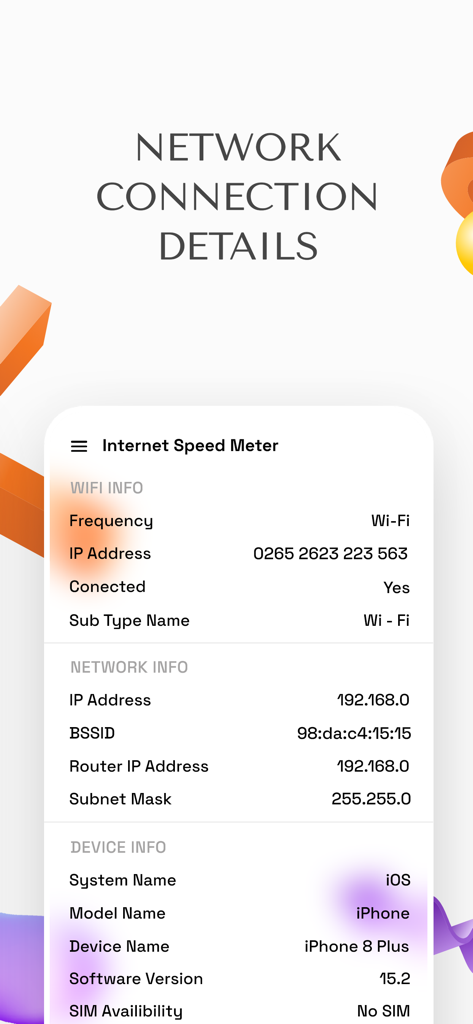
Wifi Internet Speed Test Meter - インターネット診断のためのWiFi、ネットワーク、およびデバイスの詳細を表示するアプリインターフェース
インターネット診断のためのWiFi、ネットワーク、およびデバイスの詳細を表示するアプリインターフェース

Wifi Internet Speed Test Meter - 5G 4G LTEおよびWi-Fiのインターネット信号モニターおよびスピードテスター

5G 4G LTEおよびWi-Fiのインターネット信号モニターおよびスピードテスター

説明

Are you experiencing slow internet speeds or inconsistent performance? Worry no more, just get this net analyzer to measure the speed of your internet connection, diagnose issues with slow connection speeds and optimize your online activities. Net & Wifi Speed Test Master app is a tool to measure the speed of your internet connection. Calculate the speed at which data is transferred from your device to the internet and vice versa with this smart wifi tester. The broadband speed test works by measuring the time it takes for data to travel between your device and a server on the internet. # Vivid Features of the Internet Speed App: ⇒ The simple and easy to use interface of the network speed test app allows you to quickly run a speed test and view the results in a clear and easy-to-understand format. ⇒ The main feature of the net speed meter is its download and upload speed ​​test. Measure how fast you can download or upload data from/to the internet and determine your internet connection speed. ⇒ Measure the responsiveness of your internet connection with this smart ping test app. Take a ping test to measure the time taken to transmit data from your device to an internet server and vice versa. ⇒ Store and compare speed test results over time to track changes in your connection speed and spot patterns or trends, with the speedtest monitoring. The various features of the test my speed app can help you measure your connection speed, diagnose problems and optimize your browsing experience for work, entertainment or study. Whether you are a home user or a business owner, it can be a valuable resource for you. # Advantages of using the wifi analyser tool: ⇒ Diagnose connection problems: If your internet speed is slow, this internet speed ​​meter can help you determine the cause of the problem. You can use this tool to determine if you are getting the speeds you are paying for from your Internet Service Provider, and if the problem is with your device or your ISP's network. ⇒ Consistent performance guaranteed: Internet speed may vary depending on many factors, including network congestion and the time of the day. Testing your internet connection speed regularly with this wifi tester can help you determine when your connection is slow and take steps to improve it, such as updating your internet plan to suit your requirements. ⇒ Compare service providers: If you are considering switching your internet service provider, you can use the internet connection speed app to compare the speeds and prices of different plans. Use this tool to check the speeds of different providers in your area and choose the one that offers the best value for your needs. ⇒ Optimizing performance: This speedtestnet ​​monitor also helps you optimize your internet connection performance. For example, if your download speed is slow, you can use this tool to test several download locations and find the one that provides the best download speed. All in all, using this cellular bandwidth analyzer can help you make sure you're getting the speed you need for your online activities and help diagnose and fix internet connection problems. Download the Net & Wifi Speed Test Master now and start measuring your connection speed to optimize and get a smoother browsing experience.

Download

ダウンロード: App Store

このページはアプリまたはその開発者の公式ページではなく、情報提供および論評を目的として作成された独立した編集出版物です。明示的に別段の記載がない限り、アプリおよびその開発者は、MWM、Apple、Google Play、アプリのパブリッシャー、またはアプリの開発者と提携、承認、後援、認可、またはその他の公式的な関係はなく、このページのいかなる内容も、アプリがMWMのサービスを使用して開発されたことを意味するものではありません。すべての商標、ロゴ、スクリーンショット、その他のコンテンツはそれぞれの所有者の財産です。








