Wifi Password : Connect WIFI

Wifi Password : Connect WIFI

ダウンロード: App Store
ロゴ: Wifi Password : Connect WIFI

Wi-Fiパスワード: Wi-Fiに接続 – 究極のオールインワン・ネットワーク・ツールキット

インターネットを完全にコントロールしましょう。AR搭載のシグナル追跡やハイスピードテストから、高度なルーター管理やプライベートブラウジングまで、接続を最適化し、どこにいても安全に保つために必要なすべてのツールを入手できます。

開発元

Dhaval Panasara

カテゴリ

Utilities

ダウンロード

100

ユーザー評価

5.0/5

評価数

0

対応言語

1

完全なコントロールを体験しましょう

このインターフェースを利用する 100 人のユーザー.

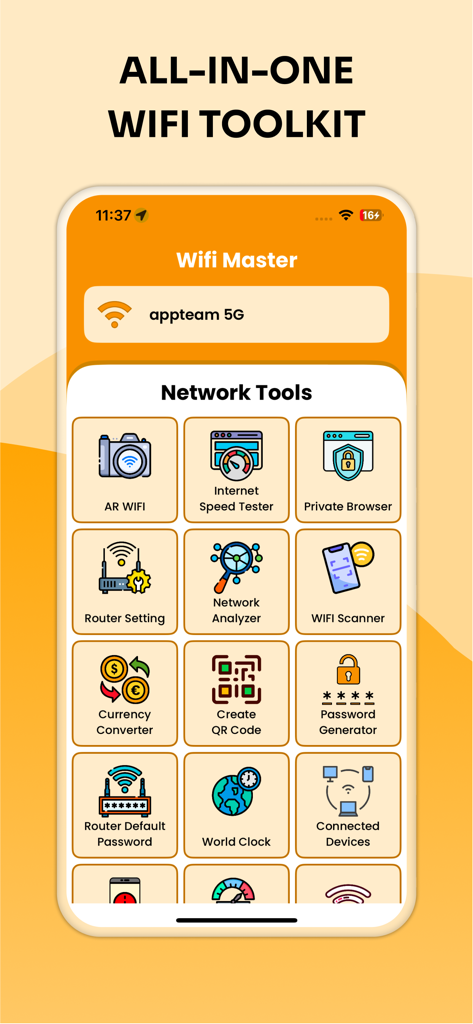
スピードテスターやルーター設定などのネットワークツールを表示する、オールインワンWi-Fiツールキットのインターフェース
スピードテスターやルーター設定などのネットワークツールを表示する、オールインワンWi-Fiツールキットのインターフェース

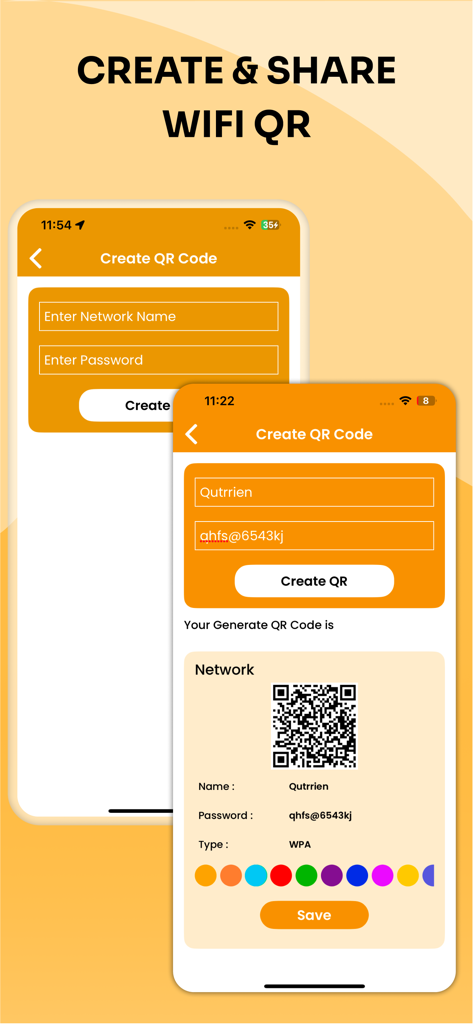
ネットワーク詳細を含むカスタムWi-Fi QRコードを作成および共有するためのアプリインターフェース
ネットワーク詳細を含むカスタムWi-Fi QRコードを作成および共有するためのアプリインターフェース

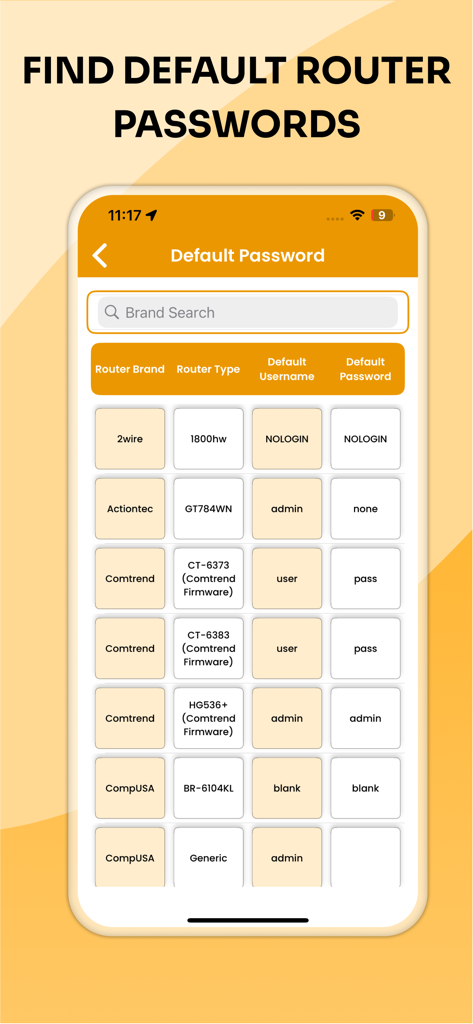
さまざまなブランドのデフォルトルーターのユーザー名とパスワードを示すリスト
さまざまなブランドのデフォルトルーターのユーザー名とパスワードを示すリスト

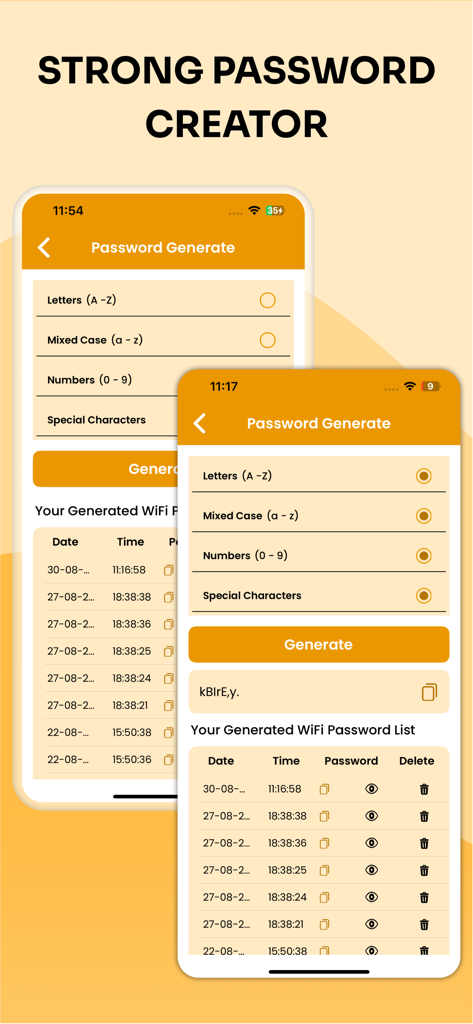
文字、数字、特殊文字のオプションを使用して、安全なWi-Fiパスワードを作成するためのインターフェース
文字、数字、特殊文字のオプションを使用して、安全なWi-Fiパスワードを作成するためのインターフェース

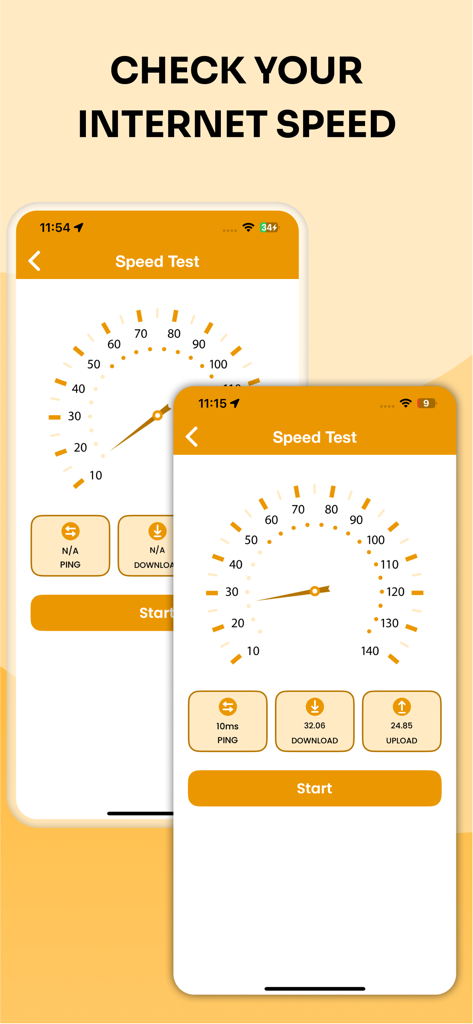
インターネットのダウンロードとアップロード速度を確認するためのスピードメーターゲージとメトリックを表示するモバイルアプリ画面
インターネットのダウンロードとアップロード速度を確認するためのスピードメーターゲージとメトリックを表示するモバイルアプリ画面

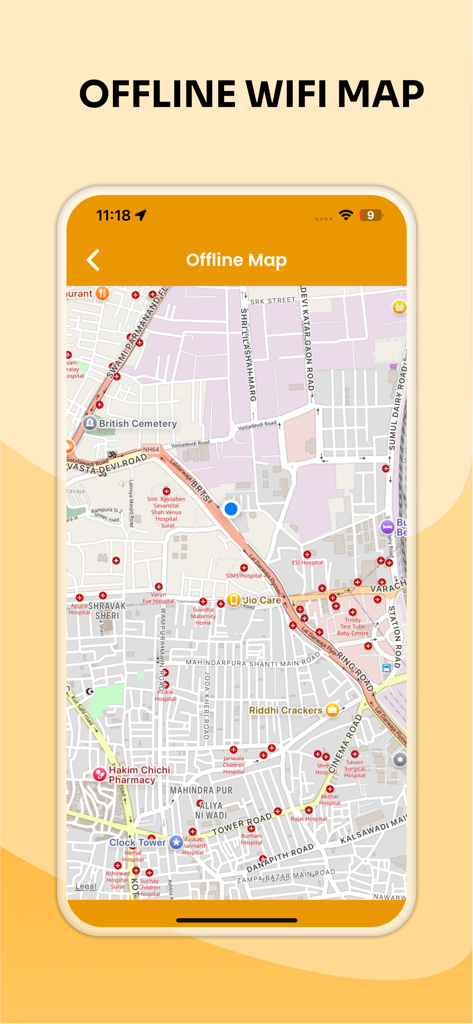
モバイルデバイス上のWi-Fiネットワークの場所マーカーを示すオフラインマップを表示するインターフェース
モバイルデバイス上のWi-Fiネットワークの場所マーカーを示すオフラインマップを表示するインターフェース

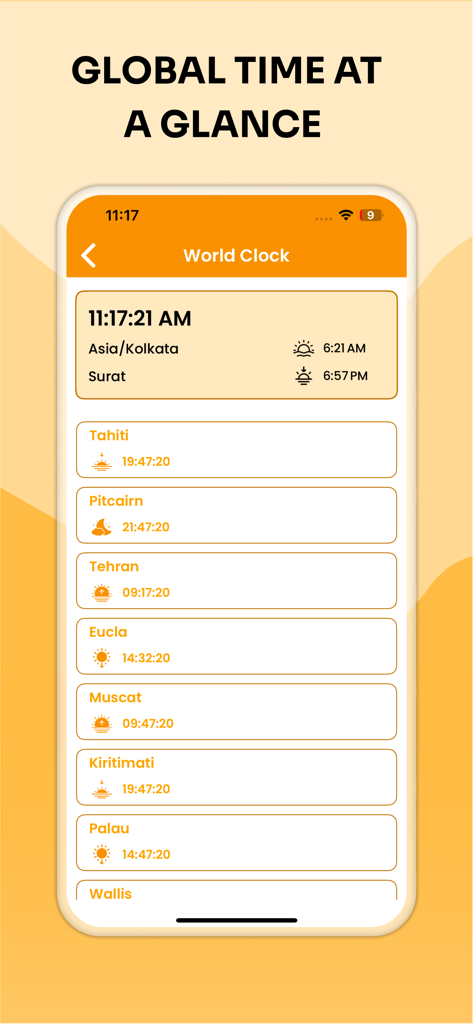
タヒチやテヘランなどのさまざまな世界の場所の現在の時刻を示す世界時計画面

タヒチやテヘランなどのさまざまな世界の場所の現在の時刻を示す世界時計画面

ネットワーク体験を向上させましょう

このアプリを際立たせるツール、 100 人のユーザーが選択.

📍

ARシグナル検出

拡張現実を使用してWi-Fiシグナルをリアルタイムで視覚化し、最適な接続場所を見つけ、デッドゾーンを即座に解消します。

🚀

プロパフォーマンス追跡

超高速スピードテストを実行し、詳細なチャートで接続履歴を監視し、支払った帯域幅を確実に取得します。

🛡️

完全なネットワークセキュリティ

ネットワーク上の不正なデバイスを特定し、軍事グレードのパスワードを生成し、痕跡を残さずにプライベートにウェブを閲覧します。

アプリについて

について知っておくべきこと Wifi Password : Connect WIFI.

説明

secure passwords, and managing your router settings, this app gives you full control over your network. Whether you need a Wi-Fi signal strength meter, an internet speed meter, or a network analyzer to see all connected devices, WiFi Password: WiFi Connect has everything you need in one simple and powerful app. → Key Features ○ AR WiFi Finder – Use AR technology to locate WiFi hotspots and measure your WiFi signal strength in real time. ○ Internet Speed Tester – Test your WiFi speed instantly with accurate results and track performance with a detailed speed history and charts. ○ Private Browser – Browse securely with a private browser that keeps your activity safe. ○ Router Settings & Default Passwords – Access your router quickly, manage settings, and find default passwords when needed. ○ Network Analyzer – Analyze your full network, scan for connected devices, and get in-depth device info. ○ wifi Scanner & Signal Strength Meter – Scan nearby WiFi networks, check WiFi strength, and find the best connection. ○ Currency Converter – Convert currencies on the go with up-to-date rates. ○ Create QR Code – Generate QR codes for WiFi sharing, links, and text. ○ Password Generator – Create strong, secure passwords for better online safety. ○ World Clock & Offline Map – Stay connected anywhere with a world clock and offline map support. ○ History & Charts – View test history, speed charts, and network usage reports. → Why Choose WiFi Password: WiFi Connect? With smart tools like WiFi analyzer, WiFi tester, network scanner, WiFi strength meter, and router management, this app is the complete solution for anyone looking to improve network performance and security. Whether you want to troubleshoot slow internet, monitor WiFi signals, check router settings, or secure your network with strong passwords, WiFi Password: WiFi Connect is your one-stop solution. Download WiFi Password: WiFi Connect today and unlock the power of advanced WiFi tools, speed tests, and network analyzer features—all in one app!

最新バージョン

1.0

サイズ

37.8 MB

リリース日

2025年9月8日

今すぐあなたのネットワークを完全にコントロールしましょう

接続を最適化している賢いユーザーの仲間入りをしましょう。より高速なスピード、より良いシグナル、そして完全なデジタルプライバシーのための究極のオールインワン・ツールキットを入手してください。App StoreでWi-Fiパスワード: Wi-Fiに接続をダウンロードしましょう。

ダウンロード: App Store

App information, icons, screenshots, and descriptions displayed on this page are sourced from the Apple App Store and are the property of their respective developers. Download estimates and rankings are based on MWM's proprietary models and may not reflect actual figures. This page is provided for informational and analytical purposes only.

Believe this page infringes your intellectual property? File a dispute