
このページはアプリまたはその開発者の公式ページではなく、情報提供および論評を目的として作成された独立した編集出版物です。明示的に別段の記載がない限り、アプリおよびその開発者は、MWM、Apple、Google Play、アプリのパブリッシャー、またはアプリの開発者と提携、承認、後援、認可、またはその他の公式的な関係はなく、このページのいかなる内容も、アプリがMWMのサービスを使用して開発されたことを意味するものではありません。すべての商標、ロゴ、スクリーンショット、その他のコンテンツはそれぞれの所有者の財産です。


World Clock Time Zone Widgets
時差の壁を打ち破り、世界を指先で操る。
ダウンロード
1M+ユーザー評価
評価数
41.5K開発元
カテゴリ
Travel対応言語
12最新バージョン
1.26.2サイズ
105.4 MBリリース日
2015年1月28日グローバルに接続された個人のための効率的な時間管理ツール
"World Clock Time Zone Widgets" アプリのテックアナリスト評価
高度なタイムゾーン変換・スケジュール調整ツール
ユーザーは、日付と時間を設定し、複数のタイムゾーン間で時間を比較し、その場で共有、リマインダー作成、またはカレンダーに追加することが可能です。本機能は、リモートワーカーや異なるタイムゾーン間で調整を行う方にとって不可欠な生産性向上ツールとなります。
グローバル時間追跡とマルチプラットフォームウィジェット
本アプリは、世界中の都市の現地時間をホーム画面、ロック画面、およびDynamic Islandから直接追跡する機能を提供します。ユーザーは、アナログまたはデジタル時計表示を選択し、必要な時にいつでも最新の時刻を確認できます。
Dynamic Island対応の常時表示時計
本アプリは、ライブアクティビティを通じてDynamic Islandに時計を表示する機能を提供します。これにより、ユーザーはアプリを切り替えることなく、常に選択した都市の時間を一目で把握できます。
リアルタイムなライブアクティビティ連携
本ツールは、iOS 16.2+およびiPadOS 17+でライブアクティビティをサポートしており、iOS 18とwatchOS 11を搭載したApple Watchでもライブアクティビティを確認することが可能です。
多彩なウィジェットスタイルとサイズ
本アプリは、ロック画面、ホーム画面、今日のウィジェットなど、多くのサイズとスタイルで利用可能なウィジェットを提供します。これにより、ユーザーは自身のニーズに合わせて表示を柔軟にカスタマイズできます。
豊富な都市データベースと簡単な管理
ユーザーは、10,000以上の都市を名前で検索または閲覧し、シンプルで直感的なUIで都市を追加および管理できます。
視覚的な日照時間表示
ユーザーは、実際の日の出および日の入り時間に基づいて、各都市の日照時間を視覚的に確認できます。これは、国際的なコミュニケーションや旅行の計画に役立ちます。
詳細な場所情報参照
本アプリは、特定の場所の日の出時間、月の満ち欠け、詳細なタイムゾーン情報など、追加情報を提供します。
よくある質問
について知っておくべきこと World Clock Time Zone Widgets
What is the World Clock Time Zone Widgets app?
World Clock Time Zone Widgets displays local time for cities globally on your Home Screen, Lock Screen, or Dynamic Island. It offers analog or digital clocks and a time conversion tool.
Does World Clock Time Zone Widgets offer customizable clocks?
Yes, the World Clock Time Zone Widgets app provides attractive analog and digital clock displays. Users can select options to show seconds and 24-hour time formats.
Can I add custom city names in the World Clock Time Zone Widgets app?
Yes, World Clock Time Zone Widgets allows users to rename a city, creating custom clocks like “Grandma’s House.” The app also supports searching or browsing over 10,000 cities.
Does the World Clock Time Zone Widgets app support Live Activities?
Yes, World Clock Time Zone Widgets supports Live Activities on iOS 16.2+ and iPadOS 17+. Live Activities are also visible on Apple Watch with iOS 18 and watchOS 11.
What are the pricing details for World Clock Time Zone Widgets?
World Clock Time Zone Widgets offers an in-app purchase to remove ads and unlock extra features. This is a one-time purchase, and the app does not require subscriptions.
Can World Clock Time Zone Widgets display time in 24-hour format?
Yes, the World Clock Time Zone Widgets app provides an option to display time in the 24-hour format. It also includes an option to show seconds.
How does the time conversion tool work in World Clock Time Zone Widgets?
The World Clock Time Zone Widgets app features a Convert tool. Users set a date and time, compare times across multiple time zones, and then share, create a reminder, or add to their calendar.
Does World Clock Time Zone Widgets show sunrise and sunset times?
Yes, the World Clock Time Zone Widgets app visually displays daylight hours based on actual sunrise and sunset times. It also shows a location's moon phase and time zone details.
Can World Clock Time Zone Widgets be added to the Lock Screen?
Yes, the World Clock Time Zone Widgets app offers widgets in many sizes and styles, including for the Lock Screen, Home Screen, and Today widgets. Instructions for adding them are included.
Does World Clock Time Zone Widgets integrate with the Dynamic Island?
Yes, World Clock Time Zone Widgets integrates with the Dynamic Island using Live Activities. Users can place one or two clocks in the Dynamic Island to see them across all apps.
以下のスクリーンショットと説明は、アプリの公式ストアリスティングから直接取得されたものであり、アプリ開発者の所有物です。
アプリストア
スクリーンショット
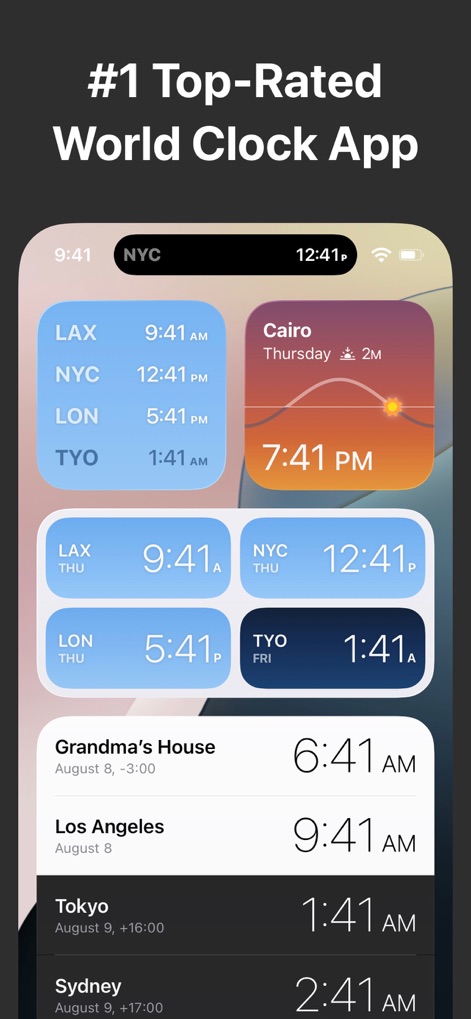
このアプリは、ホーム画面やDynamic Islandに複数の都市の時刻をリアルタイムで表示し、多様なウィジェットスタイルと、一目でわかる都市時刻情報を提供します。
多彩なウィジェット表示
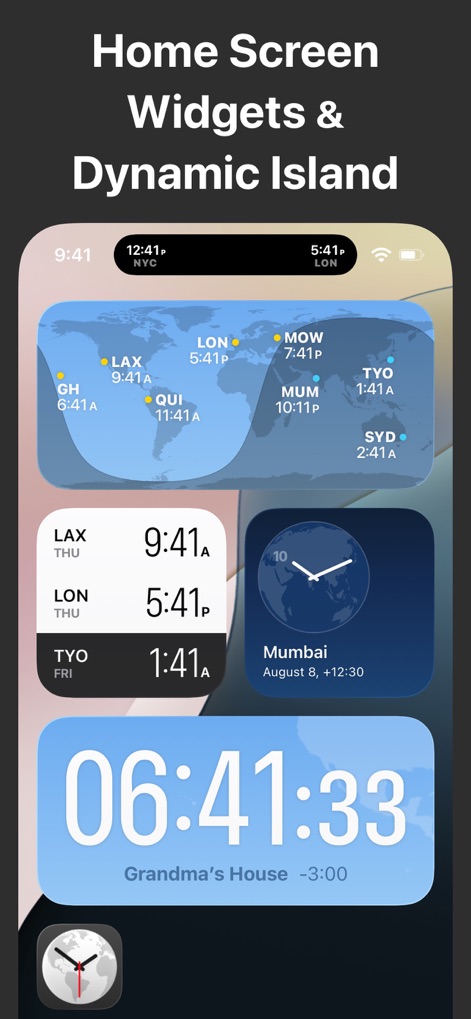
ユーザーはホーム画面に世界地図ウィジェットを配置して複数都市の時刻を一望でき、また秒単位まで表示可能な大型デジタル時計ウィジェットで詳細な時間管理が可能です。
ホーム画面を最適化
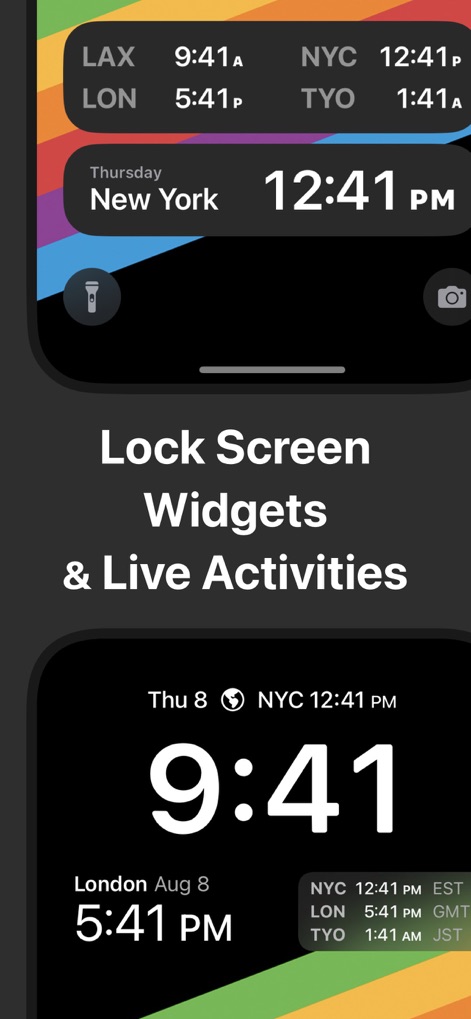
このアプリは、ロック画面ウィジェットを通じて重要な時刻情報を素早く提供し、Live Activities機能により常に最新の時刻をユーザーに提示します。
ロック画面で即確認
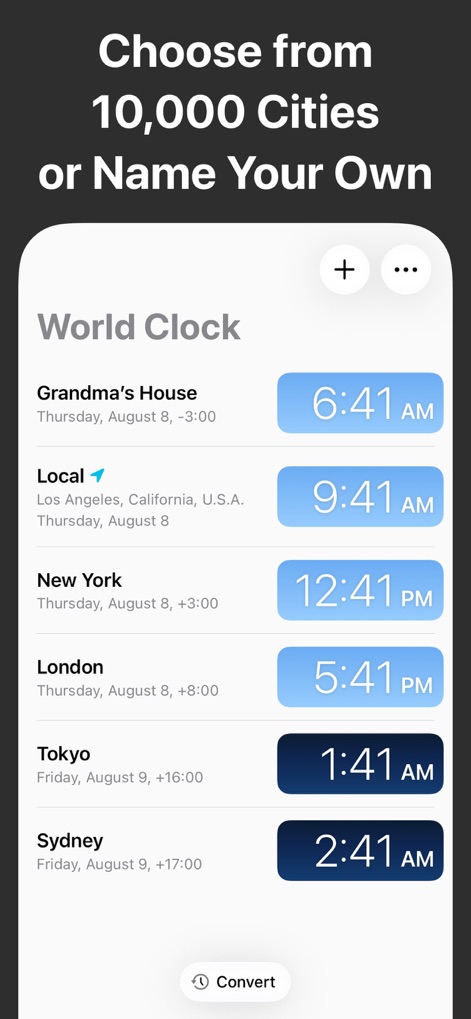
ユーザーは10,000以上の都市から時刻をトラッキングする場所を選択できるだけでなく、カスタム名で都市を登録する機能も利用できます。
都市を自由に選択
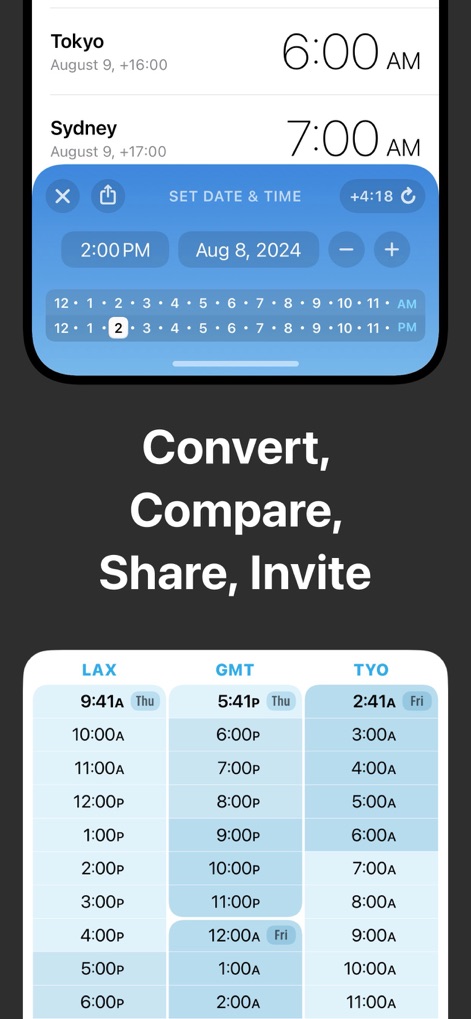
この強力なツールは、複数タイムゾーン間での時刻変換をグリッド形式で視覚化し、会議やイベントの計画に不可欠な日付と時刻の柔軟な設定機能を提供します。
時刻を比較・変換
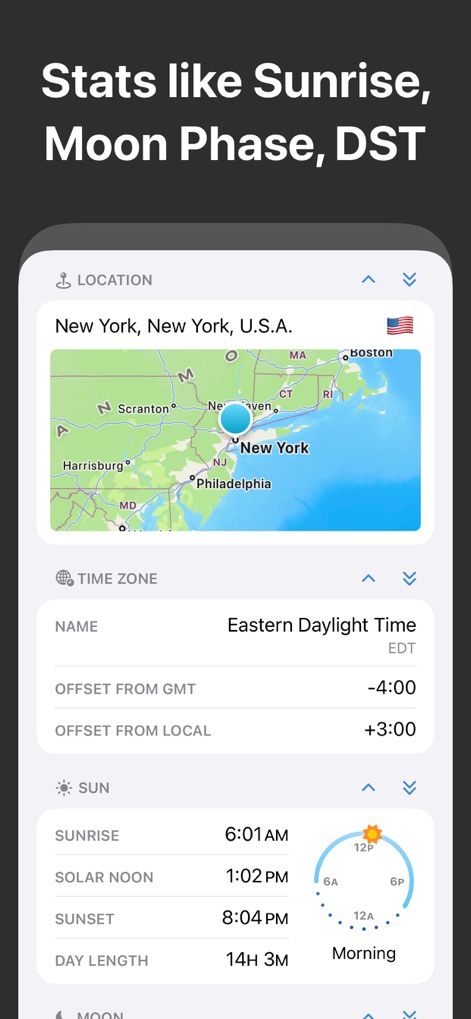
このアプリは、特定の場所の地図表示と詳細なタイムゾーンデータを提供し、さらに日の出や月の満ち欠けといった地理に基づいた詳細な統計情報も確認できます。
詳細な地域情報
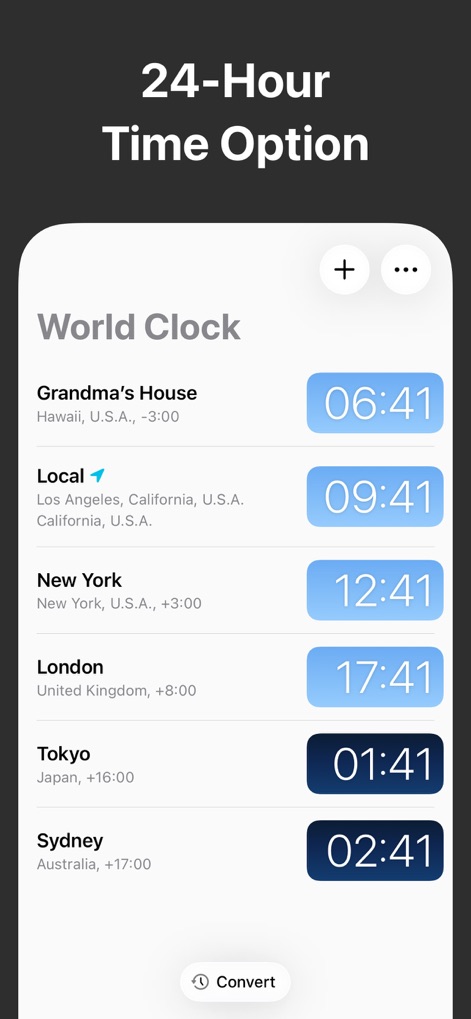
国際的なコミュニケーションに対応するため、このアプリは24時間表示形式で時刻を提供し、各都市の時刻をデジタル時計ではっきりと確認できます。
24時間表示モード
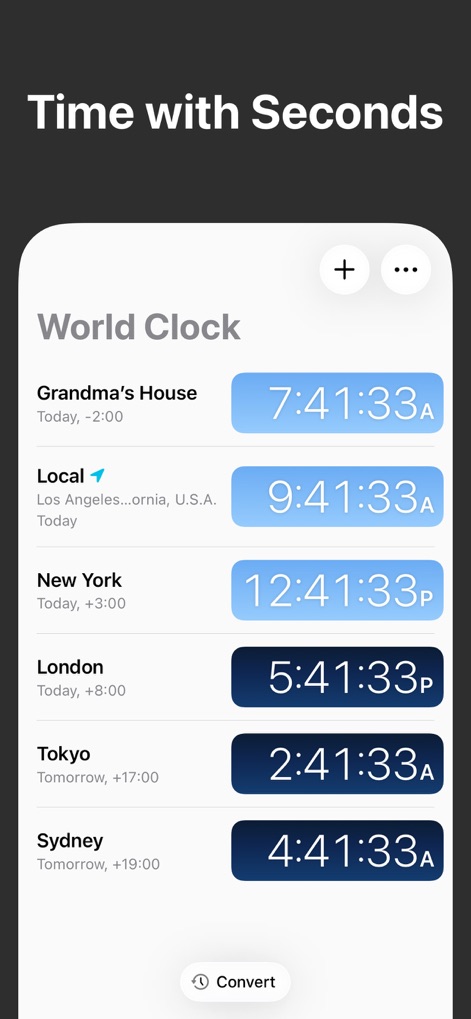
このアプリは、デジタル時計で秒単位まで正確な時刻を表示し、ユーザーは重要なイベントやタスクのタイミングをより詳細に管理できます。
秒単位まで正確に
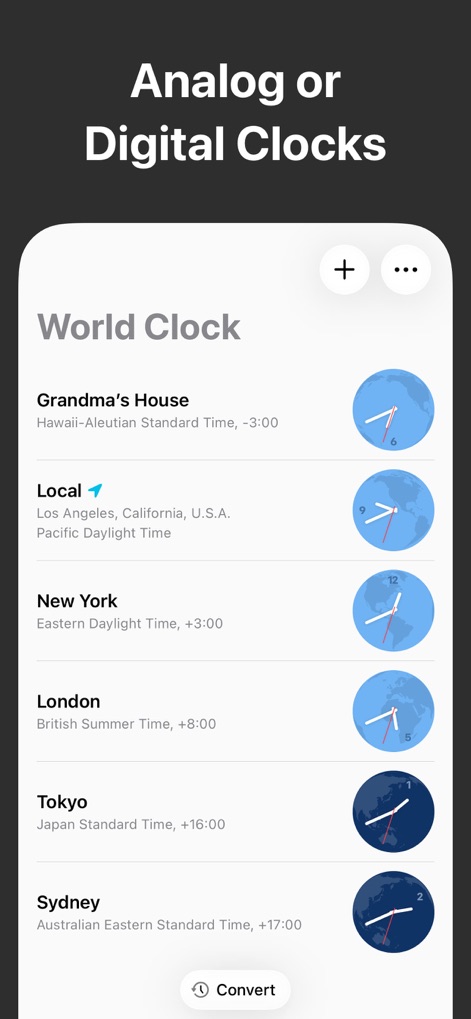
ユーザーは、伝統的なアナログ時計表示を選択して視覚的に時間を把握でき、あるいはシンプルで読みやすいデジタル時計表示に切り替えることも可能です。
アナログorデジタル
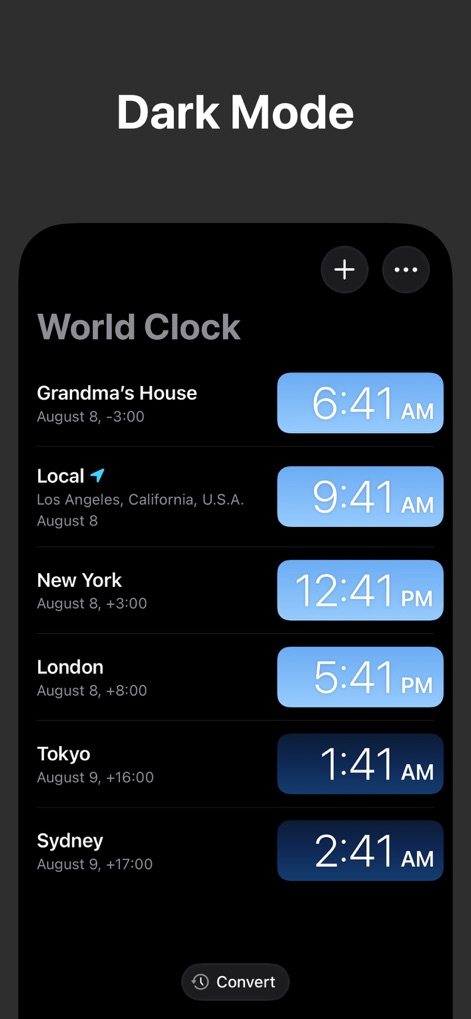
目に優しいダークモードをサポートしており、ユーザーは暗い環境でも快適にアプリを利用でき、各都市の時刻が鮮明に表示されるカードデザインで情報に集中できます。
ダークモード対応
説明
Download




このページはアプリまたはその開発者の公式ページではなく、情報提供および論評を目的として作成された独立した編集出版物です。明示的に別段の記載がない限り、アプリおよびその開発者は、MWM、Apple、Google Play、アプリのパブリッシャー、またはアプリの開発者と提携、承認、後援、認可、またはその他の公式的な関係はなく、このページのいかなる内容も、アプリがMWMのサービスを使用して開発されたことを意味するものではありません。すべての商標、ロゴ、スクリーンショット、その他のコンテンツはそれぞれの所有者の財産です。