WritePDF for iPhone

WritePDF for iPhone

ダウンロード: App Store
ロゴ: WritePDF for iPhone

WritePDF for iPhone:ポケットにデスクトップクラスのPDFパワーを

コンピューターに戻るのを待つのはやめましょう。モバイルプロフェッショナル向けに構築された最先端のPDFエンジンで、外出先でもプロフェッショナルなドキュメントを結合、編集、署名、印刷している118,000人以上のプロフェッショナルに加わりましょう。

ダウンロード: App Store

開発元

EuroSmartz Ltd

カテゴリ

Business

ダウンロード

118K+

ユーザー評価

4.1/5

評価数

200

対応言語

7

あなたのモバイルワークステーション

このインターフェースを利用する 118K+ 人のユーザー.

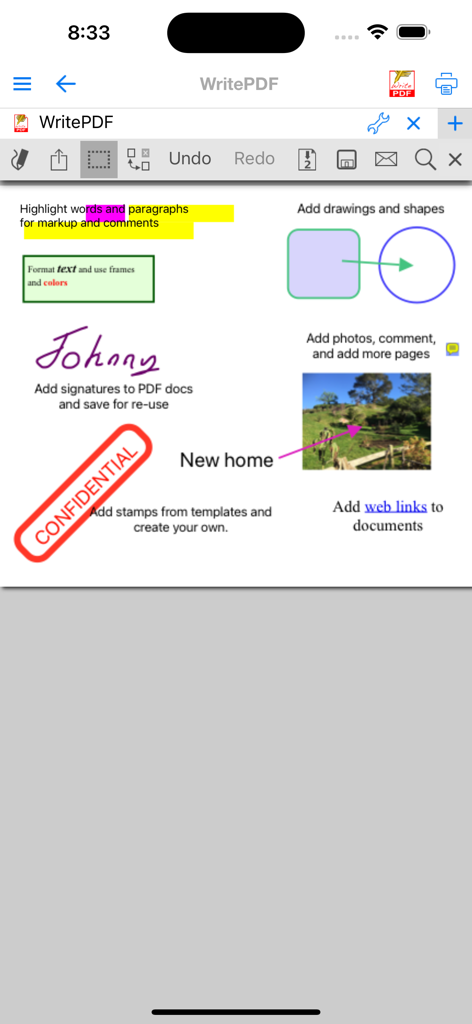
WritePDFアプリのiPhoneインターフェース。ハイライト、署名、スタンプを含むドキュメントマークアップツールが表示されています。

WritePDFアプリのiPhoneインターフェース。ハイライト、署名、スタンプを含むドキュメントマークアップツールが表示されています。

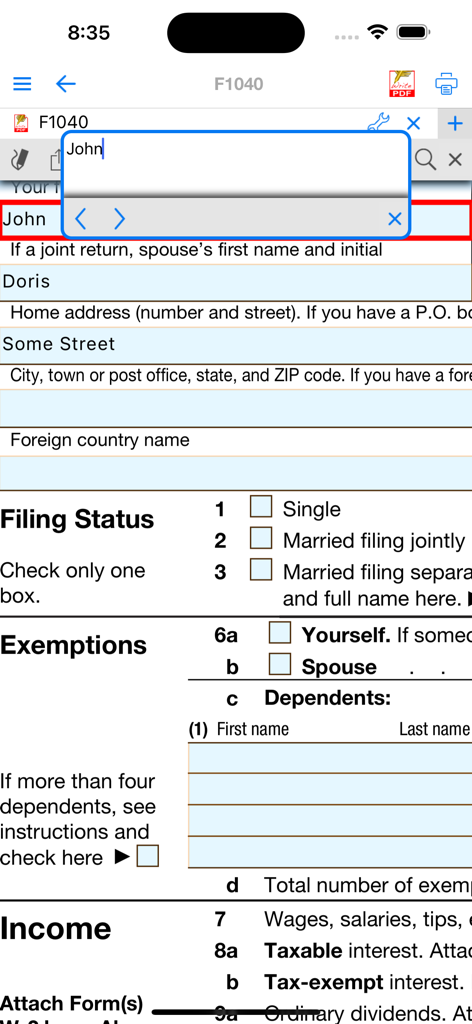
iPhoneのWritePDFアプリを使用して税務フォームに記入しているユーザー

iPhoneのWritePDFアプリを使用して税務フォームに記入しているユーザー

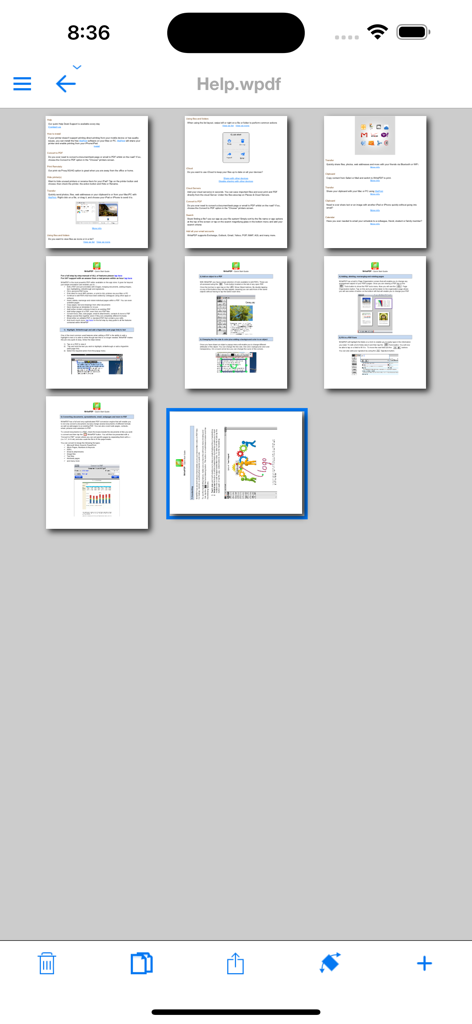
WritePDF iPhoneアプリで、PDFドキュメント内の複数のページのグリッドビュー。

WritePDF iPhoneアプリで、PDFドキュメント内の複数のページのグリッドビュー。

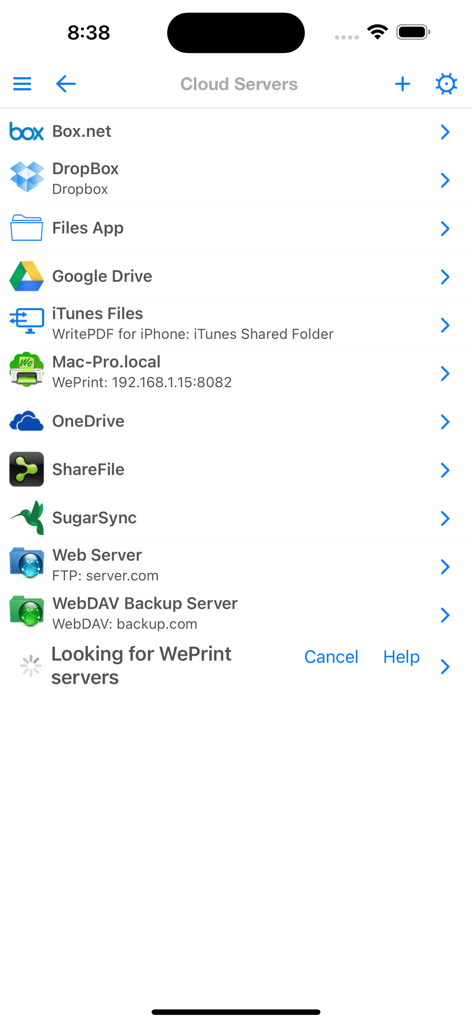
WritePDF for iPhoneのクラウドサーバー統合リスト。Dropbox、Google Drive、OneDriveが表示されています。

WritePDF for iPhoneのクラウドサーバー統合リスト。Dropbox、Google Drive、OneDriveが表示されています。

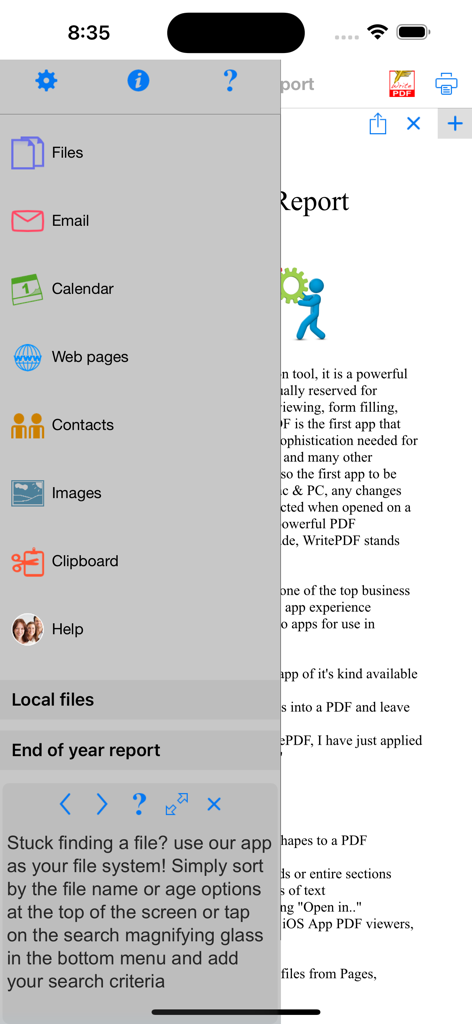
WritePDF for iPhoneのサイドメニュー。メール、Webページ、連絡先などのファイル管理オプションが表示されています。

WritePDF for iPhoneのサイドメニュー。メール、Webページ、連絡先などのファイル管理オプションが表示されています。

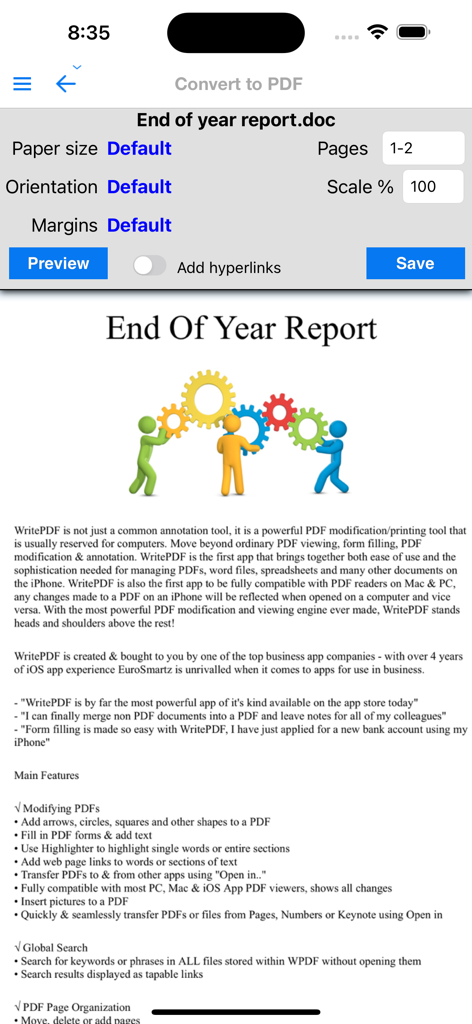
WritePDF iPhoneアプリの画面。用紙サイズと余白の設定で「年末報告書」というタイトルのドキュメントをPDFに変換するオプションが表示されています。

WritePDF iPhoneアプリの画面。用紙サイズと余白の設定で「年末報告書」というタイトルのドキュメントをPDFに変換するオプションが表示されています。

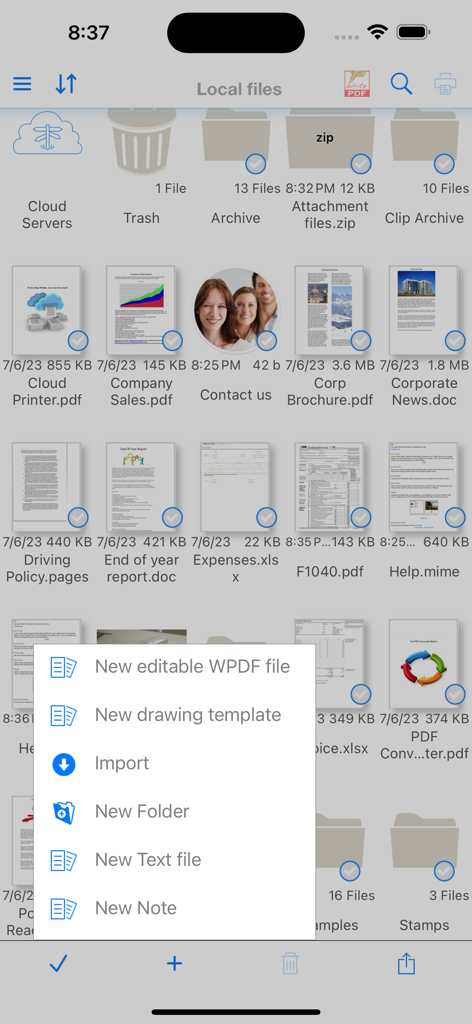
WritePDFのローカルファイル管理画面。ドキュメントのグリッドと作成メニューが表示されています。

WritePDFのローカルファイル管理画面。ドキュメントのグリッドと作成メニューが表示されています。

ポケットにデスクトップパワーを

このアプリを際立たせるツール、 118K+ 人のユーザーが選択.

✍️

プロフェッショナルなフォーム入力と署名

スピードとプロフェッショナルな精度のために設計された専用エンジンで、契約書に数秒で署名し、複雑なPDFフォームに入力します。

📑

スマートな結合と変換

Word文書、スプレッドシート、写真を1つの洗練されたPDFに結合します。モバイルワークフローのための「十徳ナイフ」です。

🔄

完全なデスクトップ互換性

ページの並べ替え、回転、削除を簡単に行えます。iPhoneで行ったすべての編集は、MacやPCのリーダーと100%互換性があります。

アプリについて

について知っておくべきこと WritePDF for iPhone.

説明

WritePDF for the iPhone is more than just a common annotation tool, it is a powerful PDF modification/printing tool that is usually reserved for computers. Move beyond ordinary PDF viewing, form filling, PDF modification & annotation. WritePDF is the first app that brings together both ease of use and the sophistication needed for managing PDFs, word files, spreadsheets and many other documents on the iPhone. WritePDF is also the first app to be fully compatible with PDF readers on Mac & PC, any changes made to a PDF on an iPhone will be reflected when opened on a computer and vice versa. With the most powerful PDF modification and viewing engine ever made, WritePDF stands heads and shoulders above the rest! WritePDF is created & bought to you by one of the top business app companies - with years of iOS app experience from 2008, EuroSmartz is unrivaled when it comes to apps for use in business. - "WritePDF is by far the most powerful app of it's kind available on the app store today" - "I can finally merge non PDF documents into a PDF and leave notes for all of my colleagues" - "Form filling is made so easy with WritePDF, I have just applied for a new bank account using my iPhone" Main Features √ Modifying PDFs > Add arrows, circles, squares and other shapes to a PDF > Fill in PDF forms & add text > Use Highlighter to highlight single words or entire sections > Add web page links to words or sections of text > Transfer PDFs to & from other apps using "Open in.." > Fully compatible with most PC, Mac & iOS App PDF viewers, shows all changes > Insert pictures to a PDF > Quickly & seamlessly transfer PDFs or files from Pages, Numbers or Keynote using Open in √ Global Search > Search for keywords or phrases in ALL files stored within WPDF without opening them > Search results displayed as tapable links √ PDF Page Organization > Move, delete or add pages > Add, delete, rotate, copy/paste & rearrange pages > Add selected pages to an existing PDF from docs, spreadsheets or other files > Drag deleted pages back into document √ Form Filling > Easily fill in PDF forms, even with multiple fields and boxes > Save your signature in the app and reuse when needed > Email/print completed form right from within the app √ PDF Conversion & Merging > View/Convert/Merge Microsoft Office files, Photos, PDFs, Contacts, Web Pages, Email & Email attachments as well as many more file formats > Create a single PDF from multiple files even if they are a different format (i.e. merge a Word file with a Pages document with an existing PDF etc) > Save Web pages as PDFs > Print or convert PDFs from other apps using Open in or other methods √ Full featured Printing > Print direct to most existing WiFi or shared printers, or use the free printer software for ALL printers. > Print from Pages, Numbers or Keynote extremely quickly & easily without the need for an AirPrint printer using Open in > Print to all printers via your Mac or PC > Print remotely via 3G/EDGE or Google Cloud Print √ Reminders & Keywords > Set a reminder for a particular file, PDF or document > Add keyword metadata to any file for easy searching √ Cloud Services & Email > Save attachments directly from Mail to WritePDF > CloudMe, Box.net, Dropbox, Google Docs, iDisk, FTP, WebDAV all supported √ Copy Documents from your Mac or PC > Mount your iPhone as a network disk on your Mac/PC QUICK HELP - if you need it.

最新バージョン

4.7

サイズ

44.9 MB

リリース日

2012年5月2日

デスクトップクラスのPDFパワーをどこへでも

PCに戻るのを待つのをやめましょう。iPhoneから直接、絶対的な信頼性でドキュメントに署名、結合、管理している118,000人以上のプロフェッショナルに加わりましょう。

ダウンロード: App Store
FAQ

よくある質問

について知っておくべきこと WritePDF for iPhone

Can WritePDF for iPhone modify existing PDF documents?

はい、WritePDF for iPhoneでは、PDFに図形、テキスト、ハイライト、Webページリンクを追加できます。また、写真の挿入や、他のアプリとの間でドキュメントを送受信することもサポートしています。

Does WritePDF support filling out PDF forms on iPhone?

はい、WritePDFは、複数のフィールドがある場合でも、簡単にPDFフォームに記入できるようにします。ユーザーはアプリ内に署名を保存し、記入済みのフォームをiPhoneから直接メール送信または印刷できます。

What file formats can WritePDF convert into PDF?

WritePDFは、Microsoft Officeファイル、写真、連絡先、Webページ、メールの添付ファイルなど、さまざまな形式をPDFに変換します。また、複数の異なるファイルタイプを1つのPDFにマージすることもできます。

Is WritePDF for iPhone compatible with Mac and PC PDF software?

はい、WritePDFは、ほとんどのMacおよびPCのPDFビューアと完全に互換性があります。iPhoneでPDFに加えられたすべての変更は、コンピューターでドキュメントを開いたときに反映されます。

Can I search for text within documents using WritePDF?

はい、WritePDFにはグローバル検索機能が含まれています。ユーザーは、ファイルを開かなくても、保存されているすべてのファイル全体でキーワードまたはフレーズを検索でき、結果はタップ可能なリンクとして表示されます。

Which cloud storage services integrate with WritePDF for iPhone?

WritePDFは、CloudMe、Box.net、Dropbox、Google Docs、iDisk、FTP、WebDAVと統合されています。ユーザーは、MailからWritePDFに直接添付ファイルを保存できます。

What printing capabilities does WritePDF offer for iPhone documents?

WritePDFは、包括的な印刷機能を提供します。WiFi/共有プリンターへの直接印刷、AirPrintなしでのPages/Numbers/Keynoteからの印刷、3G/EDGEまたはGoogle Cloud Printを介したリモート印刷をサポートしています。

How does WritePDF for iPhone allow users to organize PDF pages?

WritePDFは、包括的なページ編成機能を提供します。ユーザーは、iPhoneから直接PDFドキュメント内でページを移動、削除、追加、回転、コピー/ペースト、並べ替えを行うことができます。

Who developed the WritePDF app for iOS?

EuroSmartzがiOS版WritePDFを開発しました。同社は2008年までさかのぼるiOS向けビジネスアプリ開発の豊富な経験を持っています。

Can WritePDF transfer files to and from other apps on iPhone?

はい、WritePDFは「Open in...」機能を使用したファイル転送をサポートしています。これにより、ユーザーはPDFを他のアプリケーションとの間で移動したり、Pages、Numbers、Keynoteドキュメントなどのファイルをインポートしたりできます。

App information, icons, screenshots, and descriptions displayed on this page are sourced from the Apple App Store and are the property of their respective developers. Download estimates and rankings are based on MWM's proprietary models and may not reflect actual figures. This page is provided for informational and analytical purposes only.

Believe this page infringes your intellectual property? File a dispute