WritePDF

WritePDF

ダウンロード: App Store
ロゴ: WritePDF

WritePDF: モバイルプロフェッショナル向けデスクトップクラスのドキュメントパワー

iPad向けの最も高度なPDFエンジンで、簡単な注釈を超えましょう。プロフェッショナルツール、安全なクラウド管理、ファイルを開かなくても必要なものを見つけるグローバル検索で、ドキュメントを編集、結合、署名できます。

開発元

EuroSmartz Ltd

カテゴリ

Business

ダウンロード

129K+

ユーザー評価

3.8/5

評価数

800

対応言語

7

一目でわかるプロフェッショナルパワー

このインターフェースを利用する 129K+ 人のユーザー.

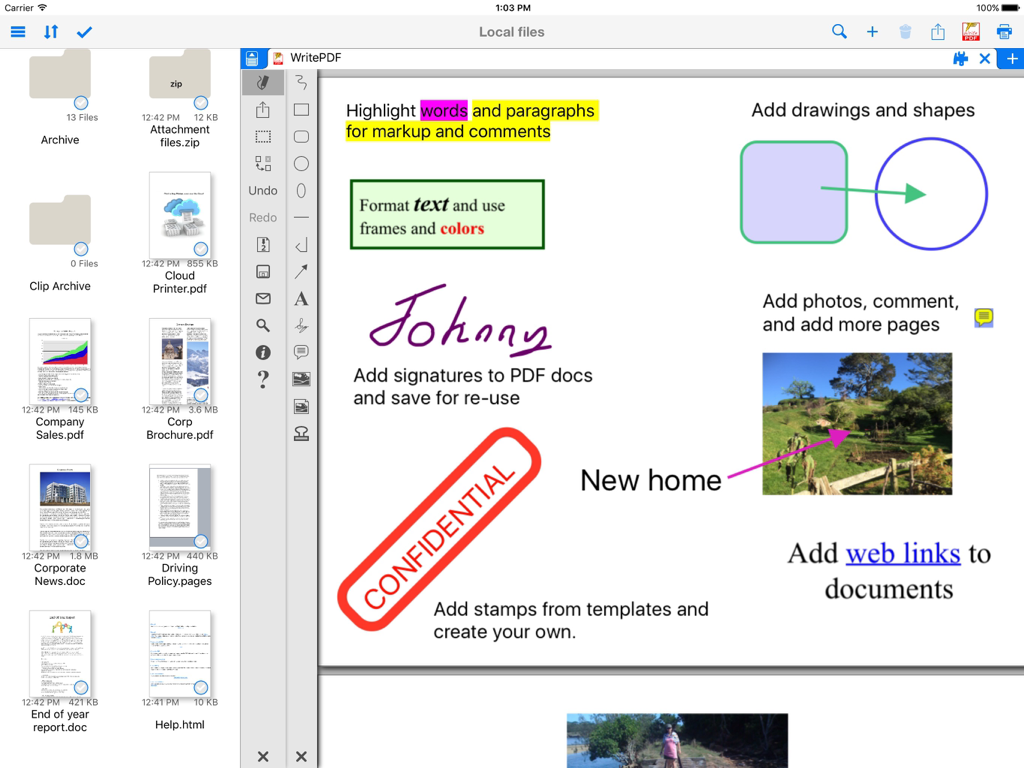
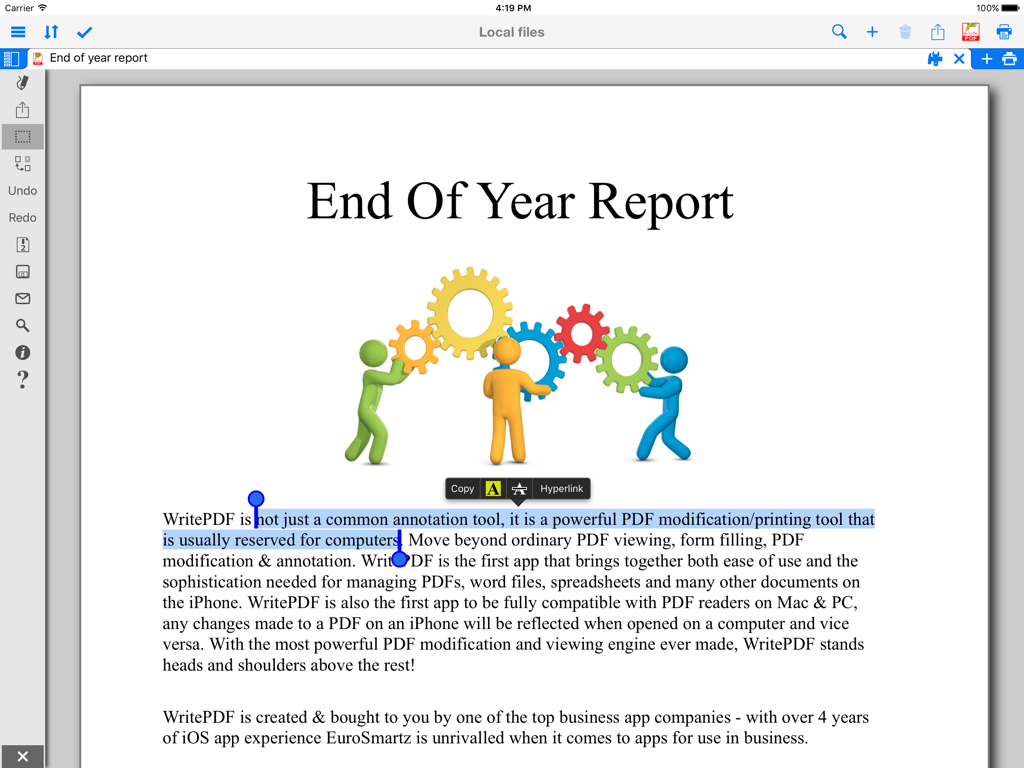
iPad上のWritePDFアプリのインターフェース。テキストハイライト、デジタル署名、スタンプなどのドキュメント注釈ツールが表示されています。

iPad上のWritePDFアプリのインターフェース。テキストハイライト、デジタル署名、スタンプなどのドキュメント注釈ツールが表示されています。

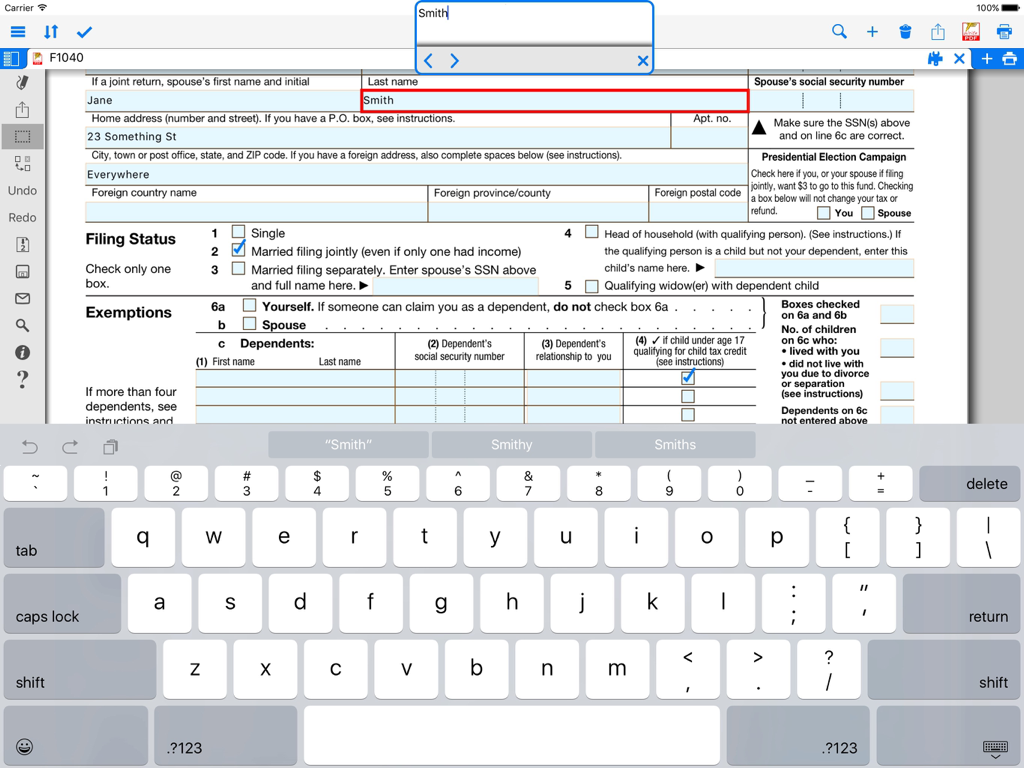
WritePDFアプリケーションを使用してiPadでPDFフォームに記入している様子。

WritePDFアプリケーションを使用してiPadでPDFフォームに記入している様子。

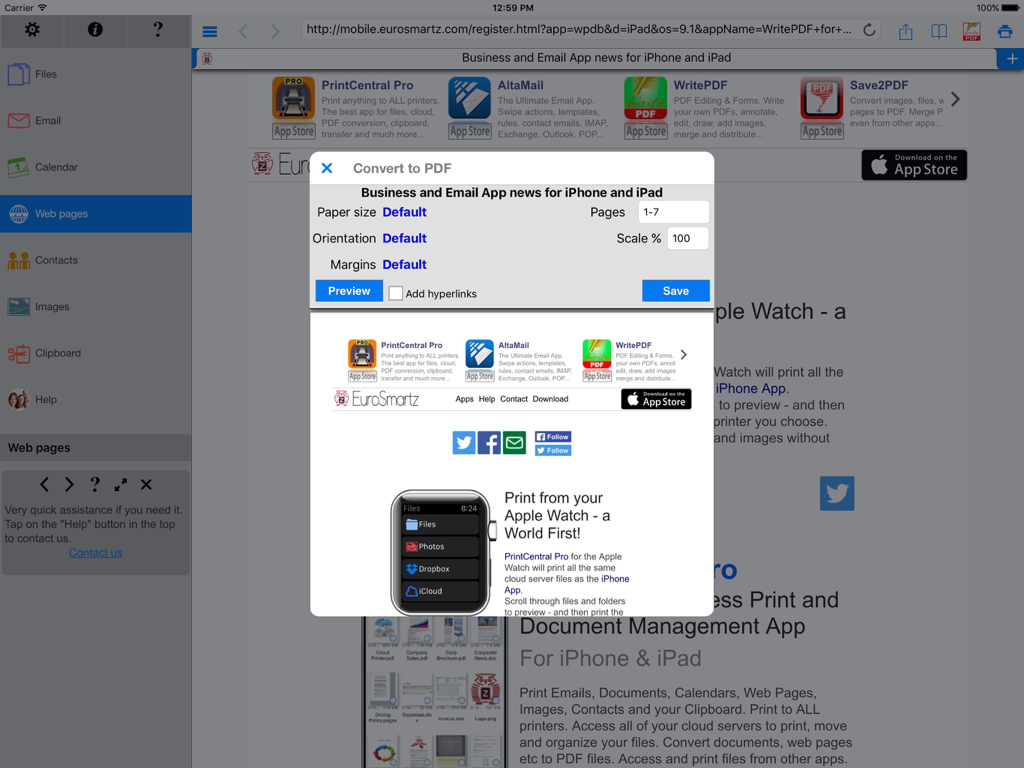
WritePDF iPadアプリのインターフェース。ドキュメント設定を含むWebページをPDFに変換するダイアログボックスが表示されています。

WritePDF iPadアプリのインターフェース。ドキュメント設定を含むWebページをPDFに変換するダイアログボックスが表示されています。

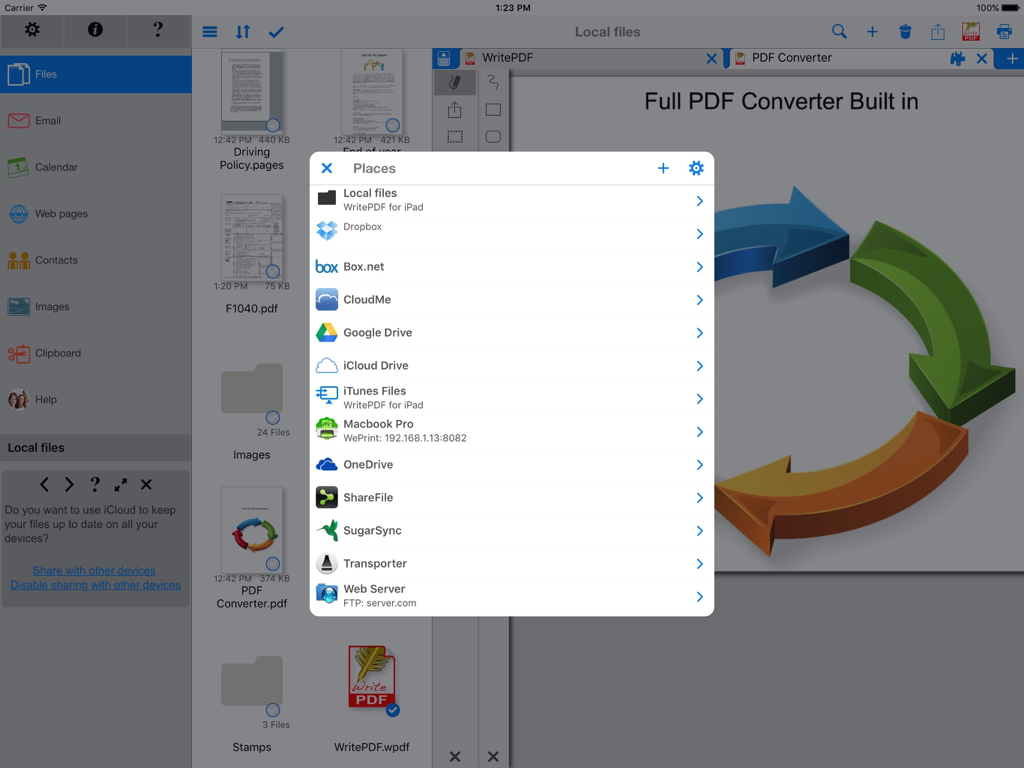
WritePDF iPadインターフェース。ドキュメント管理のために統合されたクラウドストレージサービスの一覧が表示されています。

WritePDF iPadインターフェース。ドキュメント管理のために統合されたクラウドストレージサービスの一覧が表示されています。

iPad画面。プロフェッショナルなPDFレポートでテキストハイライトと注釈オプションが表示されています。

iPad画面。プロフェッショナルなPDFレポートでテキストハイライトと注釈オプションが表示されています。

iPadでのデスクトップクラスのパワー

このアプリを際立たせるツール、 129K+ 人のユーザーが選択.

🖋️

プロフェッショナルなドキュメント編集

移動中でも、デスクトップPCのような精度と洗練さで、ファイルタイプを結合し、複雑なフォームに記入し、注釈を付けられます。

🔍

インスタントグローバル検索

重要な情報を数秒で見つけます。ファイルを開かなくても、保存されているすべてのファイルとクラウドベースのファイル全体でキーワードを同時に検索できます。

🔒

安全なクラウドワークフロー

ダウンロードせずに、クラウド上で直接ドキュメントを編集および変換します。厳格なデータ整合性とプロフェッショナルなセキュリティコンプライアンスを維持します。

アプリについて

について知っておくべきこと WritePDF.

説明

WritePDF is more than just a common annotation tool, it is a powerful PDF modification/printing tool that is usually reserved for computers. Move beyond ordinary PDF viewing, form filling, PDF modification & annotation. WritePDF is the first app that brings together both ease of use and the sophistication needed for managing PDFs, word files, spreadsheets and many other documents on the iPad. WritePDF is also the first app to be fully compatible with PDF readers on Mac & PC, any changes made to a PDF on an iPad will be reflected when opened on a computer and vice versa. With the most powerful PDF modification and viewing engine ever made, WritePDF stands heads and shoulders above the rest! One of the most powerful and security focused features of WritePDF is the ability to read, convert and annotate PDFs in the Cloud without having to download them first. This means that you can keep all of your documents and files in the Cloud and access them on demand in a very secure environment when away from the office. It also give organisations control on documents and files. WritePDF is created & bought to you by one of the top business app companies - with years of iOS app experience from 2008, EuroSmartz is unrivaled when it comes to apps for use in business. - "Being able to quickly highlight text ready for revision is awesome" - "The ability to search for a word or phrase over all of the PDFs & files I have without opening them is something I can't even do on my PC" - "Form filling is made so easy with WritePDF, I have just applied for a new bank account using my iPad" - "The ability to quickly access a document in the cloud and modify it is the #1 feature in my book" - "I can now edit my PDF and print it to my old printer that is not AirPrint enabled, just magic!" Main Features √ Modifying PDFs > Add arrows, circles, squares and other shapes to a PDF > Fill in PDF forms & add text > Use Highlighter to highlight single words or entire sections > Add web page links to words or sections of text > Transfer PDFs to & from other apps using "Open in.." > Fully compatible with most PC, Mac & iOS App PDF viewers, shows all changes > Insert pictures to a PDF > Quickly & seamlessly transfer PDFs or files from Pages, Numbers or Keynote using Open in √ Global Search > Search for keywords or phrases in ALL files stored within WPDF without opening them > Search results displayed as tapable links √ Cloud Services > Annotate, read and convert files & PDFs directly in the Cloud without downloading > Securely access documents and files and keep control of where they are stored > CloudMe, Sharefile, Box.net, Dropbox, Google Docs, iDisk, FTP, WebDAV all supported √ PDF Page Organization > Move, delete or add pages > Add, delete, rotate, copy/paste & rearrange pages > Add selected pages to an existing PDF from docs, spreadsheets or other files √ Form Filling > Easily fill in PDF forms, even with multiple fields and boxes > Save your signature in the app and reuse when needed > Email/print completed form right from within the app √ PDF Conversion & Merging View/Convert/Merge Microsoft Office files, Photos, PDFs, Contacts, Web Pages, Email & Email attachments as well as many more file formats > Create a single PDF from multiple files even if they are a different format (i.e. merge a Word file with a Pages document with an existing PDF etc) > Print or convert PDFs from other apps using Open in or other methods √ Full featured Printing > Print direct to most existing WiFi or shared printers, or use the free printer software for ALL printers. > Print from Pages, Numbers or Keynote extremely quickly & easily without the need for an AirPrint printer using Open in > Print remotely via 3G/EDGE or Google Cloud Print √ Reminders & Keywords > Set a reminder for a file, PDF or document > Add keywords to any file for easy searching

最新バージョン

4.7

サイズ

44.4 MB

リリース日

2012年2月28日

iPadをプロフェッショナルワークステーションに変える準備はできましたか?

デスクトップクラスの編集、安全なクラウド管理、シームレスな印刷をいつでもどこでも利用できるWritePDFを信頼する129,000人以上のモバイルプロフェッショナルに加わりましょう。

ダウンロード: App Store

App information, icons, screenshots, and descriptions displayed on this page are sourced from the Apple App Store and are the property of their respective developers. Download estimates and rankings are based on MWM's proprietary models and may not reflect actual figures. This page is provided for informational and analytical purposes only.

Believe this page infringes your intellectual property? File a dispute