X Icon Changer: Icons & Themes
ダウンロード: App Store

このページはアプリまたはその開発者の公式ページではなく、情報提供および論評を目的として作成された独立した編集出版物です。明示的に別段の記載がない限り、アプリおよびその開発者は、MWM、Apple、Google Play、アプリのパブリッシャー、またはアプリの開発者と提携、承認、後援、認可、またはその他の公式的な関係はなく、このページのいかなる内容も、アプリがMWMのサービスを使用して開発されたことを意味するものではありません。すべての商標、ロゴ、スクリーンショット、その他のコンテンツはそれぞれの所有者の財産です。

ロゴ: X Icon Changer: Icons & Themes
ダウンロード: App Store

X Icon Changer: Icons & Themes

退屈な標準の外観はもうやめましょう。35,000以上のプレミアムアイコンと200以上のトレンドテーマにアクセスしたり、アイコンメーカーを使用して、あなただけのデジタル空間を作りましょう。

主要数値

ダウンロード

298K+

ユーザー評価

4.2/5

評価数

400

開発元

Uladzislau Yanushka

カテゴリ

Graphics & Design

対応言語

1

最新バージョン

1.2

サイズ

65.5 MB

リリース日

2021年3月31日
機能

あなたの雰囲気に合わせてスマホをスタイリング

標準の基本的なアイコンで妥協するのはやめましょう。何千ものデザイナーテーマと、デジタルキュレーターのためにデザインされたクリエイティブなDIYツールで、あなたのiPhoneをパーソナルな傑作に変えましょう。

20以上の美的カテゴリ

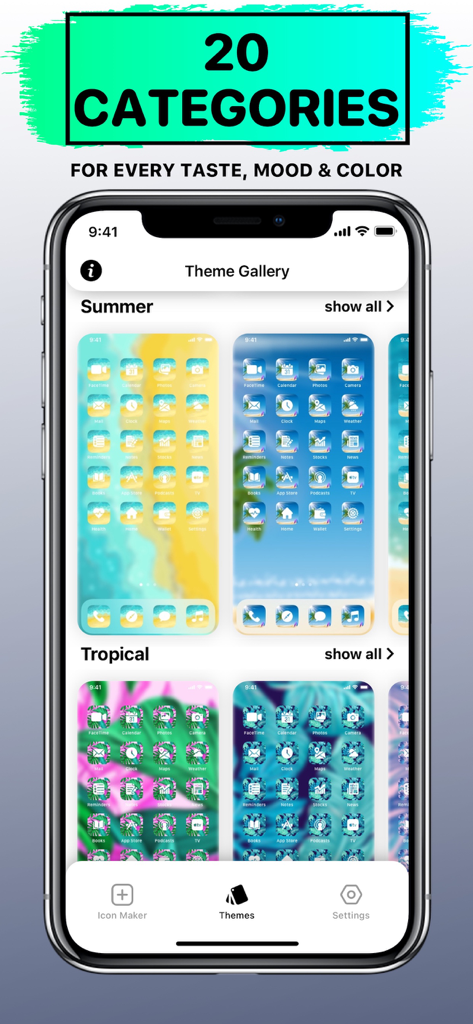
ネオン、ラグジュアリー、ミニマリストなど、35,000以上のアイコンの膨大なライブラリを閲覧して、あなたのデジタルな美学を完璧にキュレーションしましょう。

プロフェッショナルアイコンメーカー

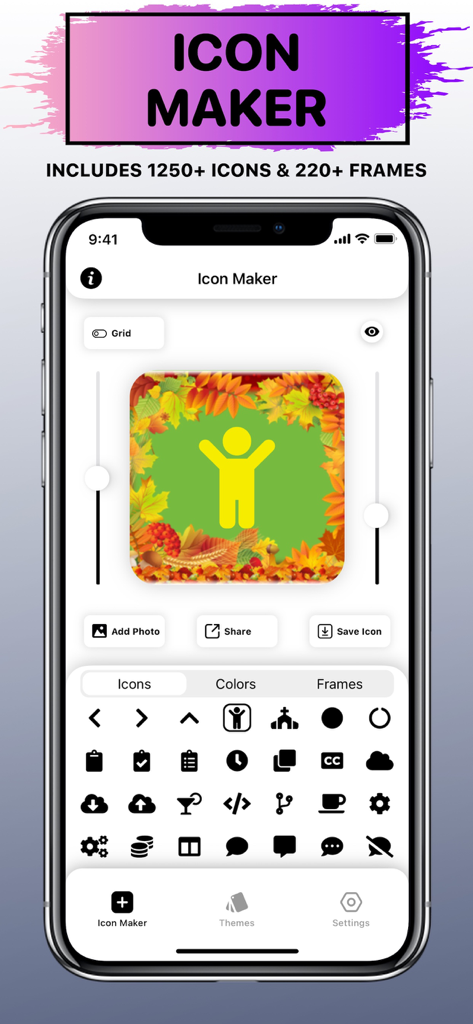
プリセットを超えましょう。1,250以上のシンボル、220以上のフレーム、そしてあなた自身の写真を組み合わせて、あなただけのユニークなホーム画面を作成してください。

以下のスクリーンショットと説明は、アプリの公式ストアリスティングから直接取得されたものであり、アプリ開発者の所有物です。

アプリストア

スクリーンショット
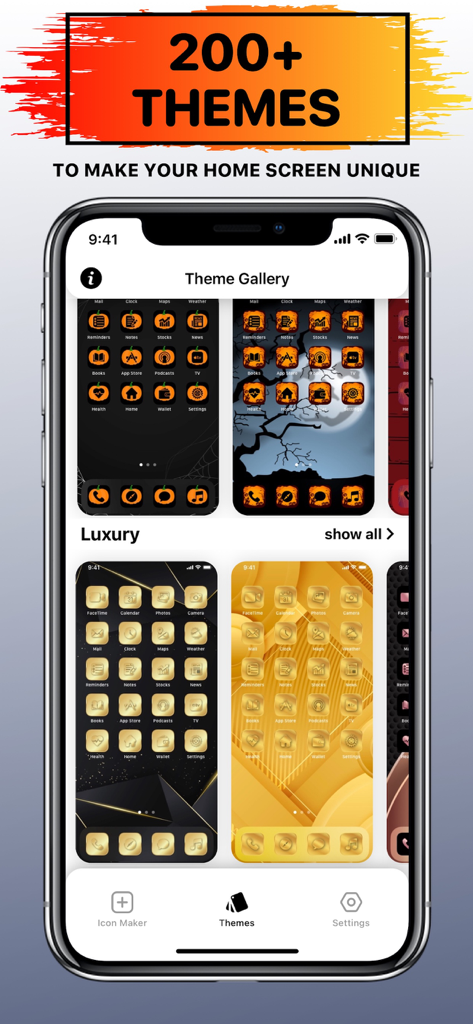
X Icon Changer: Icons & Themes - X Icon Changerアプリが、iPhone用のラグジュアリーで不気味なアイコンパックを備えたテーマギャラリーを表示
X Icon Changerアプリが、iPhone用のラグジュアリーで不気味なアイコンパックを備えたテーマギャラリーを表示

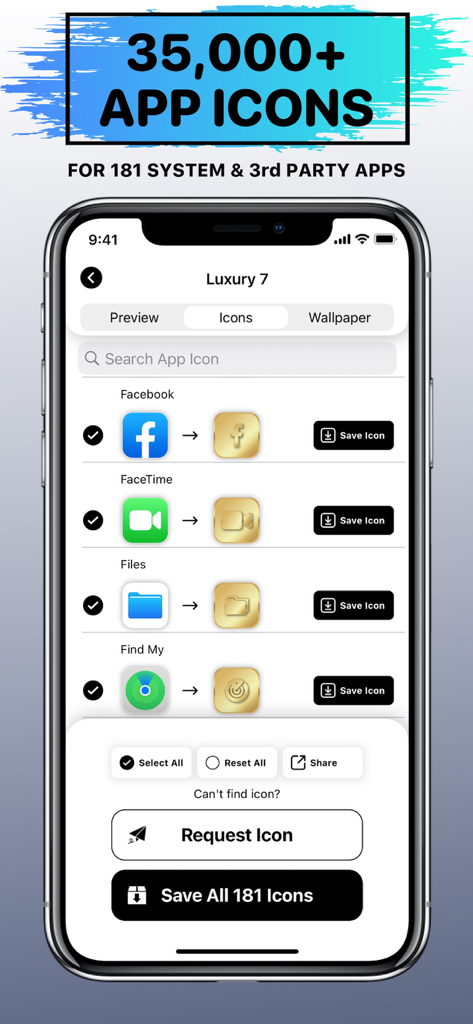
X Icon Changer: Icons & Themes - X Icon Changerアプリのインターフェイスが、システムおよびサードパーティアプリ用のカスタムラグジュアリーゴールドアイコンを表示
X Icon Changerアプリのインターフェイスが、システムおよびサードパーティアプリ用のカスタムラグジュアリーゴールドアイコンを表示

X Icon Changer: Icons & Themes - X Icon Changerアプリのインターフェイスが、カスタマイズ可能なフレームとアイコンを備えたアイコンメーカー機能を表示
X Icon Changerアプリのインターフェイスが、カスタマイズ可能なフレームとアイコンを備えたアイコンメーカー機能を表示

X Icon Changer: Icons & Themes - X Icon Changerアプリが、ホーム画面カスタマイズ用の美的テーマカテゴリのギャラリーを表示
X Icon Changerアプリが、ホーム画面カスタマイズ用の美的テーマカテゴリのギャラリーを表示

X Icon Changer: Icons & Themes - X Icon Changerアプリのインターフェイスが、様々な食品や飲み物をテーマにしたアイコンと壁紙を表示
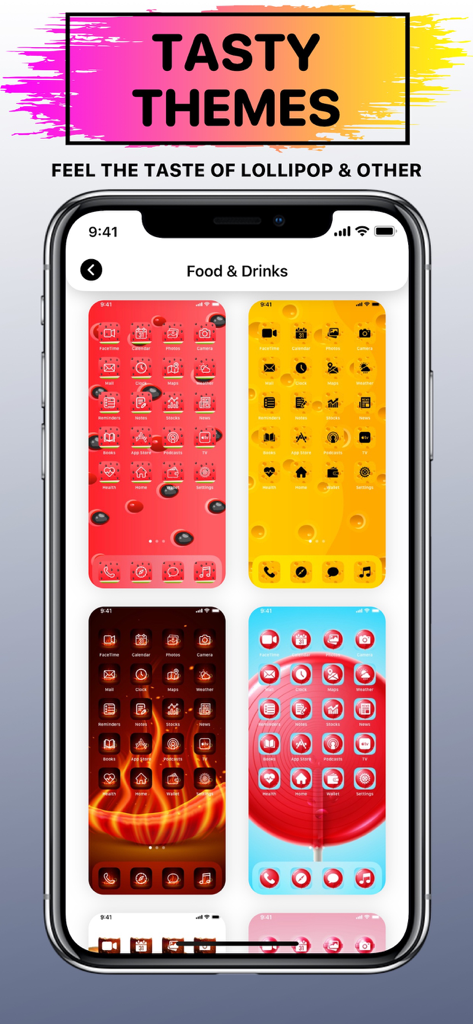
X Icon Changerアプリのインターフェイスが、様々な食品や飲み物をテーマにしたアイコンと壁紙を表示

X Icon Changer: Icons & Themes - カスタムアイコンと壁紙を備えた4つの異なるハロウィーンテーマのモバイルホーム画面デザイン。
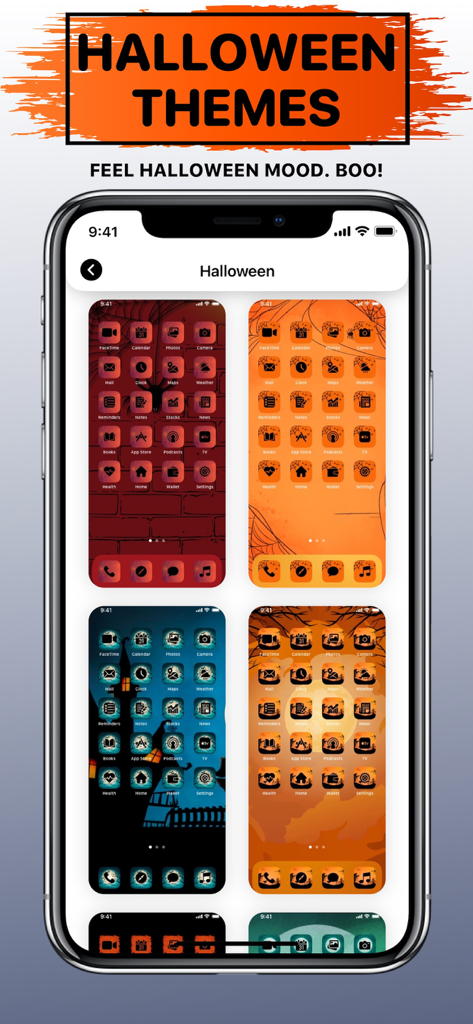
カスタムアイコンと壁紙を備えた4つの異なるハロウィーンテーマのモバイルホーム画面デザイン。

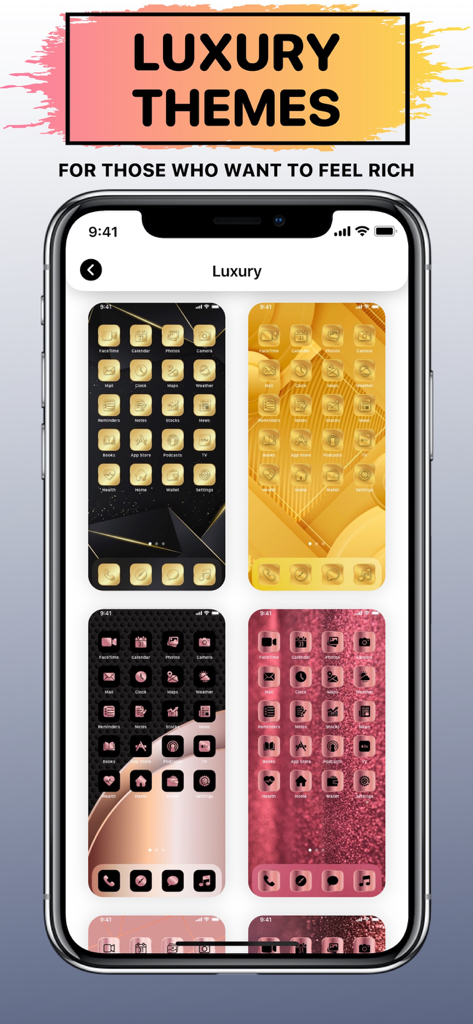
X Icon Changer: Icons & Themes - ホーム画面カスタマイズ用のゴールドとローズゴールドのラグジュアリーアプリアイコンテーマのギャラリー。
ホーム画面カスタマイズ用のゴールドとローズゴールドのラグジュアリーアプリアイコンテーマのギャラリー。

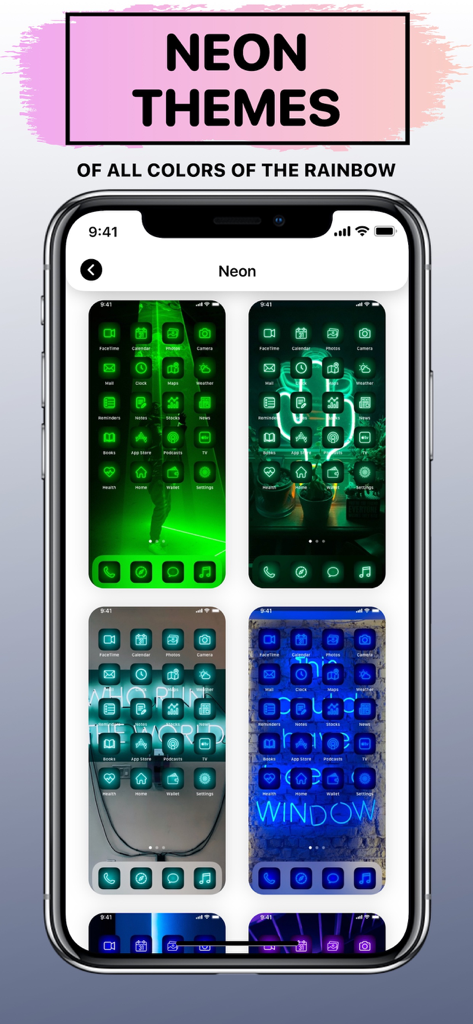
X Icon Changer: Icons & Themes - ホーム画面カスタマイズ用の様々なカラフルなネオンアプリアイコンテーマ。

ホーム画面カスタマイズ用の様々なカラフルなネオンアプリアイコンテーマ。

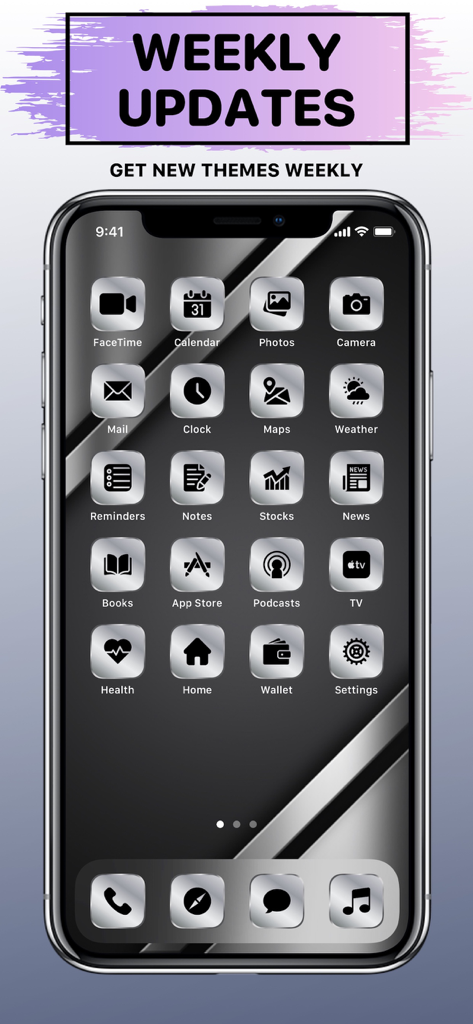
X Icon Changer: Icons & Themes - カスタムアプリアイコンと毎週更新バナーを備えた、洗練されたラグジュアリーシルバーメタリックテーマを表示するiPhone画面。
カスタムアプリアイコンと毎週更新バナーを備えた、洗練されたラグジュアリーシルバーメタリックテーマを表示するiPhone画面。

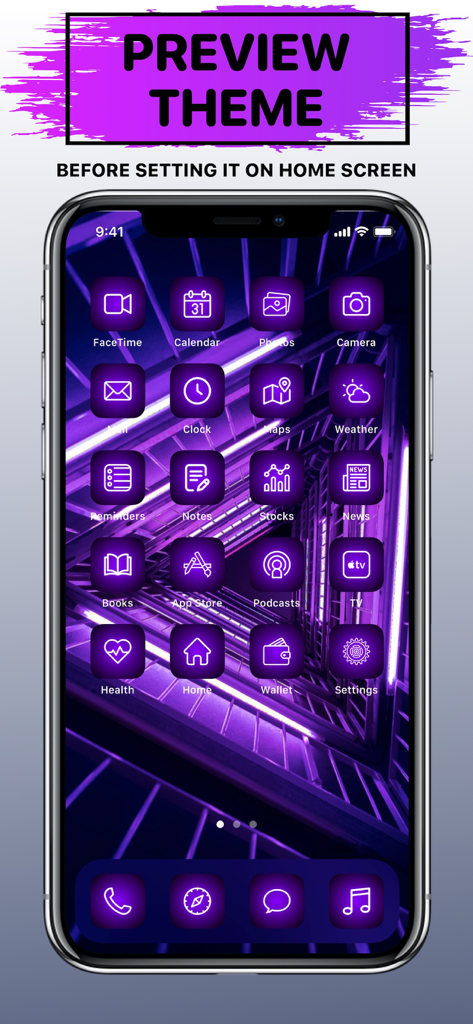
X Icon Changer: Icons & Themes - カスタムネオンパープル美的テーマとアイコンを表示するiPhoneホーム画面プレビュー。

カスタムネオンパープル美的テーマとアイコンを表示するiPhoneホーム画面プレビュー。

説明

Tired of the way your Home Screen looks and want something new? Refresh it with our brand-new Aesthetic App Icons & Themes for every taste, color and mood! Make your Home Screen unique! X Icon Changer App Content & Main Features: – Theme Gallery – explore 20 categories of unique Themes, such as: Neon, Luxury, etc; – Themes Preview – see how the selected Theme will look on Home Screen before adding it on your own; – Icon Maker – create your own app icons by adding a frame or your photo to the background, picking colors for the icon and background, zooming and rotating icon. Contains 1250+ Icons and 220+ Frames to choose from; – 35,000+ App Icons with weekly updates; – 200+ Themes with weekly updates; – No ads! Each theme contains resources for saving and setting, such as: – 181 App Icons; – 1 Wallpaper. These icons are for custom shortcut using the “Shortcuts” app. Please note that they don’t change your current app icons. How to Add Icons to your Home Screen? 1. Open ”Shortcuts” App; 2. Tap the Add (“+”) button in the upper-right corner; 3. Tap “Search Actions”; 4. Search for “Open App” and tap on it; 5. Tap on “App”; 6. Find and select the app you want to change icon; 7. Tap on the Shortcut name (arrow down ⌄); 8. Tap on “Add to Home Screen”; 9. Enter the name of app icon; 10. Tap on the left image icon, then “Choose Photo“; 11. Choose the icon from your Photos you want to set; 12. Tap on the “Add” button in upper-right corner; 13. Done! Icon added to your Home Screen. Repeat steps 1-12 to add more custom app icons. Unclear? Do not worry! You can find a more detailed guide with pictures inside the app by clicking on the ( i ) button. * Note: Free version of the app is limited to 20 Themes only (1 Theme for Free in each category). If you want to use the app without limits, an auto-renewable subscription ”X Icon Changer Pro” is available. Auto-renewable Subscription ”X Icon Changer Pro” Info: By subscribing you get premium (full, unlimited) access to all the features and content offered by ”X Icon Changer” app. Auto-renewable Subscription ”X Icon Changer Pro” Includes: – Unlock 35K+ App Icons; – Unlock 200+ Themes; – Unlock Icon Maker; – Get New Themes Weekly; – Request Custom App Icons. The app contains the following auto-renewable subscription called ”X Icon Changer Pro”: – Weekly (4,99 US$) with a 3-days for free period * Subscription price may vary depending on your location. * Payment will be charged to iTunes Account at confirmation of purchase; * Subscription automatically renews unless auto-renew is turned off at least 24-hours before the end of the current period; * Account will be charged for renewal within 24-hours prior to the end of the current period, and identify the cost of the renewal; * Subscriptions may be managed by the user and auto-renewal may be turned off by going to the user's Account; * Any unused portion of a free trial period, if offered, will be forfeited when the user purchases a subscription to that publication, where applicable. Privacy Policy: https://sites.google.com/view/icon-changer-app-privacy/ Terms of Use: https://sites.google.com/view/icon-changer-app-terms/ Requested Access: Photos - to save icons and wallpapers to your Photos to add them to your Home Screen.

Download

ダウンロード: App Store

このページはアプリまたはその開発者の公式ページではなく、情報提供および論評を目的として作成された独立した編集出版物です。明示的に別段の記載がない限り、アプリおよびその開発者は、MWM、Apple、Google Play、アプリのパブリッシャー、またはアプリの開発者と提携、承認、後援、認可、またはその他の公式的な関係はなく、このページのいかなる内容も、アプリがMWMのサービスを使用して開発されたことを意味するものではありません。すべての商標、ロゴ、スクリーンショット、その他のコンテンツはそれぞれの所有者の財産です。