
このページはアプリまたはその開発者の公式ページではなく、情報提供および論評を目的として作成された独立した編集出版物です。明示的に別段の記載がない限り、アプリおよびその開発者は、MWM、Apple、Google Play、アプリのパブリッシャー、またはアプリの開発者と提携、承認、後援、認可、またはその他の公式的な関係はなく、このページのいかなる内容も、アプリがMWMのサービスを使用して開発されたことを意味するものではありません。すべての商標、ロゴ、スクリーンショット、その他のコンテンツはそれぞれの所有者の財産です。


ZArchiver - Extract Zip File
パワーユーザー向けのプロフェッショナルグレードのアーカイブ管理。あらゆるフォーマットを展開し、フォルダを圧縮し、内蔵プライベートボルトでメディアを保護します。
ダウンロード
17K+ユーザー評価
評価数
0開発元
カテゴリ
Utilities対応言語
19最新バージョン
1.1サイズ
30.7 MBリリース日
2025年3月5日デスクトップクラスのアーカイブ管理
iOSの制限から解放されましょう。ZArchiverは、外出先であらゆるファイルフォーマットを展開、圧縮、保護する必要があるパワーユーザーにとって究極のパワーツールです。
ユニバーサルファイル展開
ネイティブアプリでは扱えないRAR、7Z、ISO、およびその他の20以上のフォーマットを即座に開きます。ゲームMOD、アセット、作業ドキュメントのダウンロードに最適です。
プログレードの圧縮
巨大なフォルダをコンパクトなZIPまたは7Zアーカイブに縮小します。ストレージスペースを節約し、Slack、Discord、またはEmail経由で大規模プロジェクトを簡単に共有できます。
よくある質問
について知っておくべきこと ZArchiver - Extract Zip File
ZArchiver - Zip File を抽出するとは何ですか?
ZArchiverは、圧縮ファイルを管理するための包括的なZip ExtractorおよびRAR Extractorアプリです。ユーザーは、さまざまなファイル形式を簡単に解凍、抽出、圧縮、アーカイブでき、ファイル管理をシンプルかつ効率的に行えます。
ZArchiverはRARファイルを抽出できますか?
はい、ZArchiverはRARファイルを抽出できます。ZIP、7z、TAR、BZ2などの他の形式とともに、RARファイル、RARフォルダ、RARアーカイブの抽出をサポートしており、幅広い互換性を保証します。
ZArchiverはどのファイル形式の抽出をサポートしていますか?
ZArchiverは、ZIP、RAR、7z、TAR、BZ2、GZIP、TGZ、TBZ、ISO、DEB、CAB、JAR、RPM、CBS、LZH、ZIPXファイル形式の抽出をサポートしており、さまざまなアーカイブに対して広範な互換性を提供します。
ZArchiverでファイルを圧縮できますか?
はい、ZArchiverを使用すると、ユーザーはフォルダを圧縮し、ファイルをアーカイブできます。ZIP、7Z、RAR、TAR、BZ2などの形式に圧縮できるため、ストレージや共有のためにファイルサイズを削減するのに役立ちます。
ZArchiverでファイルをリネームするにはどうすればよいですか?
ZArchiverでファイルをリネームするには、ファイルを選択してオプションを開きます。表示されるメニューから「ファイルのリネーム」を選択し、ダイアログボックスに新しいファイル名を入力して「保存」をタップします。
ZArchiverは抽出せずにZIPまたはRARファイルを閲覧できますか?
はい、ZArchiverには組み込みのファイルビューアが含まれています。この機能により、ユーザーはコンテンツを抽出せずにRARおよびZIPファイルを直接表示できるため、効率と利便性が向上します。
ZArchiverはファイルをPCまたはMacに転送できますか?
はい、ZArchiverはWi-Fi転送を使用してファイルをPCまたはMacに転送できます。ユーザーはコンピューターのWebブラウザでIPアドレスにアクセスし、QRコードをスキャンして転送を開始します。
ZArchiverはどのようなファイル管理機能を提供しますか?
ZArchiverは効率的なファイル管理機能を提供します。ユーザーは、さまざまな圧縮ファイルおよび解凍済みファイルを簡単に解凍、アーカイブ解除、整理、リネーム、移動、コピー、送信、共有、削除できます。
ZArchiverはWinRARの代替と見なされますか?
はい、ZArchiverはWinRARの軽量で効率的な代替として提供されています。同様のアーカイブおよび抽出機能を提供し、特にモバイルデバイスとさまざまなファイル形式に最適化されています。
ZArchiverのプライバシーポリシーはどこにありますか?
ZArchiverのプライバシーポリシーは、https://darshanmavaniapps.blogspot.com/2025/03/privacy-policy-for-zarchiver-zip-file.htmlにあります。このリンクは、データ処理とユーザープライバシーに関する包括的な詳細を提供します。
以下のスクリーンショットと説明は、アプリの公式ストアリスティングから直接取得されたものであり、アプリ開発者の所有物です。
アプリストア
スクリーンショット
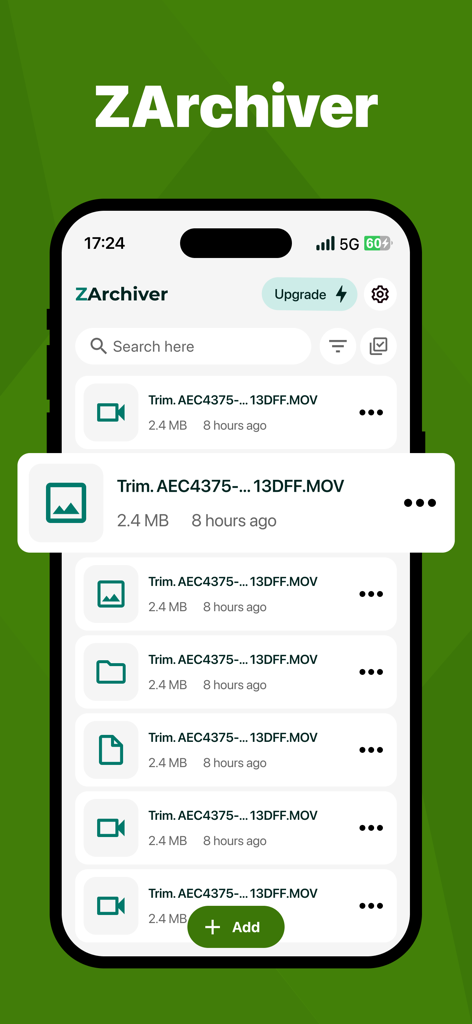
ZArchiverアプリのファイルマネージャーインターフェイスを示すスクリーンショット。iPhone上にビデオファイルリストが表示されています。
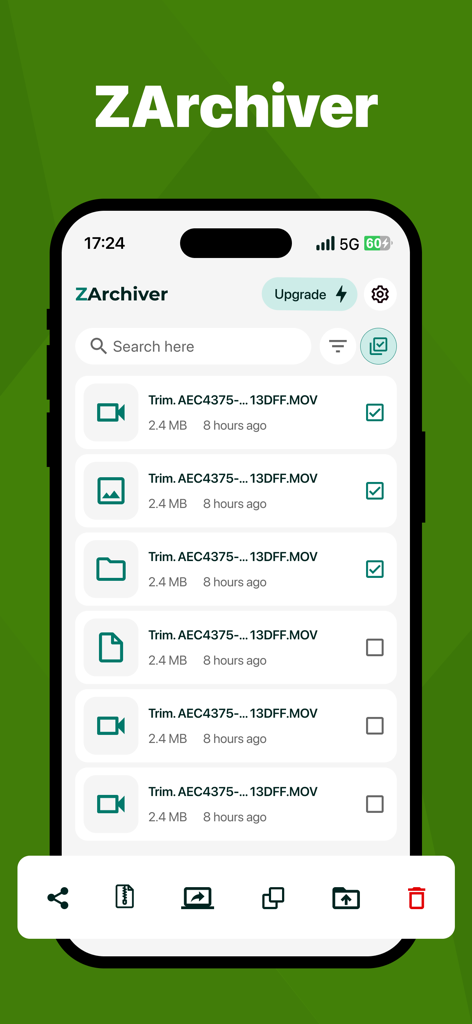
iPhone上のファイルリストと管理オプションを表示するZArchiverアプリのインターフェイス
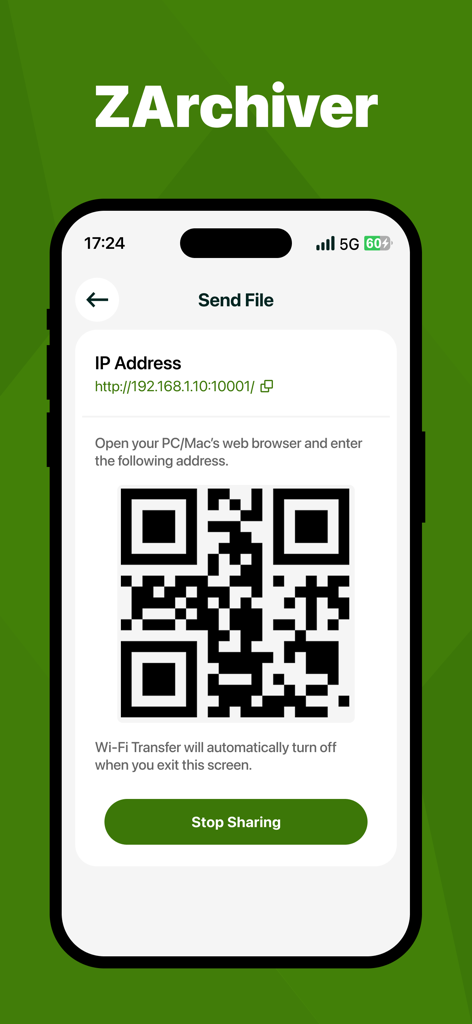
Wi-Fiファイル転送用のQRコードとIPアドレスを表示するZArchiverアプリ画面
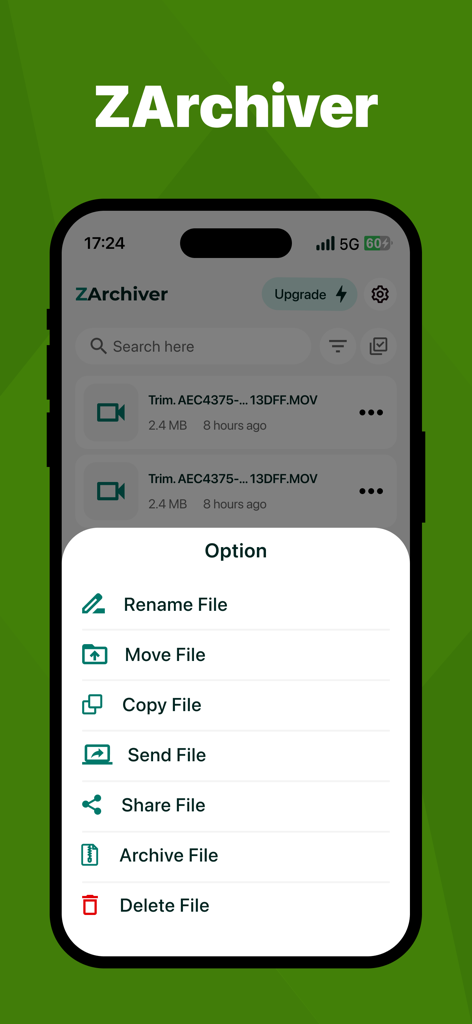
iPhone上のファイル管理オプションメニューを表示するZArchiverアプリインターフェイス。
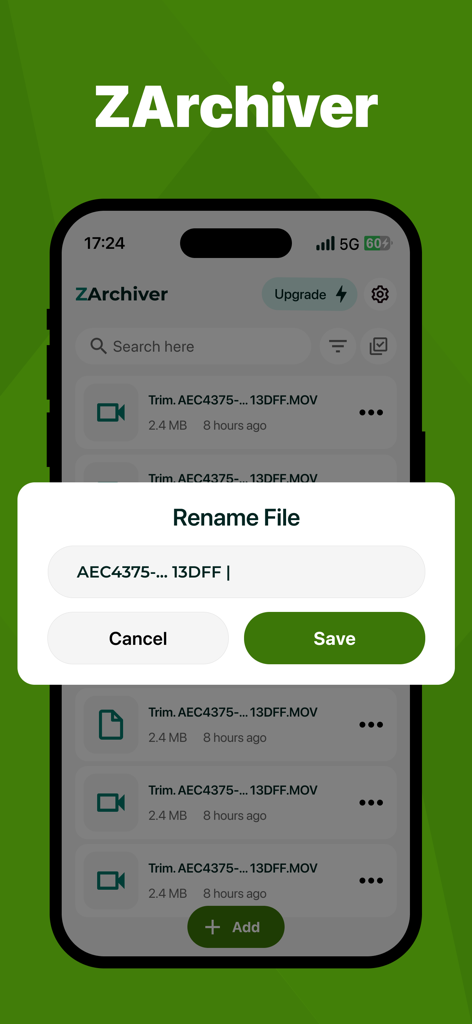
ZArchiverモバイルアプリのファイル名変更インターフェイス
説明
Download
類似アプリ
同じカテゴリのトップランクアプリ

Google LLC

Google Chrome
Google LLC

中国移动(手机营业厅)
China Mobile Online Services Co., Ltd.

Google Authenticator
Google LLC

CNH do Brasil
Servicos e Informacoes do Brasil

Cleanup: Phone Storage Cleaner
DEEP FLOW SOFTWARE SERVICES - FZCO

gov.br
Servicos e Informacoes do Brasil

中国电信-全国统一官方服务平台
CHINA TELECOM Corporation Ltd.

Microsoft Edge: AI Browser
Microsoft Corporation
このページはアプリまたはその開発者の公式ページではなく、情報提供および論評を目的として作成された独立した編集出版物です。明示的に別段の記載がない限り、アプリおよびその開発者は、MWM、Apple、Google Play、アプリのパブリッシャー、またはアプリの開発者と提携、承認、後援、認可、またはその他の公式的な関係はなく、このページのいかなる内容も、アプリがMWMのサービスを使用して開発されたことを意味するものではありません。すべての商標、ロゴ、スクリーンショット、その他のコンテンツはそれぞれの所有者の財産です。