Zoho Forms: Build mobile forms

Zoho Forms: Build mobile forms

ダウンロード: App Storeダウンロード: Google Play
ロゴ: Zoho Forms: Build mobile forms

Zoho Forms: ビジネス用の強力なモバイルフォームを作成

究極のノーコードフォームビルダーでフィールドオペレーションを効率化しましょう。どこからでもオフラインでデータを収集し、デジタル署名をキャプチャし、ワークフローを自動化します。

開発元

Zoho Corporation

カテゴリ

Business

ダウンロード

46K+

ユーザー評価

4.5/5

評価数

1K+

対応言語

11

指先で効率化

このインターフェースを利用する 46K+ 人のユーザー.

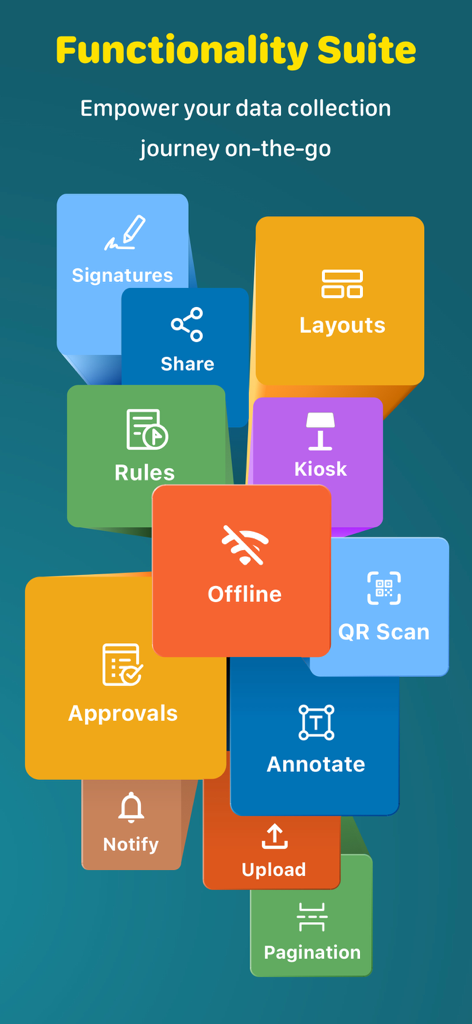
Zoho Formsの機能(オフラインモード、デジタル署名、キオスクモードなど)を強調するグラフィックで、モバイルデータ収集に対応
Zoho Formsの機能(オフラインモード、デジタル署名、キオスクモードなど)を強調するグラフィックで、モバイルデータ収集に対応

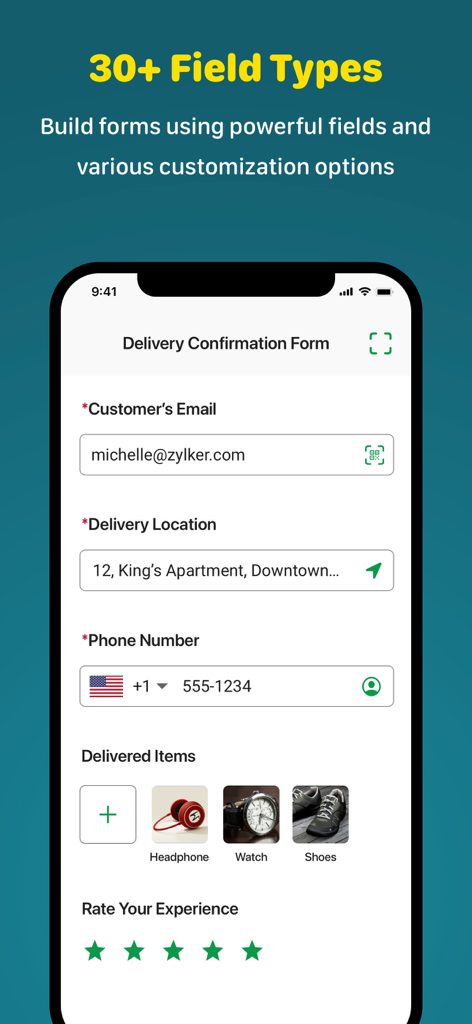
Zoho Formsのモバイルインターフェース。メール、場所、写真アップロードフィールドを備えた配達確認フォームを表示
Zoho Formsのモバイルインターフェース。メール、場所、写真アップロードフィールドを備えた配達確認フォームを表示

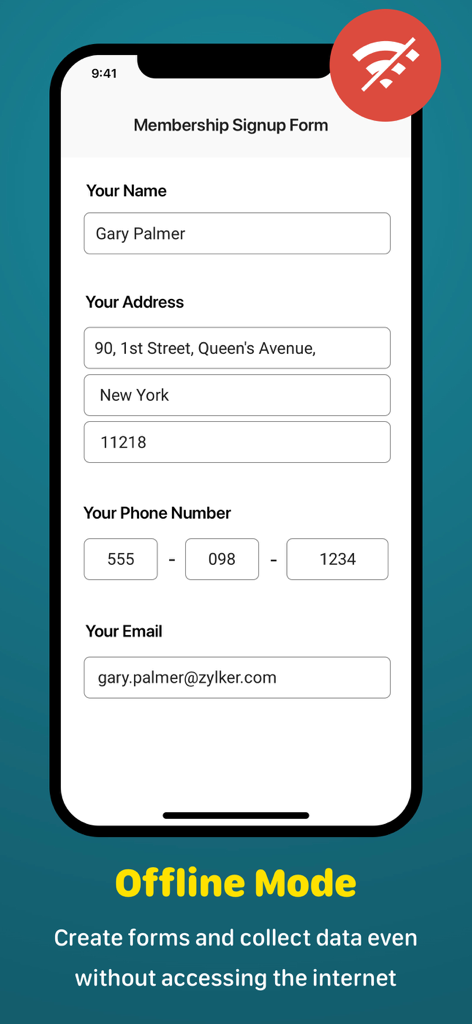
Zoho Formsモバイルアプリのインターフェース。オフラインモードで動作するメンバーシップサインアップフォームを表示
Zoho Formsモバイルアプリのインターフェース。オフラインモードで動作するメンバーシップサインアップフォームを表示

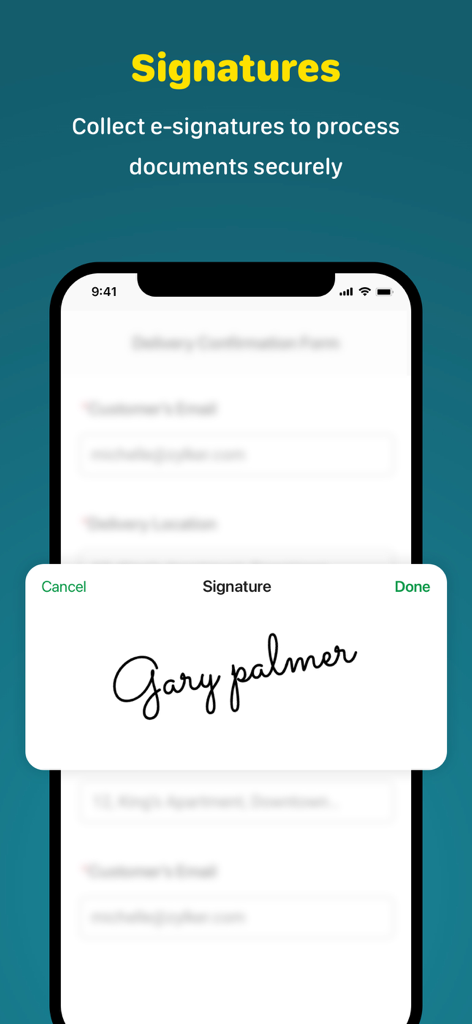
デジタル署名機能を備えたZoho Formsのモバイル画面。安全に電子署名を収集
デジタル署名機能を備えたZoho Formsのモバイル画面。安全に電子署名を収集

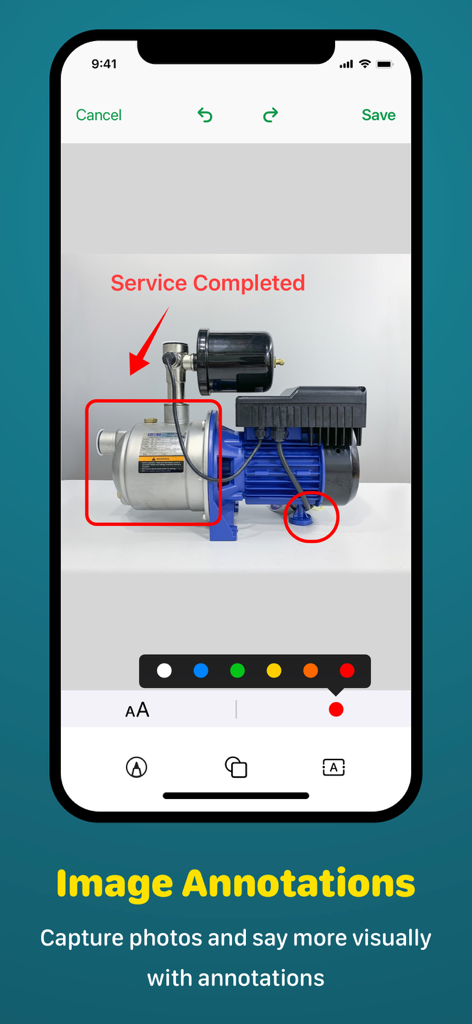
フィールドサービスレポート用に、画像注釈と写真マークアップを表示するZoho Formsインターフェース
フィールドサービスレポート用に、画像注釈と写真マークアップを表示するZoho Formsインターフェース

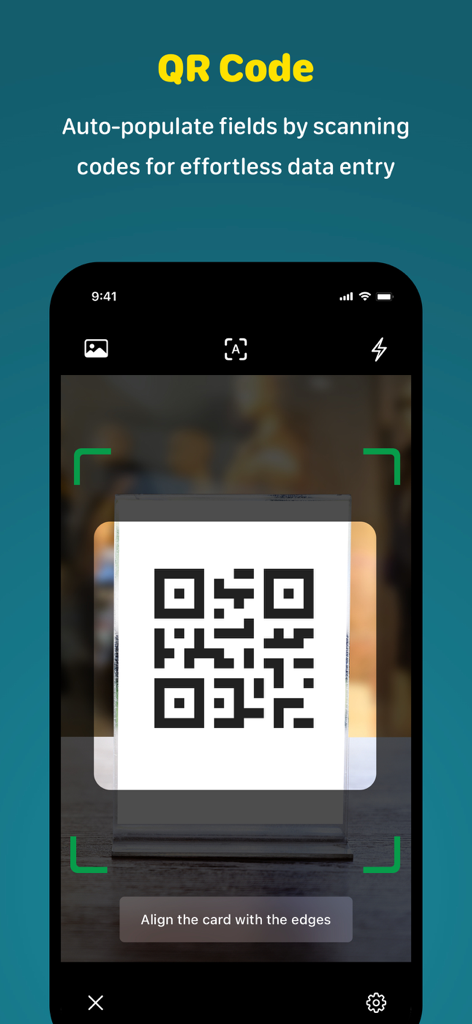
QRコードをスキャンしてフォームフィールドを自動入力するZoho Formsモバイルアプリのインターフェース
QRコードをスキャンしてフォームフィールドを自動入力するZoho Formsモバイルアプリのインターフェース

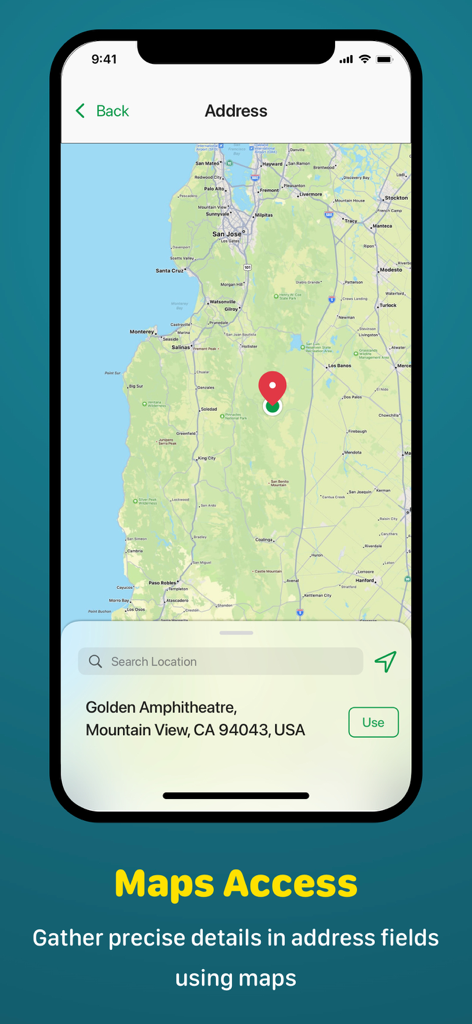
正確な住所キャプチャのための地図アクセスを表示するZoho Formsアプリインターフェース
正確な住所キャプチャのための地図アクセスを表示するZoho Formsアプリインターフェース

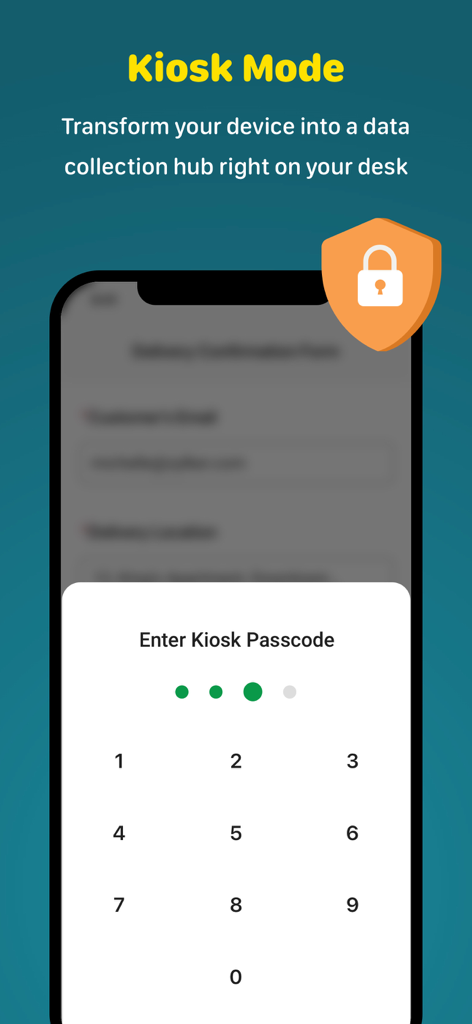
データ収集用の安全なパスコード入力画面を表示するZoho Formsキオスクモード機能
データ収集用の安全なパスコード入力画面を表示するZoho Formsキオスクモード機能

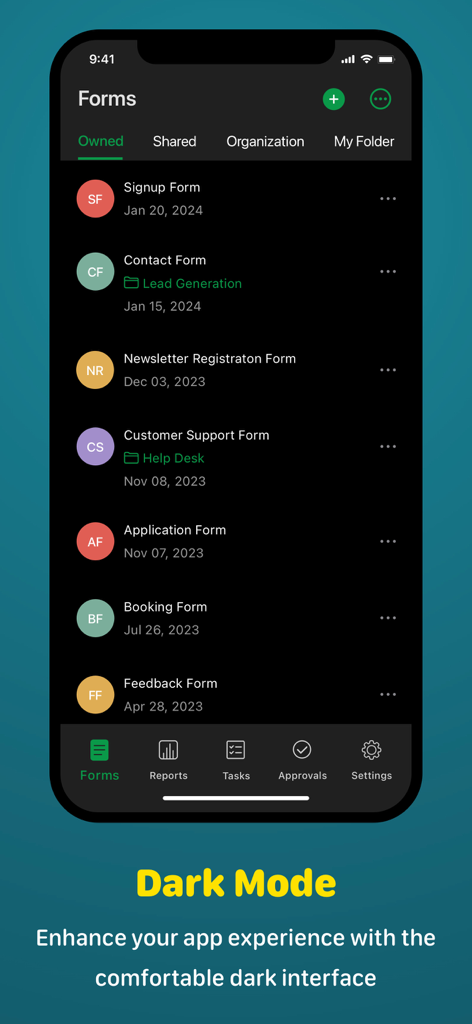
ダークモードインターフェースでフォームのリストを表示するZoho Formsモバイルアプリ

ダークモードインターフェースでフォームのリストを表示するZoho Formsモバイルアプリ

強力なデータ収集、フィールド向けに構築

このアプリを際立たせるツール、 46K+ 人のユーザーが選択.

📵

信頼性の高いオフラインデータ入力

デッドゾーンで作業を中断しないでください。リモートエリアで応答を収集し、オンラインに戻り次第自動的に同期します。

✍️

その場でのデジタル署名

取引を完了し、検査を迅速に終了します。ビジネスを円滑に進めるために、モバイルデバイスで直接安全なデジタル署名をキャプチャします。

🛠️

ノーコードワークフロー自動化

IT部門なしで、数分でプロフェッショナルなフォームを作成します。ドラッグアンドドロップツールを使用して、通知とデータルーティングを自動化します。

アプリについて

について知っておくべきこと Zoho Forms: Build mobile forms.

説明

Zoho Forms is a free app used to create forms, collect and analyze data, and generate insights. Our form builder is packed with powerful features that simplify data collection—even when you're offline—making it the perfect forms app for businesses of all sizes.

 Experience the convenience of generating and distributing paperless forms among your team members in an instant—all without coding. Build forms that are optimized for seamless usage on iPhone and iPad devices, enabling you to automate your business workflows anytime.   Key features that set Zoho Forms apart: • Offline mode: Seamlessly switch to offline mode when facing low internet data or network issues. Zoho Forms works efficiently as an offline data collection app, allowing you to create and collect data offline, then automatically sync with your data in the cloud when you're back online. • Kiosk mode: Transform your device into a data-collection kiosk, facilitating the seamless collection of form responses at events. • Barcode and QR code scanning: Automatically populate form fields by scanning codes with your device's camera, enhancing data accuracy and efficiency. • Business card scanning: Quickly collect leads' contact details by scanning their business cards to streamline lead generation. • Signatures: Collect digital signatures to streamline workflows and process online documents. • Capture locations: Capture a device's location coordinates to auto-fill address details on forms, enhancing accuracy and convenience. • Folders: Organize all your forms efficiently with folders, simplifying form management for everyone in your organization. • Record layout: Choose from a variety of available layouts to optimize your data for review.   What makes Zoho Forms the best choice for your data collection needs? Form builder: With 30+ field types at your disposal, it's easy to create the right type of form with our no-code platform. Collect data in the way that best suits your needs by using field-specific properties. Media fields: Embrace versatile data collection with media fields enabling users to upload images, audio files, videos, and more. Sharing options: Share your form with your team, publish it on a website, circulate it on social media, and distribute it via email campaigns.   Notifications: Stay informed about new submissions and updates to records with email, SMS, push, and WhatsApp notifications. Conditional logic and formulas: Implement conditional logic to trigger smart operations and set up formulas to perform calculations based on respondents' input. Approvals and tasks: Collaborate with your team, delegate entries as tasks, and configure multi-level approval workflows for form submissions. Tools to view and export data: Filter entries, export them as CSV or PDF files, and send them to your business apps for further processing. Zoho Forms is free to use forever, with subscription plans available for organizations with more complex needs. Visit our pricing page for detailed information: https://www.zoho.com/forms/pricing.html We are committed to making your data-collection process easy and efficient. If you have any questions or concerns, reach out to us at support@zohoforms.com. Privacy Policy:
 https://www.zoho.com/privacy.html   Terms of Service: https://www.zoho.com/forms/terms.html

最新バージョン

6.19

サイズ

127.0 MB

リリース日

2014年3月30日

ペーパーレス化してフィールドの効率を向上させませんか?

46,000人以上のプロフェッショナルがワークフローを効率化しています。数分で最初のノーコードフォームを作成し、オフラインでもどこでもデータを収集できます。

ダウンロード: App Storeダウンロード: Google Play

App information, icons, screenshots, and descriptions displayed on this page are sourced from the Apple App Store and are the property of their respective developers. Download estimates and rankings are based on MWM's proprietary models and may not reflect actual figures. This page is provided for informational and analytical purposes only.

Believe this page infringes your intellectual property? File a dispute